WeChat Service Integration
1. WeChat Customer Service Integration on SaleSmartly Platform
By integrating WeChat customer service, companies can directly and visually operate WeChat public accounts on the SaleSmartly platform, communicate with customers in real time, and provide better customer service.
Integrate WeChat customer service functions on the SaleSmartly platform, including WeChat customer service access configuration, sending and receiving messages, chatting with customers, and other operations.
2. Step-by-Step Guide
2.1. Authorize WeChat for Business
In Integration-WeChat Customer Service, click Authorize an existing WeChat account.
If you don't have WeChat Work yet, you can register by going to the following link: https://work.weixin.qq.com/wework_admin/register_wx
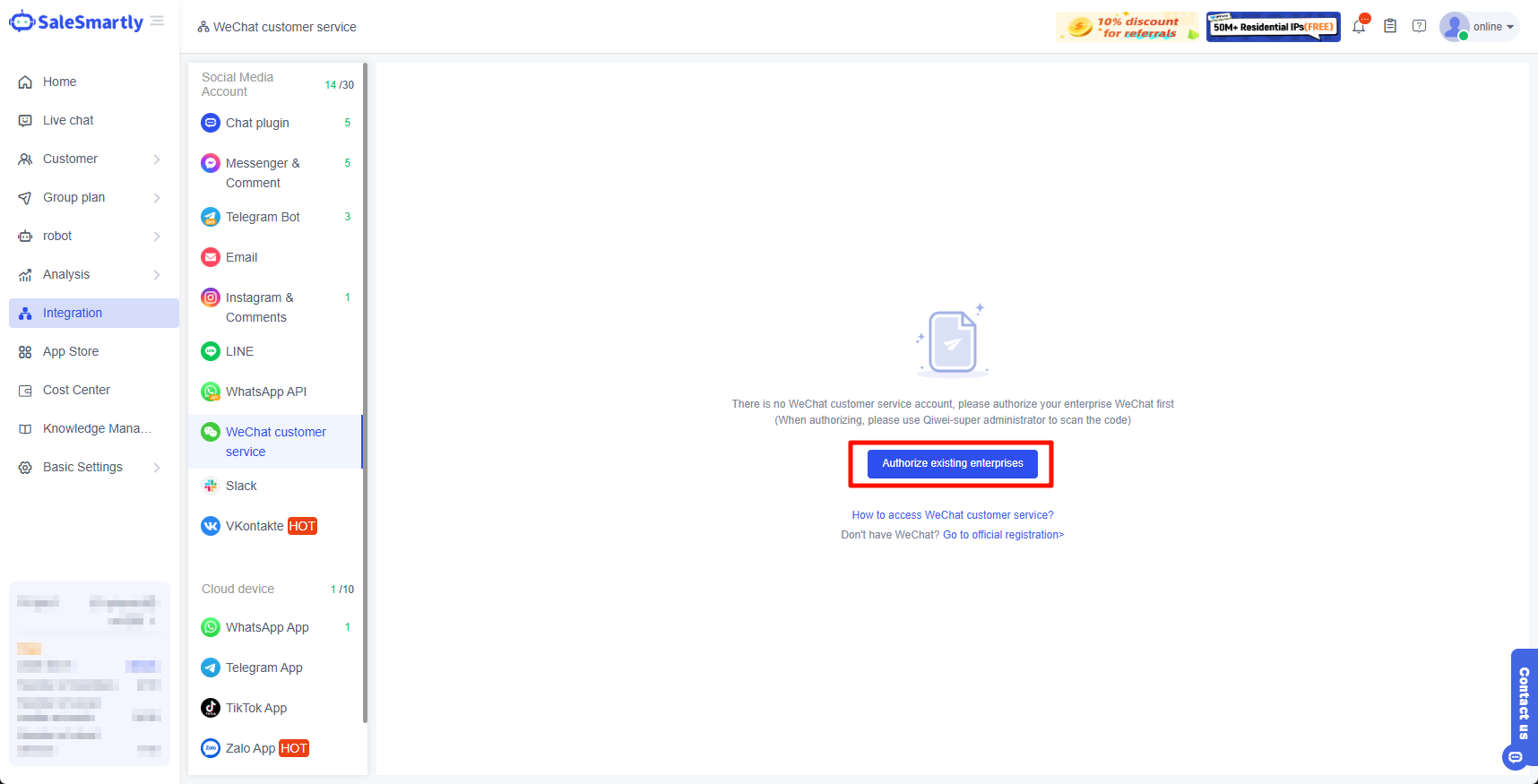
After clicking the authorization button, the WeChat Enterprise QR code scanning page will open. Please open the WeChat Enterprise APP to scan the QR code for authorization (please be sure to use WeChat Enterprise- Super Administrator identity to scan the QR code).
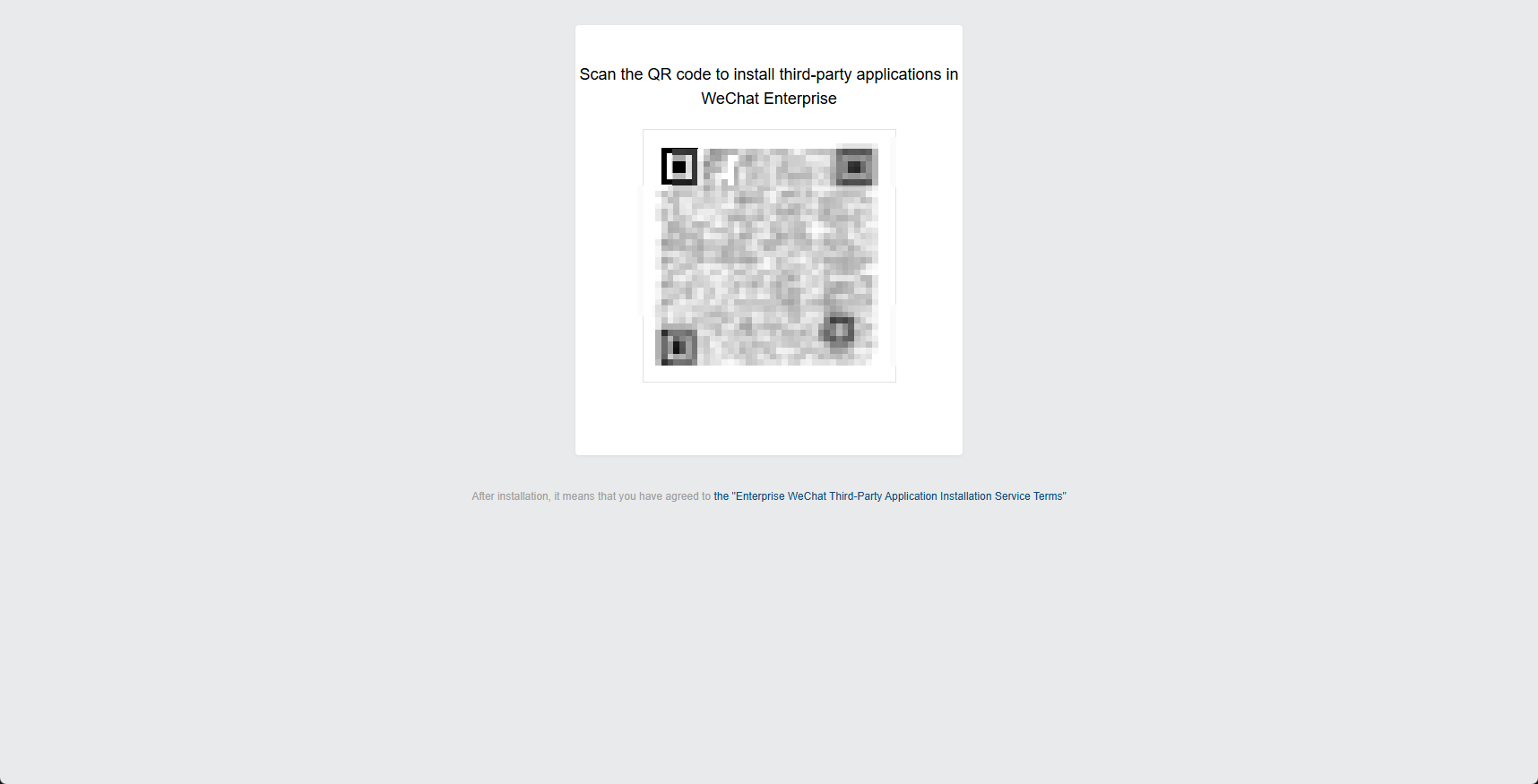
After scanning the code successfully, you will be redirected to the WeChat authorization page. You need to click the Agree Authorization button and wait for 3 seconds before being redirected back to the SaleSmartly system page. At this point, you have successfully integrated WeChat customer service in SaleSmartly.
2.2. Create a WeChat Customer Service Account
After the authorization is completed, SaleSmartly will generally automatically create a new customer service account for you in the background. You can modify, use or delete the account according to your needs.
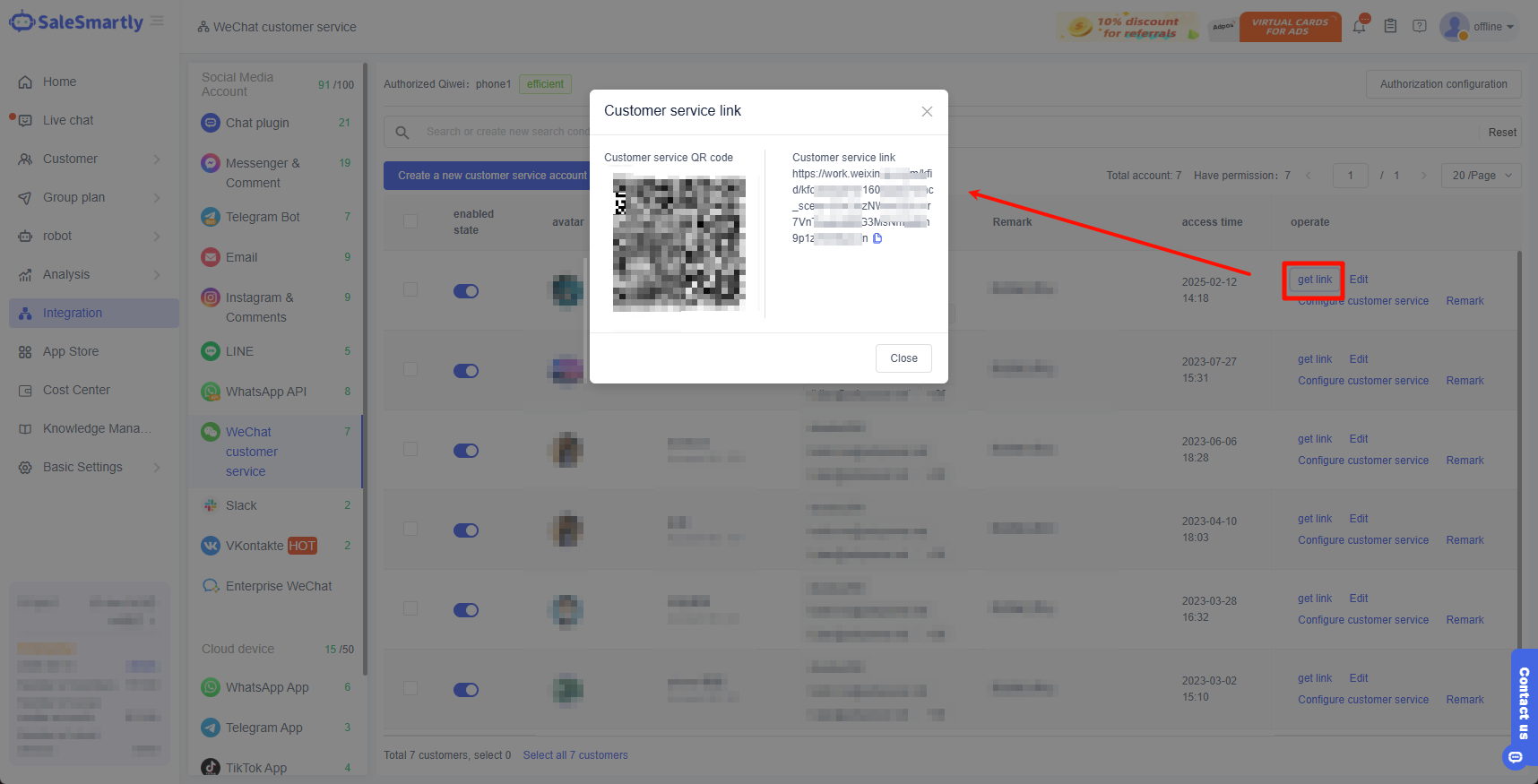
When testing the chat, please enable the customer service account first > then click Get Link to get the chat link/QR code of the customer service account > use WeChat APP to scan the code > initiate a chat test as a visitor.
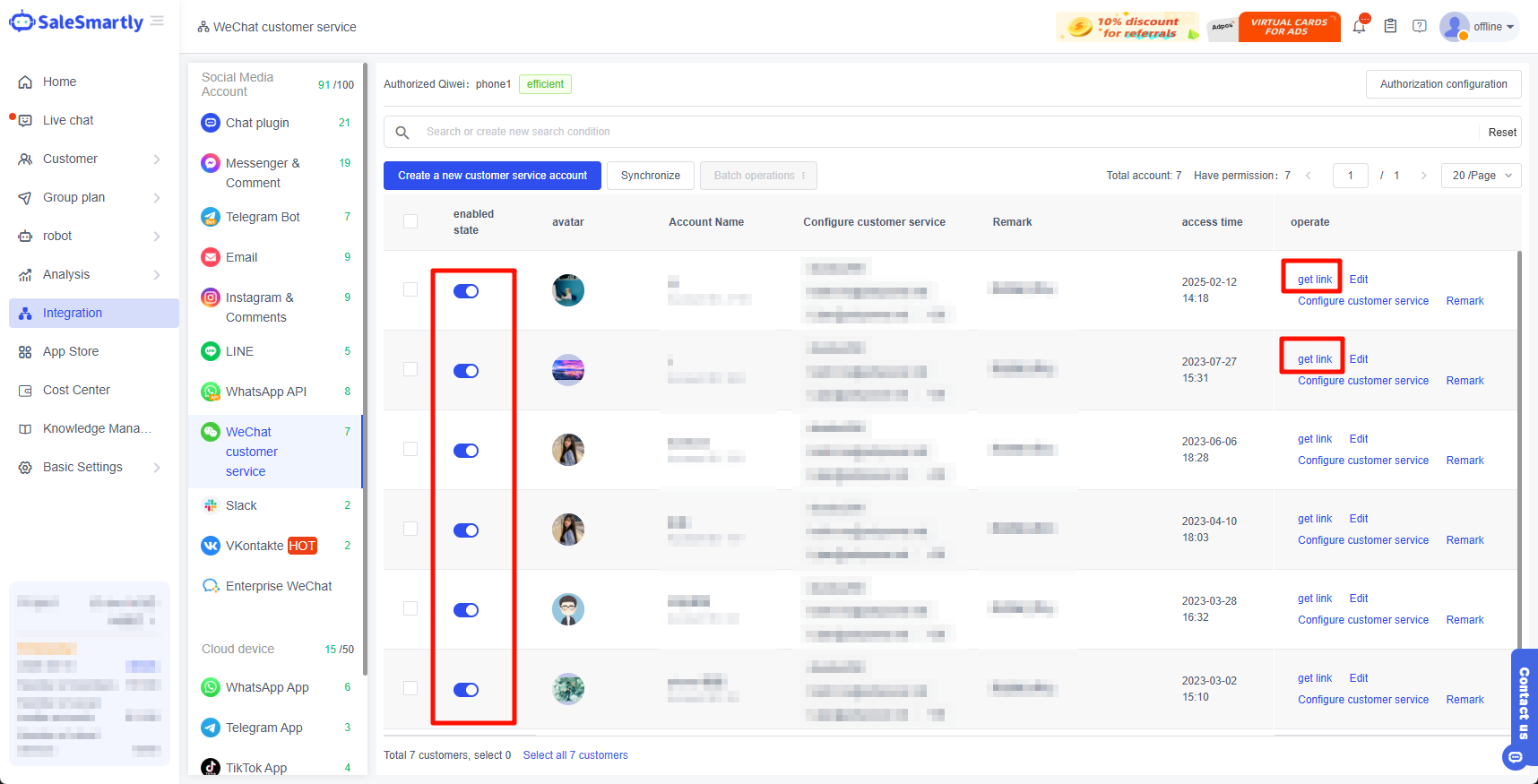
You can create a new customer service account yourself or simultaneously pull the WeChat customer service account you created in the WeChat Enterprise Management dashboard.
2.2.1. Create a New Customer Service Account
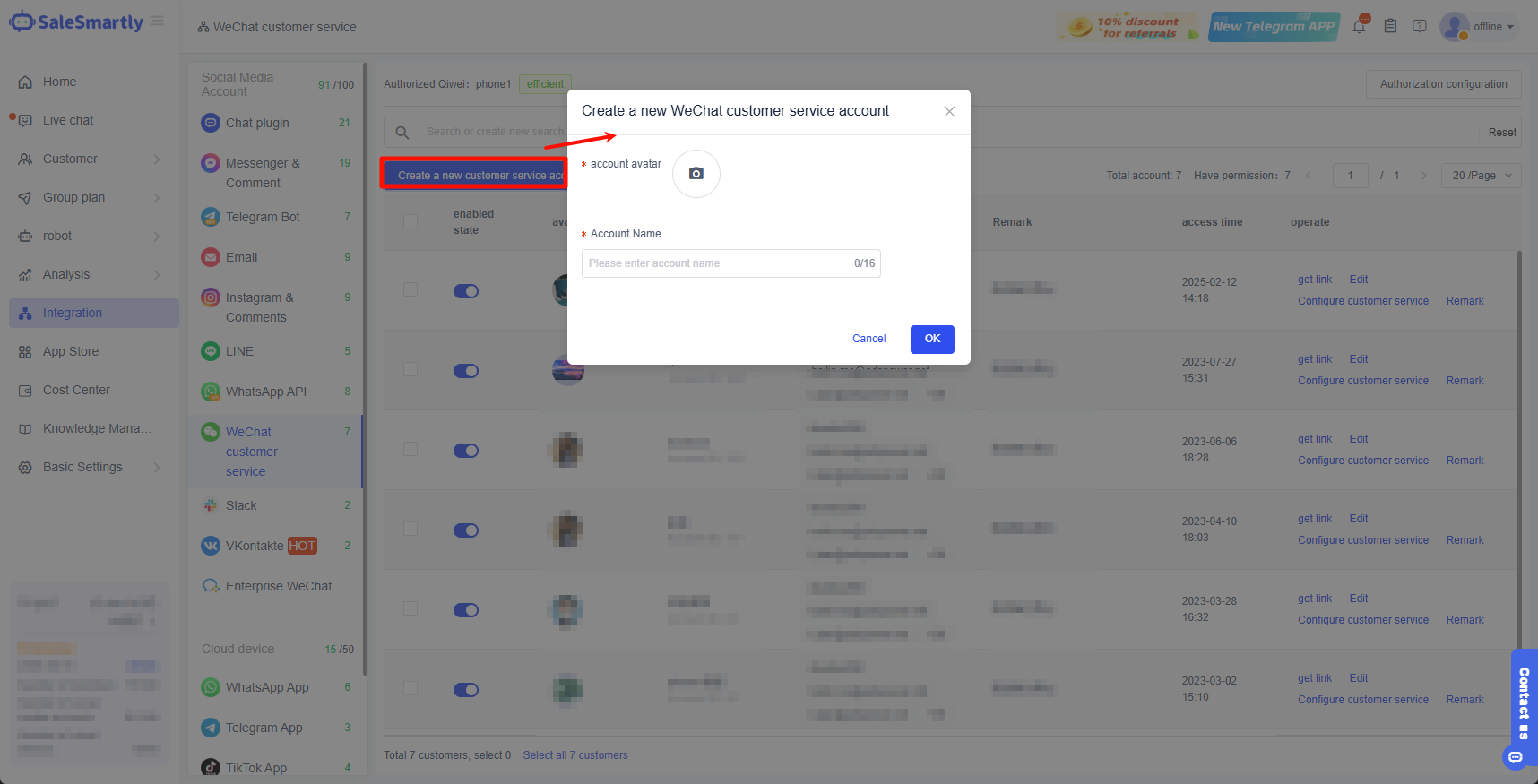
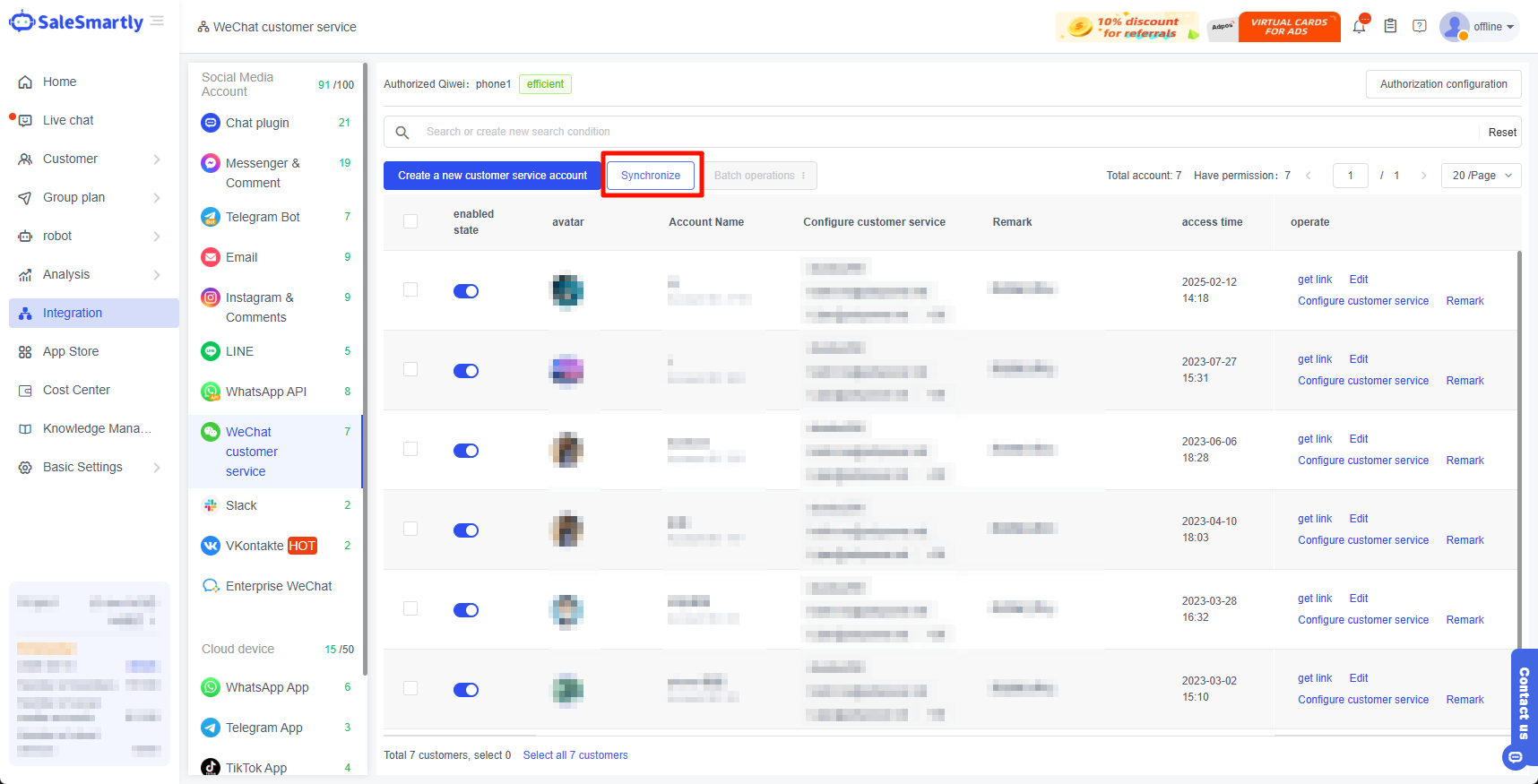
Click Create New Customer Service Account > Upload the WeChat customer service account avatar > Enter the account name > Click Confirm, and the WeChat customer service account will be created successfully.
2.2.2. Synchronize WeChat Customer Service Account in the Enterprise Dashboard
- Enter the enterprise WeChat management dashboard (https://work.weixin.qq.com/wework_admin/loginpage_wx) > click Application Management-WeChat Customer Service > enter the WeChat Customer Service application details page, scroll to the bottom of the page > and click to authorize a third-party application.
- On the Authorize Third-Party Apps page, find SaleSmartly, click Edit > in the action bar and select the corresponding customer service account for authorization.
- After successful authorization, return to the SaleSmartly dashboard > click the sync button at the top of the customer service account list > after clicking, the system will automatically pull the authorized WeChat customer service account.
3. Get the Customer Service Link
After you create/synchronize a WeChat customer service account in WeChat customer service, click Get Link to obtain the customer service QR code and customer service link. Visitors can communicate with you through this customer service QR code or customer service link.
You can send and receive visitor messages in the SaleSmartly and answer visitors' questions.
4. Notes
If your corporate WeChat account is not a certified enterprise or is not bound to a video account, the official restrictions are as follows:
- When the enterprise has not completed the entity verification, WeChat customer service can only receive a total of 100 customers. At the same time, only 10 customer service accounts can be created. After the enterprise is authenticated, it can continue to create customer service accounts.
- When the enterprise has been verified but not bound to a video account, WeChat customer service can receive 100 customers per day.
- When the enterprise has been verified and bound to a video account, there is no limit on the number of customers that WeChat customer service can receive.
How to bind the video account to WeChat for Business? You can check the official tutorial: https://open.work.weixin.qq.com/help2/pc/17940
5. Frequently Asked Questions
5.1. It Shows That the Authorization Is Successful, but No Authorization Is Received
- You need to scan the QR code with the super administrator for authorization.
- Please delete the app and reauthorize it.
- Confirm whether it is authorized for another project. For example, if it is a SaleSmartly project registered with WeChat for Business, you need to unbind it from the original authorized project and then re-authorize it.
