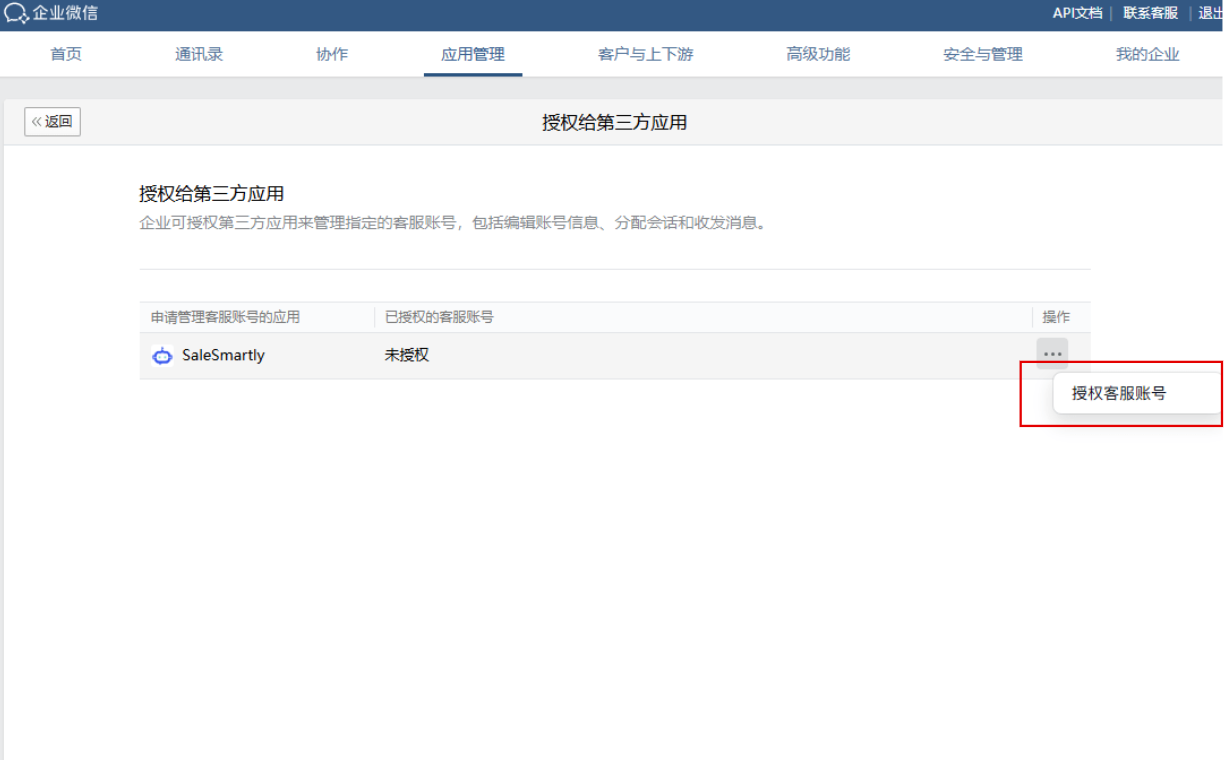
SaleSmartly Setup
1. Common Reasons for WeChat Customer Service Channel Integration Failure
1.1. SaleSmartly Setup in WeCom App Management
Check if SaleSmartly is authorized in the WeCom (WeChat Work) App Management section.
If not, go to Add Third-Party App, enter "SaleSmartly," and add it.
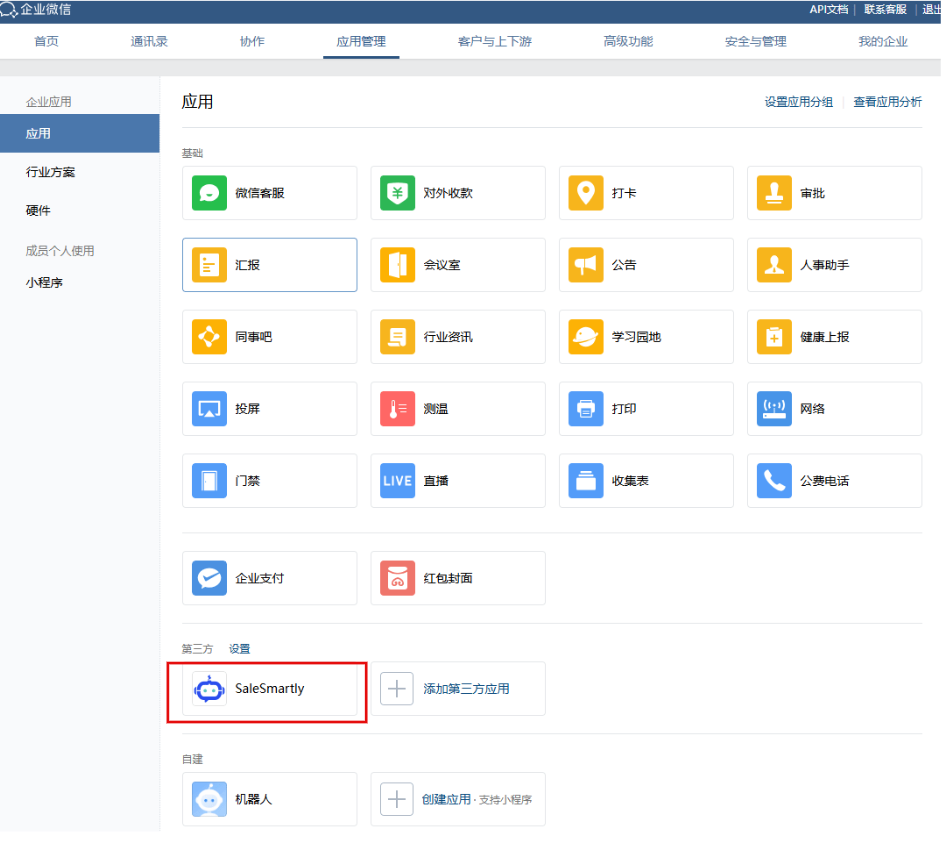
1.2. WeCom Super Admin Check
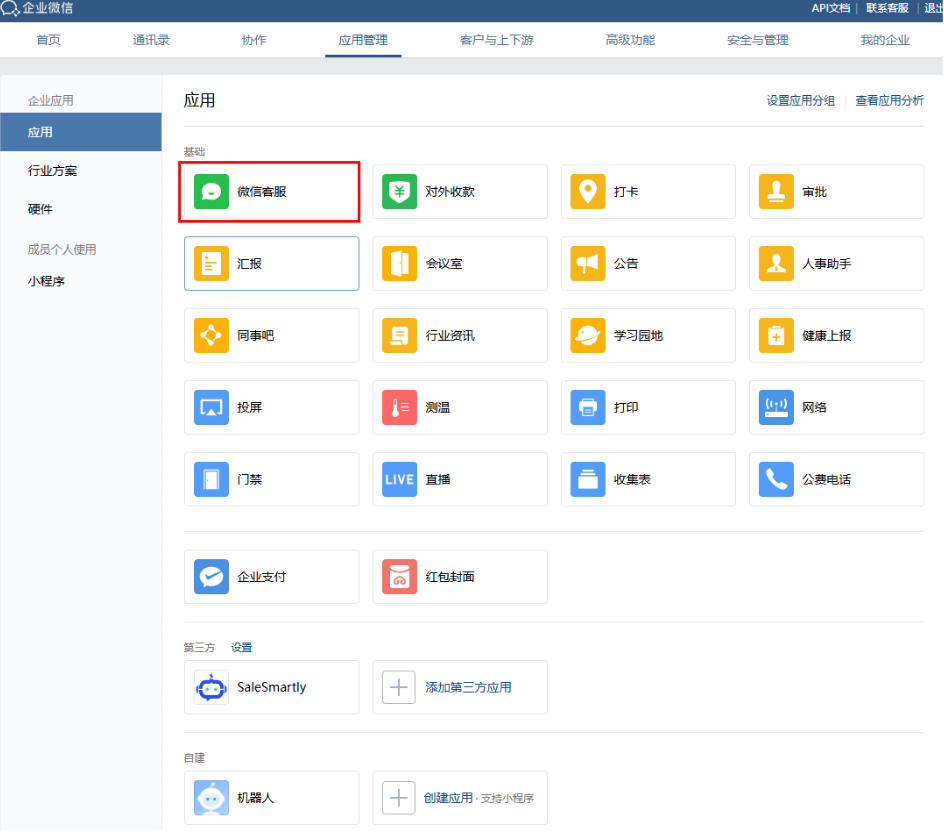
Check if the account used for scanning the WeCom authorization QR code is a Super Admin.
In the App Management section, see if the WeChat Customer Service app is listed. If it's missing, the account that authorized WeCom is not a Super Admin.
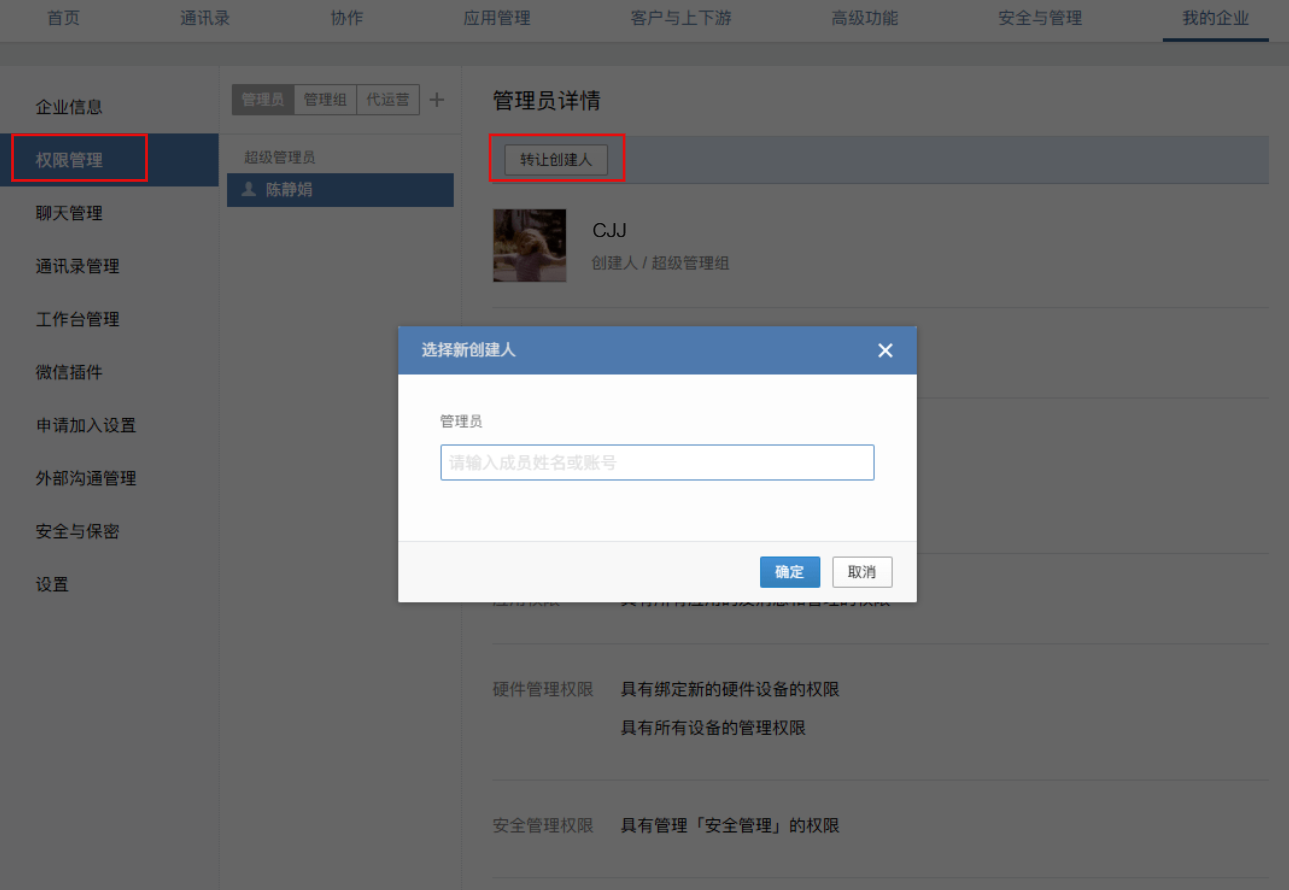
If that's the case, ask the WeCom Super Admin to go to WeCom > My Company > Permission Management and transfer or assign the required permissions.
1.3. WeChat Customer Service App Setup
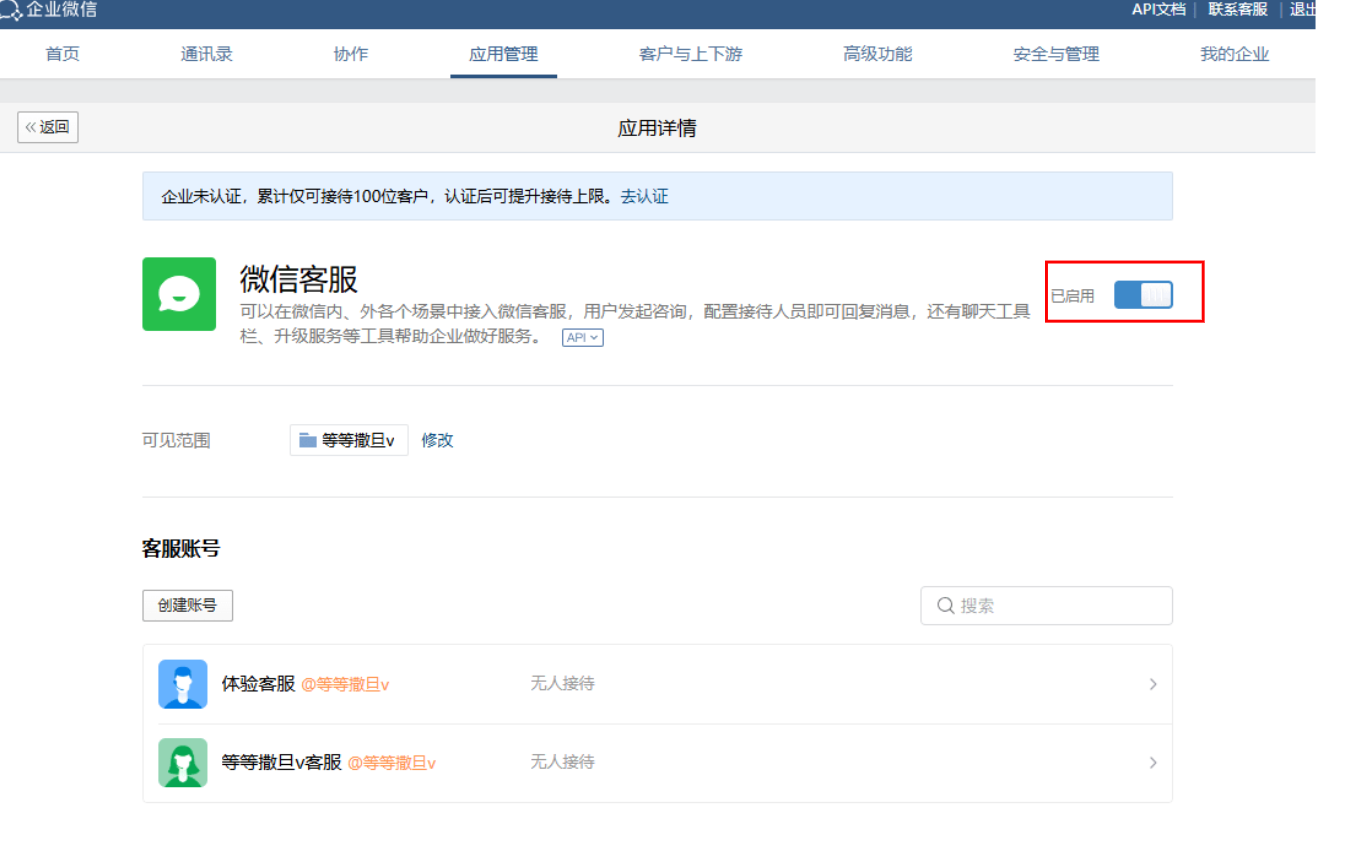
Check if the WeChat Customer Service app is enabled, and whether the third-party authorization at the bottom is turned on.
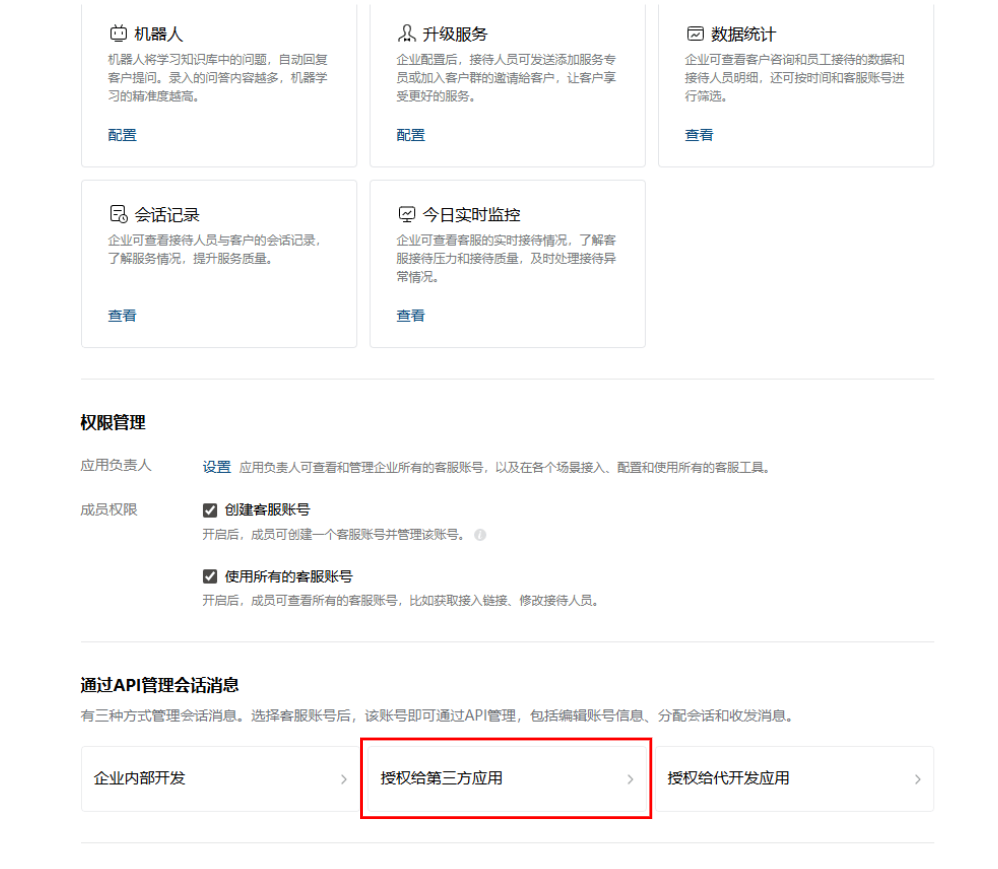
Click Authorize to Third-Party App, then click Authorize Customer Service Account, and select the corresponding account to complete the setup.