Get HelpLook Token
Learn to obtain HelpLook Token and complete app installation easily.
1. Introduction to HelpLook Token
This guide explains how to obtain HelpLook Token. Once obtained, you can enter the token in App Store → HelpLook to complete the installation.
2. Step-by-Step Guide to Obtain HelpLook Token
2.1. HelpLook Account Registration
If you don't have a HelpLook account, visit the HelpLook official website and sign up (click here).
2.2. Accessing Your API Token
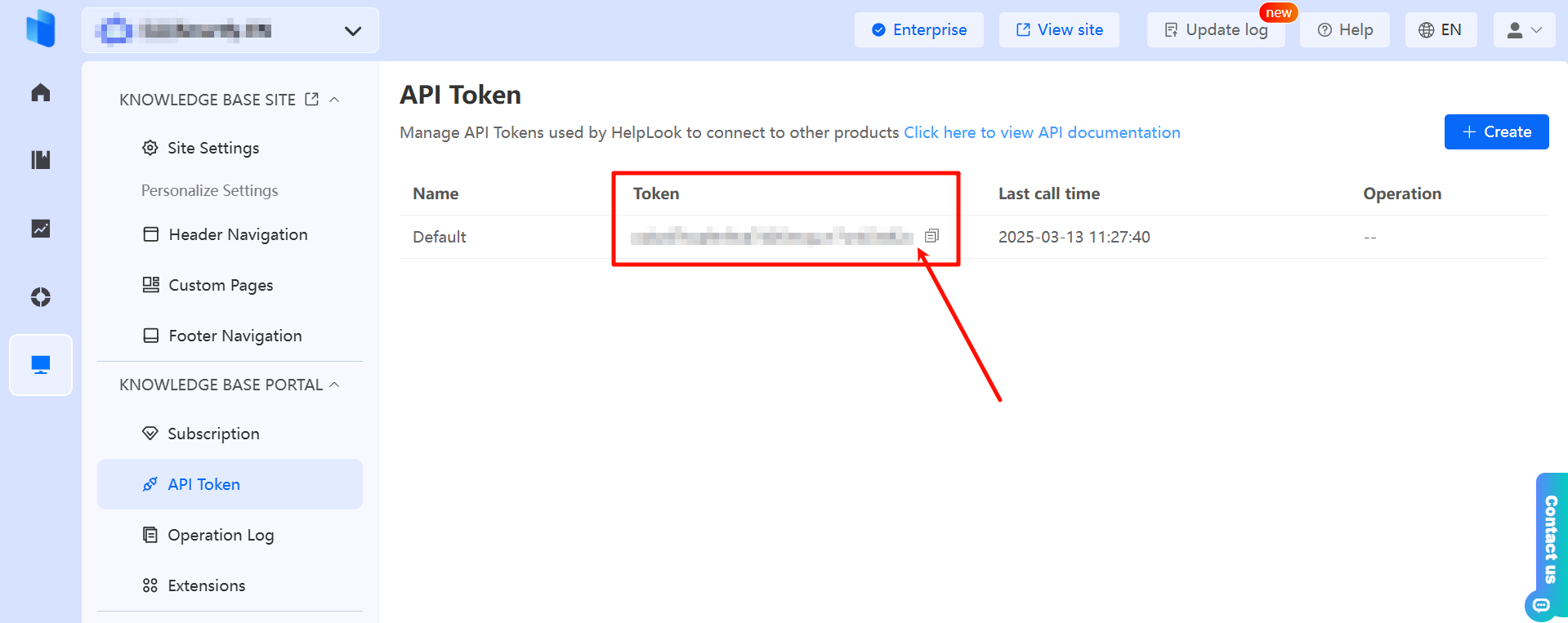
After registering, log in to your HelpLook account. Go to the dashboard and navigate to Set Up → Knowledge Base Portal → API Token. Find the token displayed in the red-boxed section below, then click Copy to save your AI Token.