Speech Library Use
1. Speech Library Introduction
Commonly used scripts can help customer service to answer customers' questions and effectively increase the order conversion rate.
This chapter will explain the use of the speech library and the simple configuration of the speech library. For a detailed configuration of the speech library, please jump to the talk library document for reference.
2. Functional Overview
2.1. Use of the Speech Library
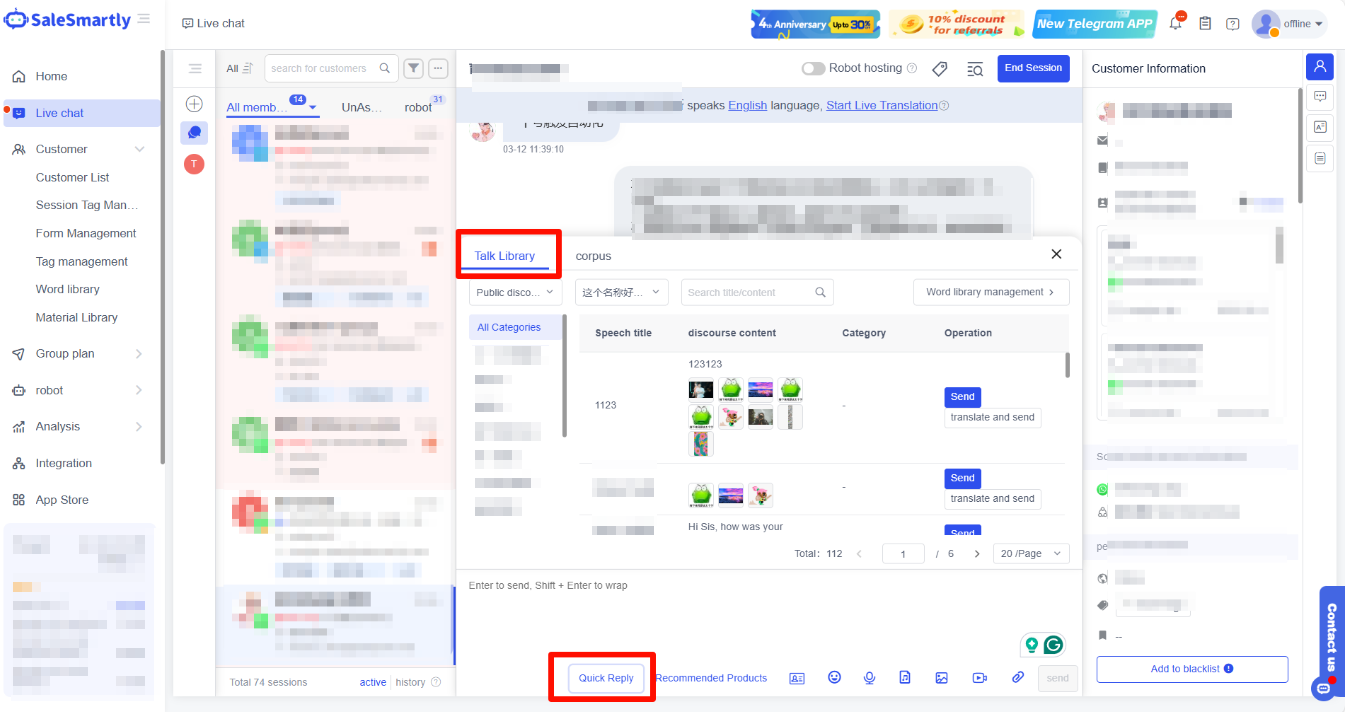
During the chat, you can click Talk Library on the right to send commonly used speech. At the same time, you can also click Quick Reply at the bottom of the conversation window to expand the speech library to improve the professionalism and accuracy of customer service replies.
- Click on the speech library on the right > click to send the desired reply.
- Click on the quick reply at the bottom of the chat window > click to send the desired reply.
2.2. How to Add a Talk Library
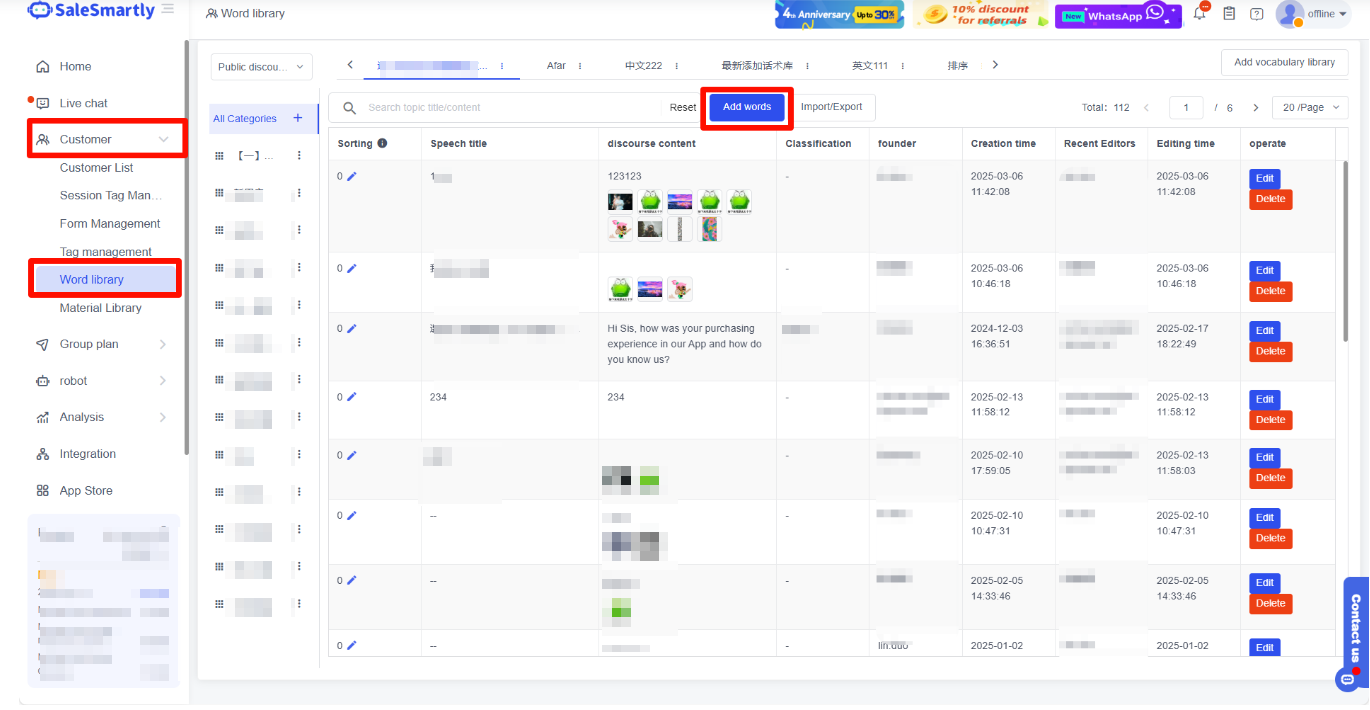
You can go to the Client - Word Library interface to add, edit, import/export scripts, etc.
Go to Client - talk Library > click to add words > fill in specific parameters > click OK to add it successfully.
If you want to know a more detailed introduction to configuring a speech library, you can click on the talk library document to check it out.