Affiliate Dashboard Guide
After registering your affiliate account, here's how to:
Get your referral link, access marketing materials, track your performance, and withdraw your commission.
1. How to Use the Affiliate Dashboard
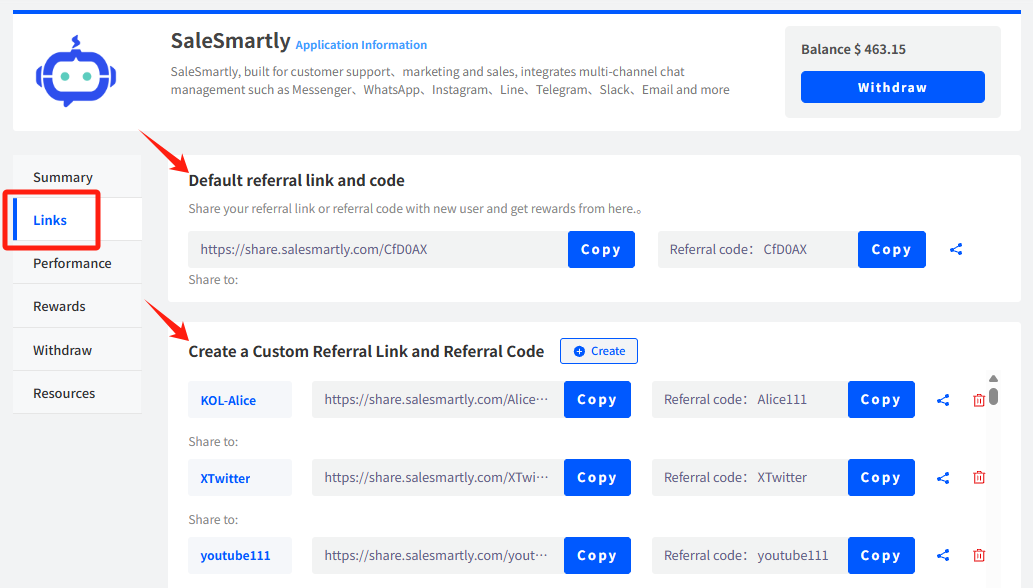
1.1 How to Get Your Unique Referral Link/Invite Code
Go to the "Links" tab in the menu → Click "Copy"
Notes:
① You can use the default referral link and code directly.
② You can also create a custom referral link and referral code to differentiate between various channels and track their performance separately.
1.2 How to Share Promotional Materials with Your Referral Link
In the "Links" tab → Click the "Share" button
Notes:
You'll find ready-to-use promotional text, posters, and QR codes. Choose the format that best suits your needs.
❗ All materials whether text, poster, or QR code come embedded with your exclusive referral link.
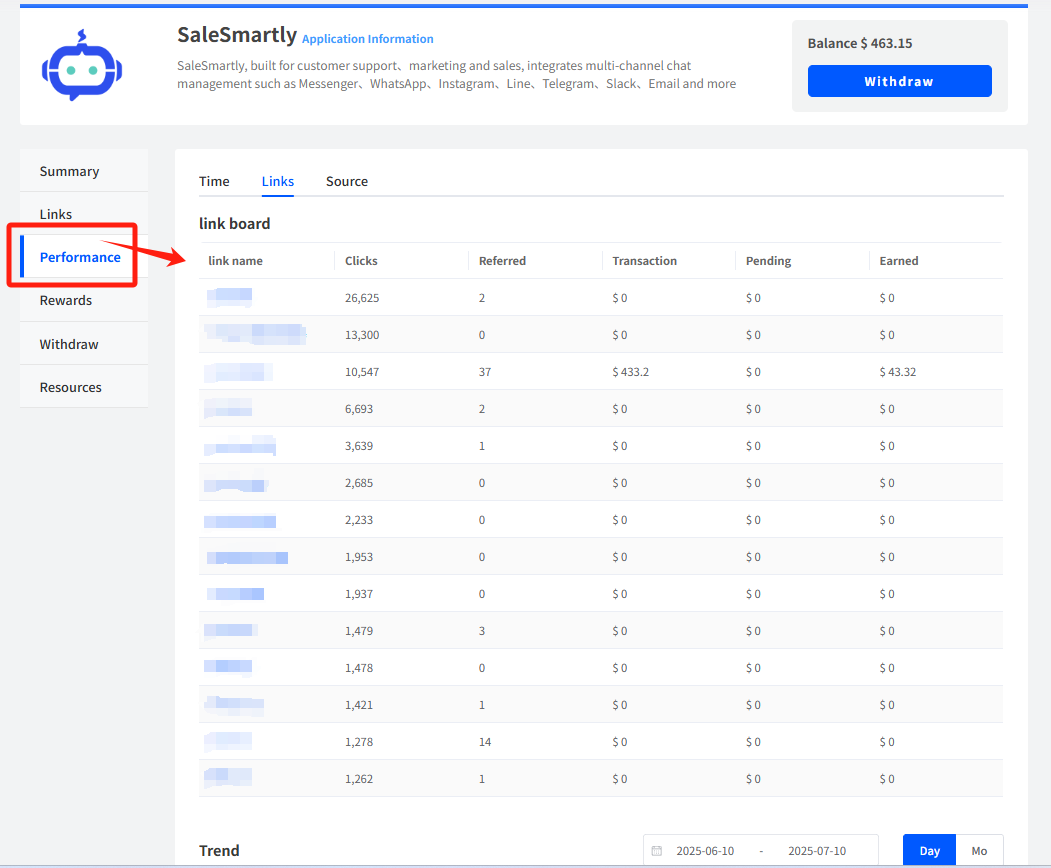
1.3 How to View Data for Each Referral Link/Code
Go to the "Performance" tab → View detailed data by time, link, or invited users.
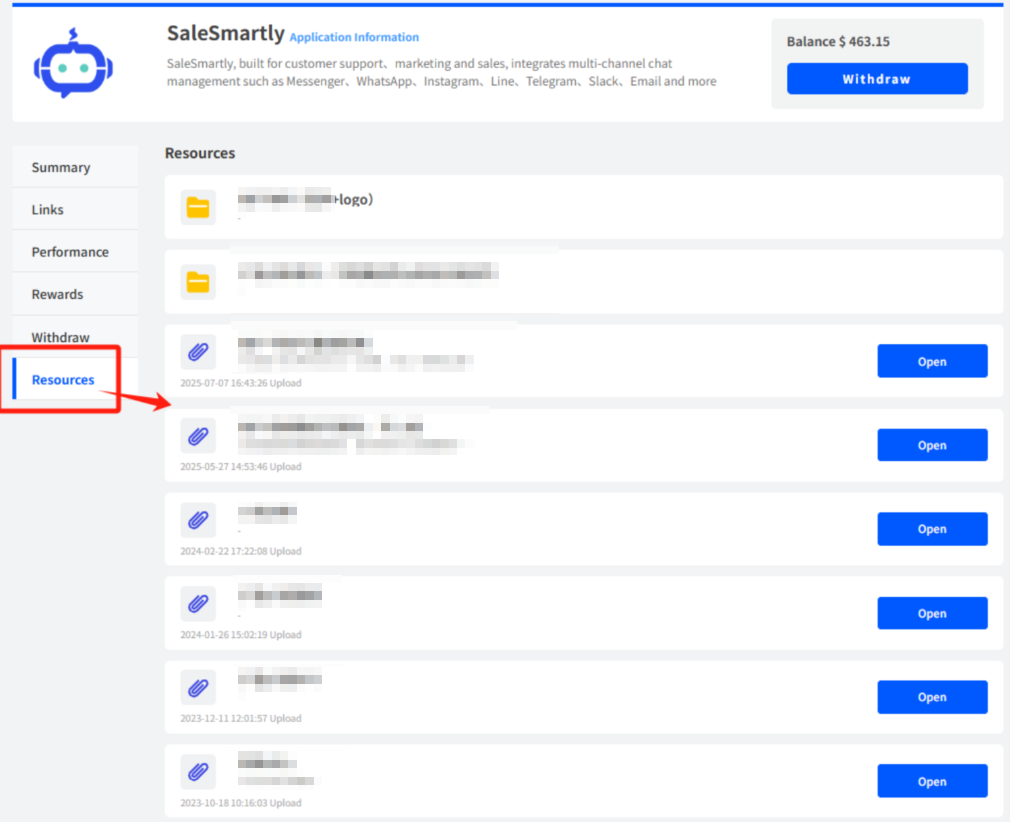
1.4 How to Access More Promotional Resources and Tools
Go to the "Resources" tab → Choose the documents or materials you need for better promotion.
2. View Earnings & Withdraw Commission
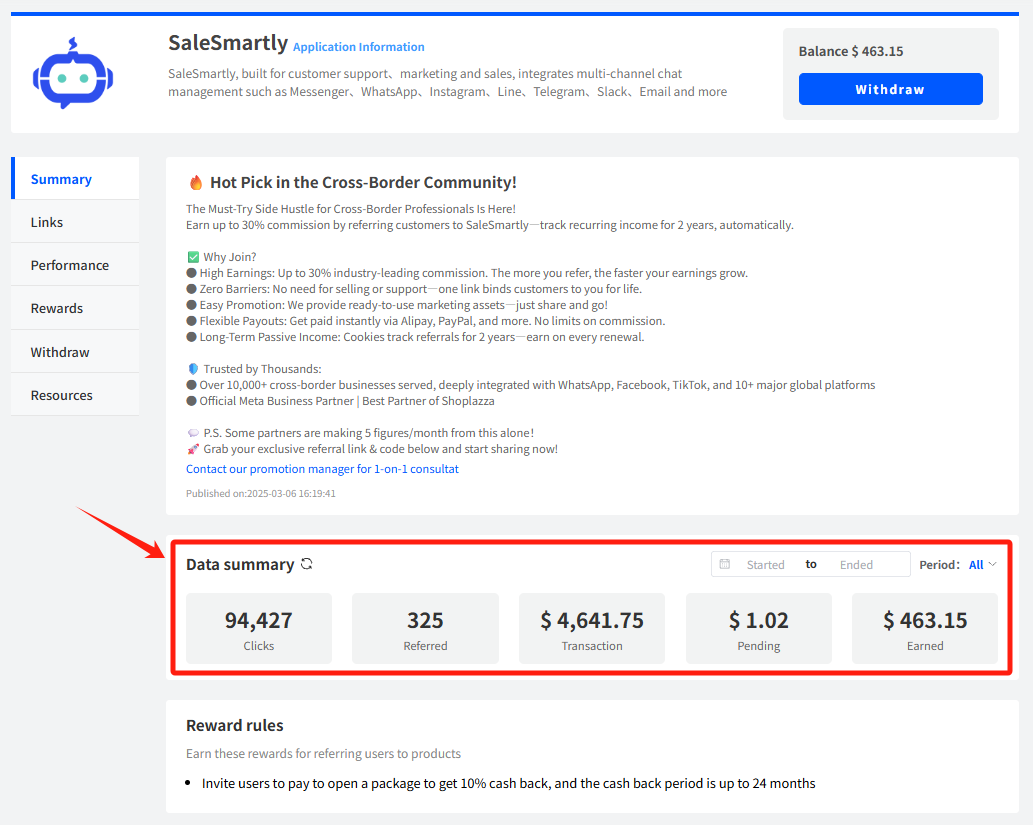
2.1 How to Check Your Earnings in Real-Time
Go to the "Summary" tab → View your Data Summary
Notes:
You can monitor real-time earnings here. For a detailed breakdown of your rewards, go to the "Rewards" tab.
2.2 How to Withdraw Your Commission
Click "Withdraw" in the top-right corner of the dashboard → Enter the withdrawal amount → Select the withdrawal method → Confirm the withdrawal account
Notes:
① Supported withdrawal methods: Alipay / PayPal / WebMoney / Capitalist
② In compliance with related regulations, Alipay withdrawals require real-name verification in advance.

For further questions about the affiliate program or commissions, feel free to consult our affiliate manager via Telegram.
👉 Telegram: https://t.me/vita2390
