Bulk Email Sending
Explore two ways to send bulk emails on SaleSmartly, free or via EDM.
1. SaleSmartly Bulk Email Sending Methods
SaleSmartly offers 2 methods to send bulk emails. Choose the option that fits your needs:
1.1. Send Emails Using Your Email Account (Free)
That is, use your authorized email account to send mass emails. Through this method, the platform will not deduct email fees, but you need to authorize your email account to SaleSmartly first.
Steps:
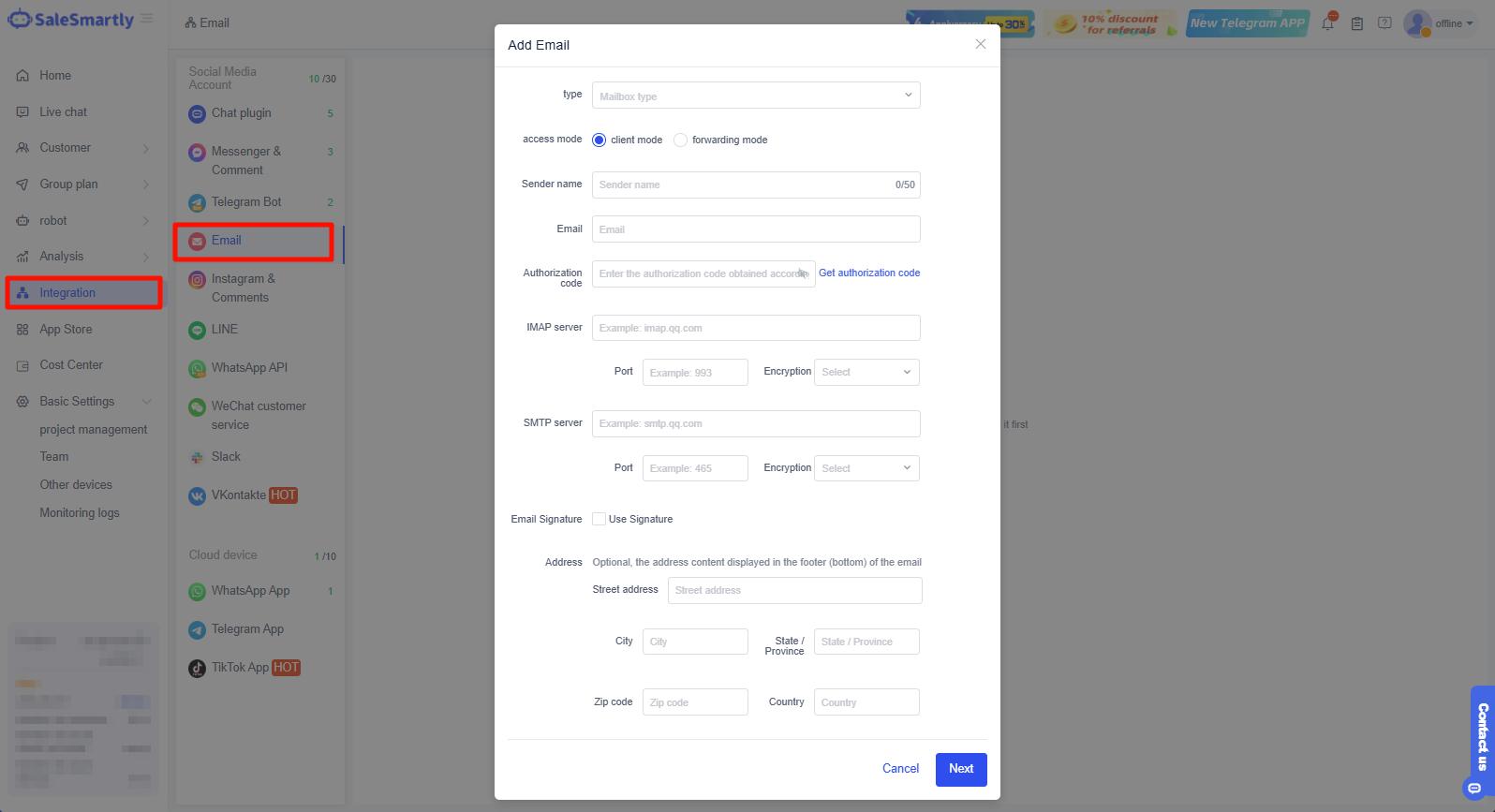
- Go to Integration - Email channel, and click Add Email to access your Email account.
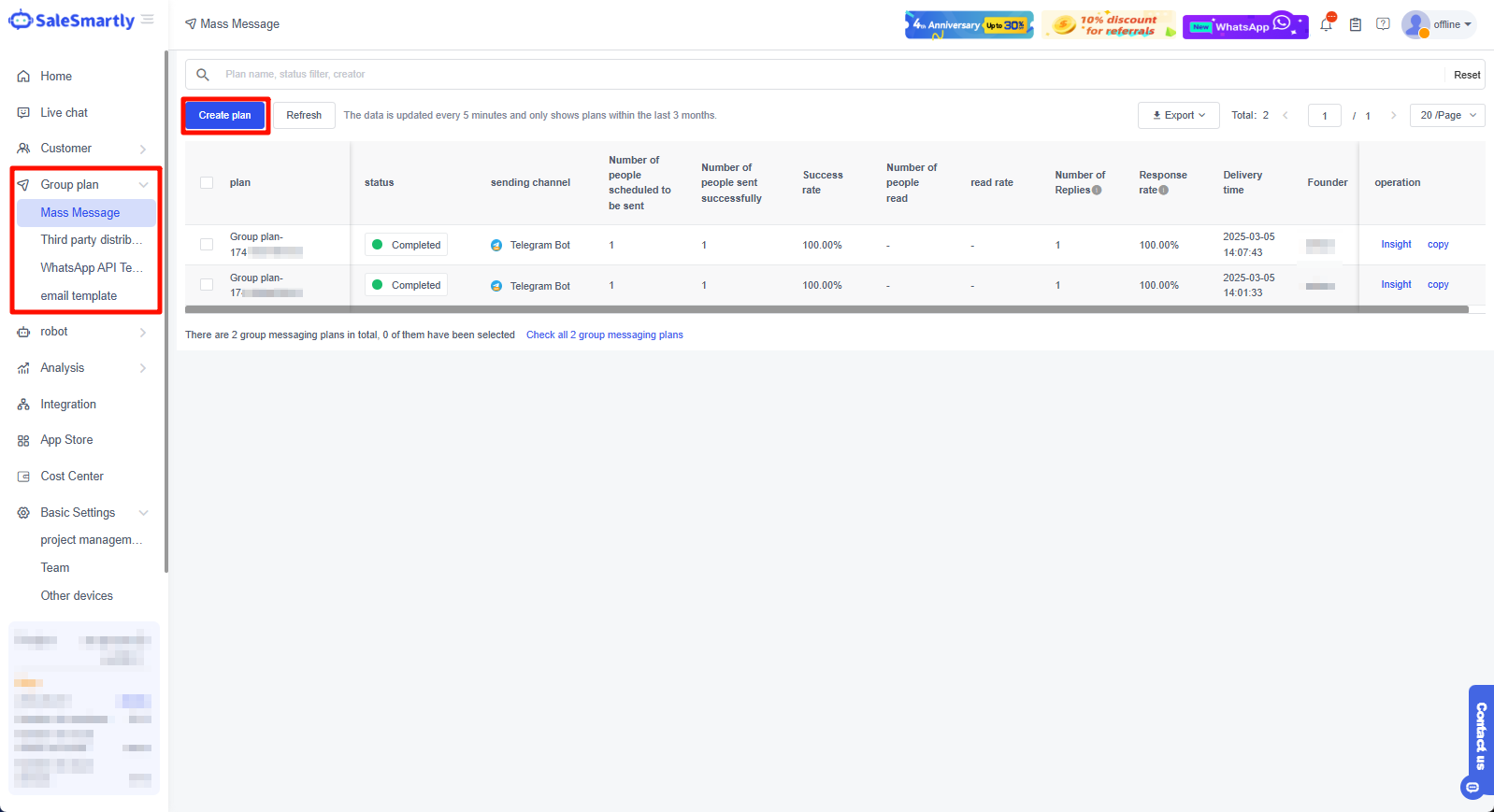
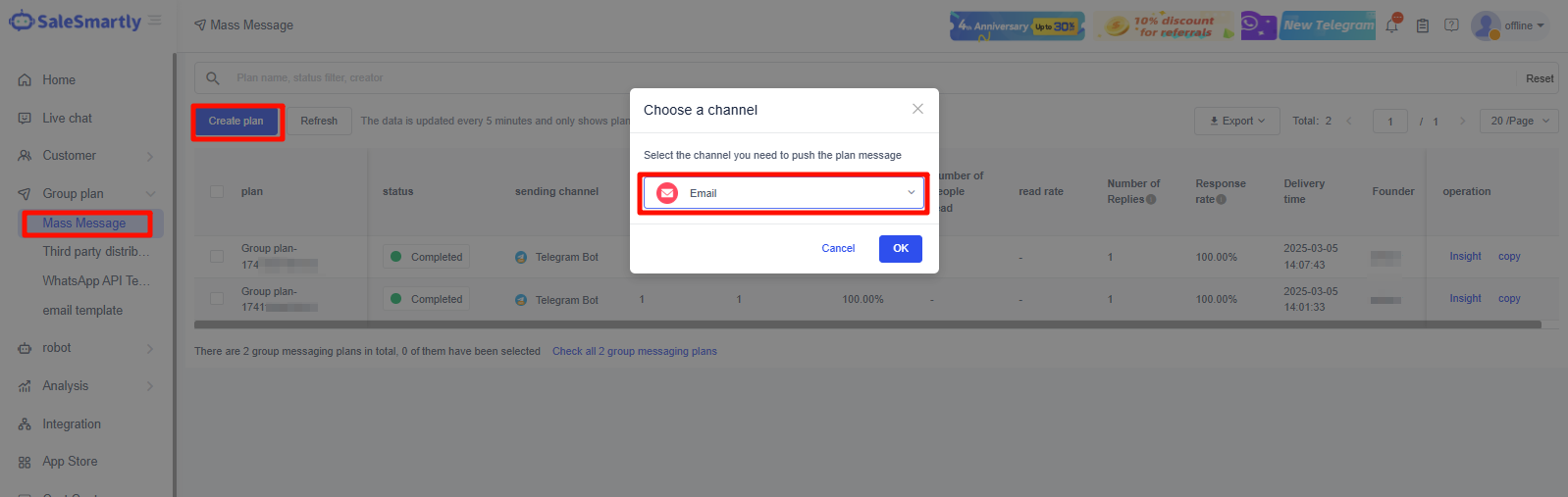
- After you complete access, open Mass Message, click Create Plan, select Email channel, and send group messages using your own email account.
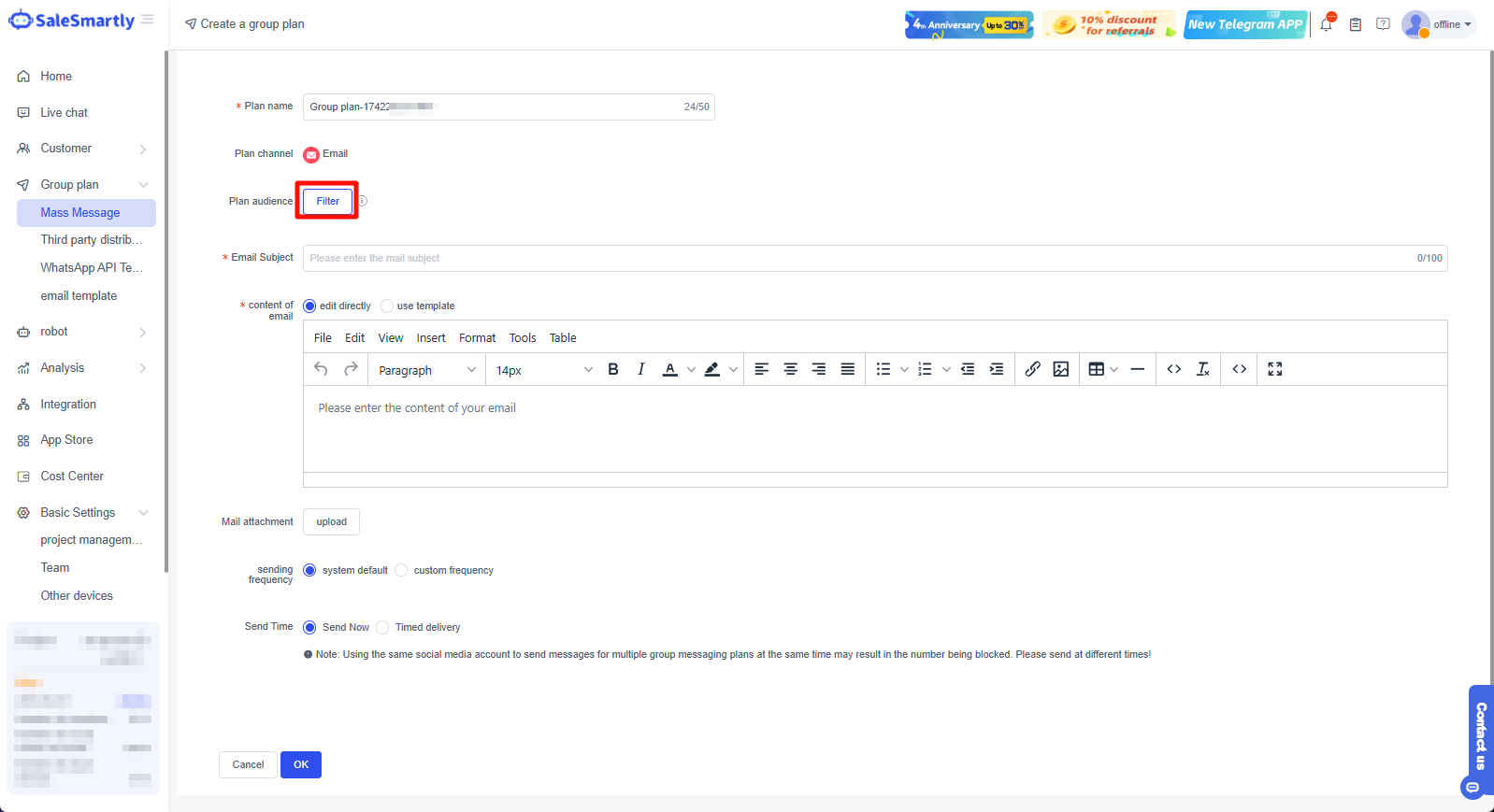
- Select the contacts you want to email on the mass email plan creation page. If no contacts are available, import them in bulk under Customer List. Write your subject line and content, then schedule or send it immediately.
1.2. Send Bulk Emails via EDM
With this method, you can use SaleSmartly's EDM service to send bulk emails without linking your email account. However, a fee applies based on the number of emails sent.
Steps:
- In the App Store, click Check the Limit > Click Add Quota to purchase the number of emails you want to send. After the purchase is complete, you can send the corresponding number of emails.

- Open Marketing - Mass Message, click Create Plan, and set up your EDM campaign.