SaleSmartly Translation
1. SaleSmartly Translation Solutions
Need translation solutions without draining your budget? SaleSmartly offers 3 flexible methods to fit your needs. No Google Translate balance is required.
2. Key Features
2.1. Google Local Translator (Free)
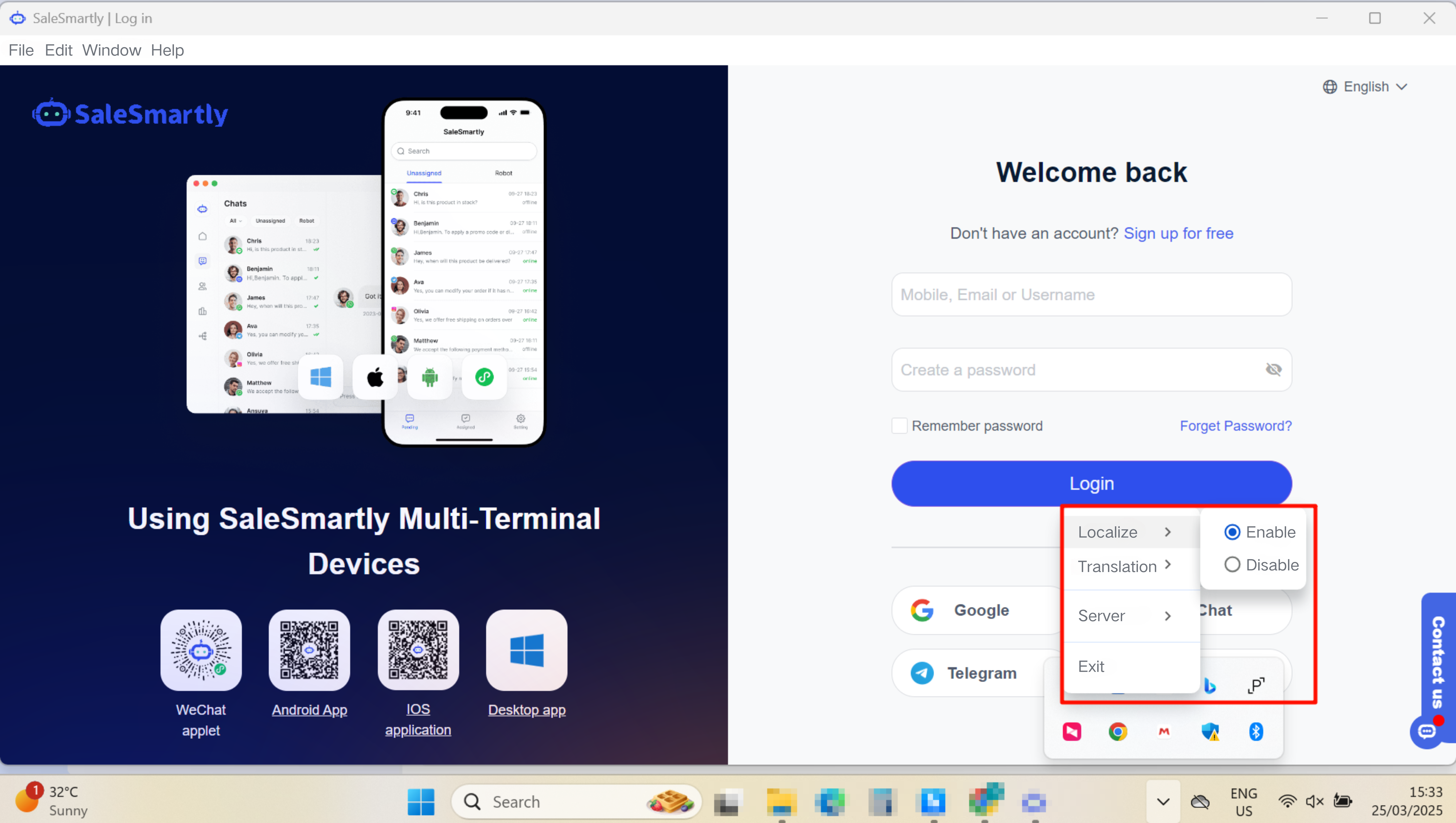
In this way, the platform does not charge translation fees, but you need to download the desktop version to use the Internet. (Google Translate has withdrawn from the Chinese market)
Available devices: Only available on desktop computers
Steps:
- Windows System: Download the SaleSmartly Windows desktop app (Click to download)/
- Mac System: Download the SaleSmartly for macOS (Click to download)
- After downloading, open the app > right-click the app icon > select Enable local translation, and support switching between different translation lines
Note: You need to be in an external network environment to translate normally; if the translation fails, please first check whether the network is normal and whether you can open the Google webpage? If normal, you can try to switch to other translation lines.
2.2. Third-party Translation Tools
Third-party translation platforms generally have a certain amount of free translation balance each month. Learning how to access third-party translation tools can save costs with free monthly translation quotas.
2.2.1 Use Google Translate API Key (pay Google)
In this way, the platform does not charge translation fees, but you must configure the Google Translate API Key and enter it into SaleSmartly. For details, please refer to Get the Google Translate API Key tutorial. After successful configuration, the Google API Key you entered will be used first for translation.
Compatibility: Web browser, computer desktop version, mobile app
2.2.2 Other Third-party Translation Platforms
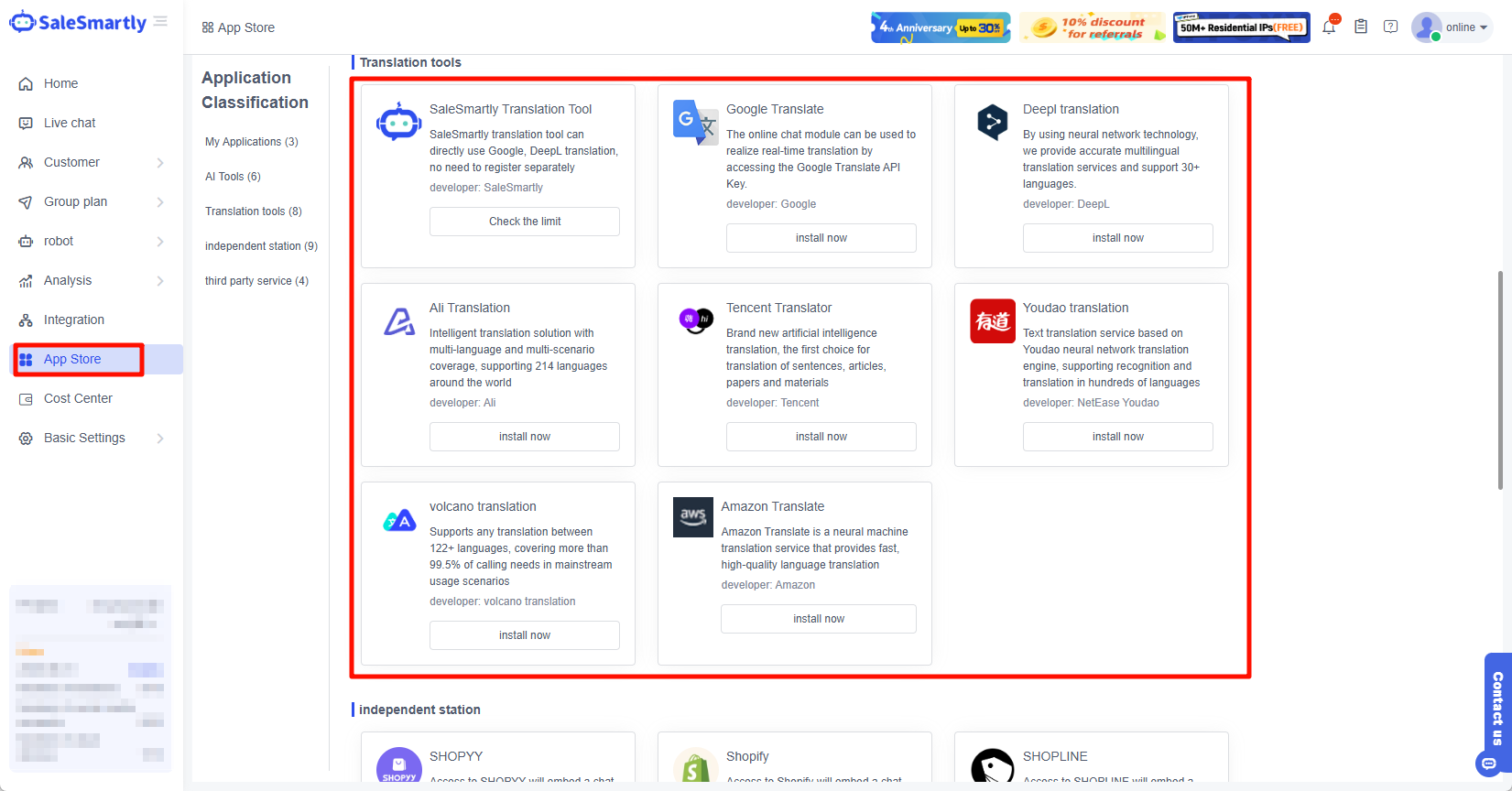
The following is a collection of free translation access tutorials currently supported by the system. You can install and download them in App Store-Third Party Services.
- DeepL: How to Obtain DeepL API Key?
- Baidu Translate: How to get the Baidu Translate API key?
- AliTranslate: How to obtain AliTranslate AccessKeyID and AccessKey Secret?
- Tencent Translator: How to obtain Tencent Translator SecretID and Secret Key?
- Youdao Translation: How to obtain the Youdao Translation application ID and application key?
- Volcano Translation: How to obtain Volcano Translation AccessKeyID and AccessKey Secret?
- AWS Amazon Translation: How to get AWS Amazon Translation AccessKeyID and AccessKey Secret?
2.3. Platform Translation Services
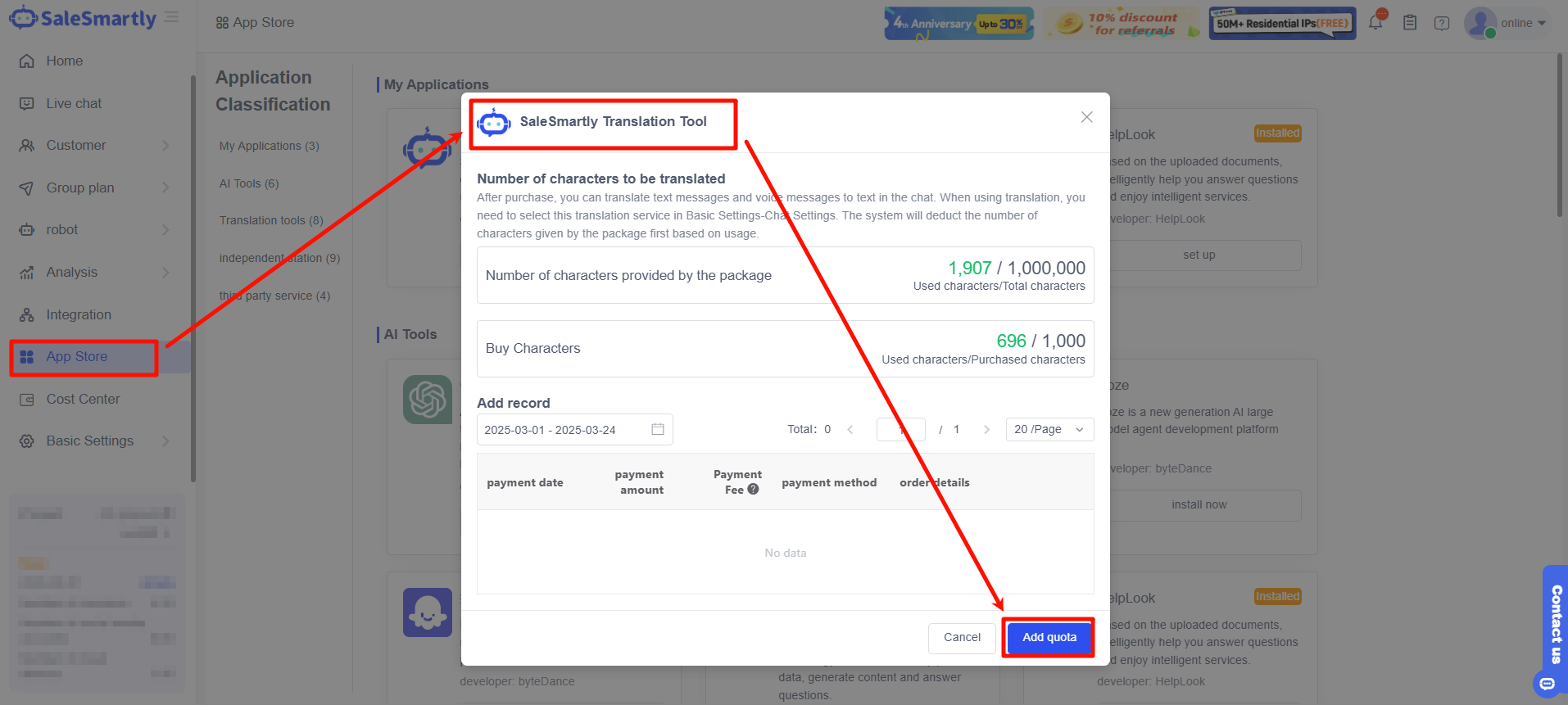
This method is the official translation service of Google that this platform accesses. Since the official service charges fees, this platform will also deduct the corresponding translation character fee. You can purchase the translation character expansion package to ensure your normal use.
Available devices: Web browser, desktop version, mobile app/applet
How to purchase translation credits? Please go to the App Store and find the SaleSmartly translation tool > click Add Quota, as shown below.