API Request Header Essentials
1. API Header and Request Authentication
The Header parameter in the API interface request is used to pass information about the request, such as authentication information, data format, client type, etc., to help the server correctly process and respond to the request.
Warning: The signature required to send the request (the signature is the value of the parameter name sorted in lexicographical order and connected to the token for MD5 encryption).
Example values:
Fill in your project"Token"&chat_user_id=64673427382a7760153e9f81&page=1&page_size=50&project_id=1
Warning: API interface document Necessary field must be passed!
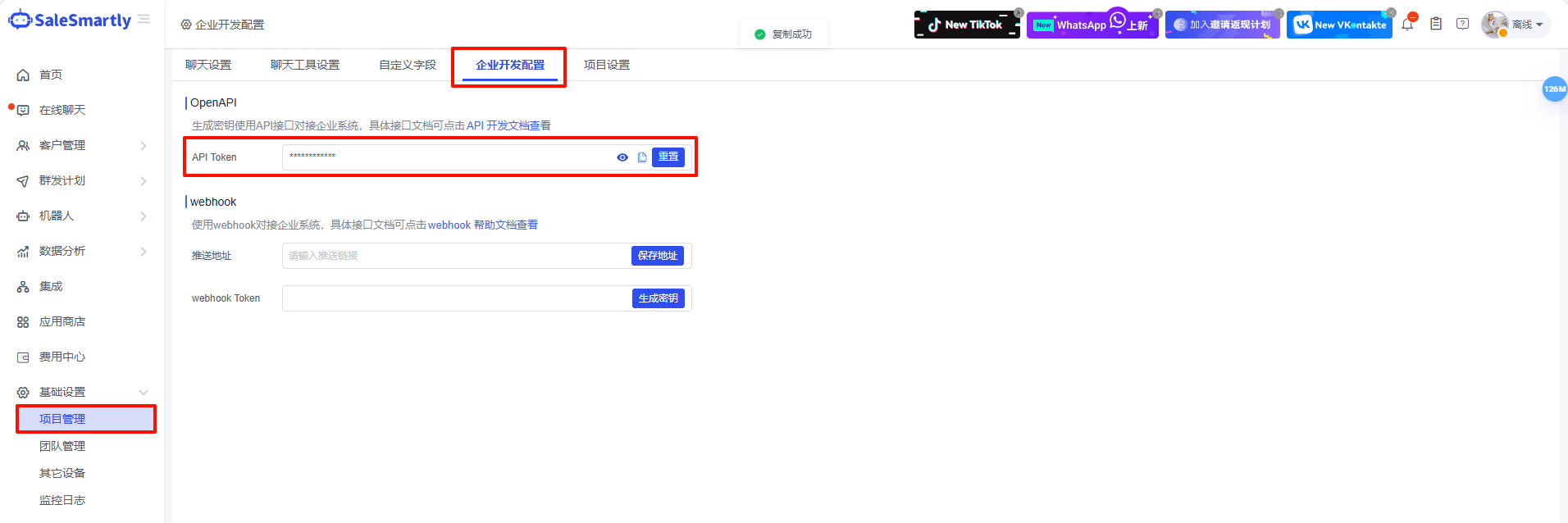
Fill in your project"Token" Get it in Project setting-Corporate development setting-API Token
Warning: This function is only supported in Max version, not in Pro version. Please check the SaleSmartly price for details.
2. Signature Steps for MD5 Encryption
2.1 Parameter Sorting
- First, sort all request parameters in lexicographical order (that is, alphabetical order A-Z).
Warning: The token always comes first. Only parameters get sorted.
a, b, c, d, e, f, g, h, i, j, k, l, m, n, o, p, q, r, s, t, u, v, w, x, y, z
- For example, suppose your request parameters are:
Your project"Token"chat_user_id=64673427382a7760153e9f81updated_time={"start":1680000000,"end":1714027206}page_size=50project_id=Fill in the project id in the lower left corner herepage=1
- After sorting, the result is:
Your project "Token"chat_user_id=64673427382a7760153e9f81page=1page_size=50project_id=Fill in the project id in the lower left corner hereupdated_time={"start":1680000000,"end":1714027206}
2.2 Splicing Parameters
- Connect the sorted parameters together with the & symbol.
- The concatenated string:
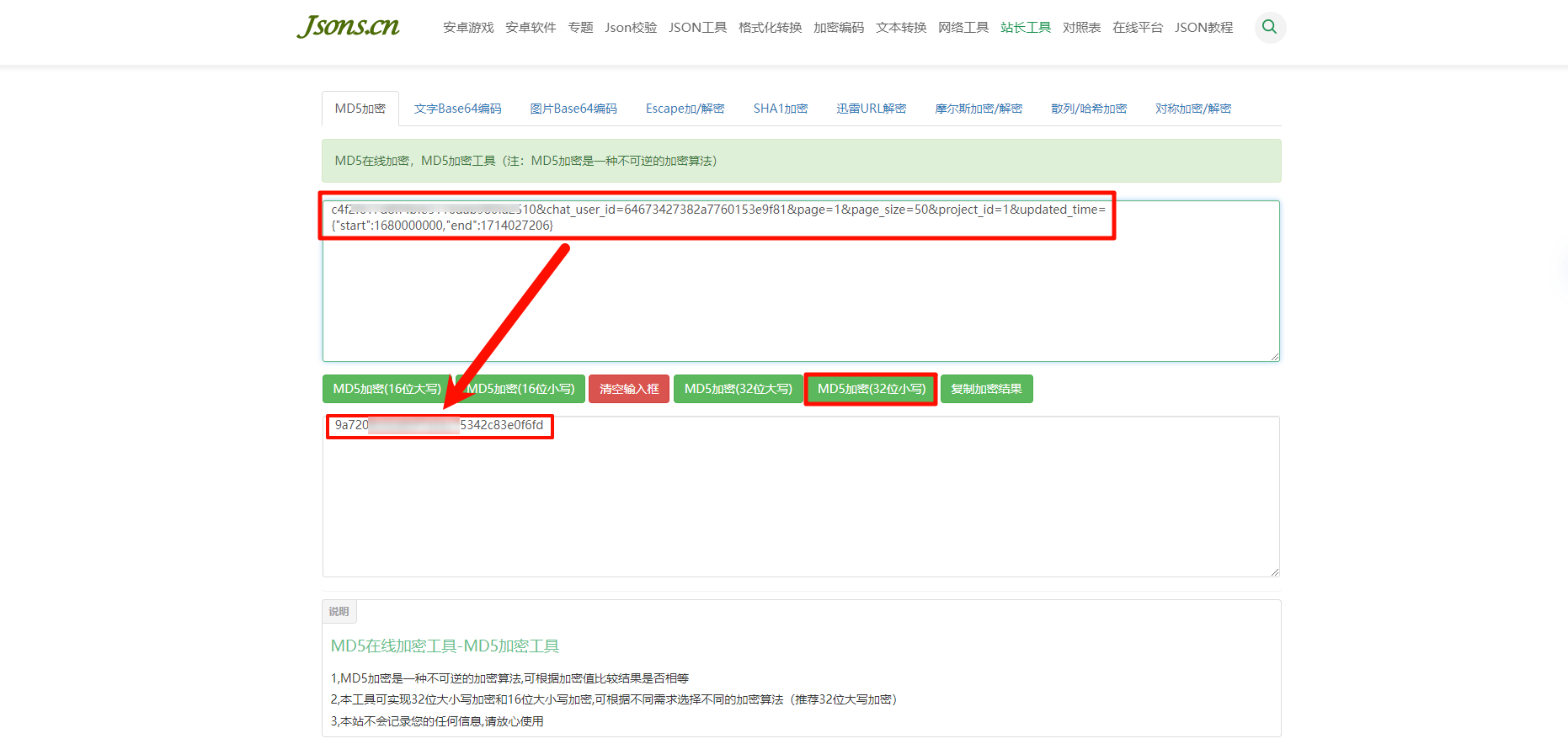
Your project"Token"&chat_user_id=64673427382a7760153e9f81&page=1&page_size=50&project_id=1&updated_time={"start":1680000000,"end":1714027206}
3. MD5 Encryption Process
Warning: Any changes to the parameter names or values require re-sorting and re-encryption.
The concatenated string is encrypted with MD5 to generate a hexadecimal string with 32 lowercase characters external-sign fields. For example, after the required signature above is encrypted with MD5, you will get: