Chat API Integration Guide
1. Introduction
After inserting the code (ssq is a global variable), you can make message changes and chat window calls by the following methods.
2. API
2.1. Set login information
You can set user information after user login, and correspondingly, you can see the set information in the customer service system.
ssq.push('setLoginInfo', {
user_id: 'b58e64cfxs2ym', // Required, encrypted user id
user_name: 'test_yy', // Required, Username
language: 'ru-RU', // Plugin Language
phone: '861592014xxxx', // The mobile phone number must be filled in the complete format including the country code; mobile phone numbers without area codes may result in errors in identifying the country or region or be identified as invalid numbers.
email: 'test@test', // Email
description: 'comboB\nClient\nFee-charging customers', // Description
label_names: ['Label1','Label2'], // The name of the tag value. This is an overwrite method. Only tag values created by the system can be passed.
custom_fields_ext: {"1210":"test11","more":["s1","s2"]}, // Custom fields, find the id and corresponding value in the custom fields of the project settings and fill them in (select the type to be passed in as an array), which can be viewed in the customer information
});
2.2. Clear user login information
You can manually clean up user login information for use in PWA sites, which is executed after logging out and not refreshing the page.
ssq.push('clearUser');
2.3 Open the chat window
The chat window can be opened manually with the program for some special scenarios where users can be guided to consult customer service, such as payment failure.
ssq.push('chatOpen');
2.4 Close the chat window
You can close the chat window manually with the program.
ssq.push('chatClose');
2.5 Monitor unread messages
Monitor unread messages for custom message notifications.
ssq.push('onUnRead', function(obj) {
    console.log(obj.num); // Unread count
    console.log(obj.list); // Unread content
});
2.6 Hide icons
Custom icons can be implemented by combining "monitor unread messages" and "open chat window".
window.__ssc.setting = { hideIcon: true};
2.7 Monitor messages sent by visitors
Monitor visitor messages and then perform data statistics or reporting, which can be used for advertising effectiveness statistics or attribution.
ssq.push('onSendMessage', function(obj) {
    console.log(obj);
});
2.8 Listening to messages received by visitors
Monitor the information received by visitors and then perform data statistics or reporting, which can be used for advertising effectiveness statistics or attribution.
ssq.push('onReceiveMessage', function(obj) {
    console.log(obj);
});
2.9 Monitor window open
Monitor the open window, and then you perform data statistics or reporting, which can be used for advertising effectiveness statistics or attribution.
ssq.push('onOpenChat', function() {
    // Reporting data
});
2.10 Monitor window closed
Monitor the closed window and you can report data for analysis.
ssq.push('onCloseChat', function() {
    // Execute other events
});
2.11 Listening to open information collection
Listen to open information collection (pre-chat survey and offline information retention), and report data in the callback.
ssq.push('onOpenCollection', (obj) => {
  // obj.type = 'offline' offline information
  // obj.type = 'survey'  pre-chat survey
});
2.12 Monitoring completes information collection
After monitoring completes information collection (pre-chat investigation and offline information retention), data can be reported for analysis.
ssq.push('onCollectionInfo', (obj) => {
  // obj contains the data provided by the user during the information collection process
});
2.13 Listen for icon click events
Perform corresponding actions by listening to different plug-in icon click events. This approach can help you track user interaction behavior.
// Listening for clicks Line
ssq.push('onOpenLine', (obj) => {

  console.log('Line icon clicked', obj);
});

// Listening for clicks Messenger
ssq.push('onOpenMessenger', (obj) => {

  console.log('Messenger icon clicked', obj);
});

// Listening for clicks Email
ssq.push('onOpenEmail', (obj) => {

  console.log('Email icon clicked', obj);
});

// Listening for clicks Telegram
ssq.push('onOpenTelegram', (obj) => {

  console.log('Telegram icon clicked', obj);
});

// Listening for clicks Whatsapp
ssq.push('onOpenWhatsapp', (obj) => {

  console.log('Whatsapp icon clicked', obj);
});

// Listening for clicks VKontakte
ssq.push('onOpenVKontakte',  (obj) => {

  console.log('VKontakteicon clicked', obj);
});

// Listening for clicks TikTok
ssq.push('onOpenTikTok', (obj) => {

  console.log('TikTok clicked', obj);
});

// Listening for clicks Custom
ssq.push('onOpenCustom', (obj) => {
 // obj = {
 //     id, // custom_1、custom_2、custom_3
 //     content,
 // }
    console.log('Custom clicked', obj);
});

// Listening for clicks Zalo
ssq.push('onOpenZalo', (obj) => {

  console.log('Zalo icon clicked', obj);
});
2.14 Monitor plugin resource loading completion
Listen for the completion of resource loading inside the plugin and execute specific events after the resource loading is completed.
ssq.push('onReady', () => {
  // Execute other events
});

// Usage Examples:
<script id="ss_chat" defer src="https://example.js"></script>

<script>
   const ss_chat = document.getElementById('ss_chat');
   ss_chat.addEventListener('load', (e) => {
      window.ssq && window.ssq.push('onReady', () => {
        // Execute other events
      });
   })
</script>
2.15 Customize WhatsApp redirect text
Allows you to set a greeting or custom message that is displayed when the user clicks on the WhatsApp icon to jump to the WhatsApp official website.
ssq.push('createWhatsappGreeting', function(msg){
    // msg defaults to Hello.
    return msg + 'tony'; // Output:Hello.tony
    // If you need full customization, you can directly return the customized text

});
2.16 Send text messages on the client
Implement a feature that allows visitors to proactively initiate information.
ssq.push('sendTextMessage', 'it is an error');
2.17 Disable upload function
Can be used to turn off the corresponding upload function of the visitor side.
ssq.push('hideUpload', ['img', 'video', 'document'])
// 'img' Image Type
// 'video' Video Type
// 'document' Document Type

// If the function is set to be closed and you want to reopen it in a certain operation, remove the corresponding item in the array and call it again.
// For example:ssq.push('hideUpload', [])
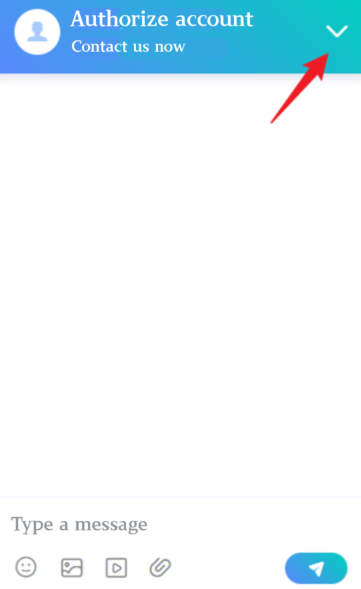
2.18 Hide the close window button
Hide the close window button in the upper right corner of the chat window.
ssq.push('hideCloseIcon');