Install SaleSmartly on GTM
Learn to install SaleSmartly in Google Tag Manager for your store.
1. SaleSmartly Installation in Google Tag Manager
Learn how to install SaleSmartly in your Google Tag Manager store.
2. Operation Process
2.1. Sign up for Google Tag Manager
2.1.1. Website address
Register a Google Tag Manager account.
https://marketingplatform.google.com/about/tag-manager/

Enter the Google Tag Manager backend and create a new code.
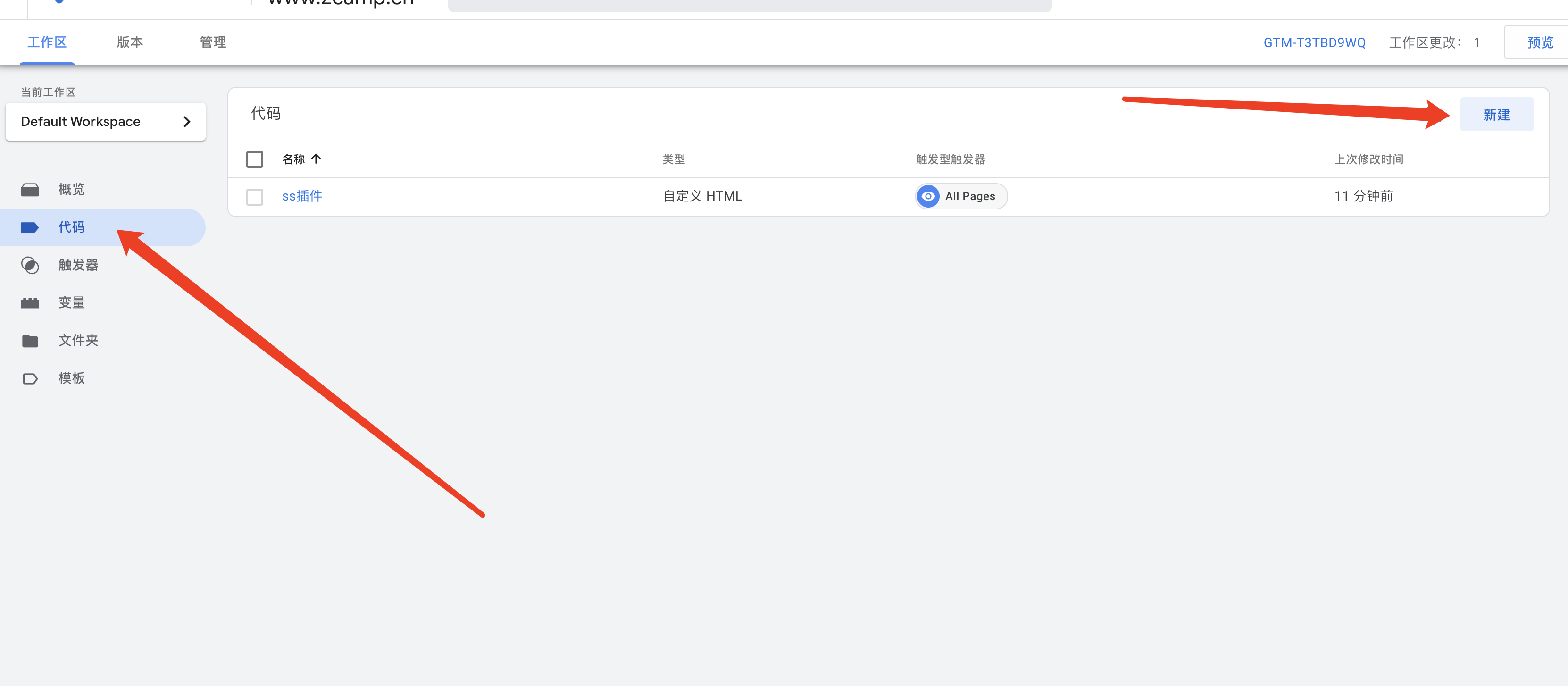
2.1.2. Configuration code
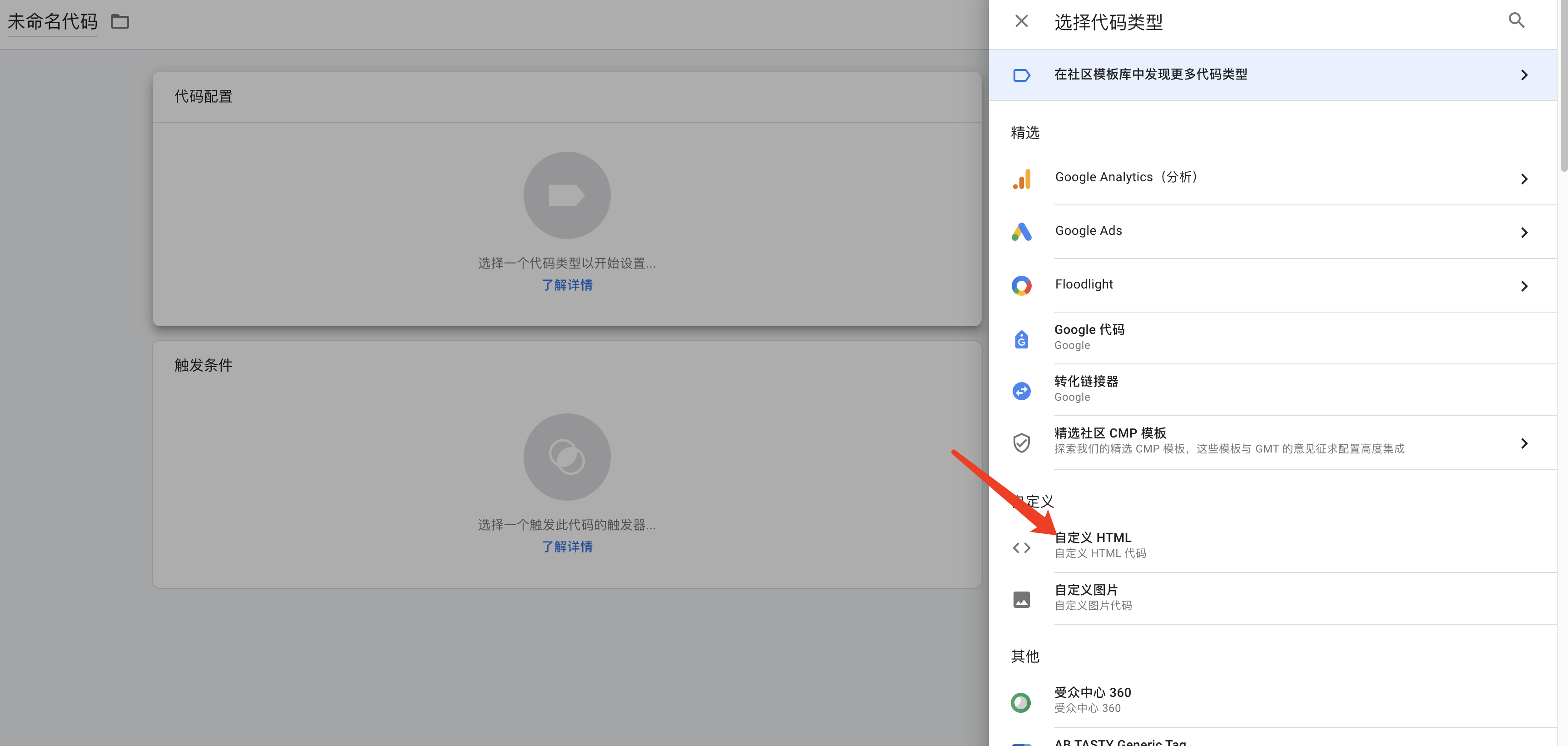
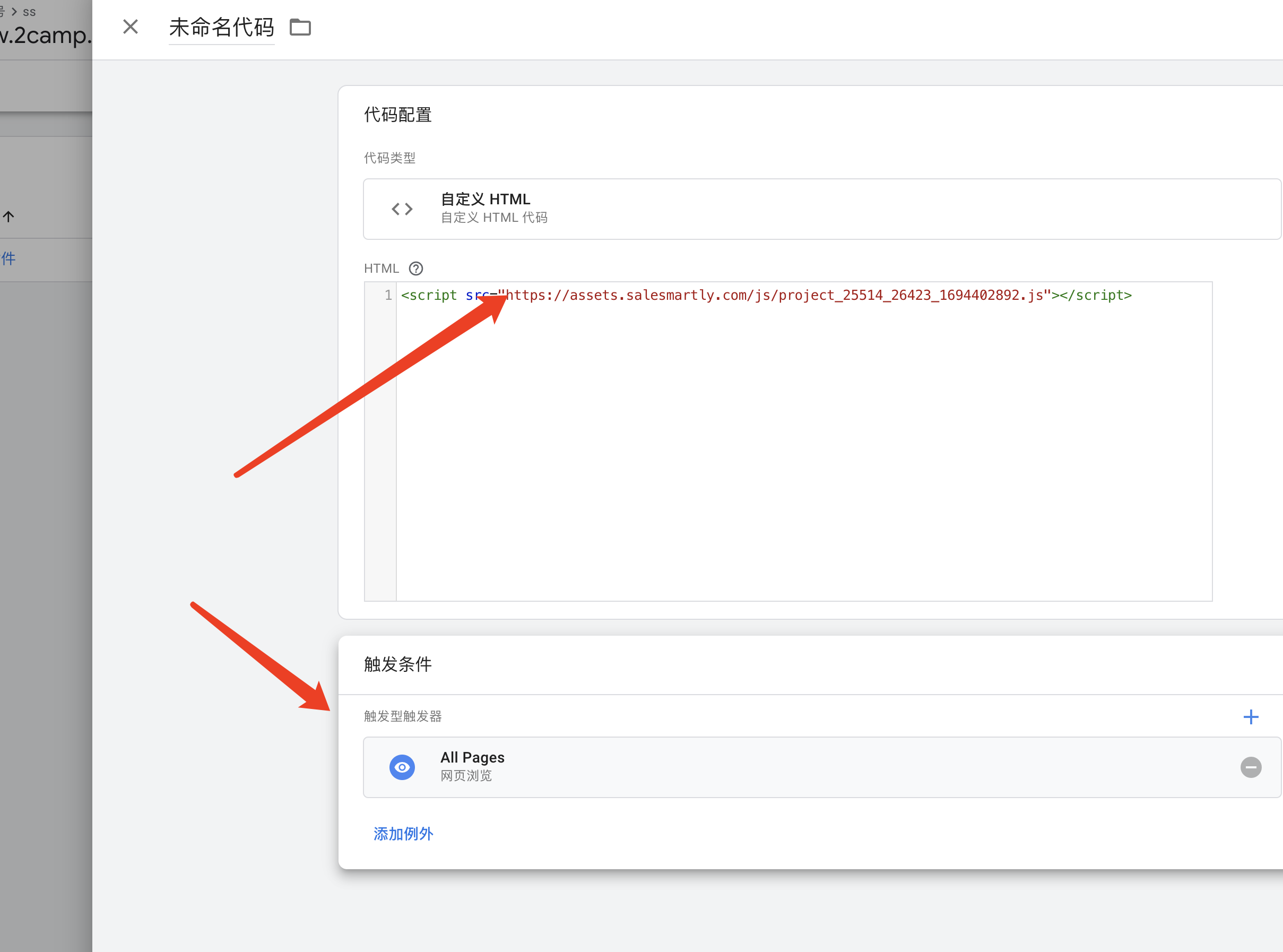
- Select Custom HTML.
- Fill in the SaleSmartly plug-in name in HTML.
- Select ALL Pages as the trigger condition.
- Click Save.
2.1.3. Submit for publication


2.2. Fill in the GTM code when binding the website building platform
2.2.1. GTM code location

2.2.2. Shopline overseas site
Online store marketing and chasing - Chasing settings - Google code management tool

Enter the GTM code number:

