Install SaleSmartly on BeikeShop
Learn to install SaleSmartly on BeikeShop with easy steps.
1. SaleSmartly Installation on BeikeShop
Learn how to install SaleSmartly on your BeikeShop store.
2. Operation Process
2.1 Copy the JavaScript Code
In SaleSmartly's Integration - Chat Plugin template, select and copy the code you need to install in the list.
Note: If there is no plugin code, please create a plugin first.

2.2 Install SaleSmartly on BeikeShop
- Log in to the BeikeShop backend address (enter your personal backend domain name)
Note: The system used is the official demo site, which is for reference only.

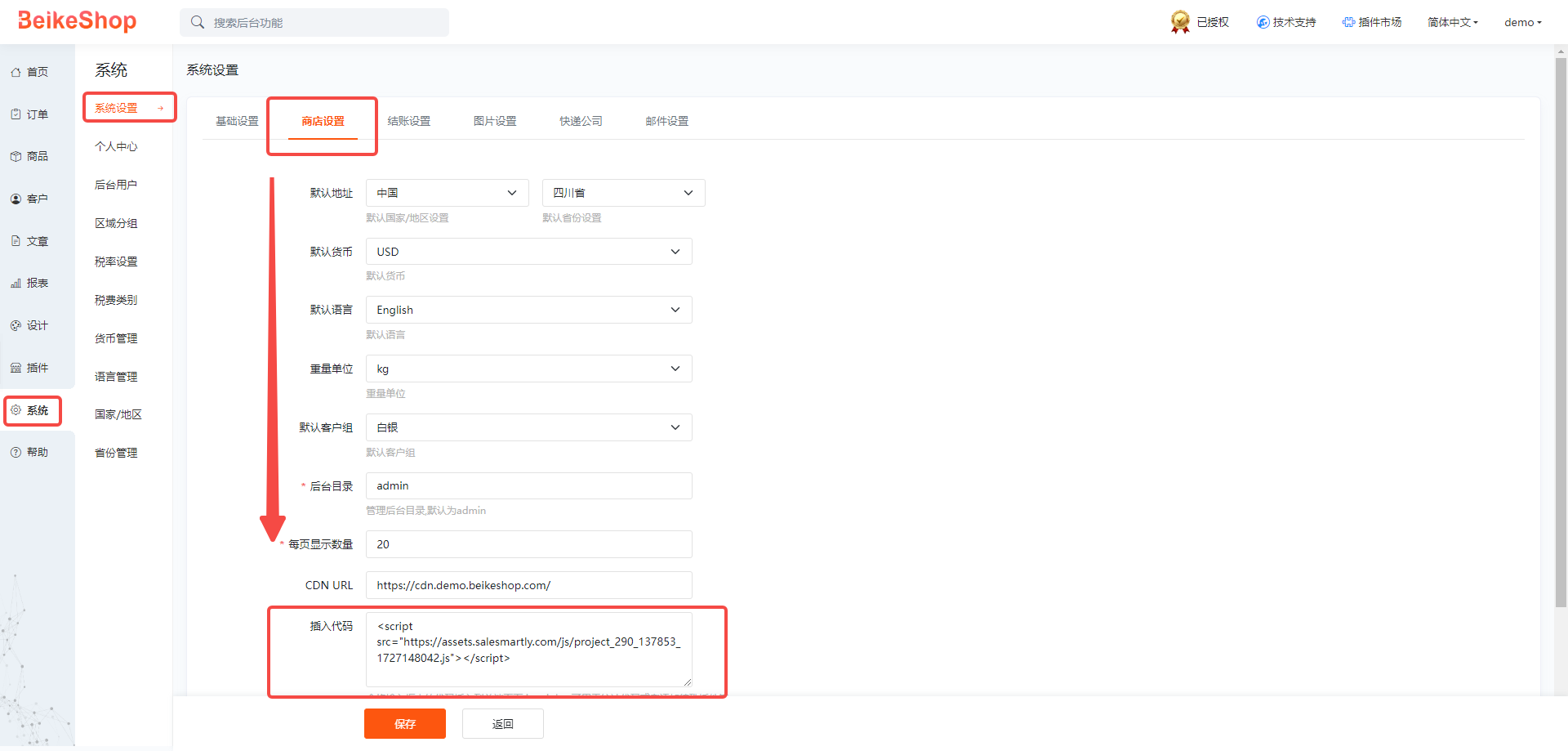
- Enter the BeikeShop backend, System - System Settings - Store Settings - Insert Code.

- Copy the SaleSmartly plug-in installation code to Insert Code and click Save.