Change Account Password
Learn two ways to change your SaleSmartly account password easily.
1. Change Account Password in SaleSmartly
If you want to change your account password, SaleSmartly provides you with two ways:
1.1. Forgot Your Password
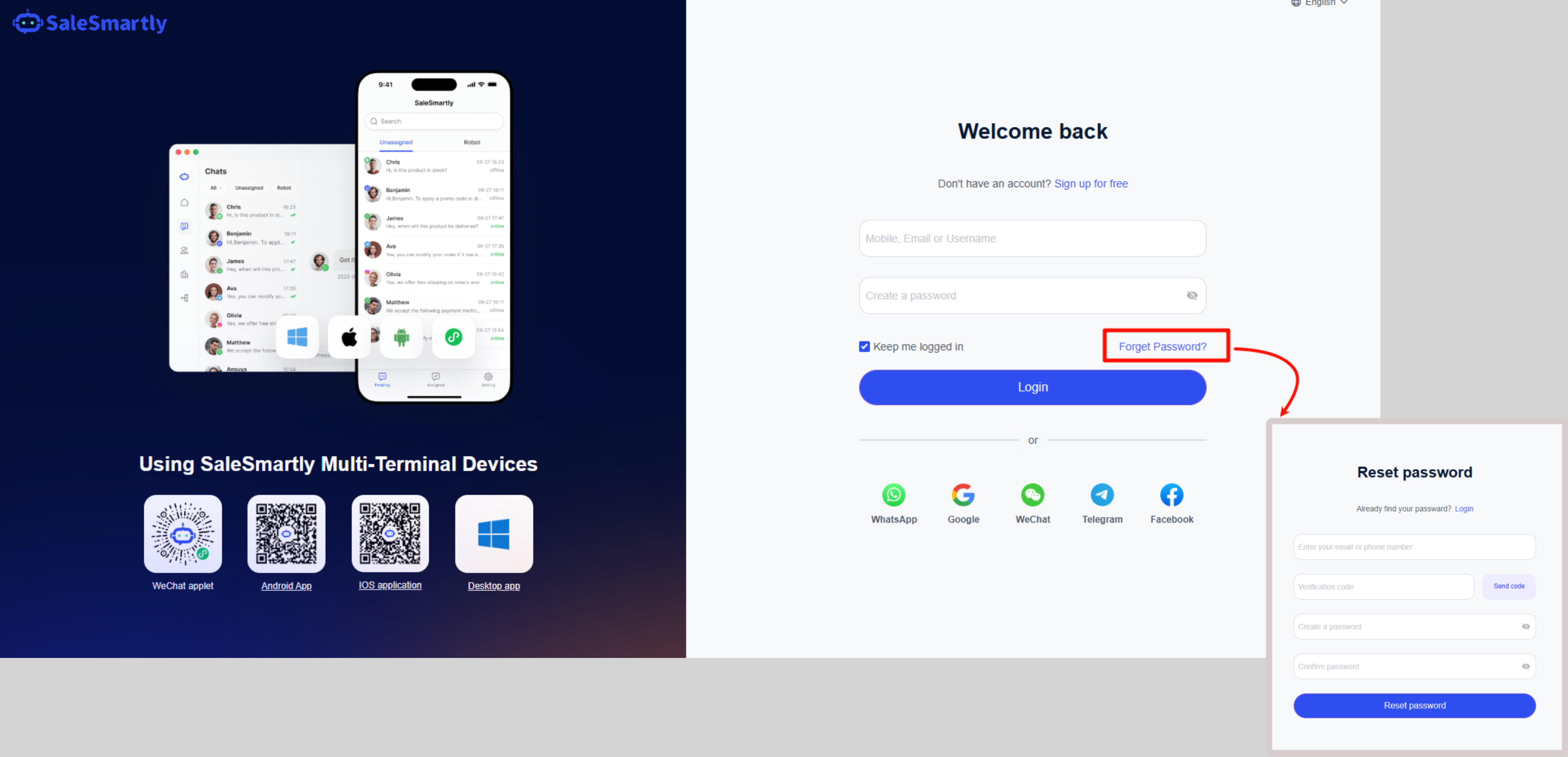
If you forget your password when logging in, you can click "Forget Password" on the login page and fill in your email address, verification code and password according to the prompts.
1.2. Account Information Modification
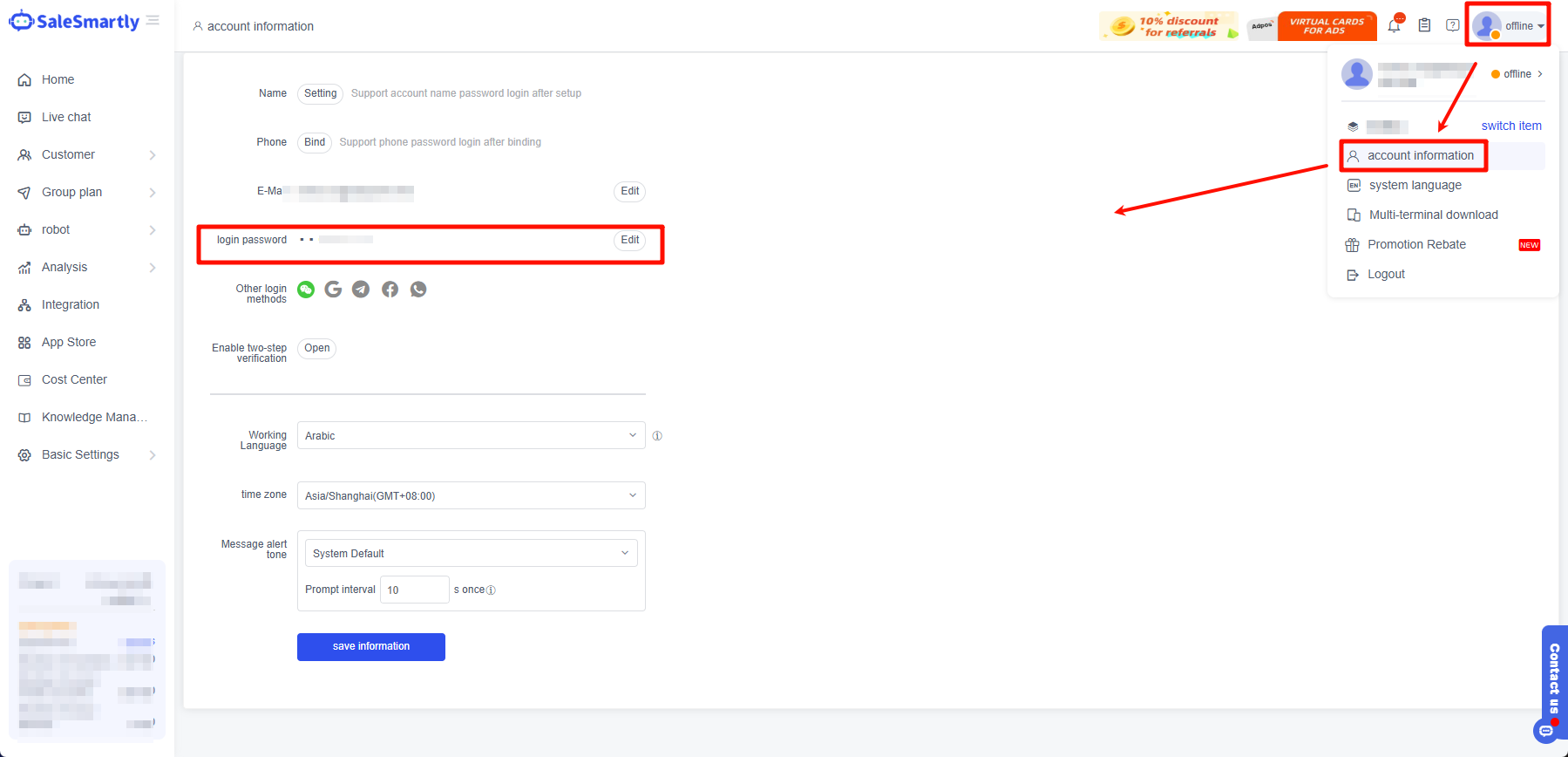
You can also click Personal Avatar - Account Information in the upper right corner of the background to enter the account information editing page and modify your email address, password and other information.