Chat Plugin Setup
1. Chat Plugin Integration Guide
If you haven't integrated our chat plugin into your website yet, you can view the tutorial by clicking the following hyperlink:
Self-built website installation tutorial
Independent station installation tutorial
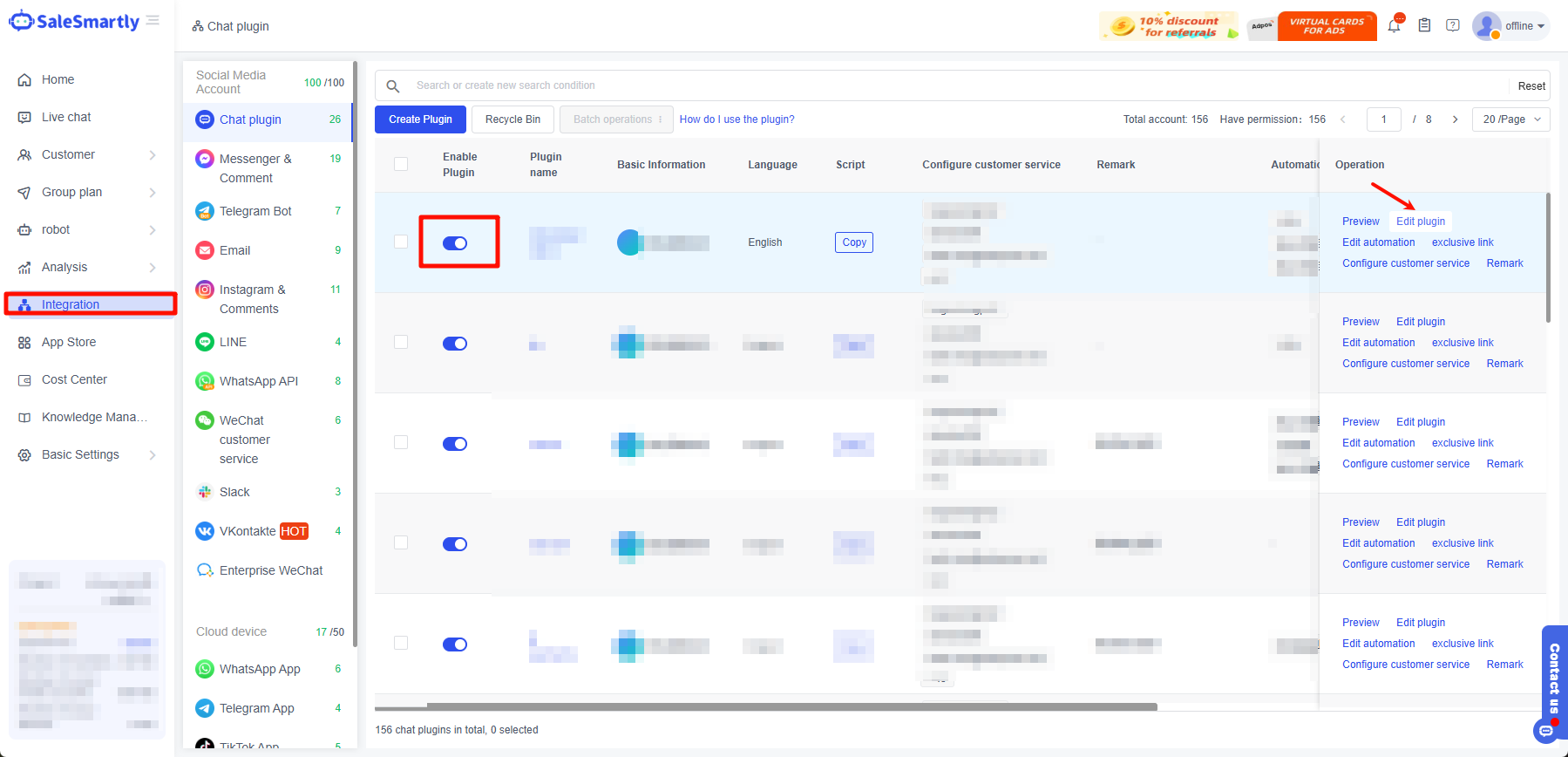
1.1 Edit Entry
Click Integration - Chat Plugin - Edit Plugin in the left menu bar.
1.2 Style Settings
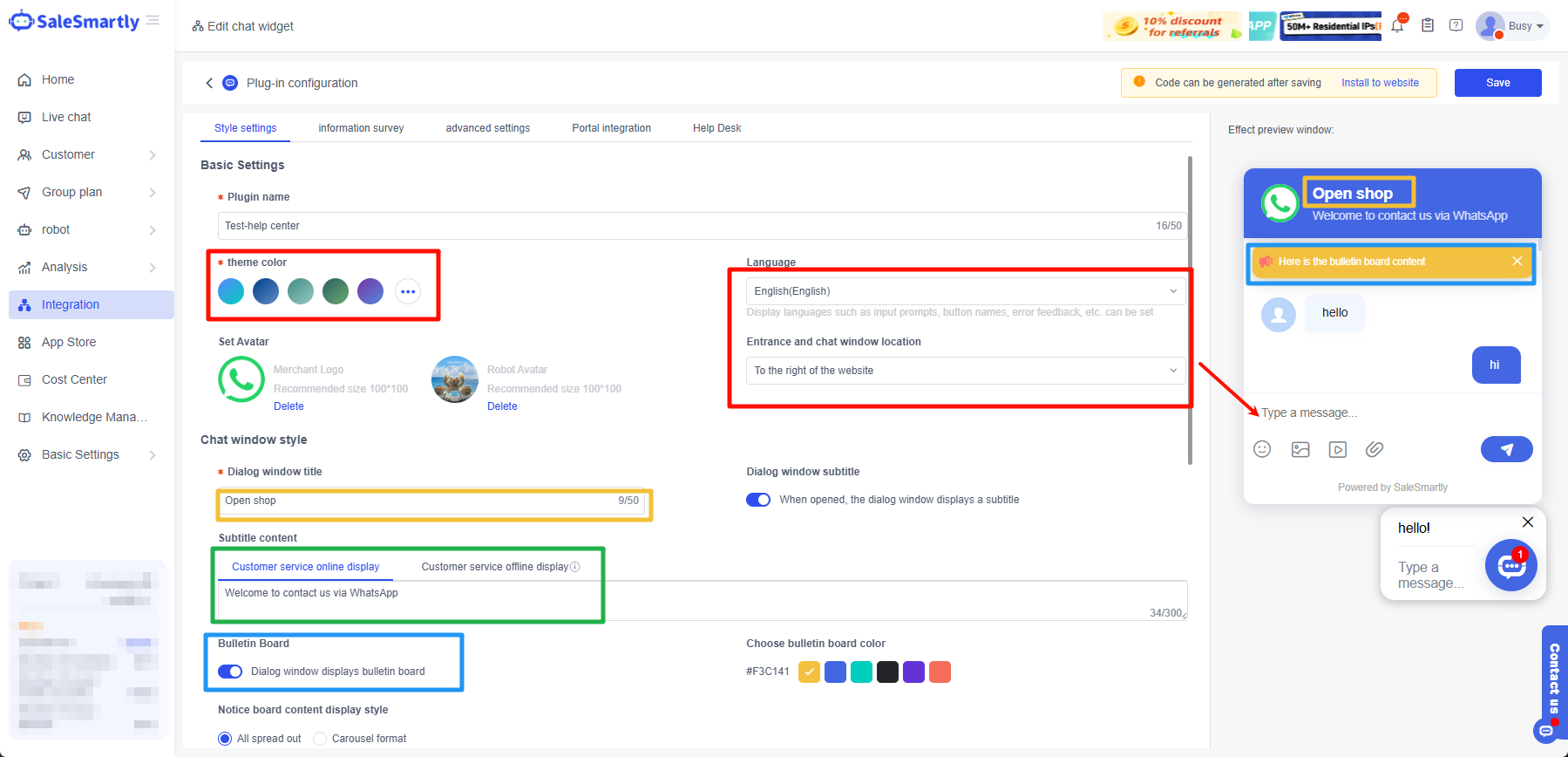
Here is where the chat plugin language change takes effect:
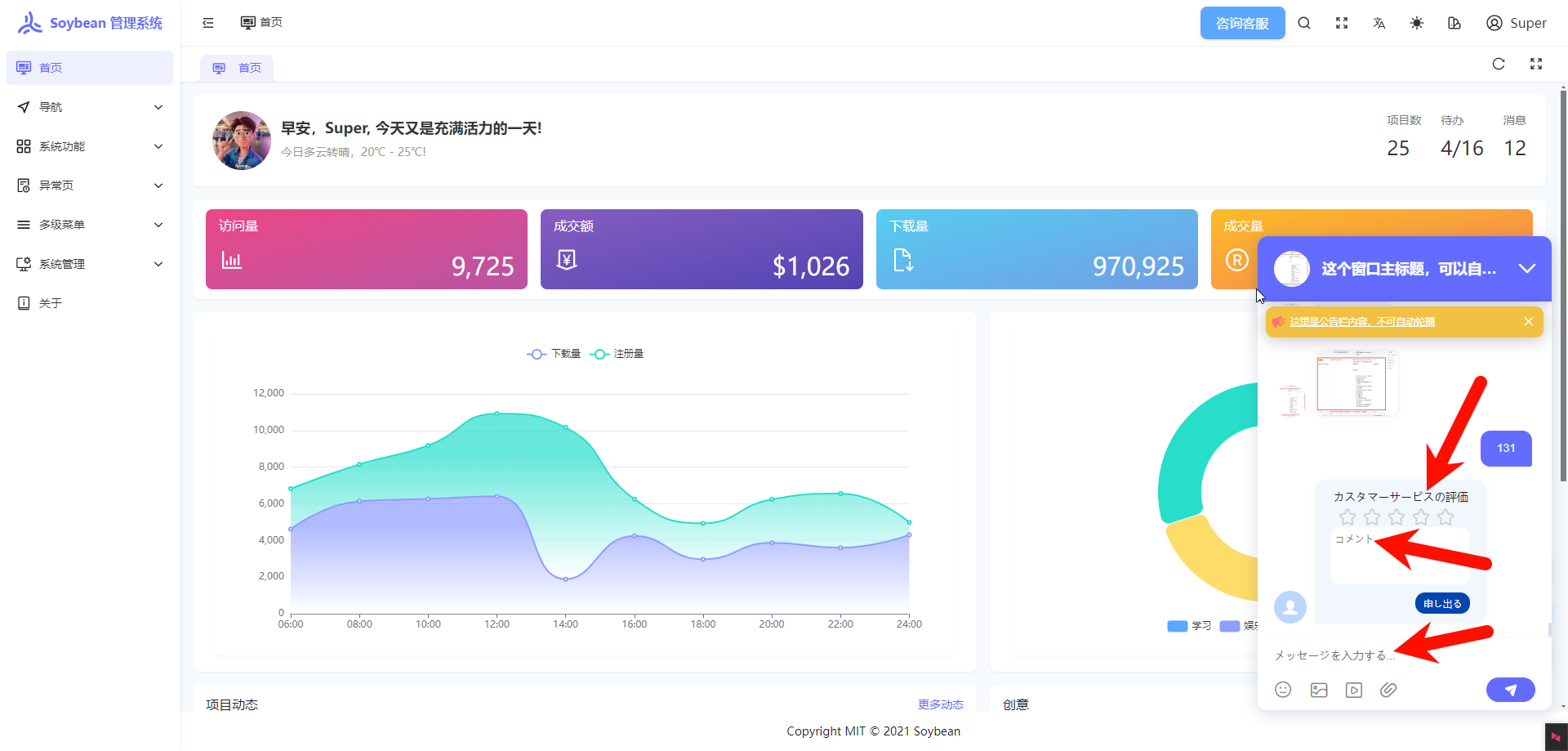
1.3 Information Investigation
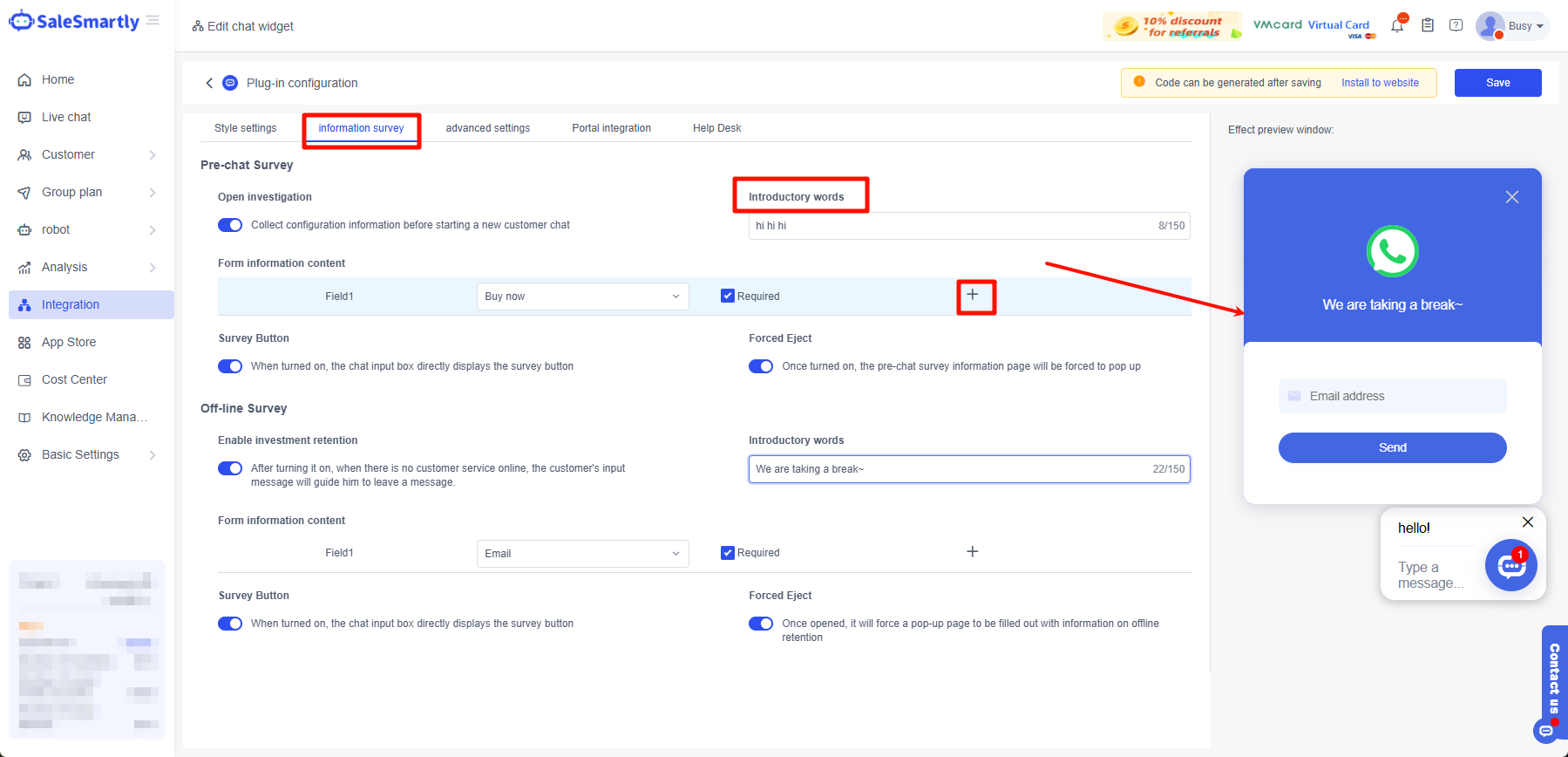
This function allows customers to enter the information you want them to leave before chatting. Currently, it supports four fields: mobile phone number, email address, name, and company name.
This function is applicable to scenarios where you can obtain customer information to facilitate information verification or subsequent return visits.
1.4 Advanced Settings
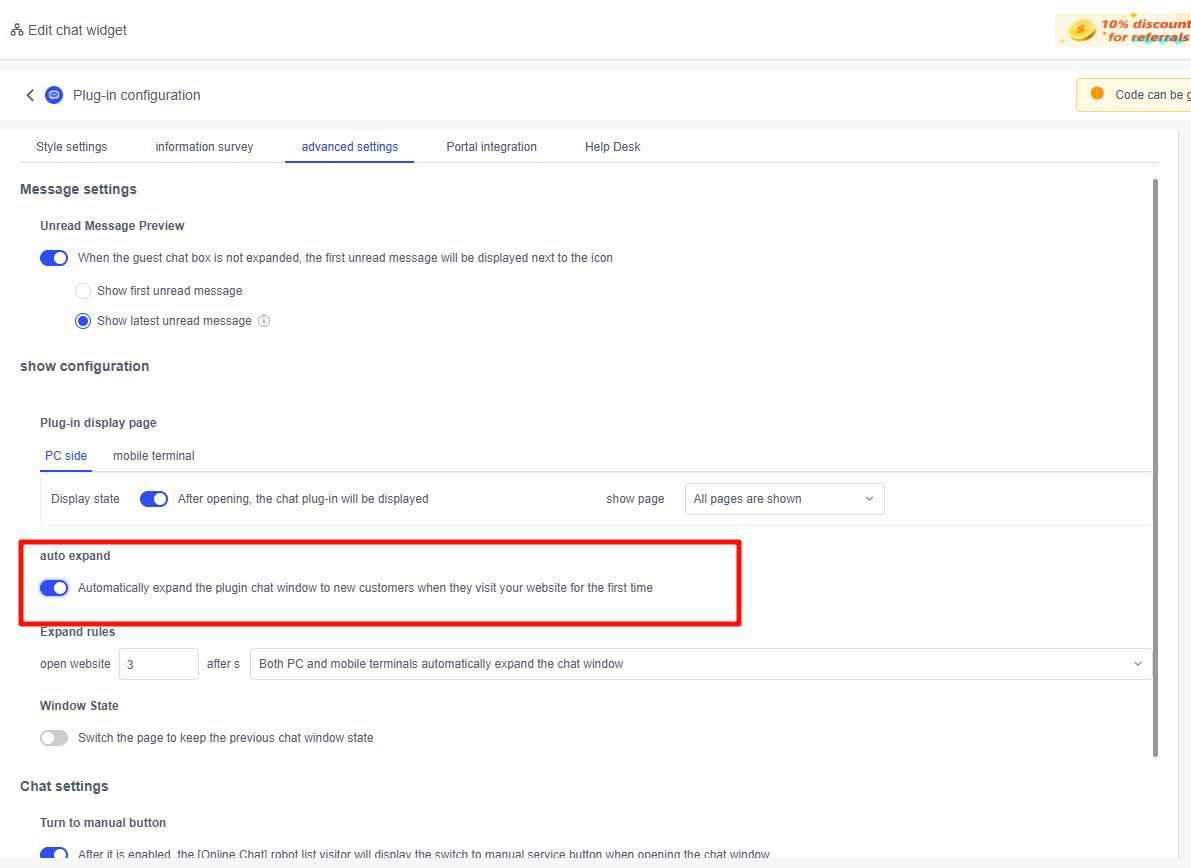
You can set the website to automatically expand the chat window when you enter the website (currently only supports new visitors).
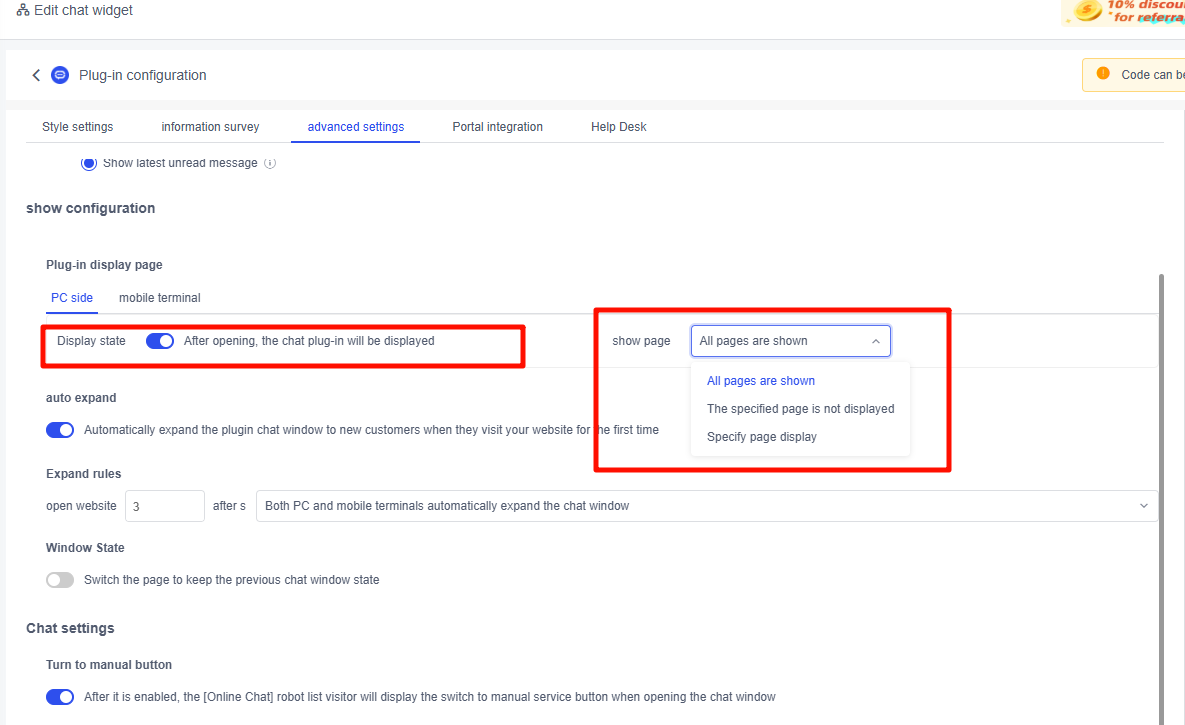
Plugin settings display page - This application scenario is suitable for displaying the chat plugin entrance only when customers visit a specific web page.
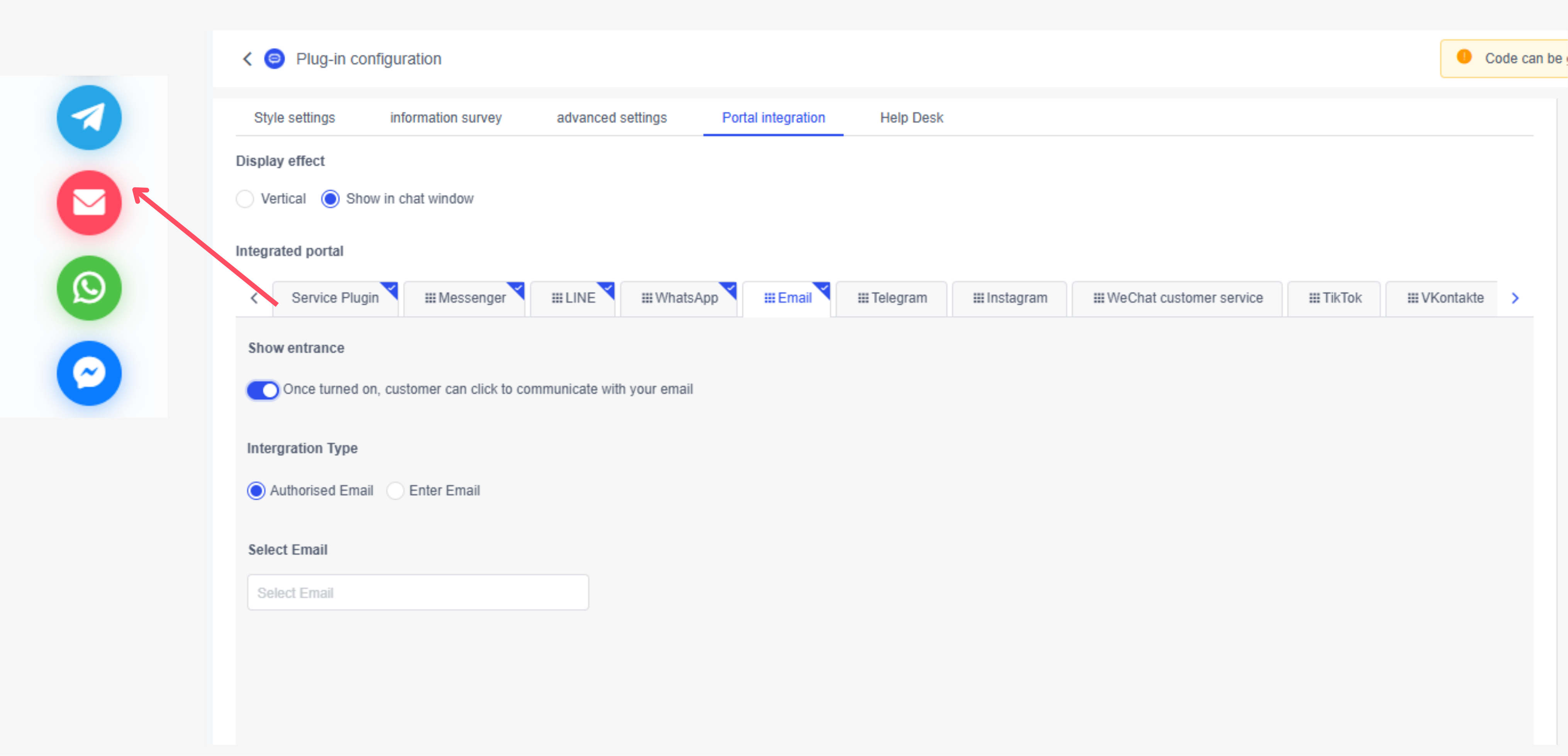
1.5 Ingress Integration
This feature can enrich your chat portal, allowing visitors to choose their favorite social media channels to communicate with you, or you can guide visitors to your specific social media to facilitate information collection.
Specific operation steps: Click me to view the portal integration tutorial