• Docs
  • Pricing
Contact UsGet Started
    • Add Public Button
    • Automated Process Setup
    • Wallet Balance Safety
    • Change Account Password
    • Modify Chat Avatars
    • Locate Chat Widget
    • Chat Plugin Setup
    • Install Dark Reader
    • WhatsApp API Reg
    • Salesmartly Registration
    • Member Conversation Access
    • SaleSmartly Setup
    • Meta Conversion API
    • Translation Solutions
    • Outlook Integration Fix
    • FB Authorization
    • WhatsApp API Fees
    • WhatsApp API Guide
    • WhatsApp Number Integration
    • Selecting Solution

Add Public Button

Easily add a button on the public page with these steps.

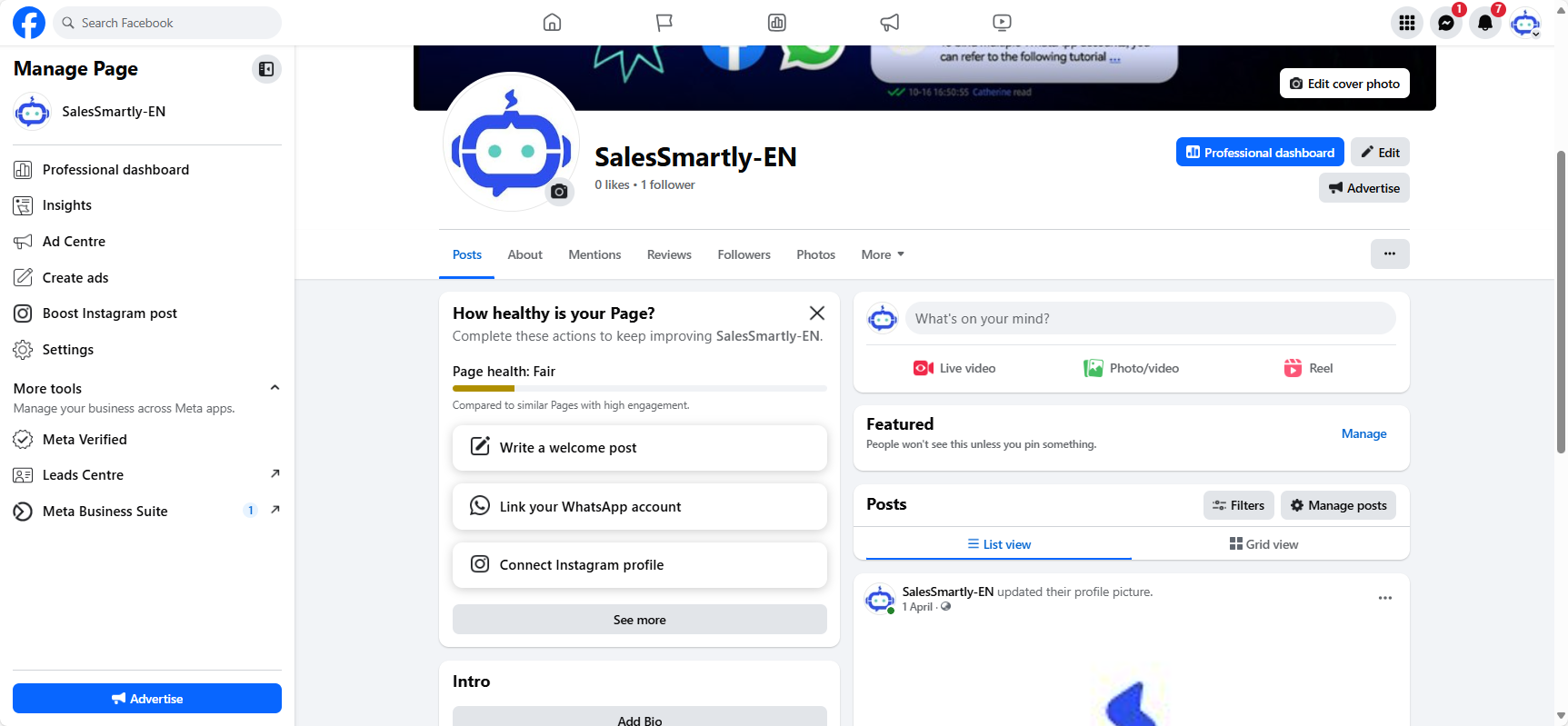
1. Go to the Public Page

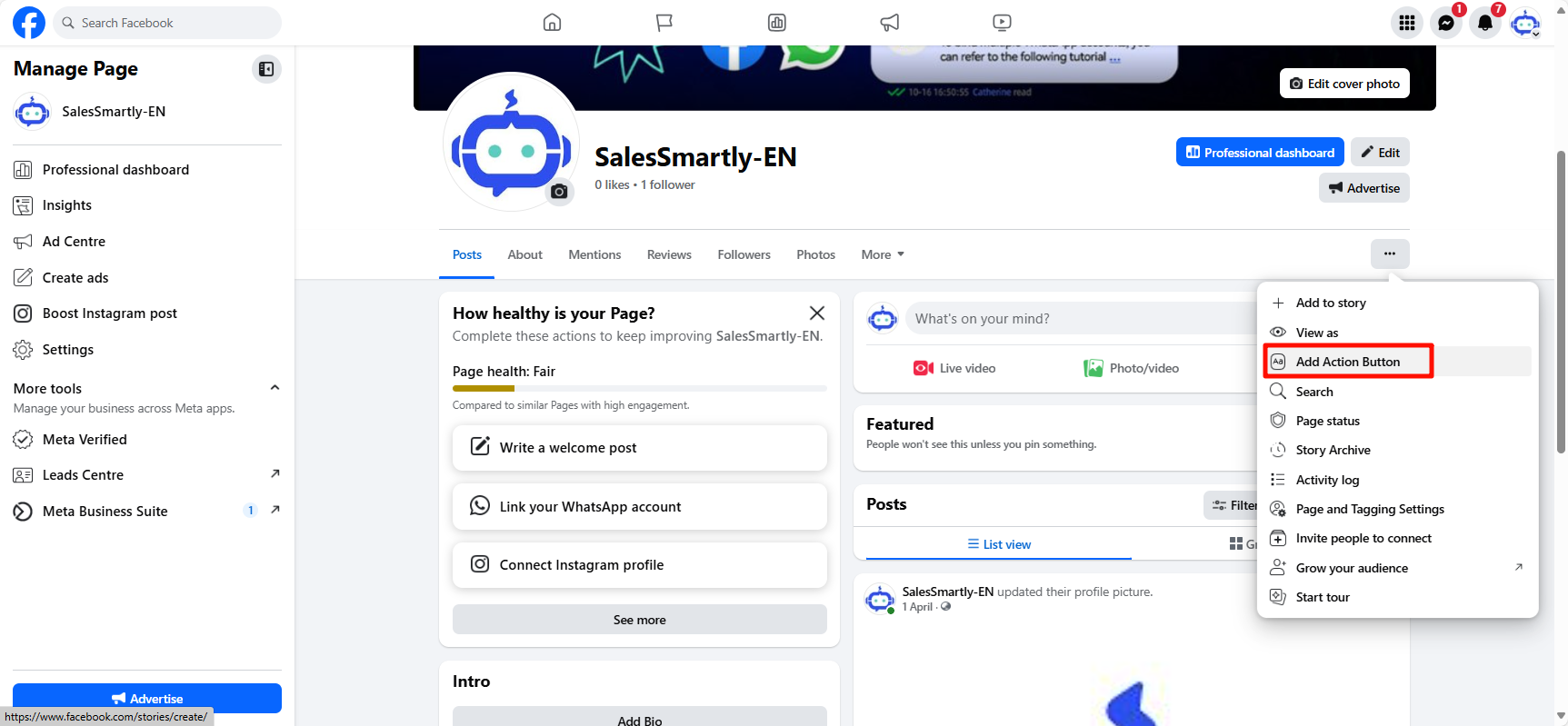
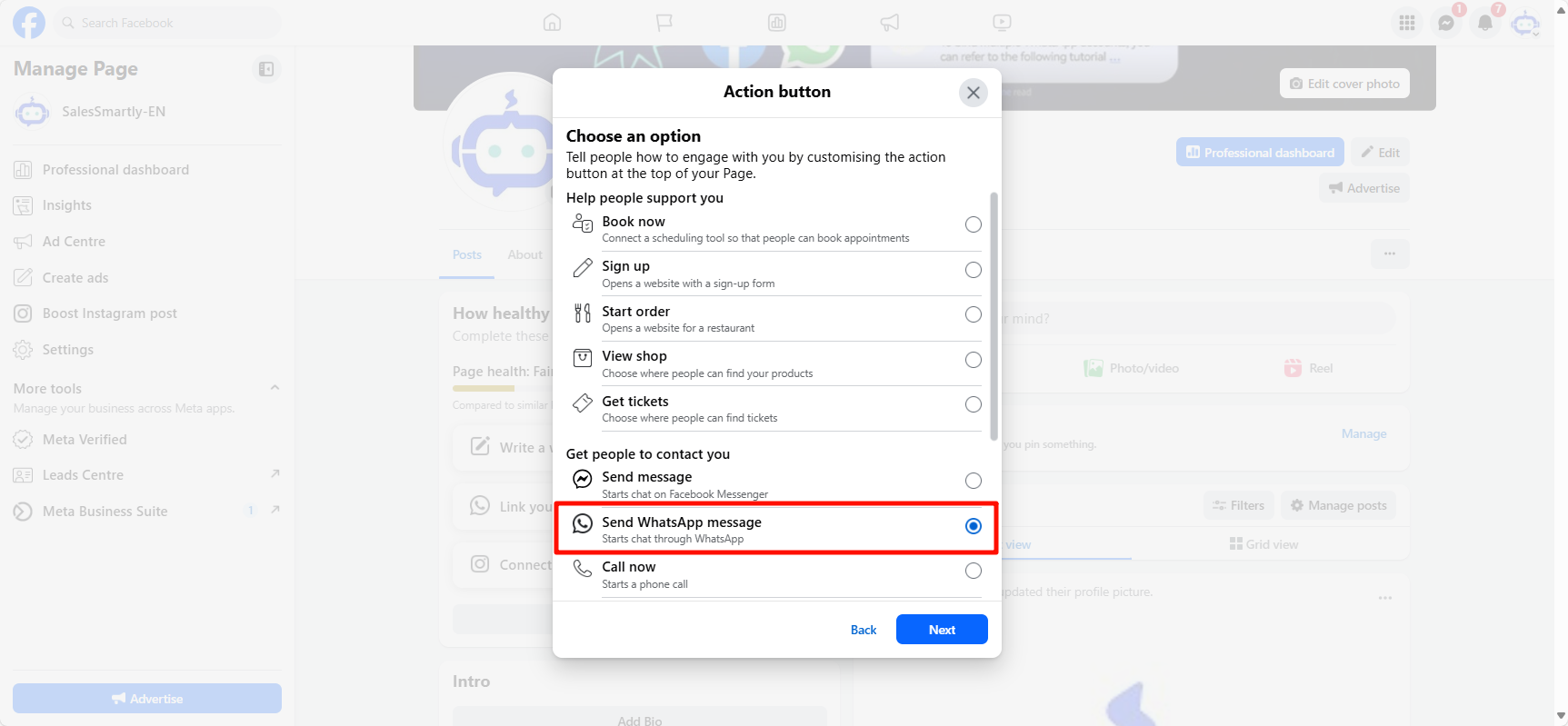
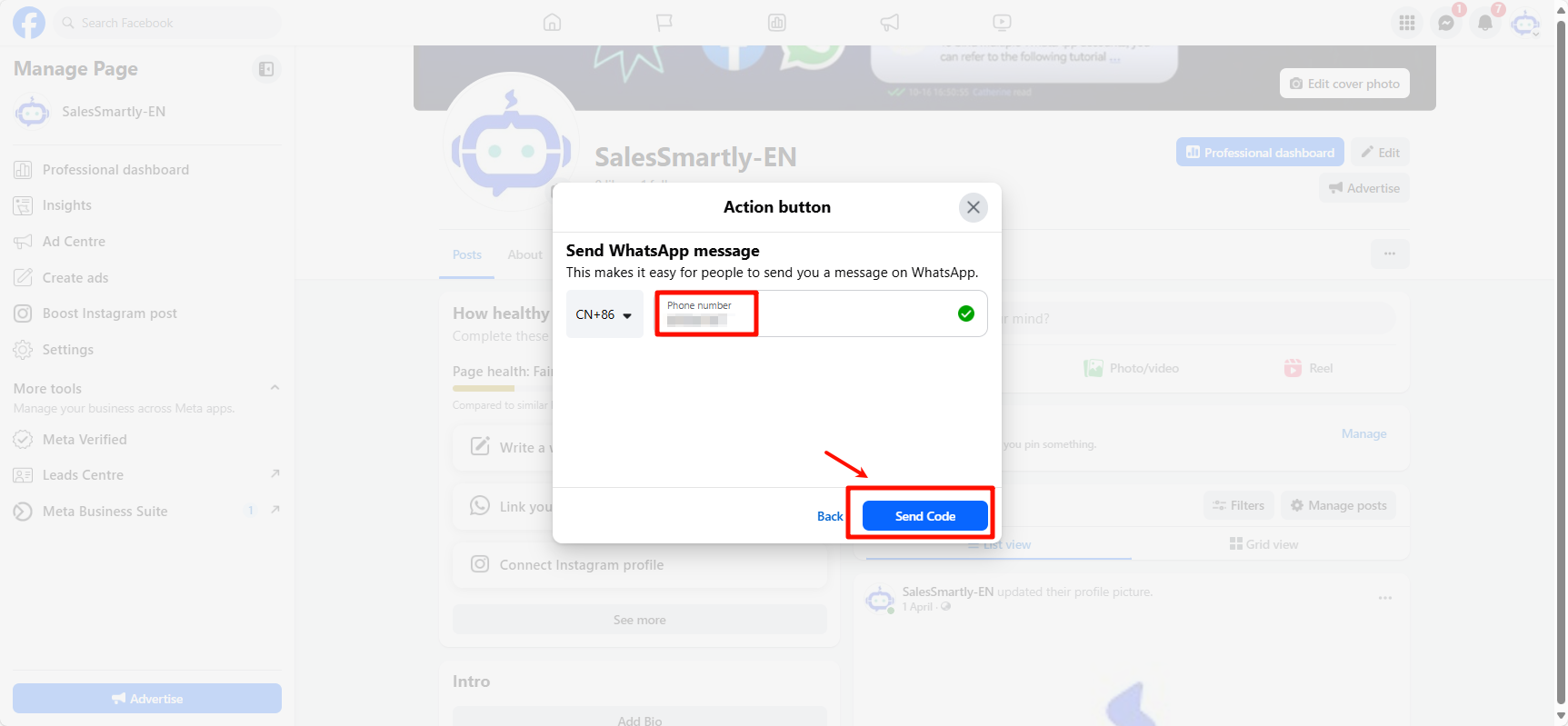
2. Add Button on Public Page

SS Admin Chat Interface Walkthrough

A quick video tutorial showing how to use the SaleSmartly admin chat inbox, manage conversations, and respond to customers efficiently.

Automated Process Setup

Create and manage automated processes to improve customer efficiency and reduce complaints.

Support: [email protected]Business: [email protected]

Product

  • Omnichannel Chat
  • Automation
  • Collaboration
  • CRM
  • Data Analysis
  • Real-time Translation

Solutions

  • Whatsapp Marketing
  • Social Media Engagement
  • Smart Shopping for Independent Sites
  • B2B Inquiry
  • SaaS Tool Support
  • Email Management

Integrations

  • WhatsApp
  • WhatApp Business API
  • Facebook Messenger
  • Instagram
  • LINE
  • TikTok
  • Telegram

Company

  • About
  • Download
  • Service Agreement
  • Privacy Policy
  • Automatic renewal agreement

Copyright © 2026. All rights reserved.