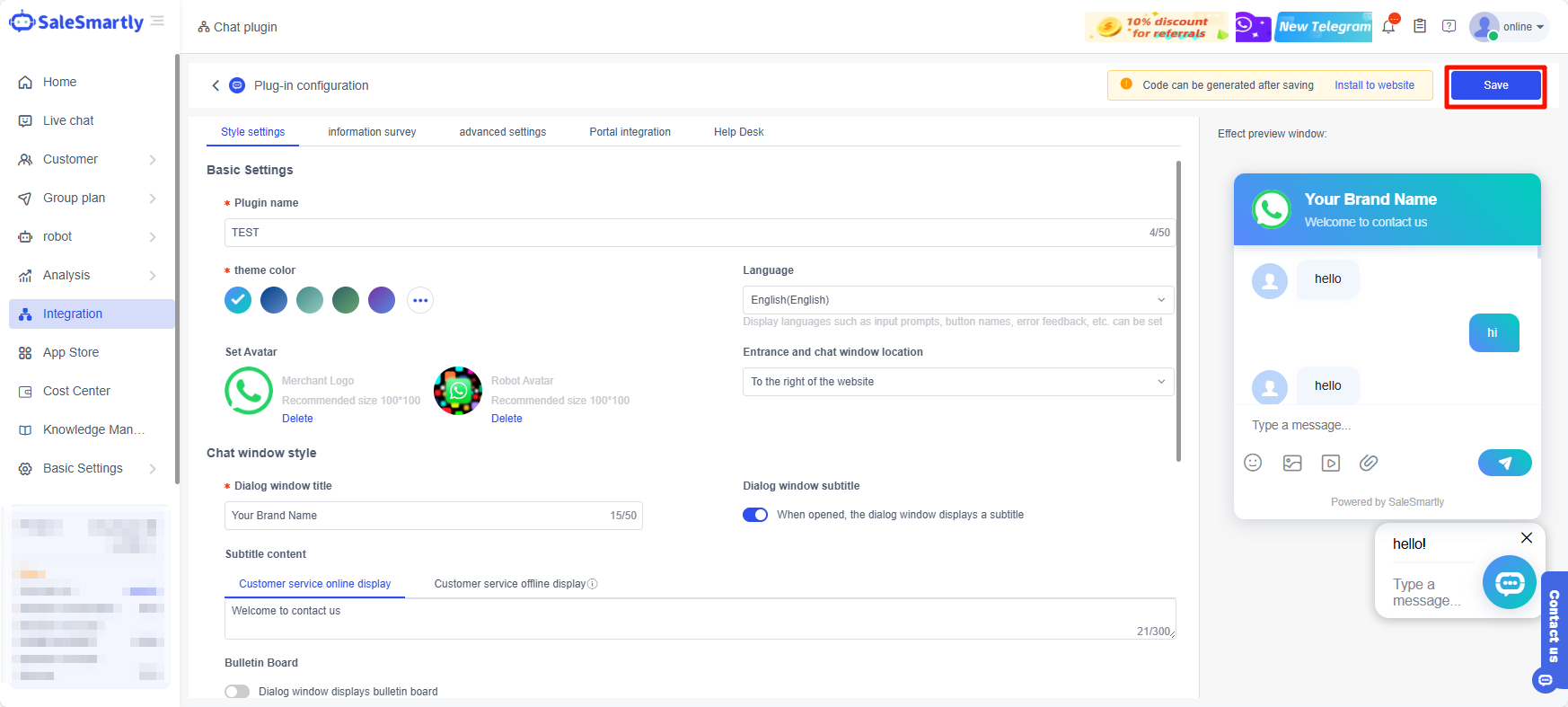
Locate Chat Widget
Locate chat widget, customize style, and save changes easily.
1. Locate Your Chat Widget
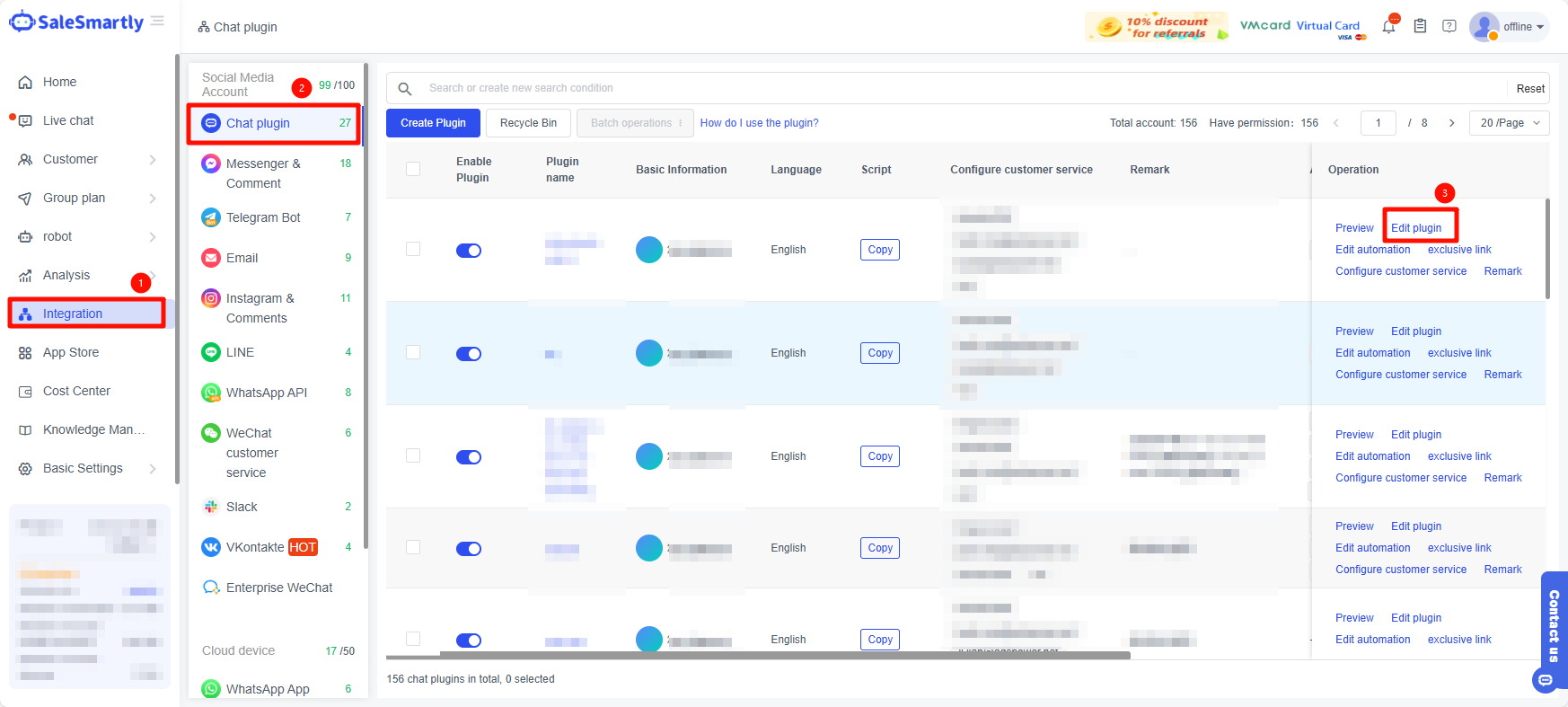
Find Integration in the left menu bar, and select Edit Plugin in the right operation bar of the chat plugin you need to edit.
2. Find the Chat Window Style
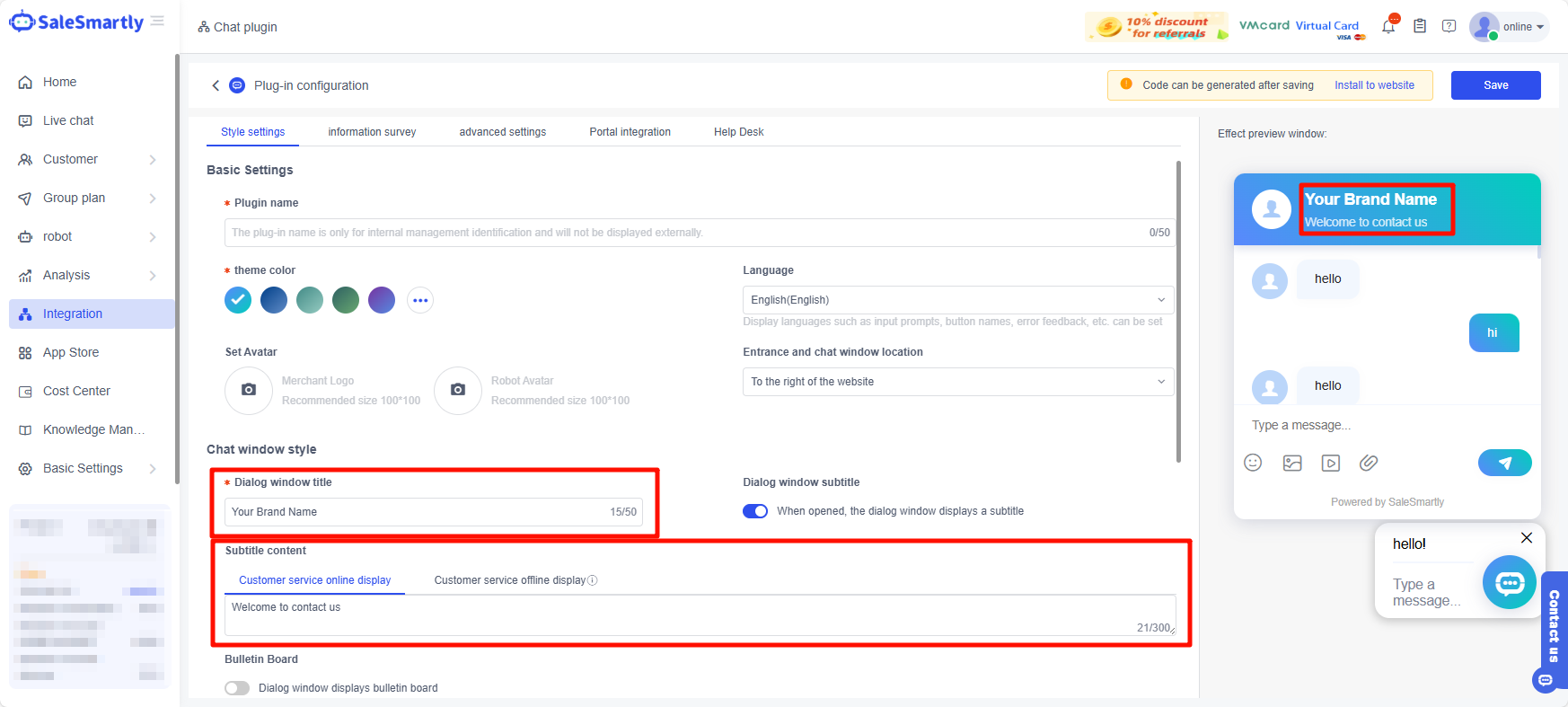
Dialog window title → Large title
Subtitle content → subtitle
2.1. Subtitle Content Details
The subtitle content can be divided into two parts:
- Customer service online display: The text that will be displayed in the subtitle when the manual customer service is online.
- Customer service offline display: The text that will be displayed in the subtitle when the manual customer service is offline.
(The online time of the manual customer service can be indicated in the subtitle to facilitate customers to consult at the corresponding time)
3. Save Chat Plugin Changes