Alibaba Mail Login
Learn Alibaba corporate mailbox login and turn off two-factor auth for integration.
1. Alibaba Corporate Mailbox Login Guide
| Notice: For users who newly purchase Alibaba corporate mailboxes in 2024, Alibaba Cloud currently prohibits new users from using third-party clients by default. The administrator will enable the third-party login password by default. After it is enabled, employees only need to enter the third-party password when integrating SaleSmartly, or ask the administrator to turn off the third-party password, then they only need to enter the password. |
|---|
1.1 Password Login
The default SMTP sending function of Alibaba Enterprise Mailbox has been enabled. You can log in directly by clicking Generate a new password. The steps are as follows:
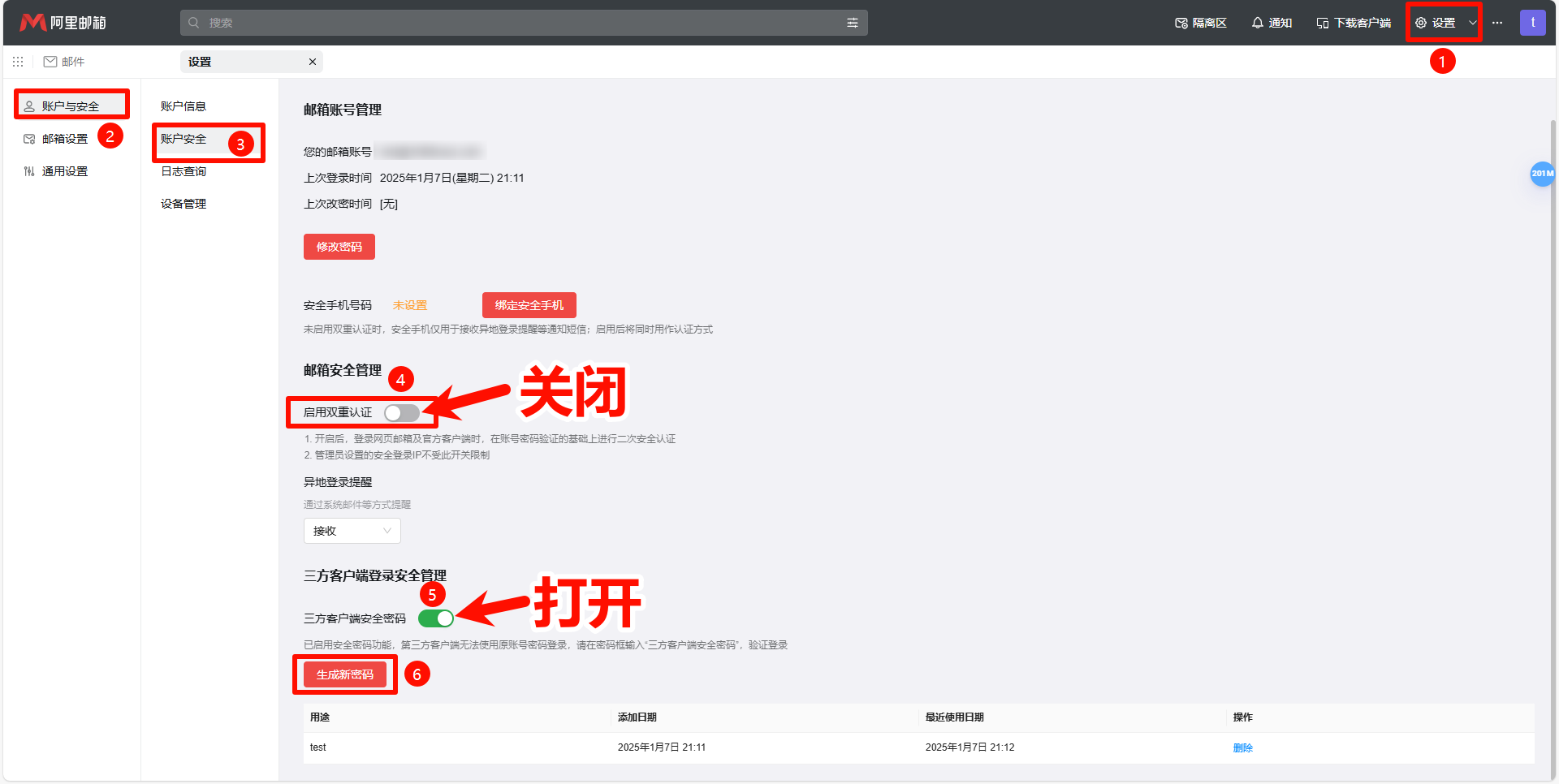
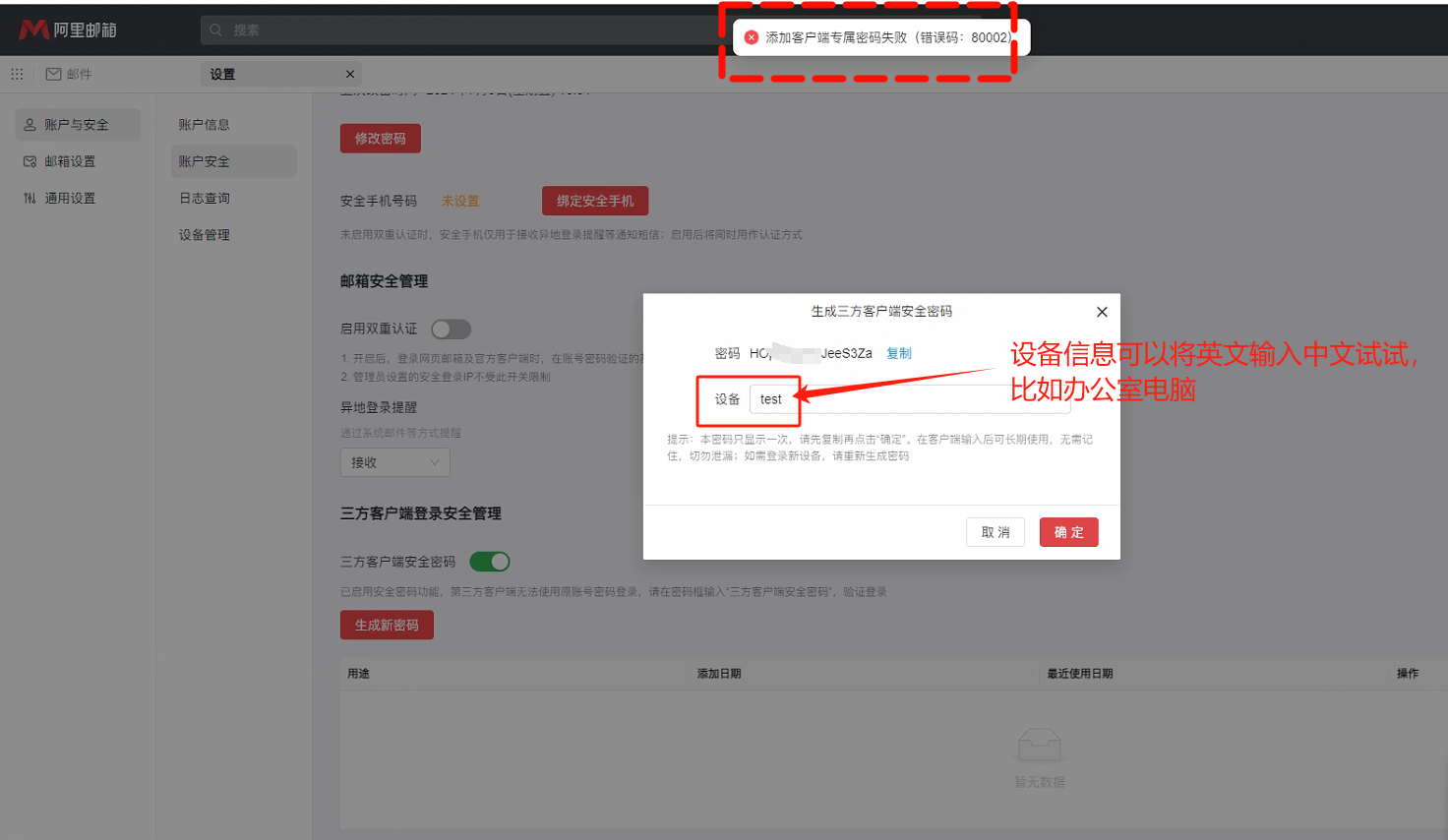
| Notice: If you fail to add a client-exclusive password when you click Generate New Password (error code: 80002), try changing the device to Chinese (Figure 1). After clicking OK, Alibaba Enterprise Mailbox turns off the third-party customer password switch by default, and you need to turn it on. |
|---|
1.2 Authorization Code Login
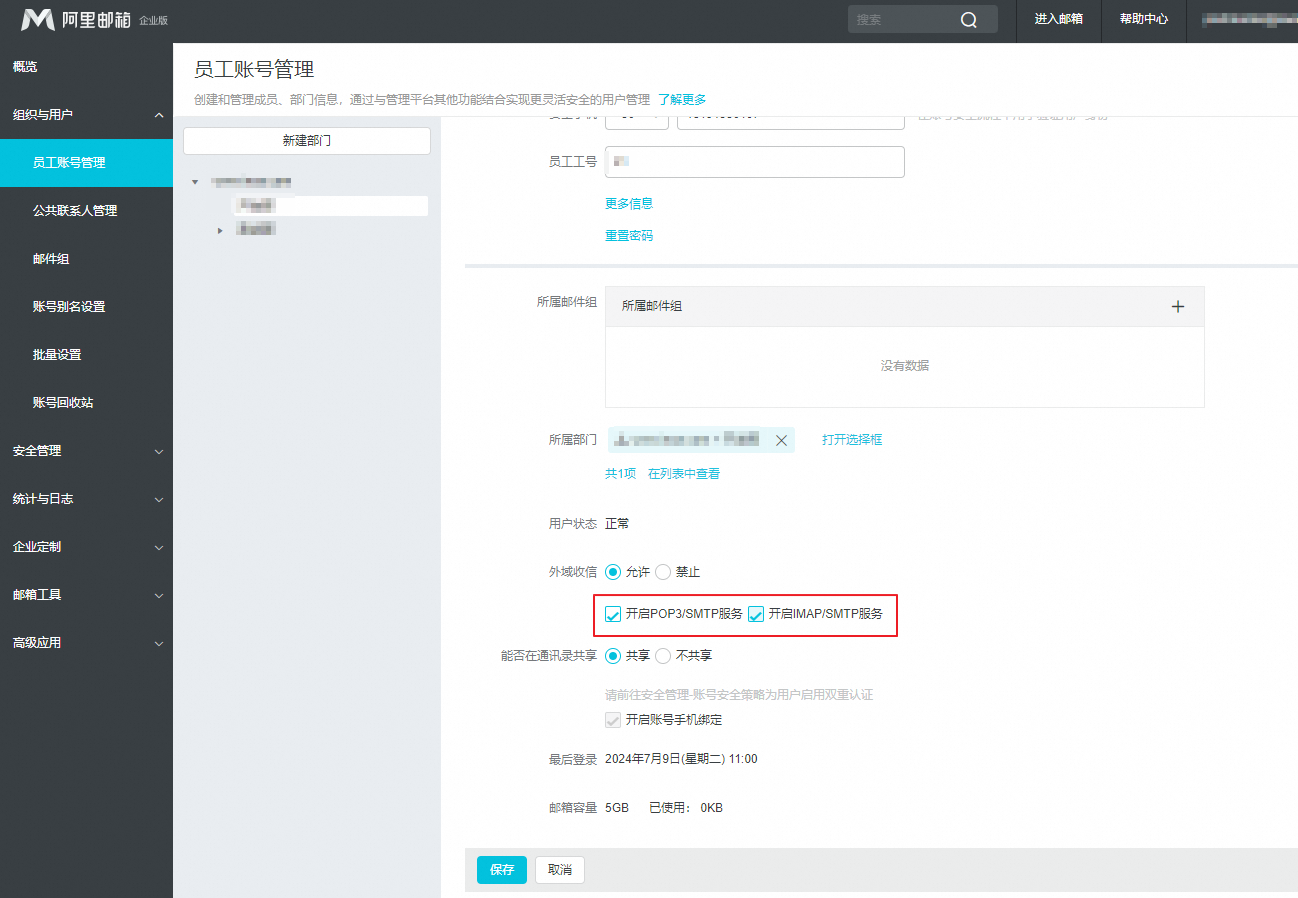
If it is not enabled, please refer to the following steps:
Log in as an administrator Domain Management Console - Organization and Users - Employee Account Management - Click the corresponding account name - Check Enable POP3/SMTP service, Enable IMAP/SMTP service - Click Save.
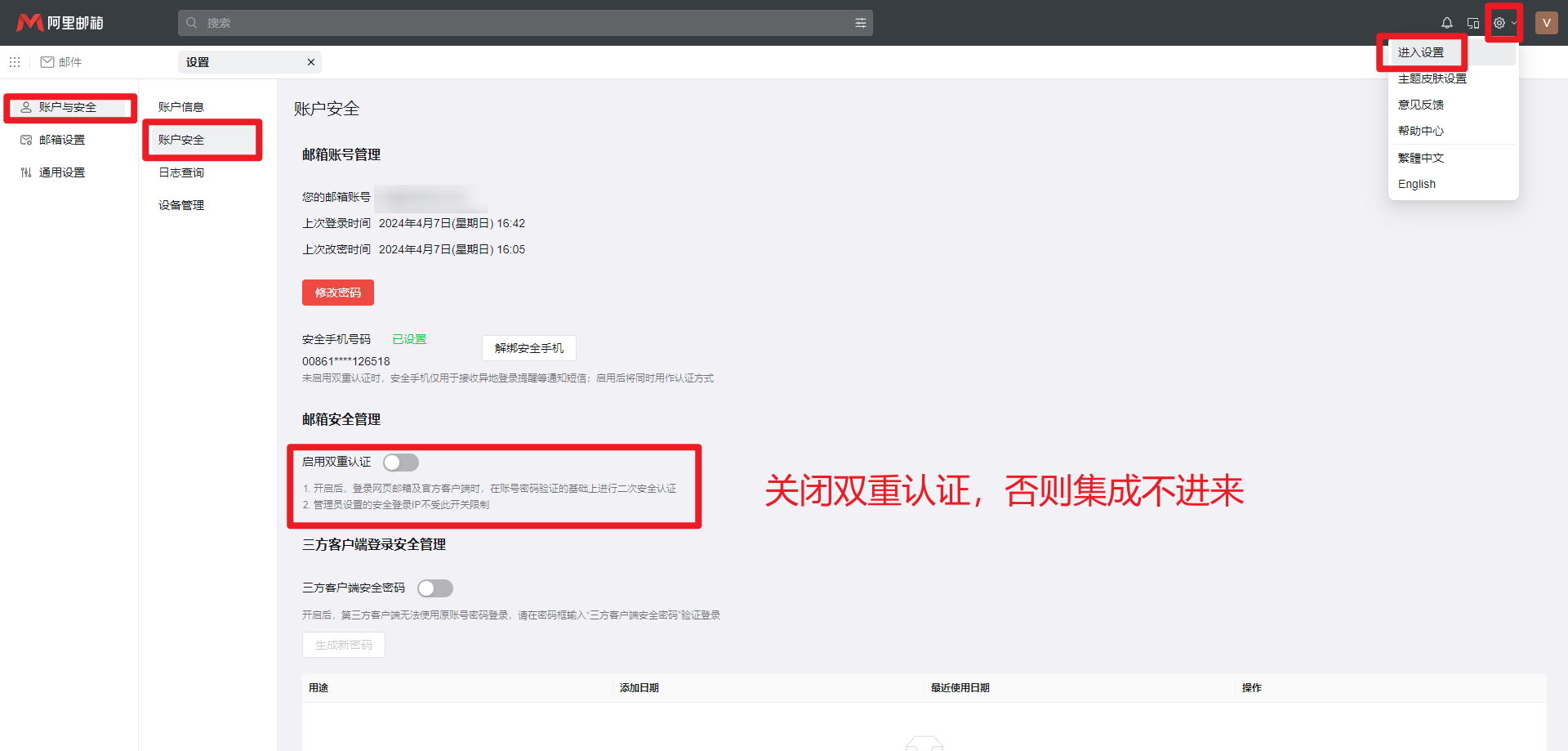
1.3 Turn Off Two-Factor Authentication
You need to turn off two-factor authentication, otherwise, the integration will fail. Go to Settings in the upper left corner - Click Account Security - Click Account Security - Turn off two-factor authentication.