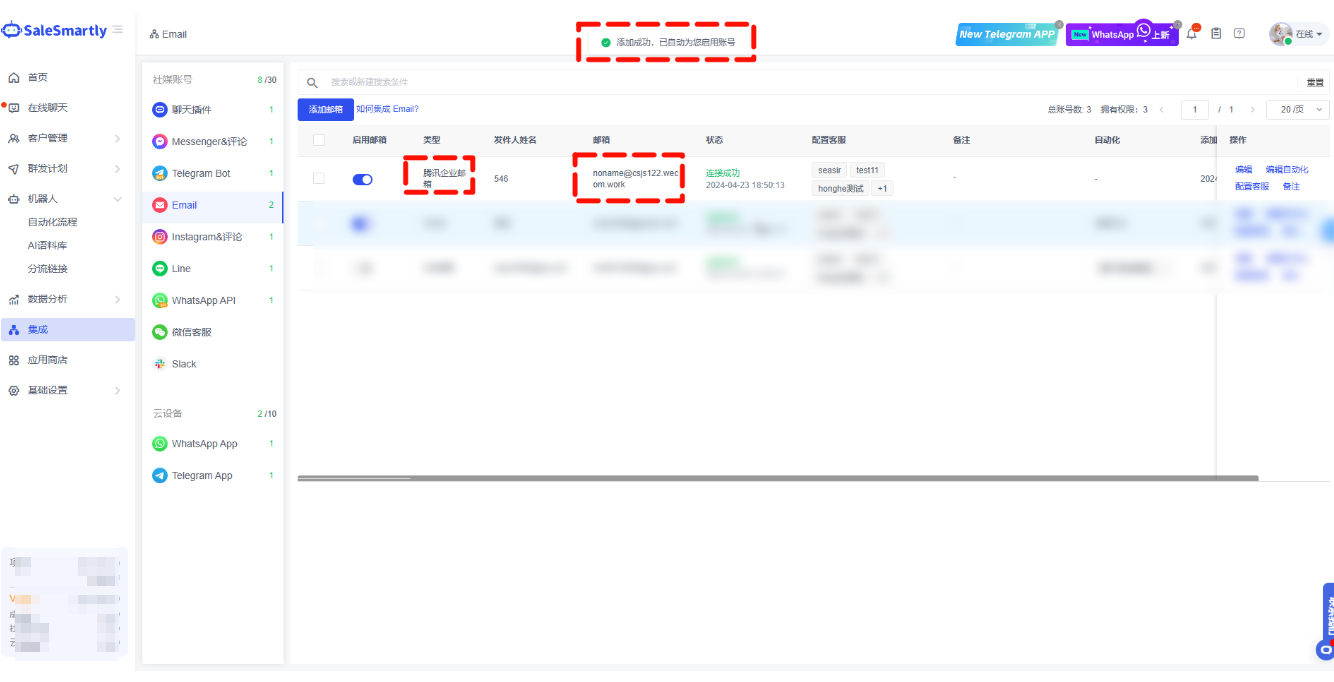
Email Integration
Integrate Tencent corporate mailbox with third-party clients via IMAP/POP and dedicated password.
1. Email Integration with Tencent Corporate Mailbox
1.1. Enable IMAP or POP Service
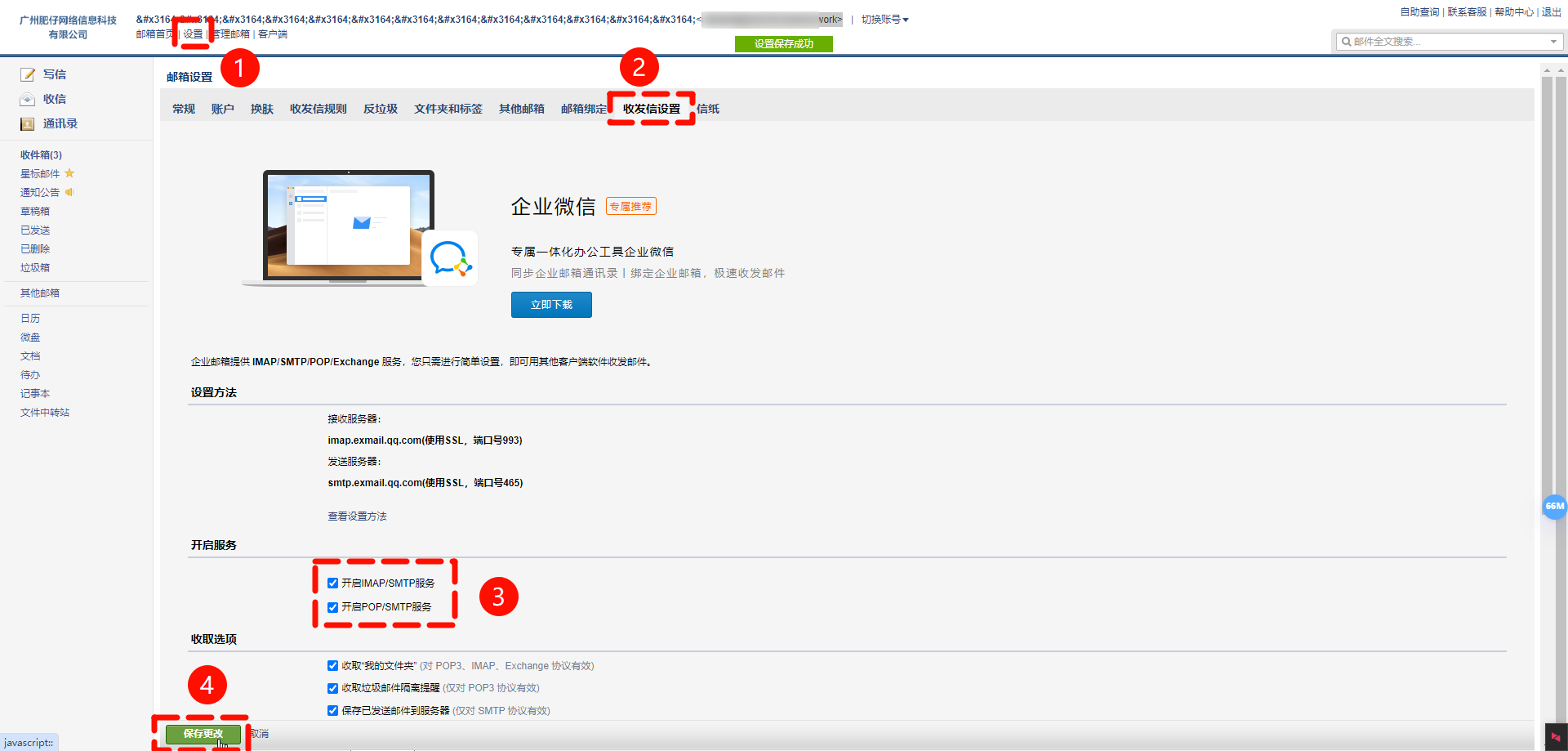
- Click on the web page to jump to log in to the mailbox.
- Click to enter Settings - Send and receive settings - Enable service.
- Find the service switch and confirm whether the IMAP or POP service is turned on.
1.2. Generate a Client-Specific Password
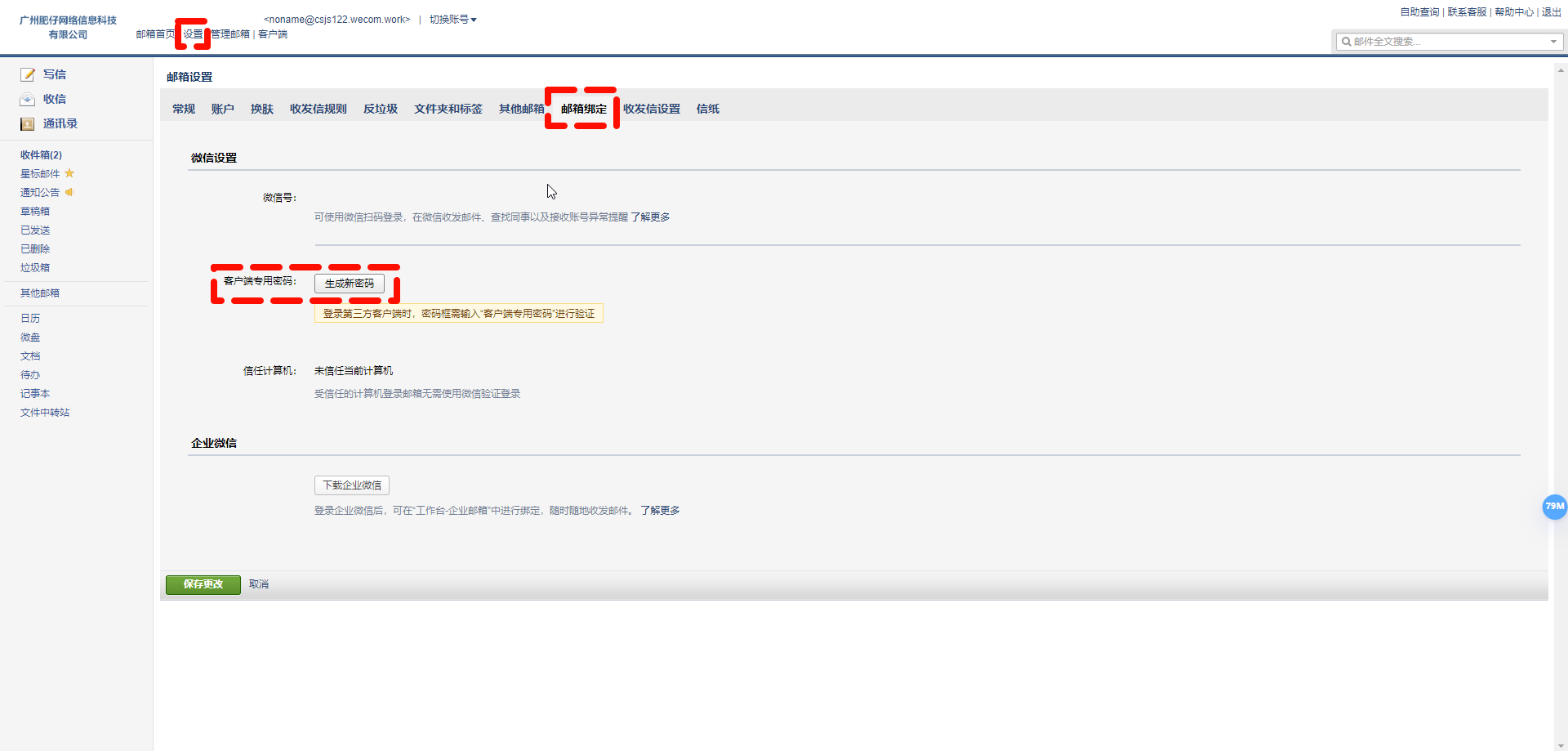
- Click on the web page to jump to Login to Email - Settings - Account - Email Binding.
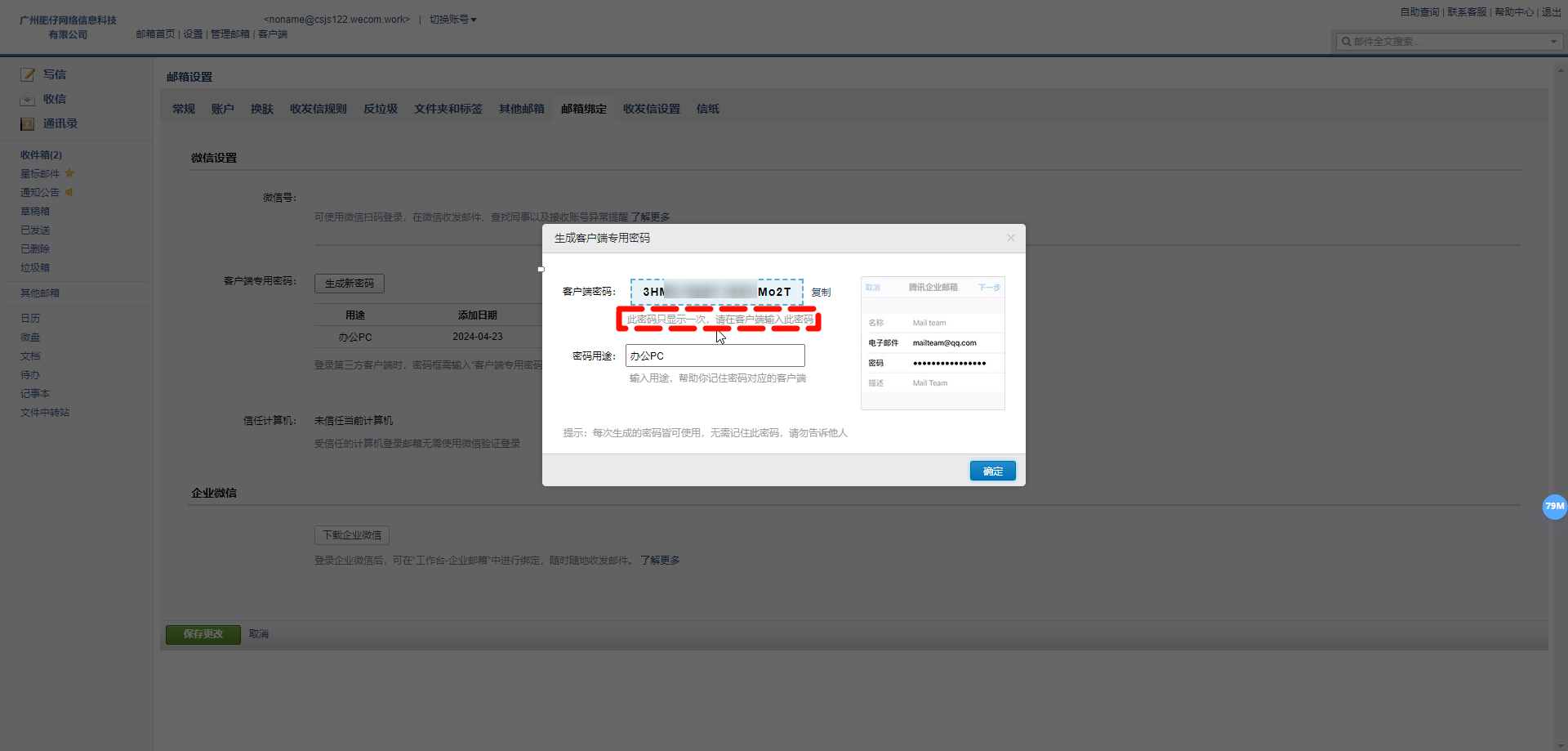
- Click "Generate a dedicated password" to log in to the third-party client using the authorization code.
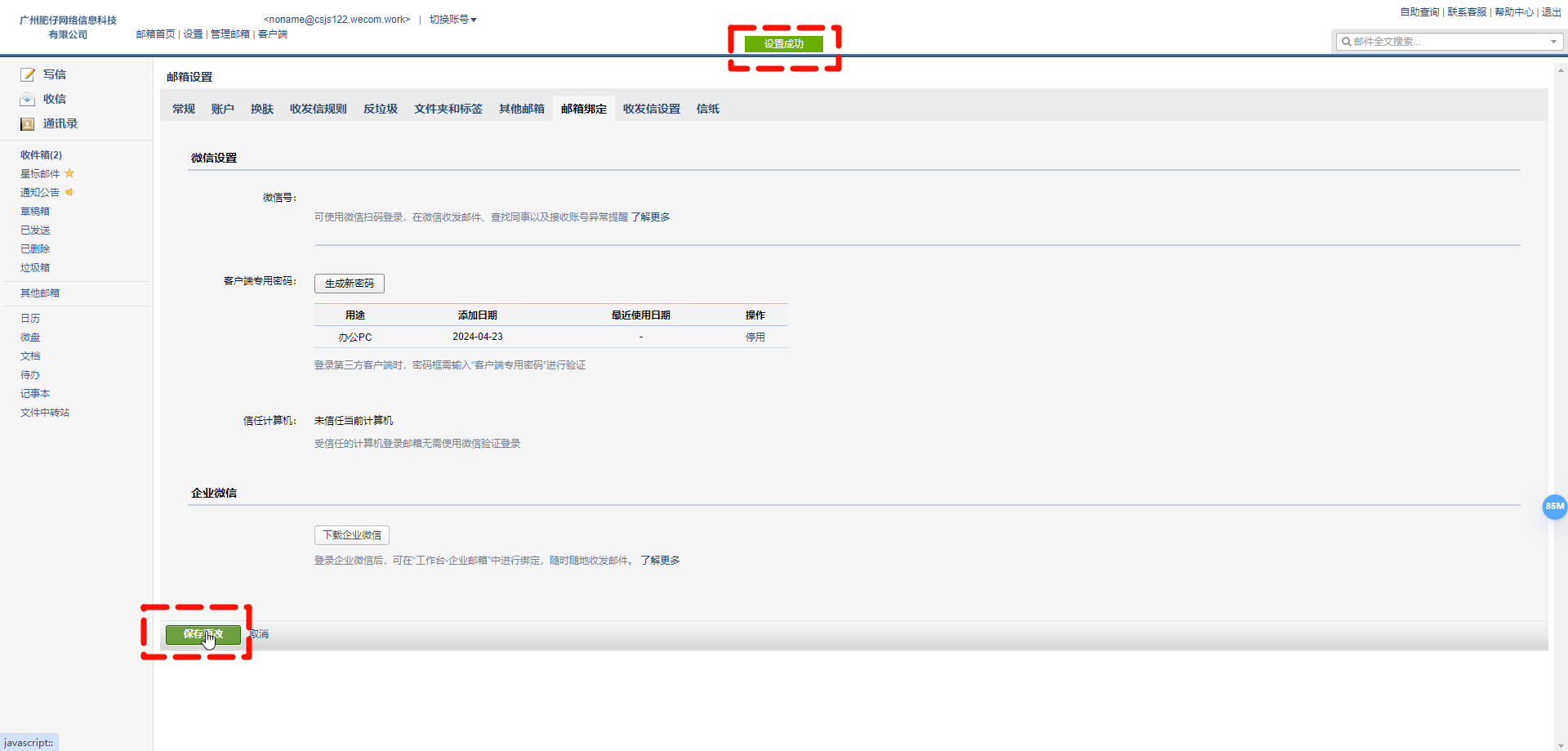
1.3. Fill in the Dedicated Password
Go back to SaleSmartly-Integration-Email and enter the application-specific password you just generated.
Notice: When using IMAP to integrate your mailbox, be sure to fill in the actual IMAP server address and port instead of the following sample information.
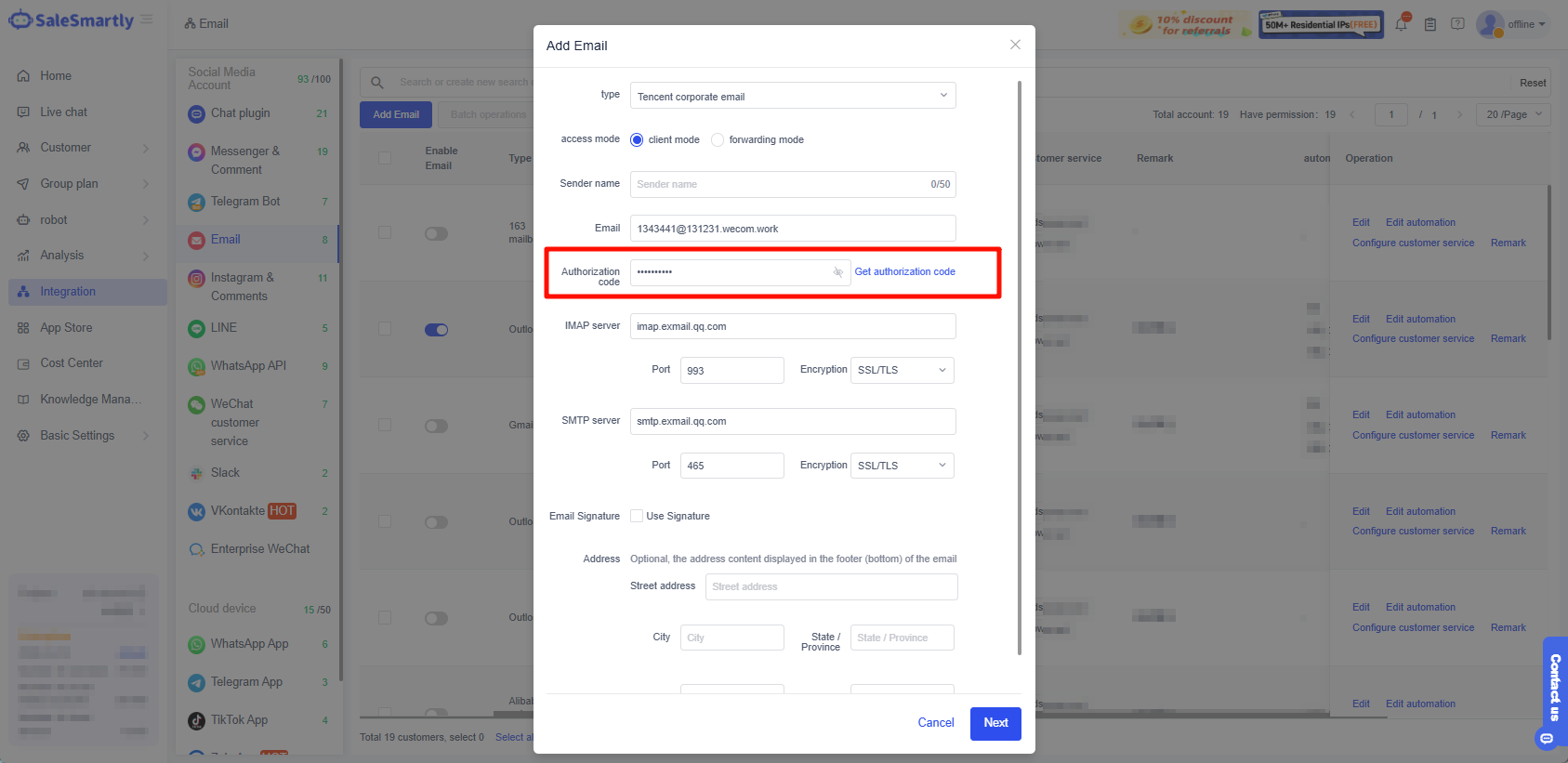
1.4. Check the Sync Folder
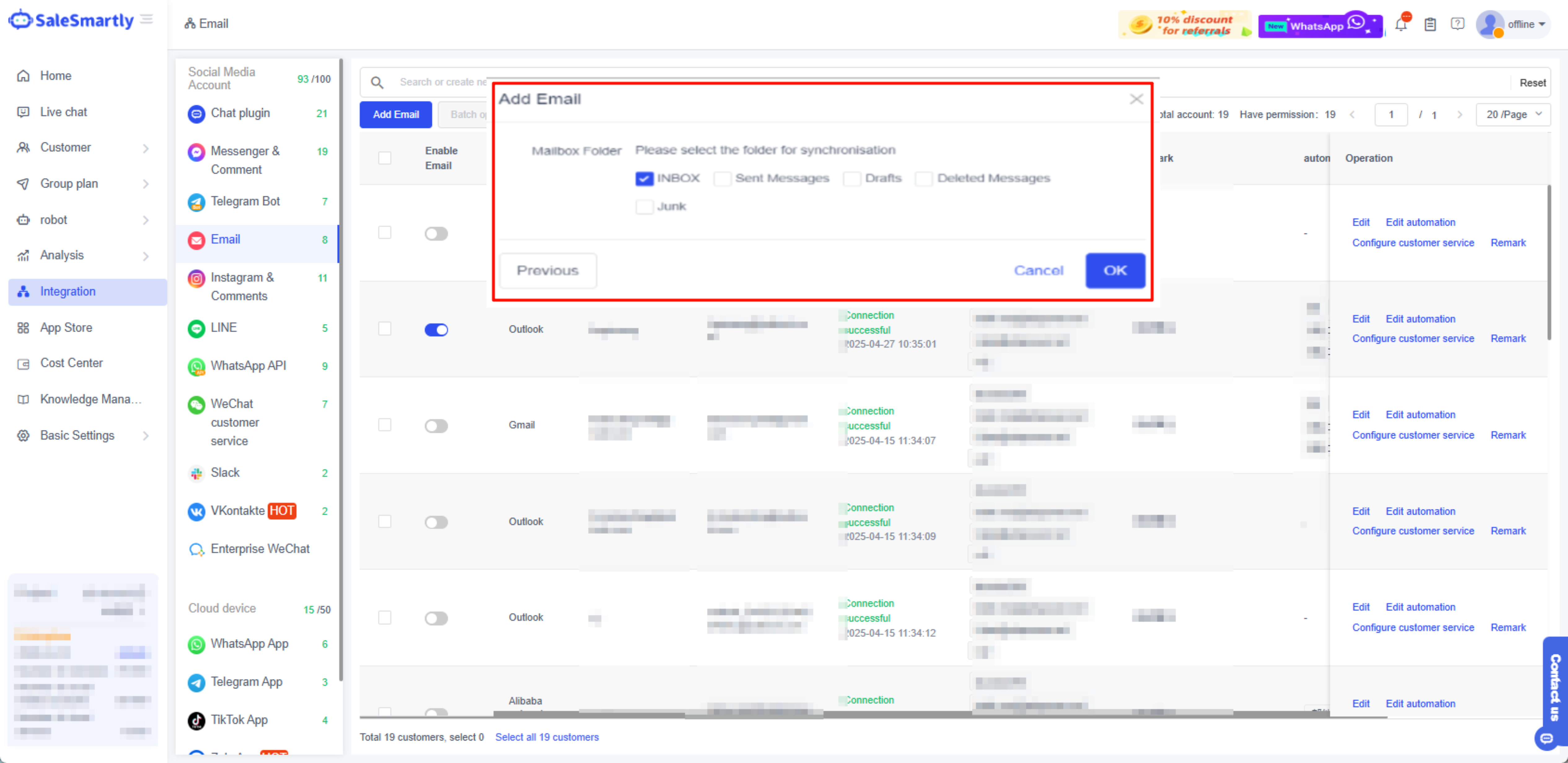
1.5. Authorization Successful