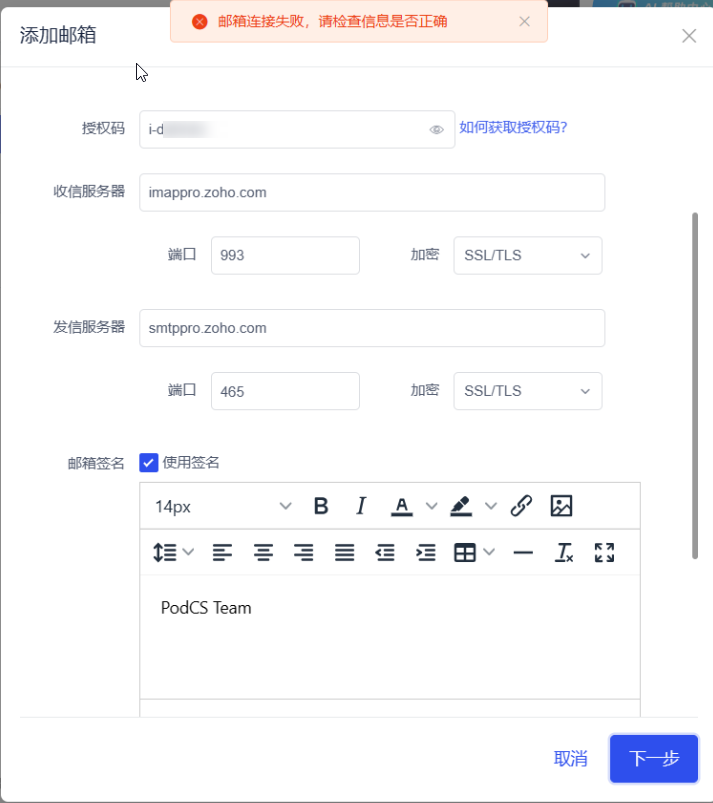
Enable ZOHO IMAP
Learn to enable ZOHO IMAP access and fix connection issues.
1. Enable ZOHO IMAP access
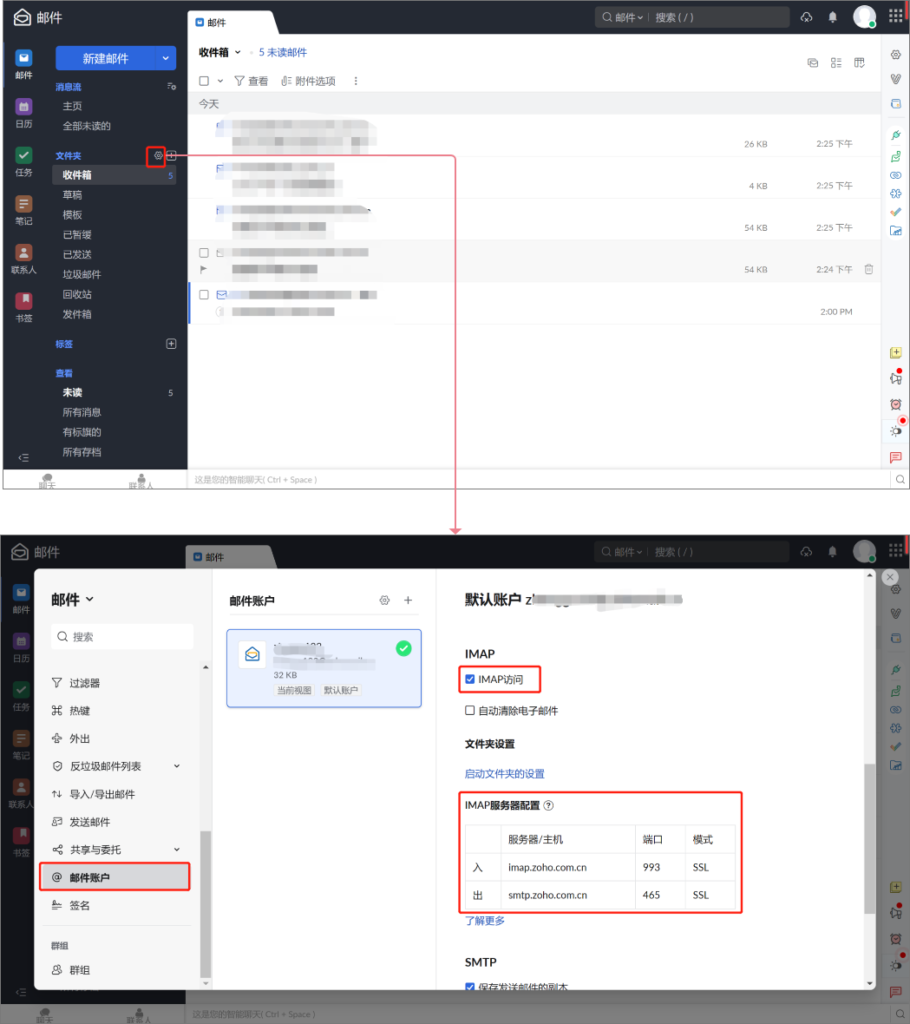
On the ZOHO email platform, click to open Settings-Mail Account - check IMAP access - and click Save.
2. Fill in the authorization code/password
In the pop-up window for adding a mailbox in this system, select "Other" as the type, the sender name can be customized, fill in your ZOHO mailbox and login password as the mailbox and password/authorization code, and fill in the IMAP server input/output information in the above picture into the receiving/sending server of this system, and select "SSL/TLS" for encryption.
| Notice: When using IMAP to integrate your mailbox, be sure to fill in the actual IMAP server address and port instead of the following sample information |
|---|

3. Frequently asked questions
All information is correct, but the email connection still fails. Please check whether the information is correct.
Reason: ZOHO officially banned the use of IMAP service.
Solution: You need to contact ZOHO to unblock the IMAP service.