• Docs
  • Pricing
Contact UsGet Started
    • Social Media Integration
      • Email Integration Guide
      • Email Integration Guide
      • Email Integration
      • Enable 2-Step Verification
      • Enable 2FA
      • Outlook Integration
      • Amazon WorkMail Tips
      • Get Dedicated Password
      • NetEase Auth Code
      • Enable IMAP/SMTP
      • Alibaba Mail Login
      • Enable IMAP/SMTP
      • Get Auth Code
      • Email Integration
      • Enable ZOHO IMAP
      • GoDaddy Email Setup

Enable IMAP/SMTP

Enable IMAP/SMTP service and generate authorization code for SaleSmartly.

1. Enable IMAP/SMTP service setup

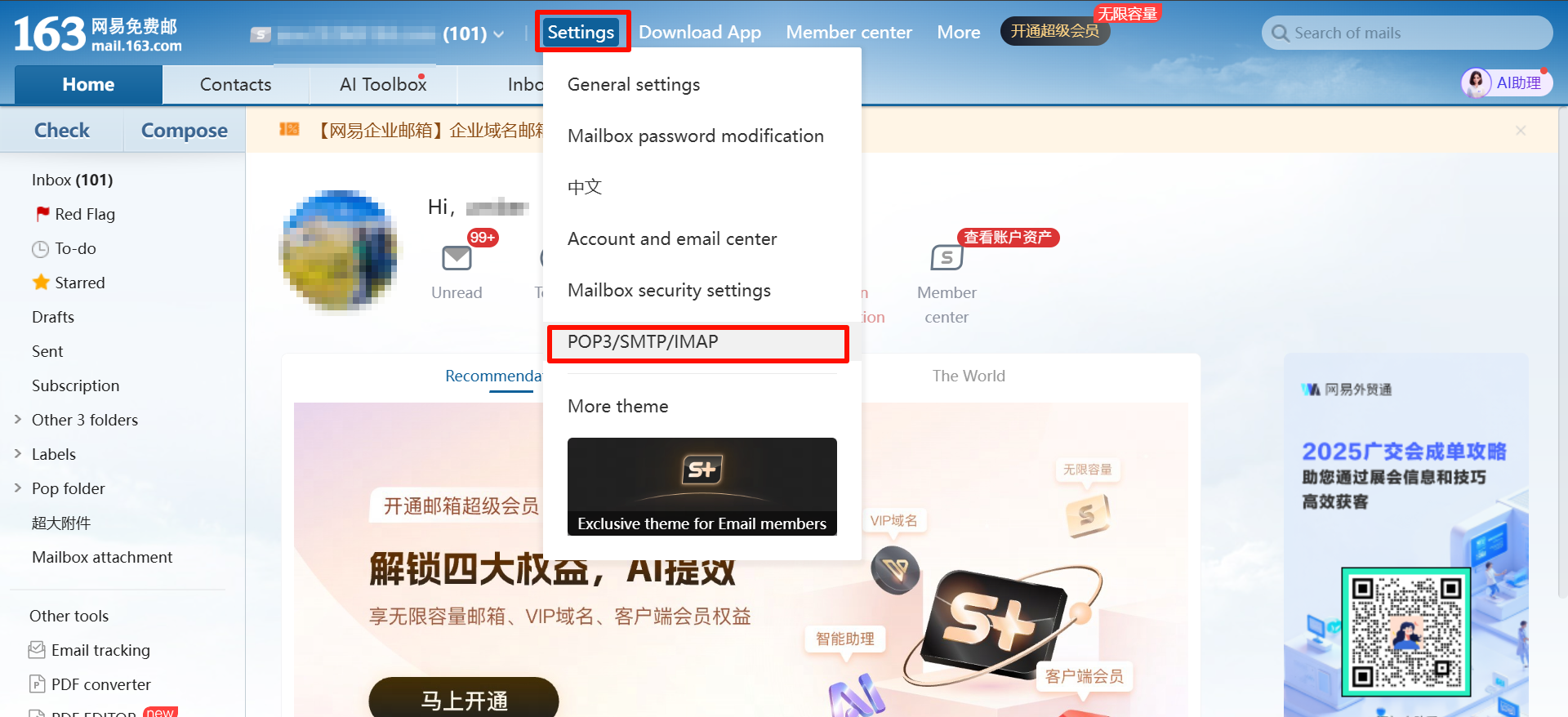
1.1. Click Settings - POP3/SMTP/IMAP in the upper right corner.
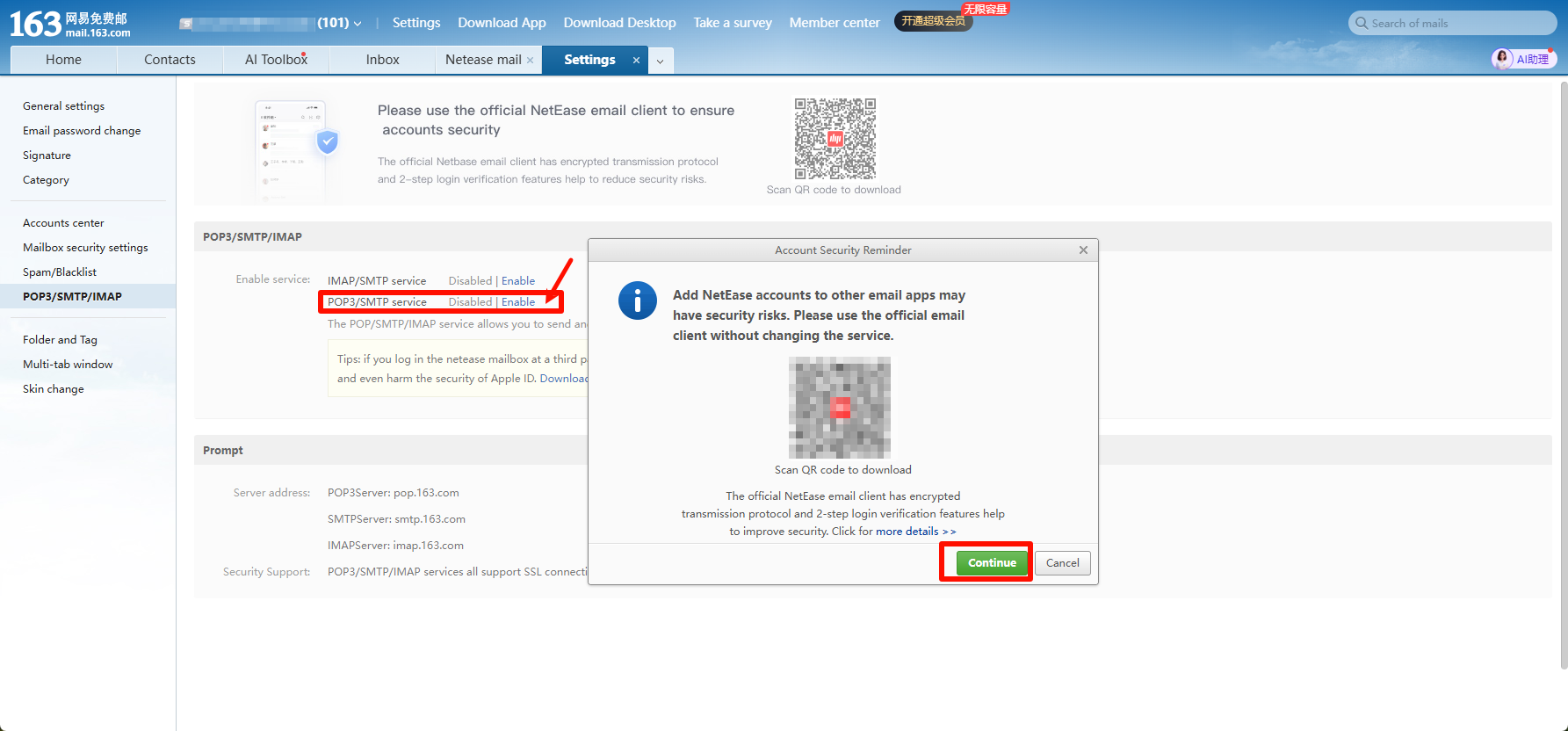
1.2. Find POP3/SMTP service and click to enable it. In the pop-up window, find Continue
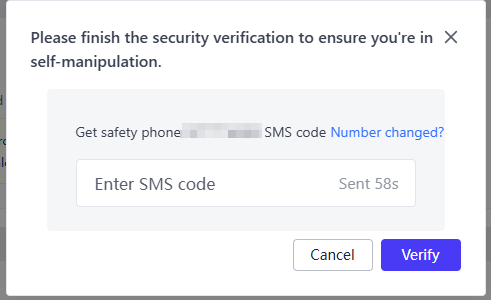
1.3. Send a text message on your mobile phone according to the instructions.
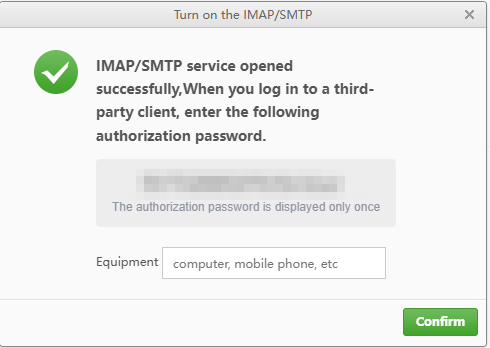
2. Generate authorization verification code for SaleSmartly

A pop-up window will generate an authorization verification code. Return to SaleSmartly and fill in the corresponding authorization code.
NetEase Auth Code

Generate NetEase authorization code for third-party mailbox login.

Alibaba Mail Login

Learn Alibaba corporate mailbox login and turn off two-factor auth for integration.

Support: [email protected]Business: [email protected]

Product

  • Omnichannel Chat
  • Automation
  • Collaboration
  • CRM
  • Data Analysis
  • Real-time Translation

Solutions

  • Whatsapp Marketing
  • Social Media Engagement
  • Smart Shopping for Independent Sites
  • B2B Inquiry
  • SaaS Tool Support
  • Email Management

Integrations

  • WhatsApp
  • WhatApp Business API
  • Facebook Messenger
  • Instagram
  • LINE
  • TikTok
  • Telegram

Company

  • About
  • Download
  • Service Agreement
  • Privacy Policy
  • Automatic renewal agreement

Copyright © 2026. All rights reserved.