GoDaddy Email Setup
1. GoDaddy Corporate Email Integration
Hint: There is no need for an authorization code to access GoDaddy corporate email, just enter your account and password.
1.1. Fill in Your Email Information
1.1.1. Select Other as the type - fill in the sender's name, email address, and authorization code - click Next.
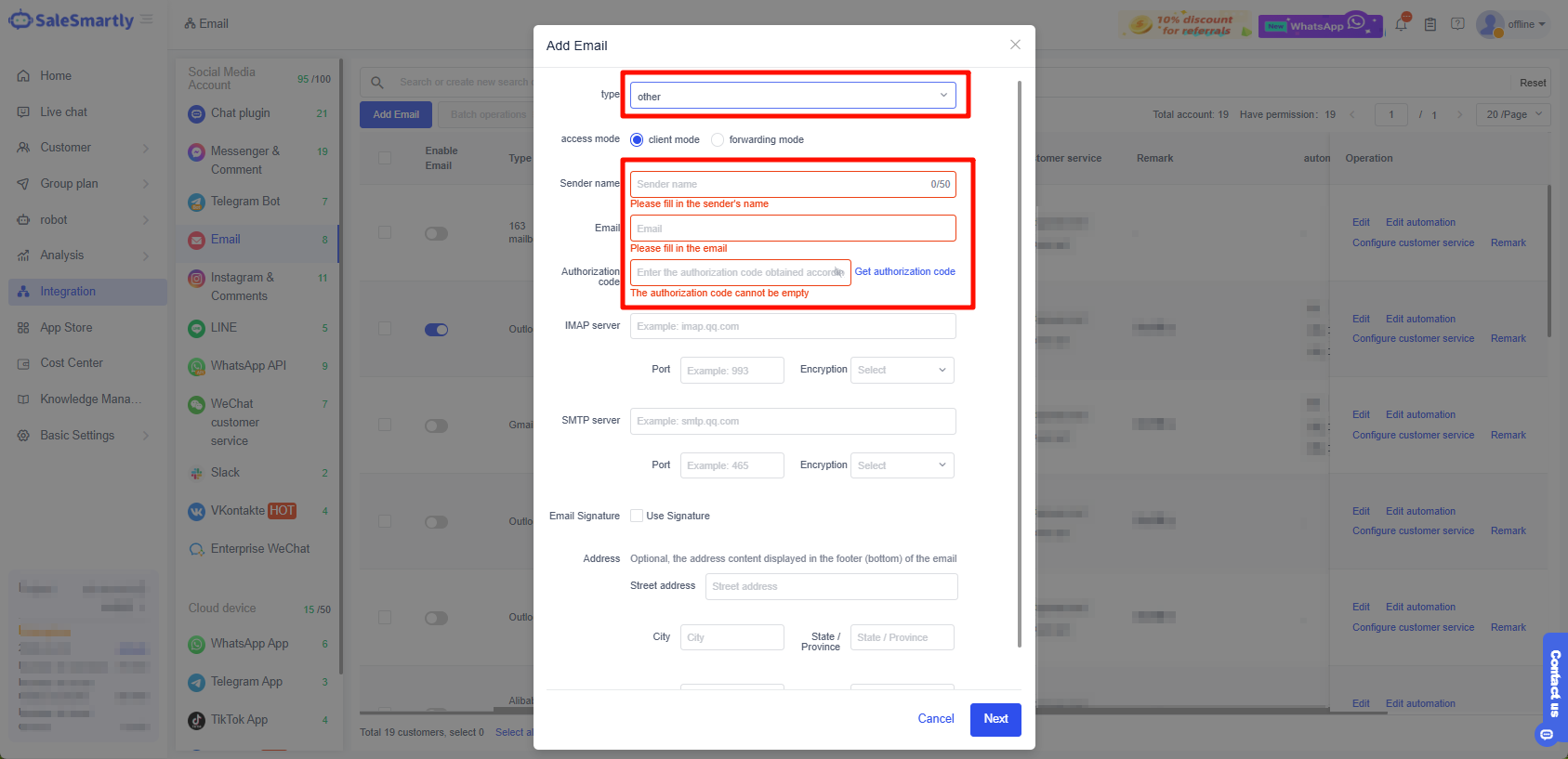
Notice: GoDaddy corporate mailbox has IMAP settings turned on by default
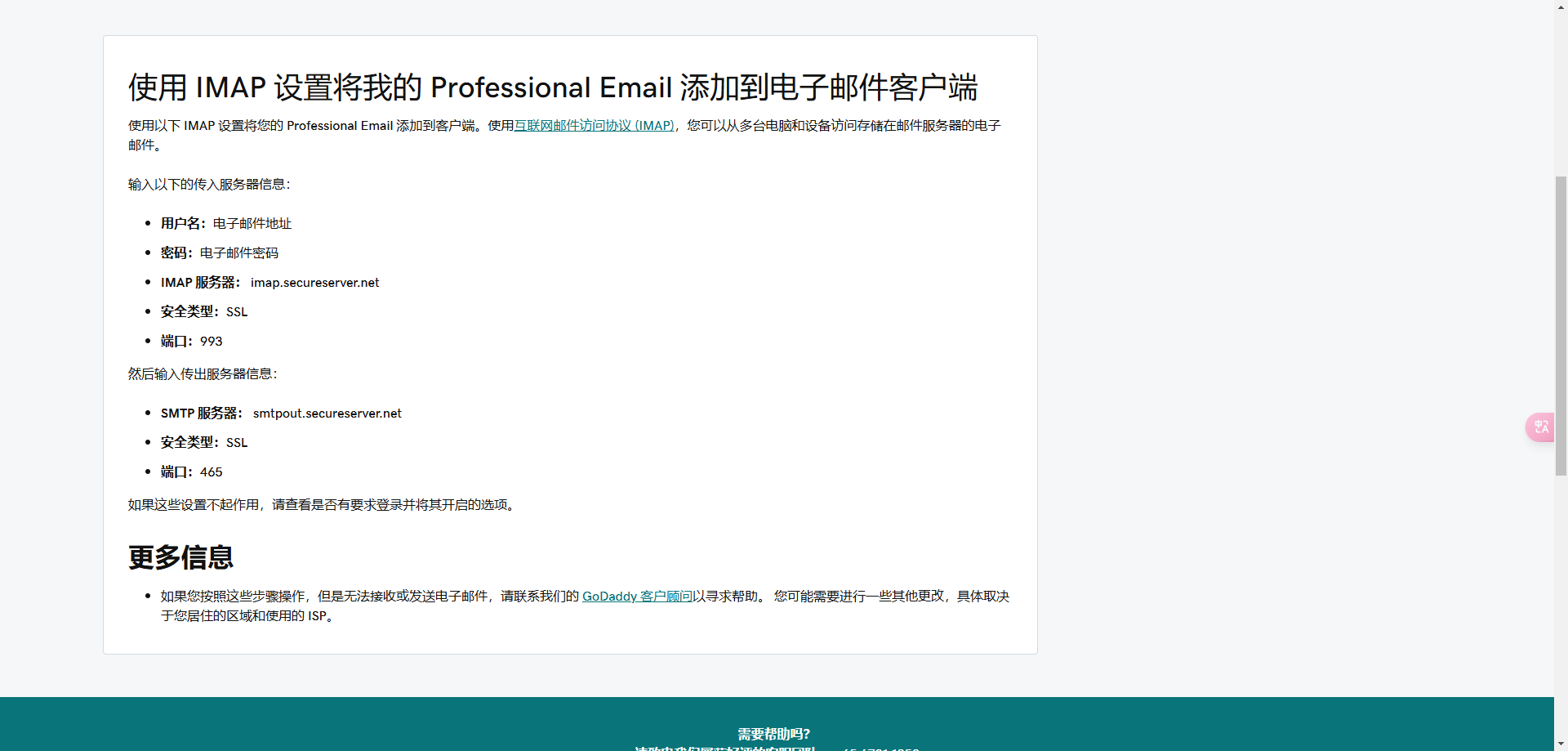
If no IMAP server settings are detected, enter the following:
Username: Email address
Password: Email password
IMAP server: imap.secureserver.net
Security type: SSL
Port: 993
Then enter the outgoing server information:
SMTP server: smtpout.secureserver.net
Security type: SSL
Port: 465
Official document link: Click to jump
Note: When using IMAP to integrate your mailbox, be sure to fill in the actual IMAP server address and port instead of the following sample information.

