Enable IMAP/SMTP
Enable IMAP/SMTP service and get authorization code for SaleSmartly.
1. Enable IMAP/SMTP Service
1.1. Enable IMAP/SMTP Service
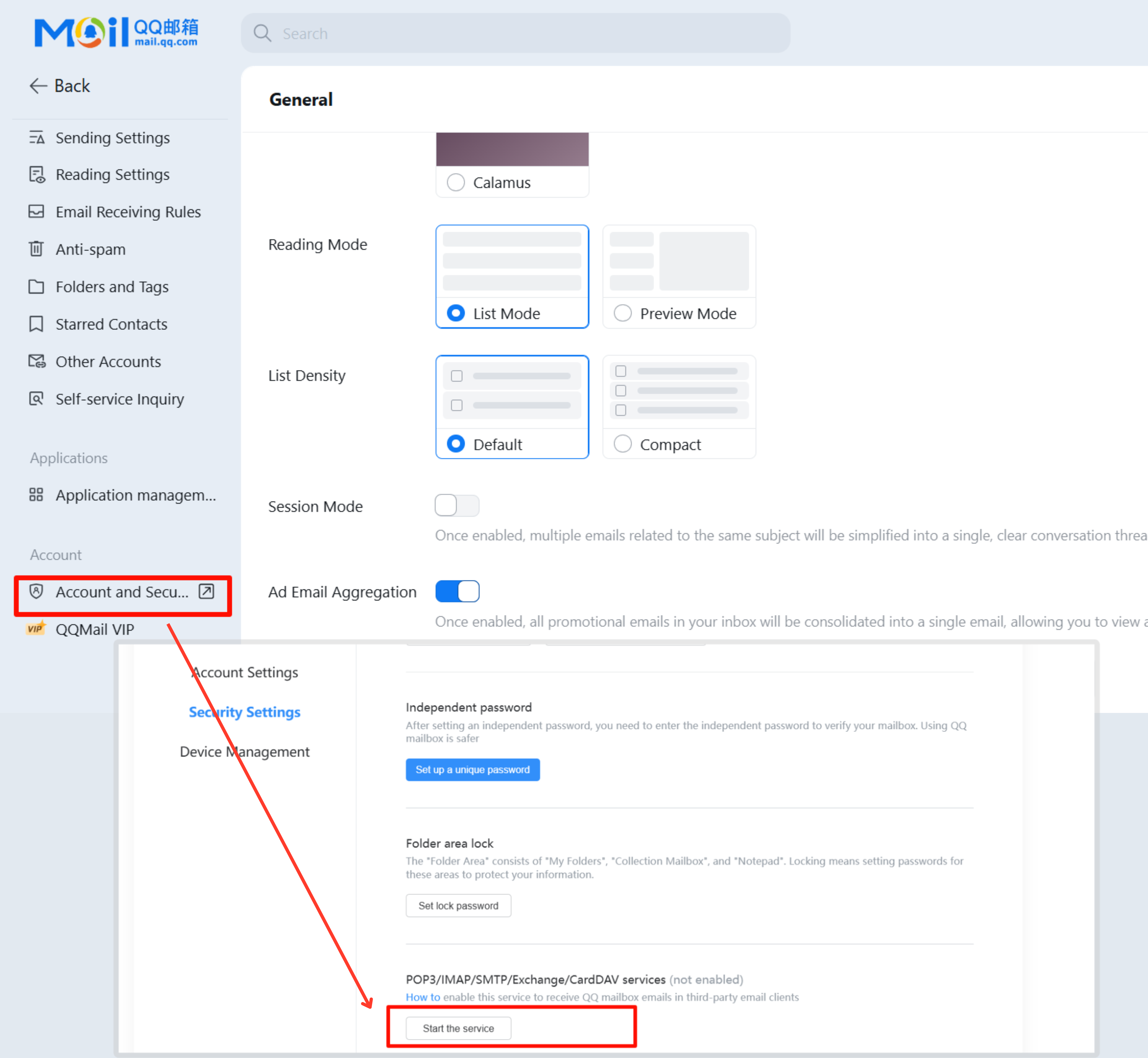
In the upper right corner, click on Settings - Account - Account and Security - Security Settings - POP3/IMAP/SMTP/Exchange/CardDAV services (enabled) - click Start the Service.
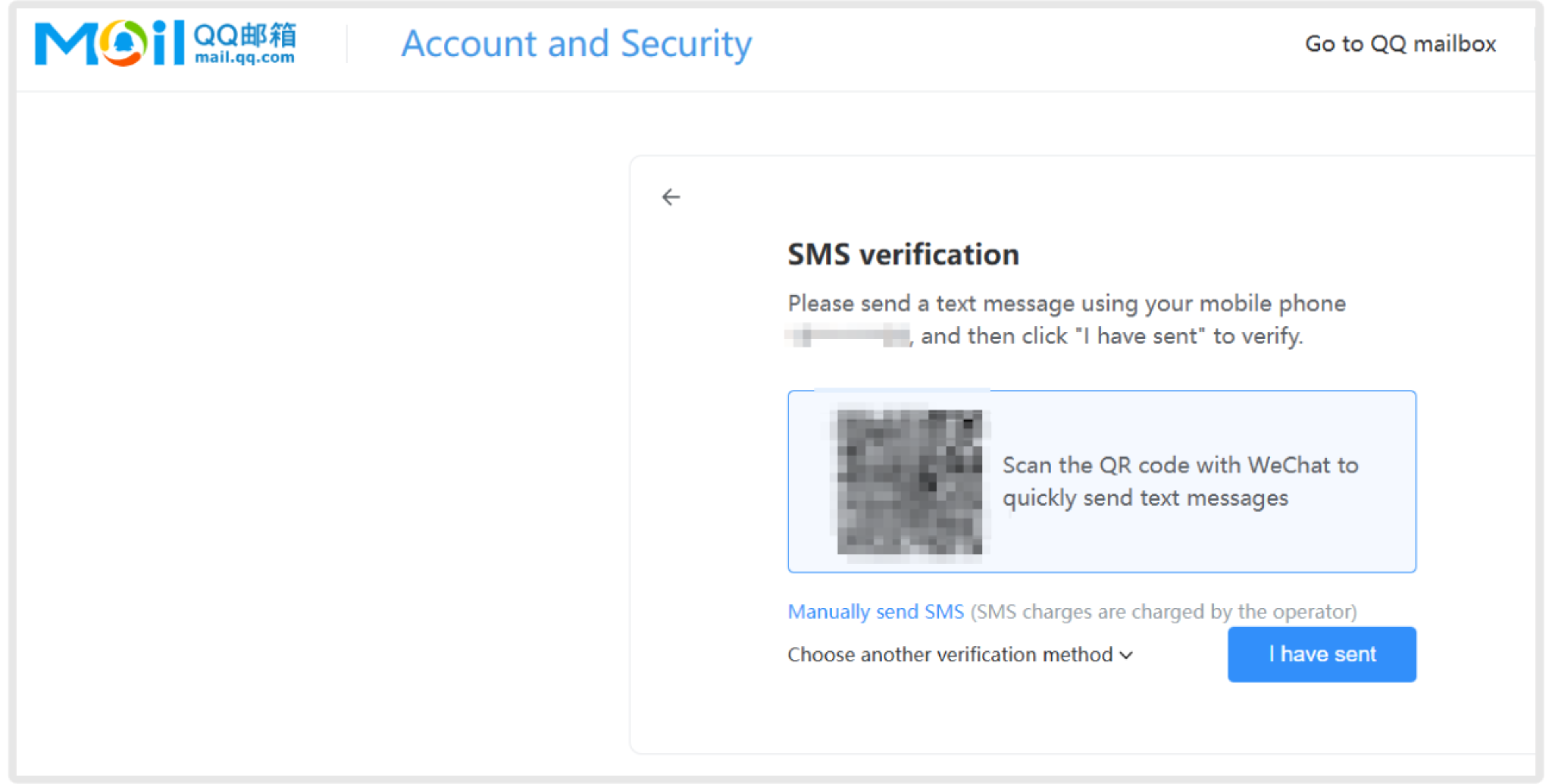
1.2. Send Verification Text Message
Send a text message according to the pop-up window instructions (the content is not fixed), and click I have sent after sending.
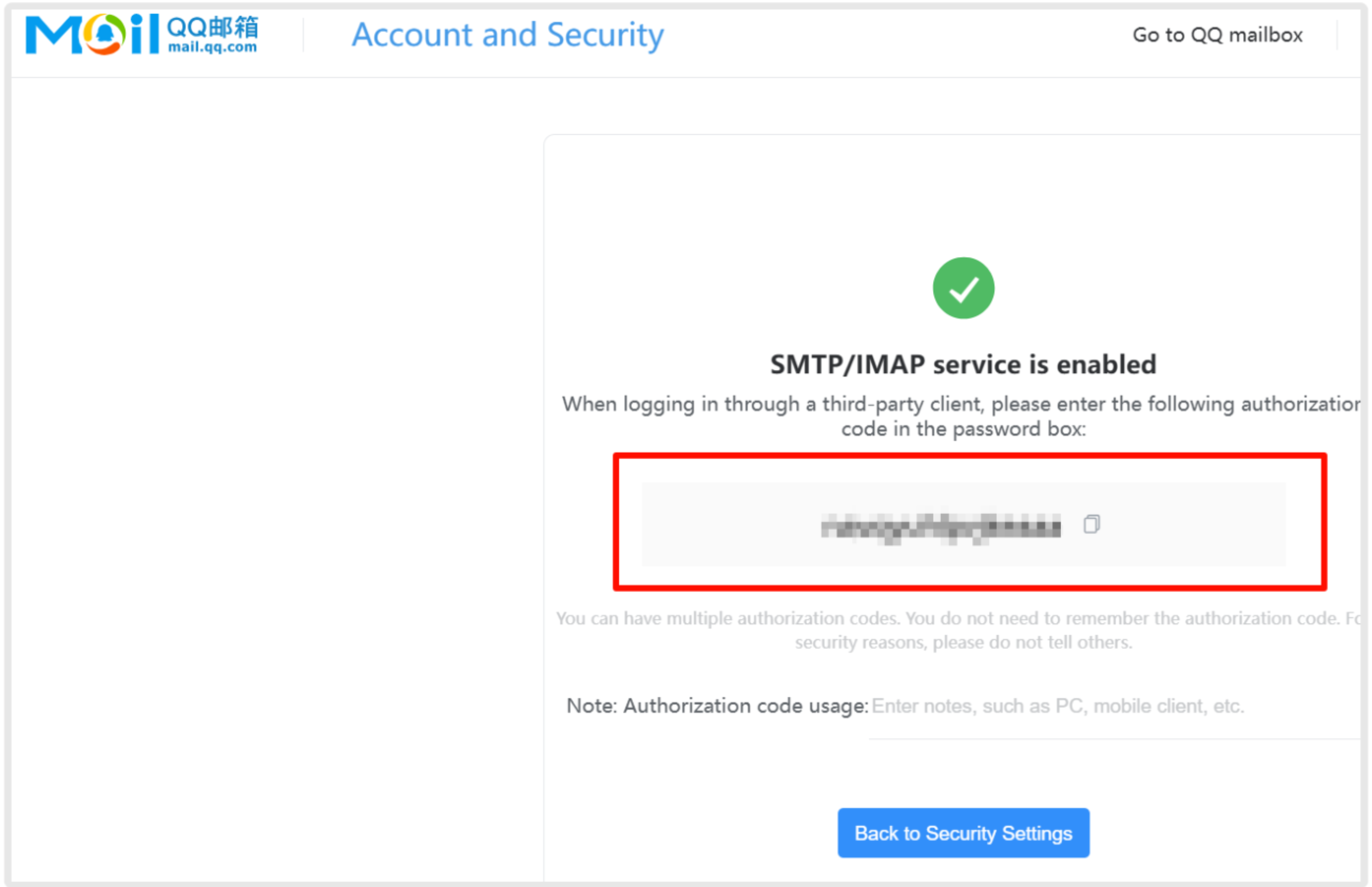
2. Get the Authorization Code
A pop-up window will generate an authorization verification code (i.e., the content in the red box, return to SaleSmartly and fill in the corresponding authorization code).