SaleSmartly Bulk Messaging
1. SaleSmartly Bulk Messaging Introduction
Use SaleSmartly's Telegram Bot to send targeted group messages, share rich media, and streamline bulk outreach, all from a single dashboard.
2. Connect Your Email
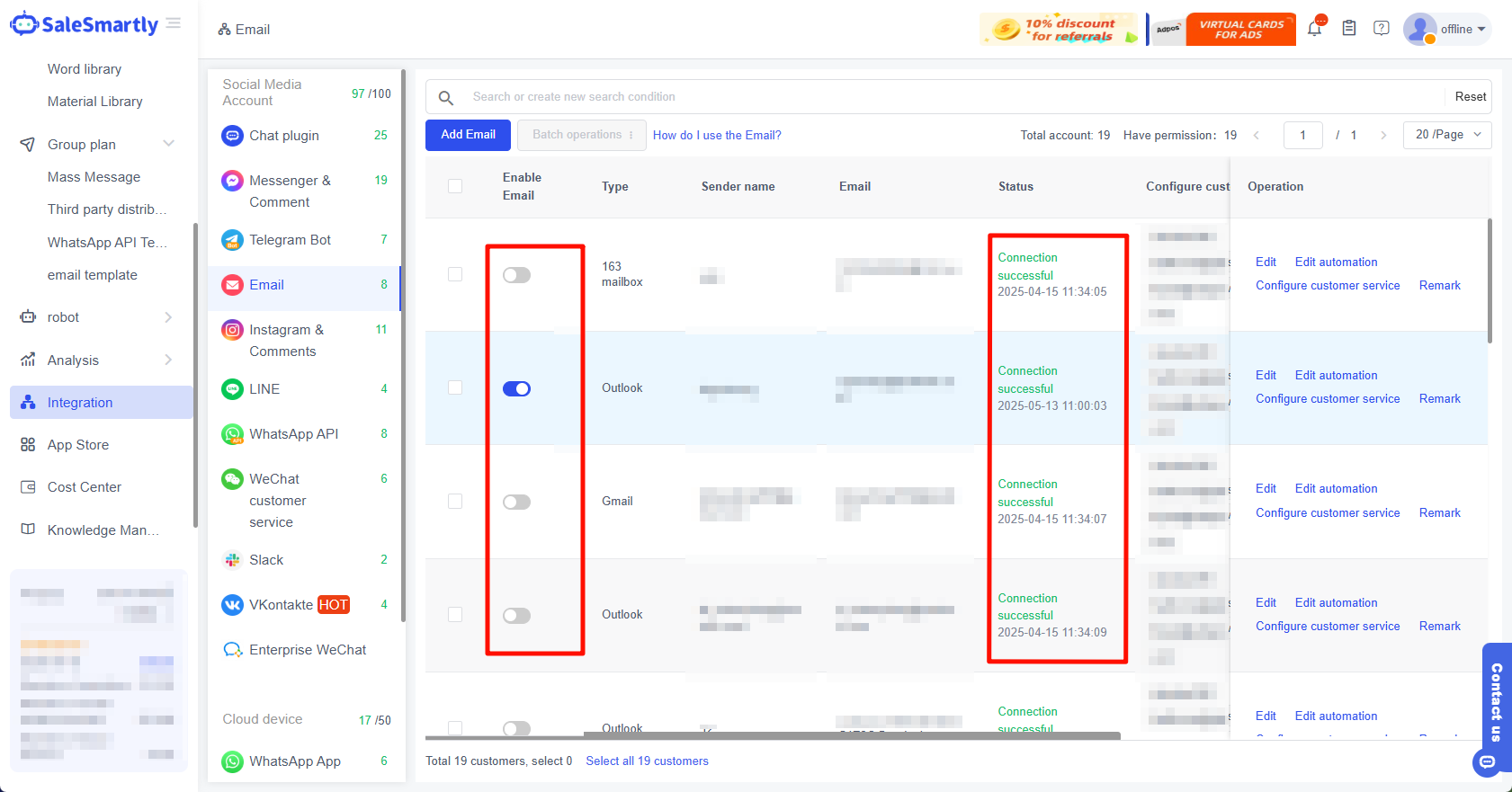
Before sending mass messages, you need to integrate your email account into the SaleSmartly platform.
For the integration tutorial, please refer to: How to authorize using an email authorization code/password?
| Notice If it is already integrated, please skip this step. |
|---|
3. Add/Import Customer Information
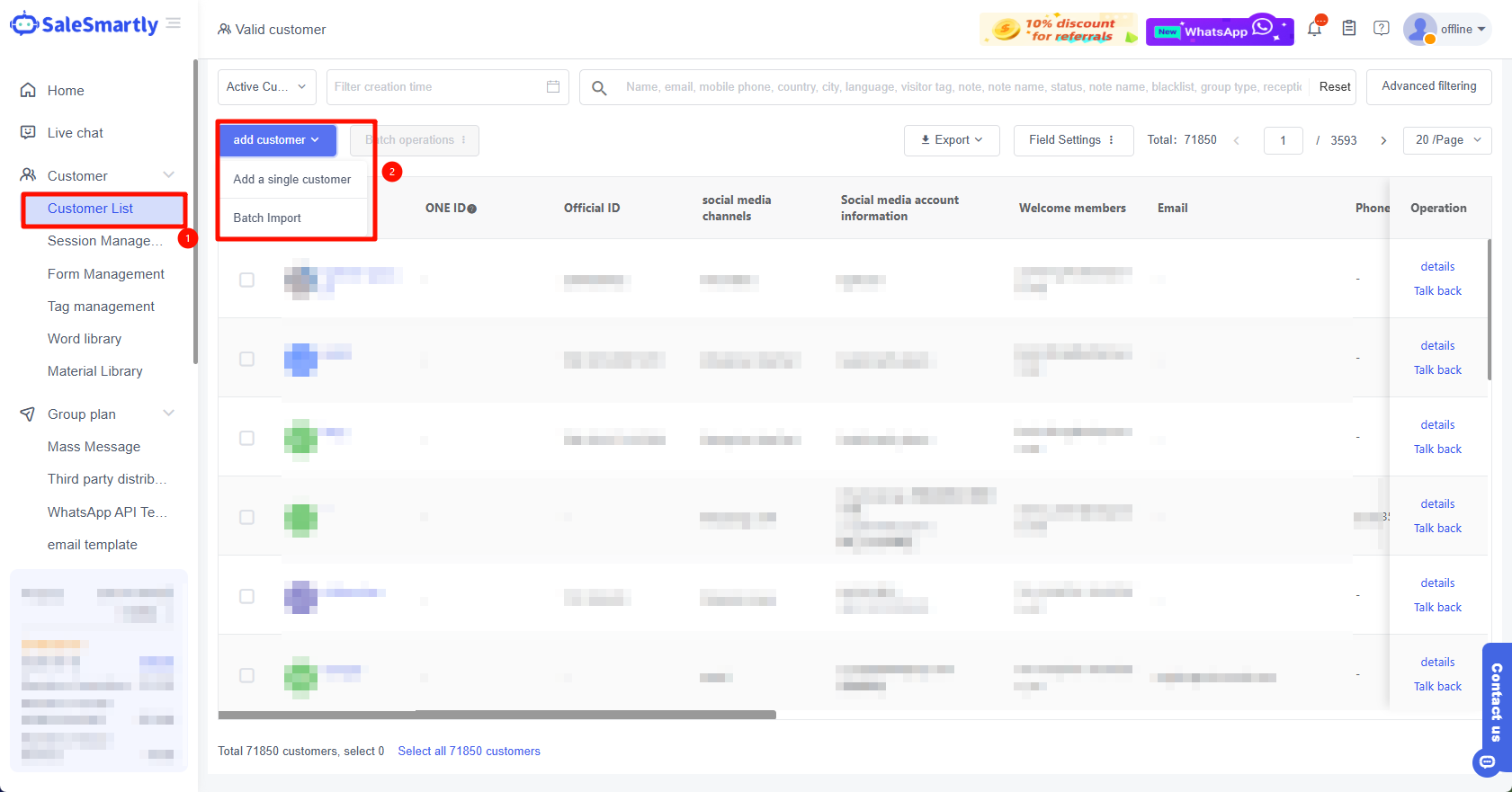
In Customer List - Add Customers, add/batch import the email customer information to be sent.
| Notice Please make sure it is turned on and your social media account is valid. |
|---|
4. Create a Group Message
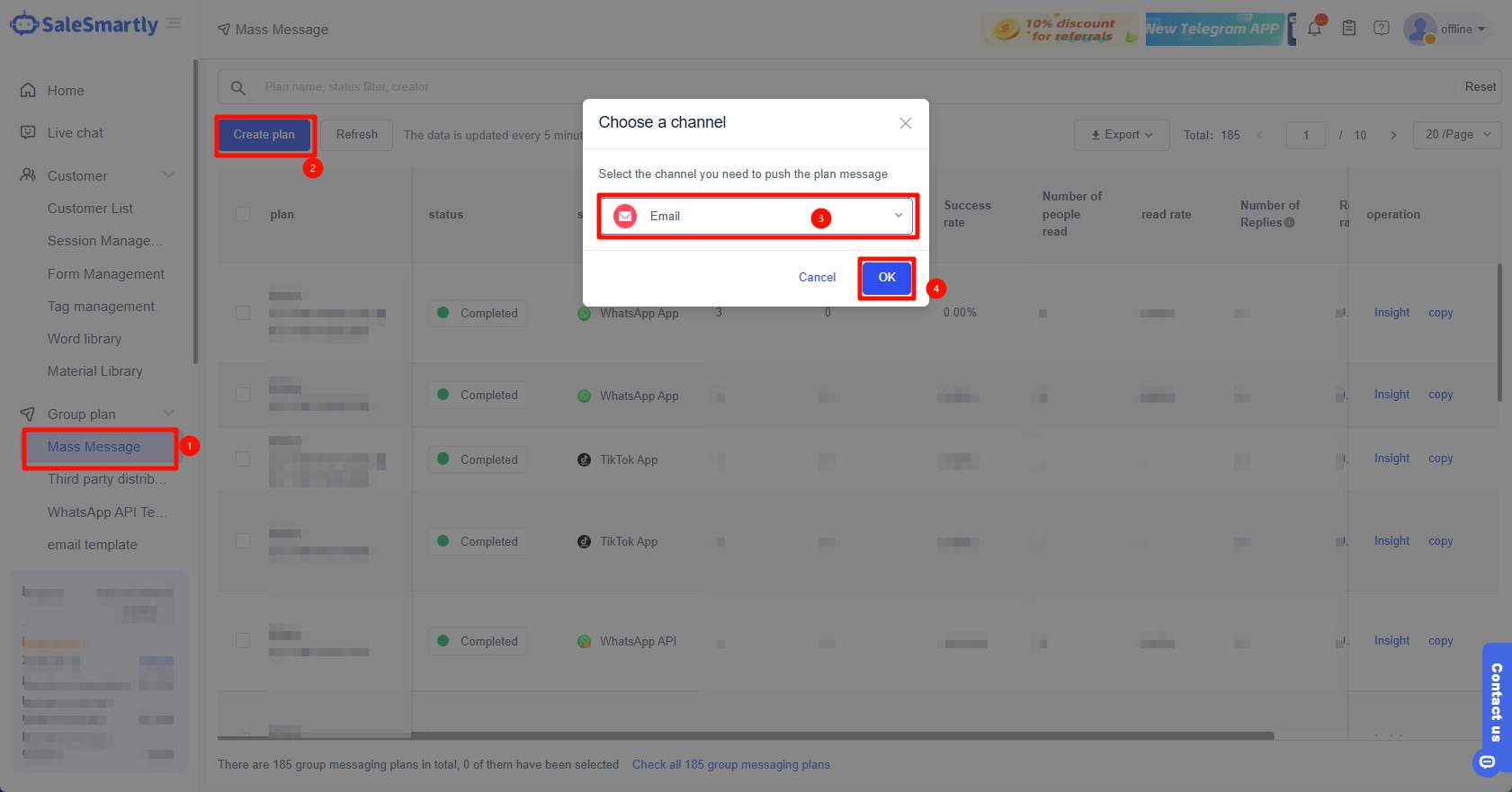
In Group Plan - Mass Message - Create Plan - select Email channel.
5. Bulk Message Settings
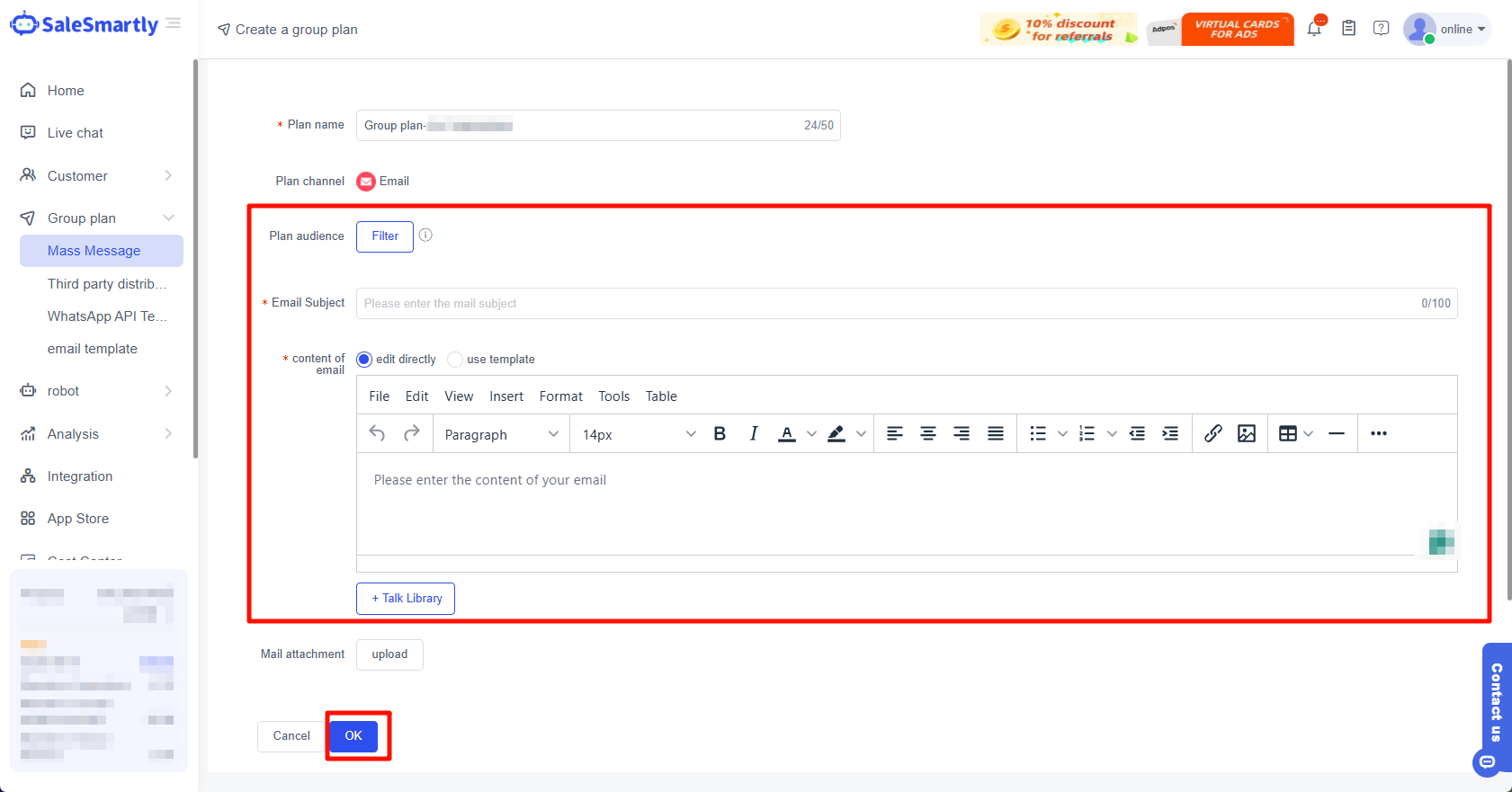
Plan Name: Enter the name of your current group messaging plan, which must not exceed 50 characters.
Send to: Select the customer you want to send to.
Send content: Fill in the content you need to send here, supporting pictures, videos, attachments, audio and video.
Email Subject: Title or summary of the email.
Message Content: The body of the email, containing details, instructions, requests, or whatever you want to communicate.