Online Chat Enhancements
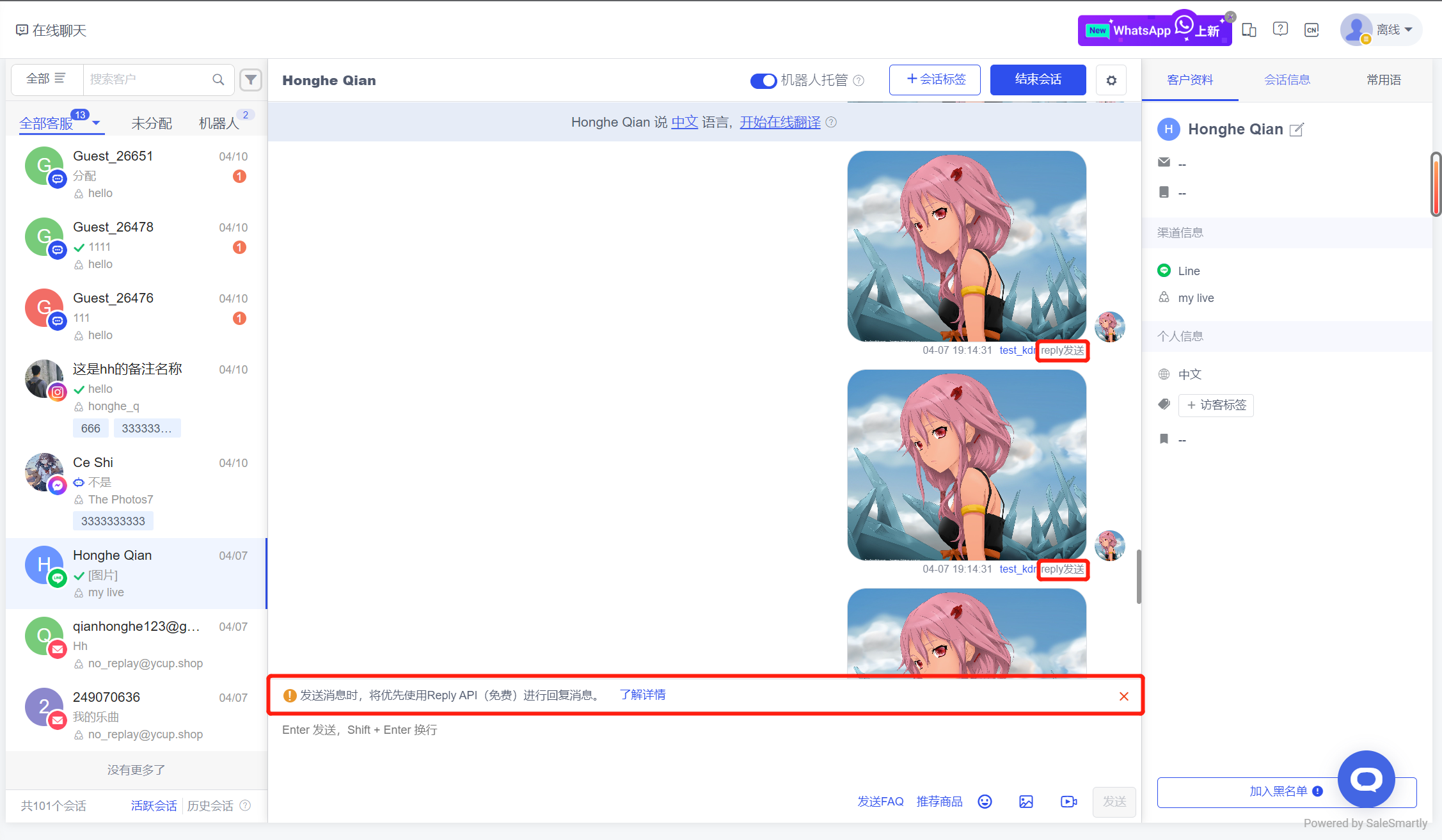
1. Line Free Reply Support in Online Chat
The Online Chat module targets Line channel conversations and supports calling the official Reply interface for reply (free reply) first.
Usage scenario: Under normal circumstances, when calling the Push interface to reply to visitor messages, Line officials will deduct fees. However, by calling the Reply interface, you can reply for free, saving merchants message costs; but there is a limit on the number of free times, and you can log in to the backend for details.
2. Synchronize FB Homepage History Conversations
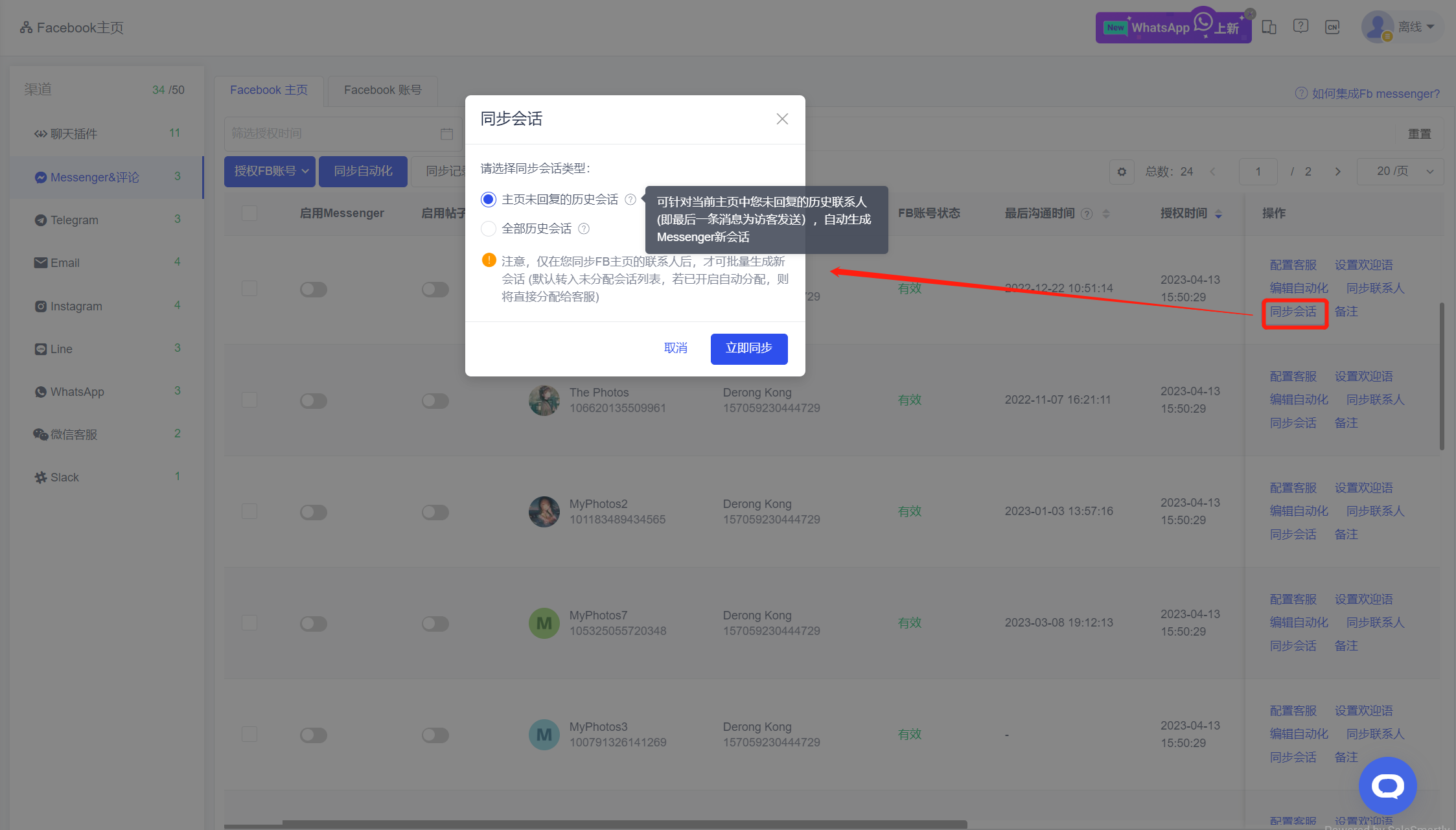
In Integrated Channels - Messenger & Comments, after you synchronize the historical contacts of your FB homepage, you can synchronize the historical messages of the corresponding contacts to Online Chat and generate a new session, without having to initiate a chat with each contact one by one in Customer Management.
Usage scenario: For merchants who use SaleSmartly for the first time, they can synchronize the existing conversations on their FB homepage to this platform to achieve seamless migration of the FB homepage.
3. Optimization of Messenger Visitor Citation Reply
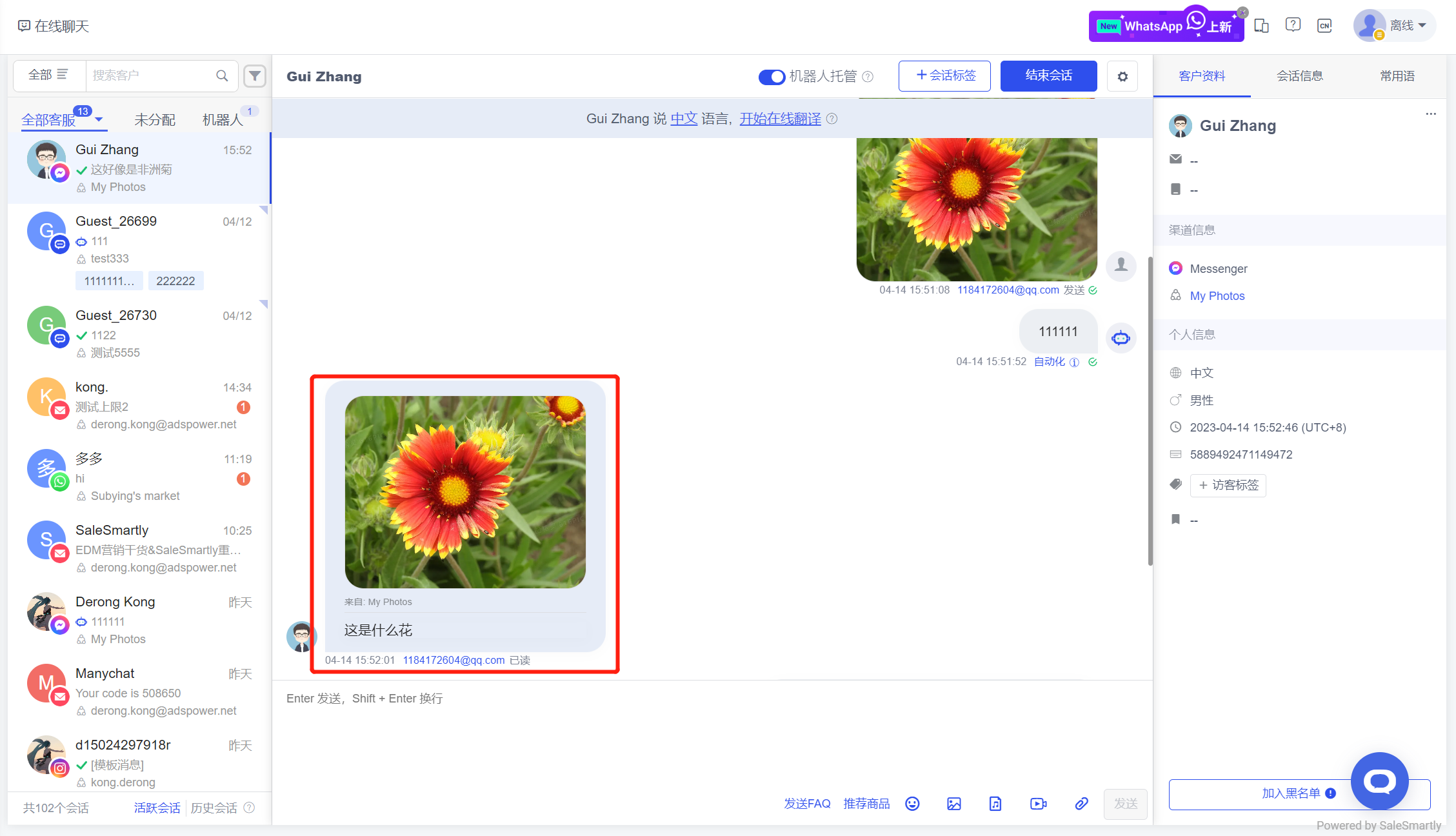
In Live Chat, for Messenger channel conversations, it supports displaying the quoted content when visitors reply.
Usage scenario: Customer service staff can view the content cited by visitors to quickly locate visitor problems.
4. Cloud API Number/Business Number Migration Contact
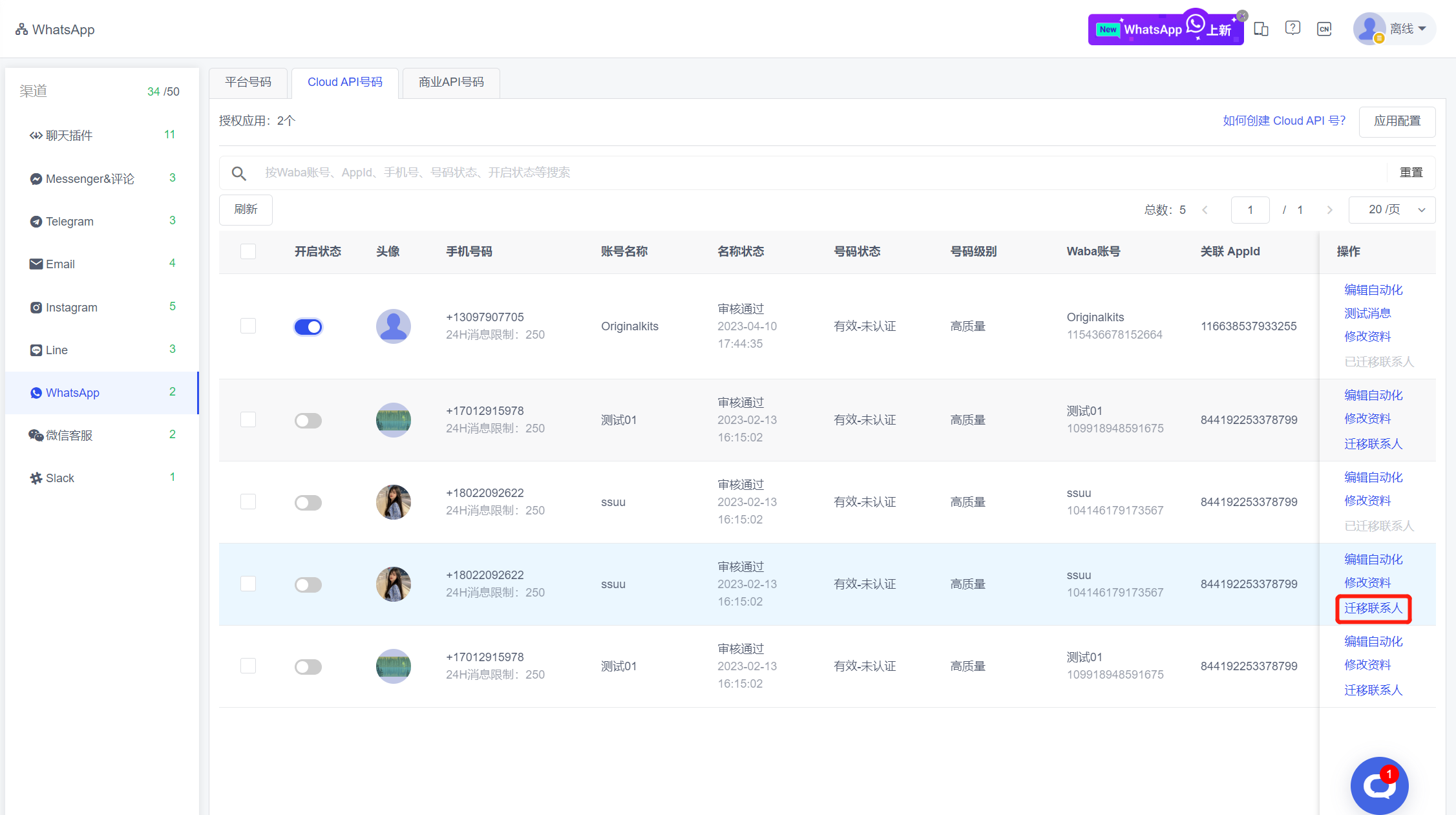
In the Channel Integration - WhatsApp list, contact migration for cloud API numbers and business numbers is supported.
Usage scenario: For abandoned/banned WhatsApp accounts, it supports migrating contacts under the account to other WhatsApp accounts, so as to meet the requirements of efficient transfer and multiple use of customer information and chat records.
5. Instagram Chat Optimization
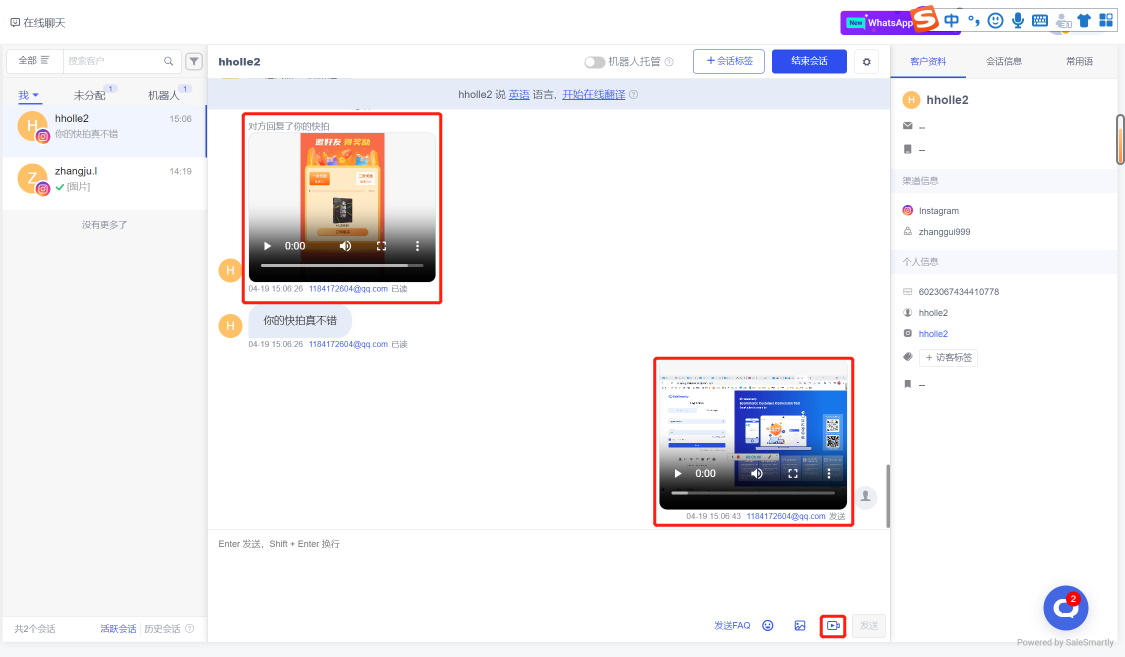
In Live Chat, for Instagram channel conversations, the Stories content quoted by visitors when replying can be displayed, and sending video type messages is also supported.
Usage scenario: Customer service staff can view the message content of visitors' replies to your story video to determine the source of the message.
6. Automated Support for Labeling
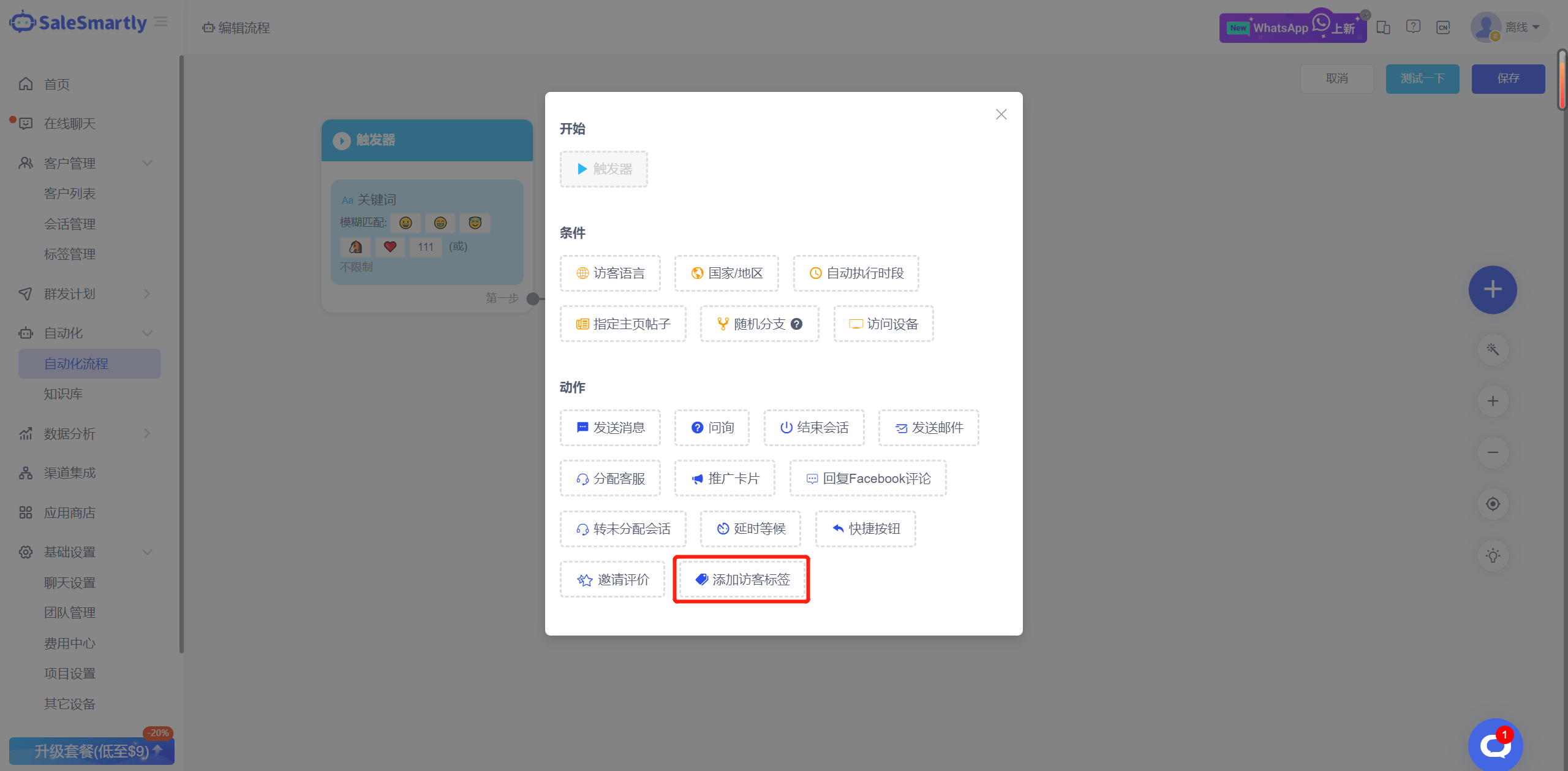
In the automated process actions, a new "Add visitor tag" action is added. You can select multiple tags and tag visitors by appending tags.
Usage scenario: For example, when a visitor triggers a keyword or clicks a message button, the visitor can be automatically tagged with a corresponding label. You can then classify and filter customers based on the set labels.
7. WhatsApp Number Supports Groups/Communities
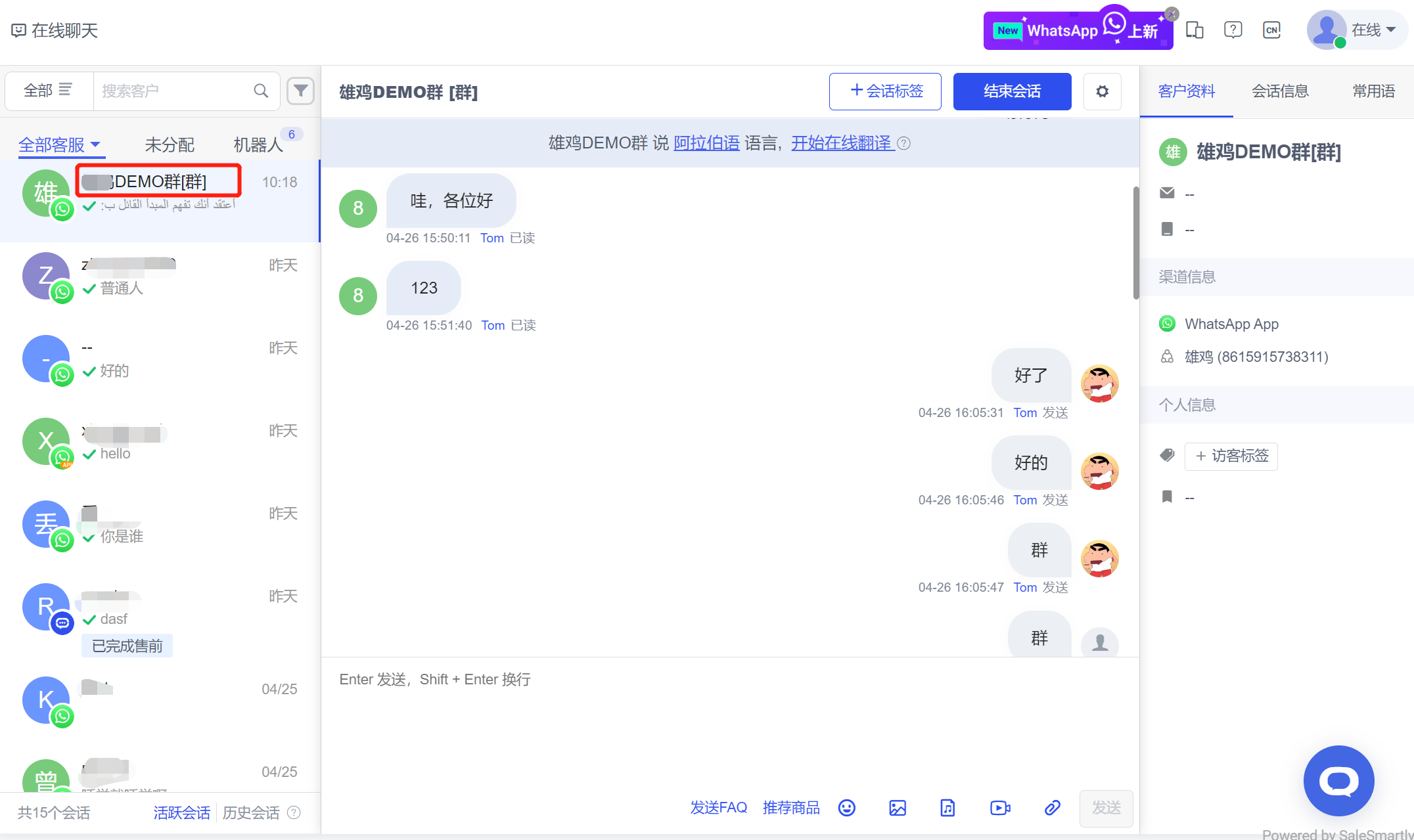
After authorizing the WhatsApp APP account, in addition to private messages, it now supports sending and receiving WhatsApp group and social messages.
Usage scenario: You can conduct private domain operations on multiple WhatsApp groups and broadcast social messages on this platform without logging into the WhatsApp APP.
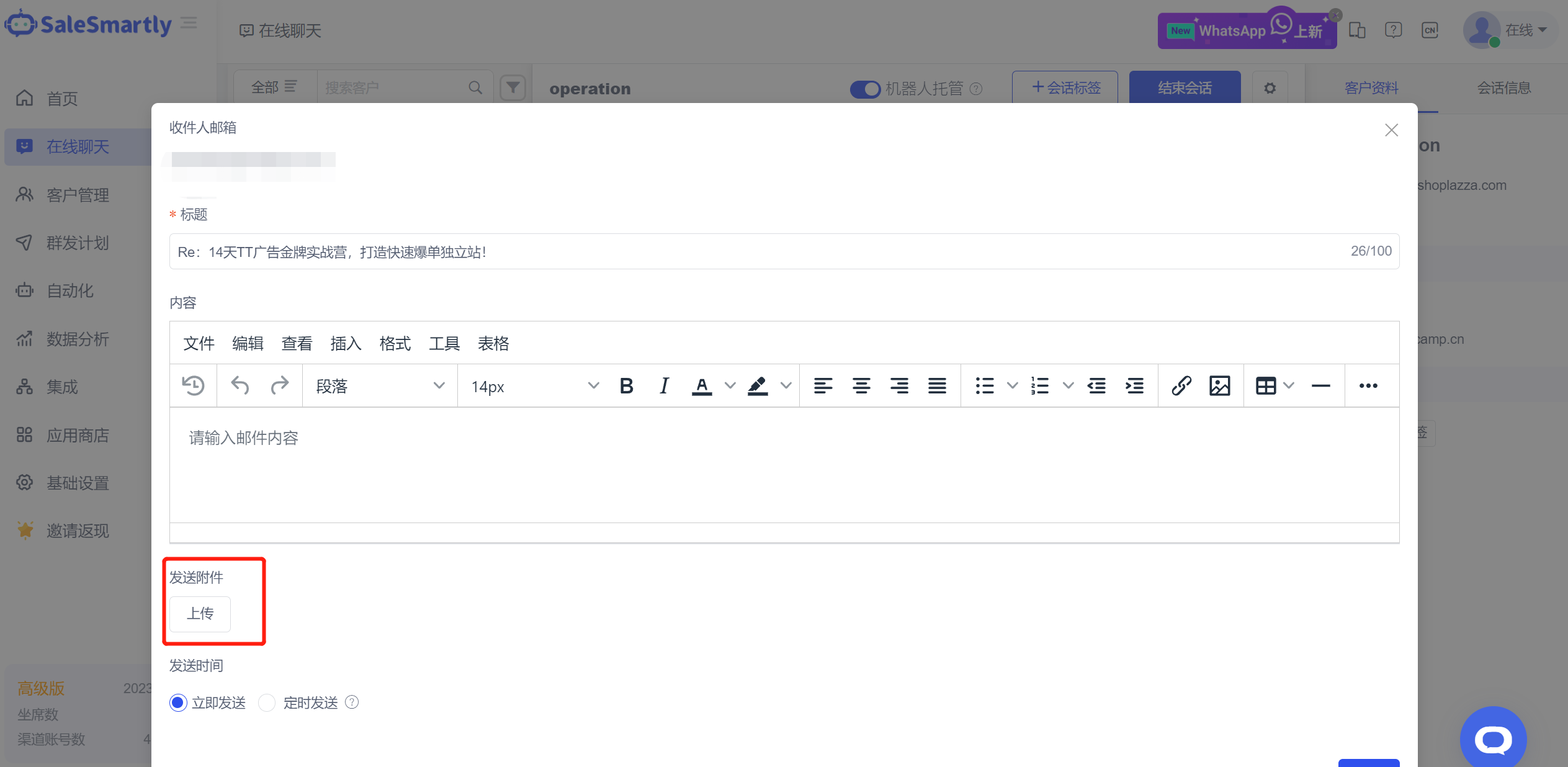
8. Sending Emails Supports Uploading Attachments
In the Online Chat Email channel message, you can upload attachments when sending emails.
Usage scenario: For customers in the software industry, you can upload the software installation package when sending emails and send it to customers for download and use.
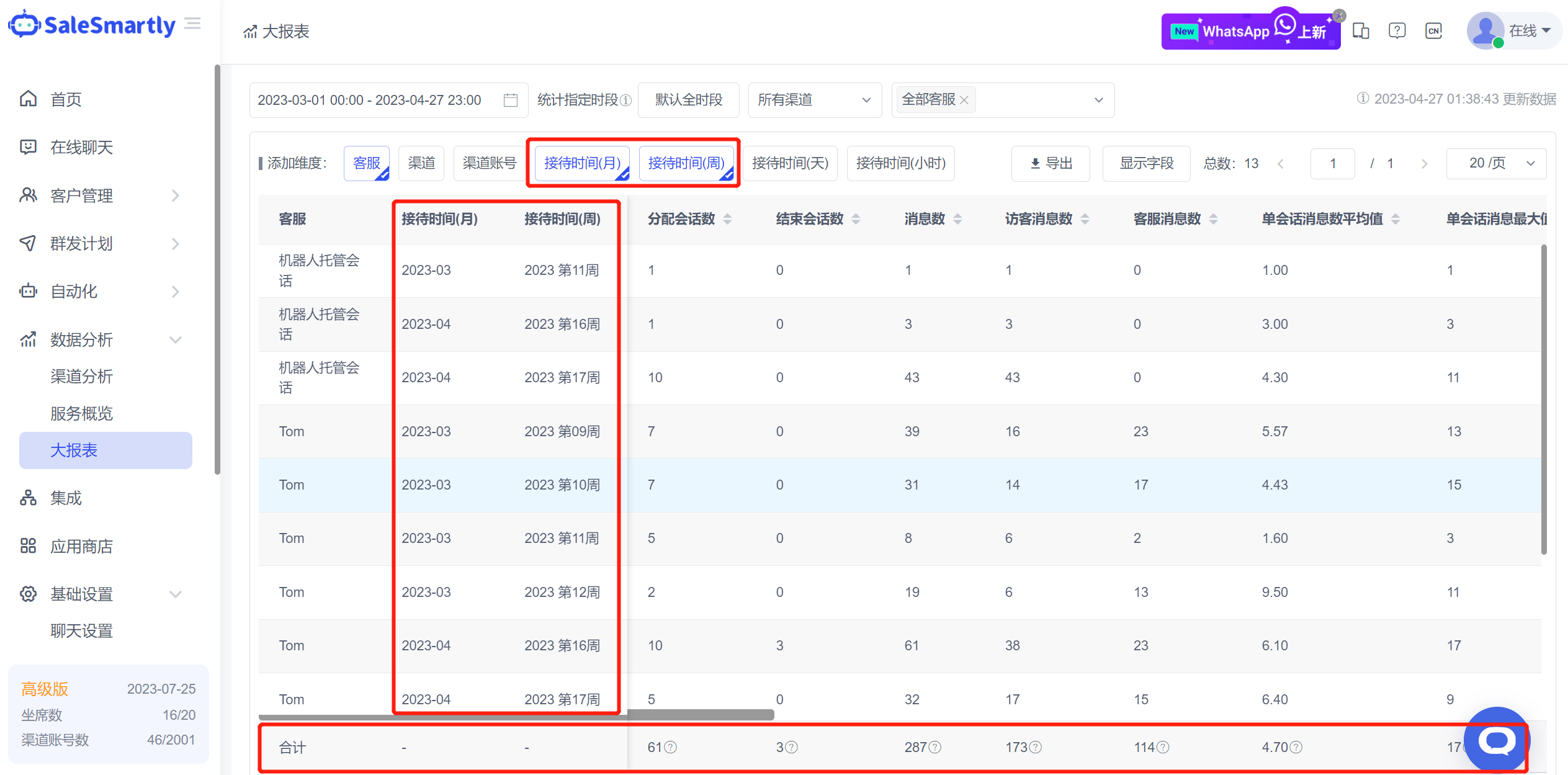
9. Large Report Optimization
In the Large Report, new analysis dimensions for reception time by month and week are added, and a total column is displayed at the bottom of the list.
Usage scenario: By viewing the data by monthly and weekly time dimensions, the company can conduct regular data summary analysis. The data in the total column can be used to intuitively compare the performance of each customer service and the difference level with the average and cumulative data in the total column.
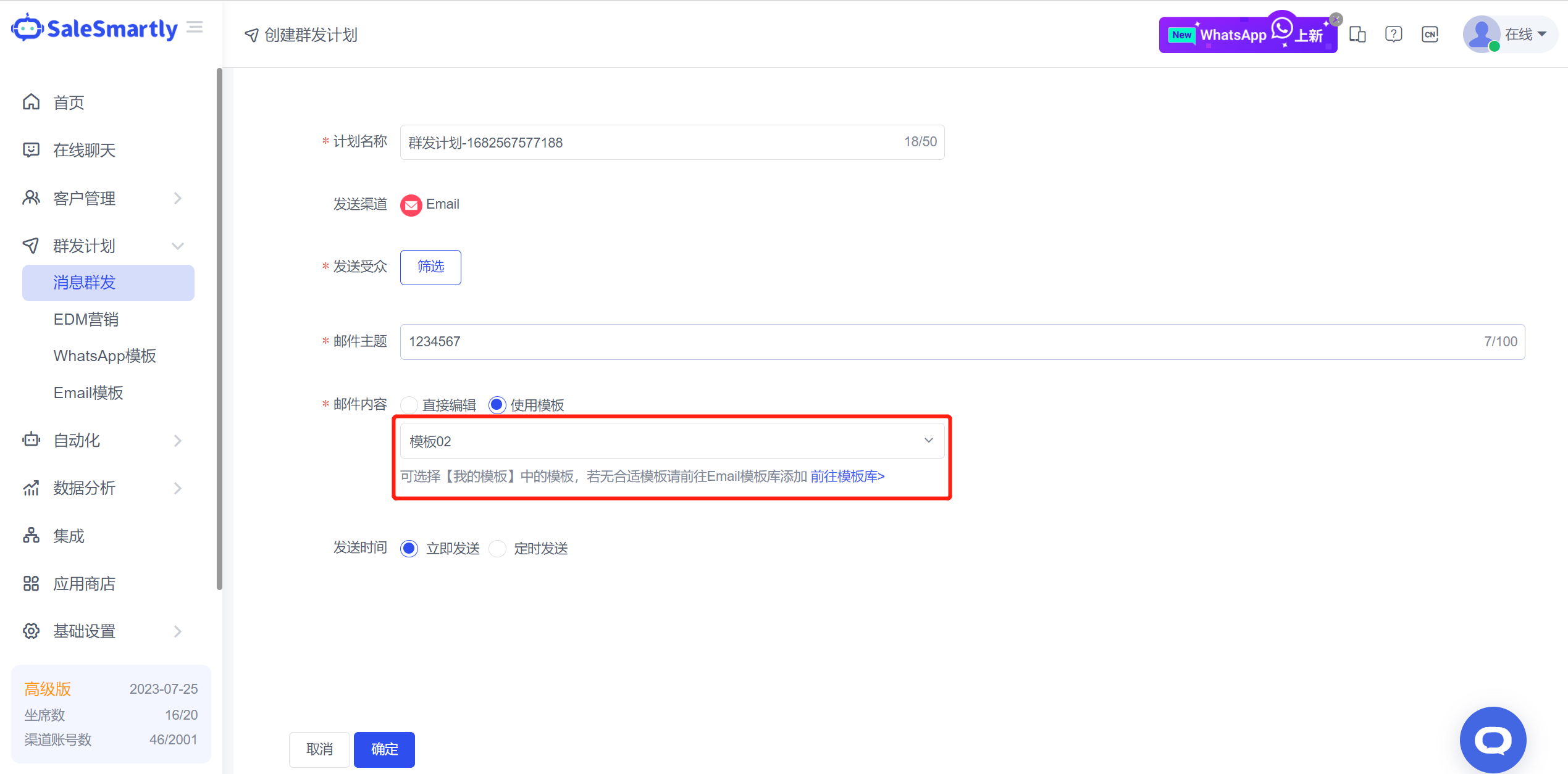
10. Email Group Sending Supports Template Selection
In the Bulk Message Email channel plan, email content supports sending using templates.
Usage scenario: When you use an authorized email account to send mass emails, you can flexibly choose beautiful email templates to send them, helping you to achieve better marketing results.
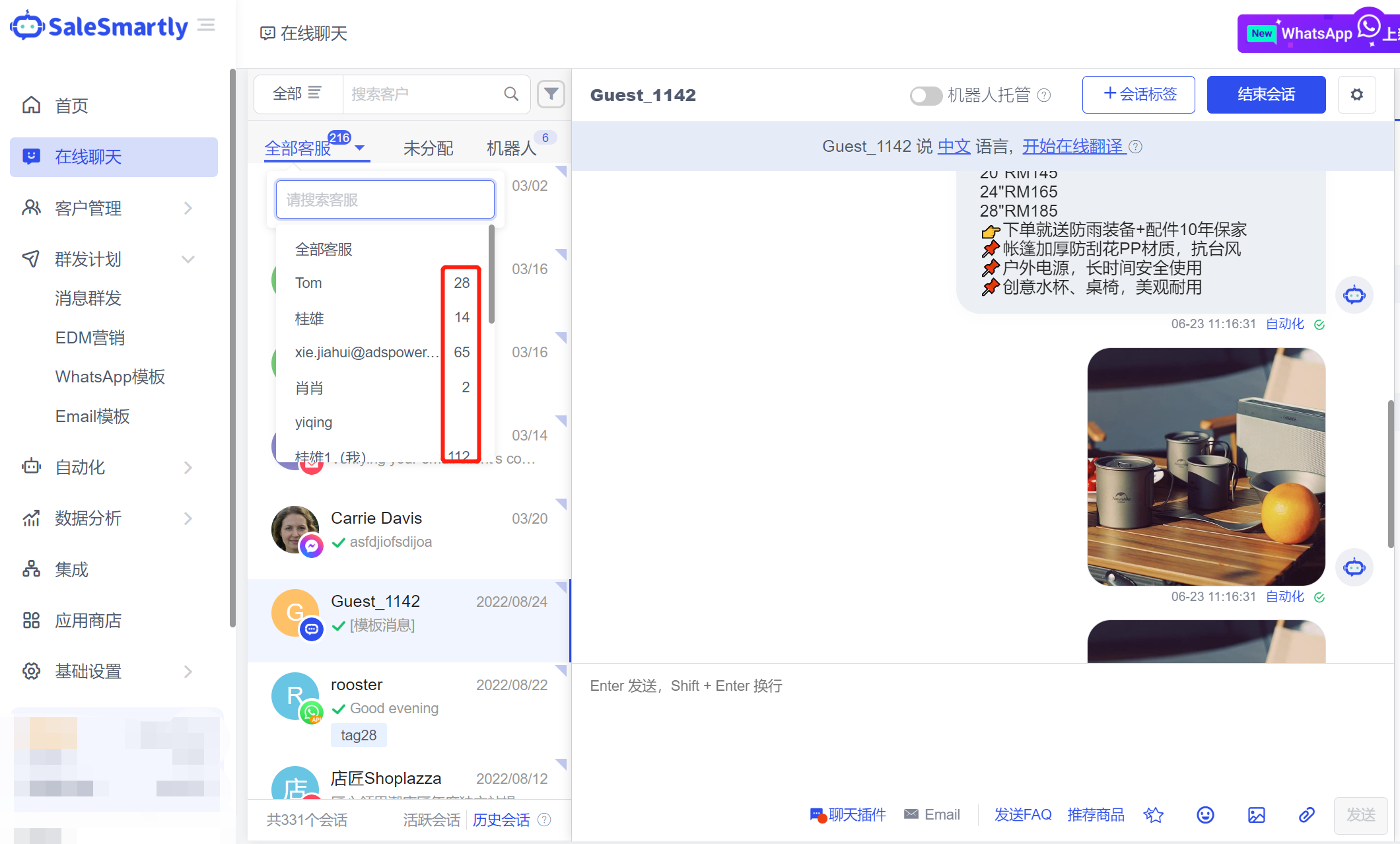
11. Chat Displays the Number of Customer Service Sessions
Online Chat A tab has been assigned. When filtering the customer service panel, the number of connected sessions of the corresponding customer service is displayed.
Usage scenario: Customer service supervisors can use this filter panel to intuitively understand the reception/load status of each customer service and redistribute sessions.
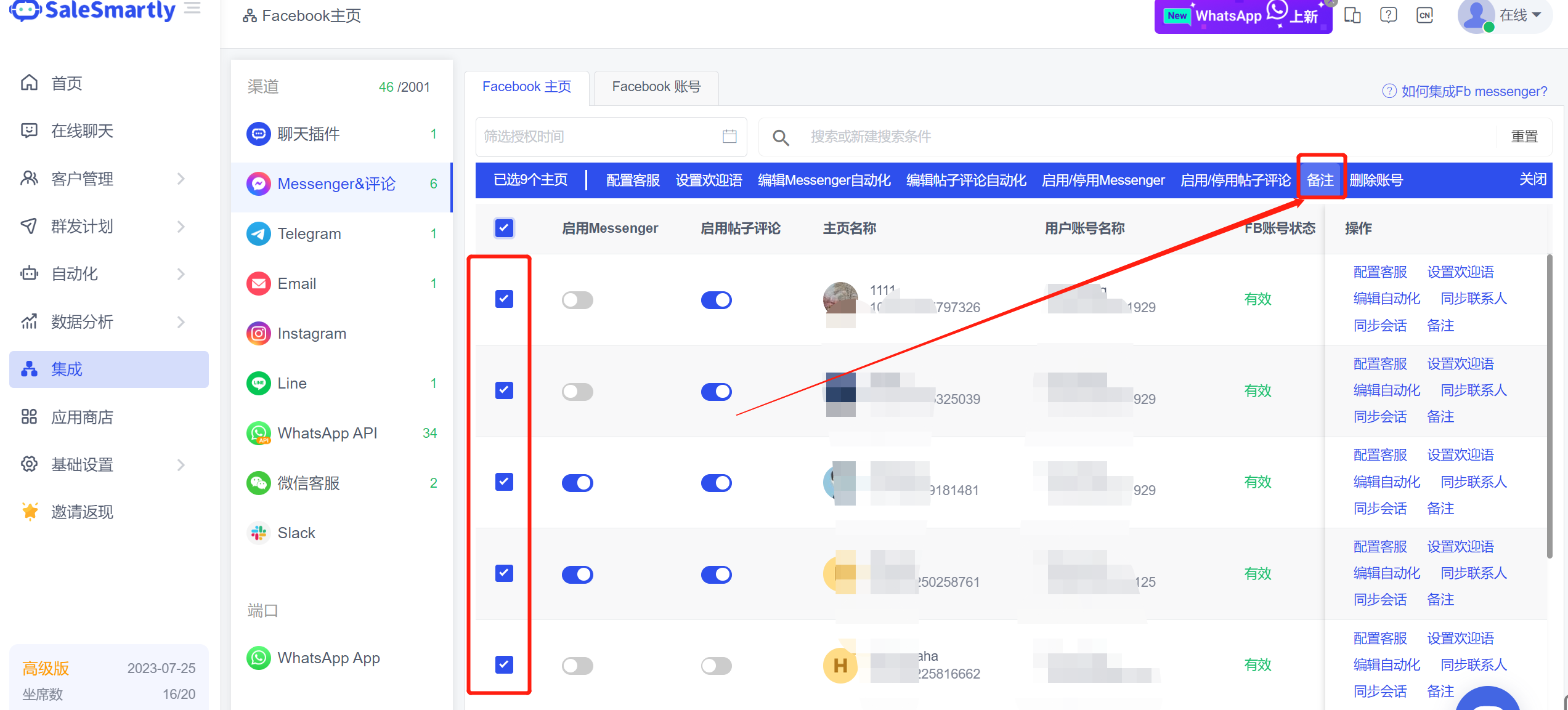
12. Home Page Supports Batch Notes
In the Integration - Messenger & Comments list, after selecting multiple homepages, you can batch modify the notes content of the homepages.
13. Batch Transfer Allocation
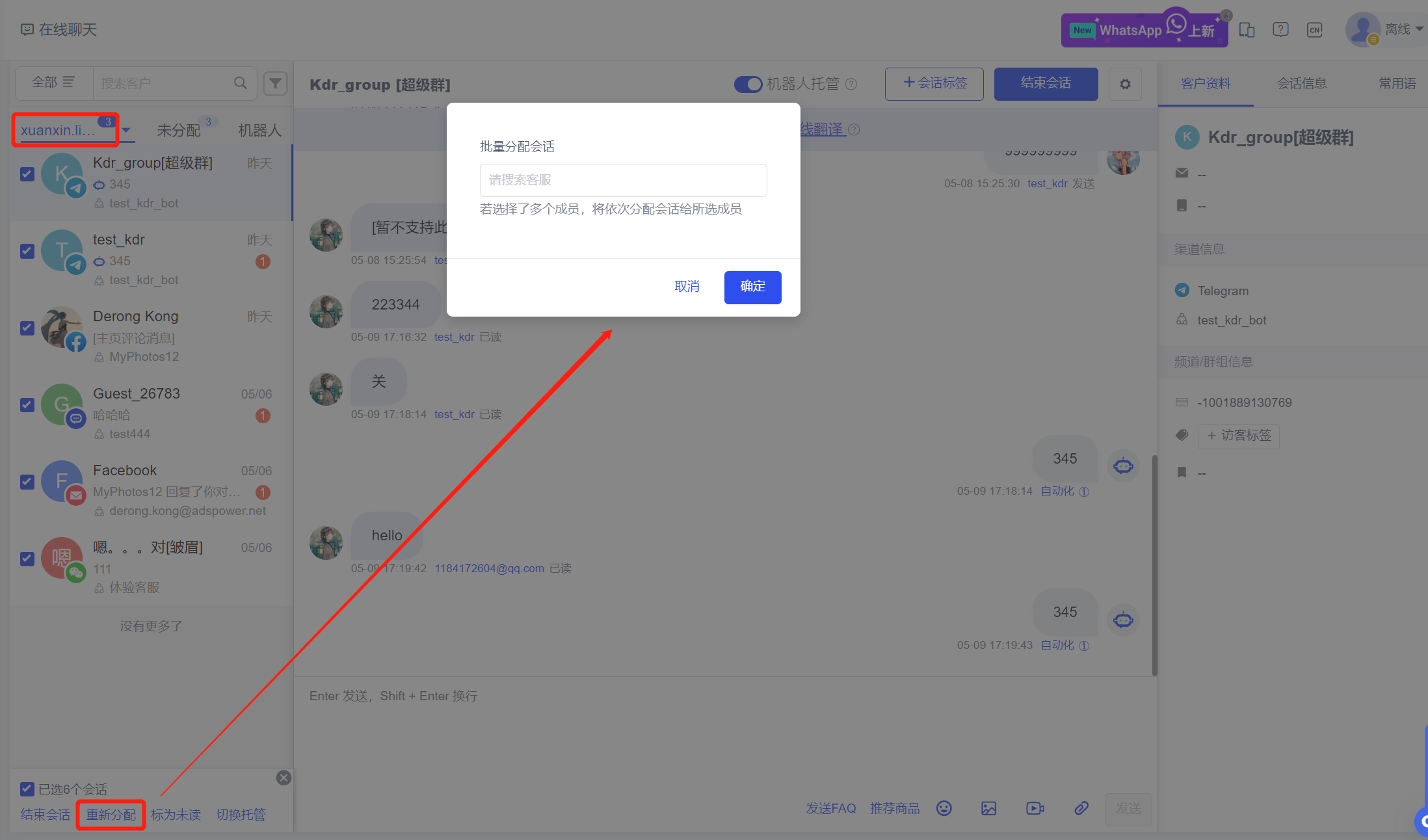
In the Online Chat Assigned Tab - After selecting the corresponding customer service staff, the customer service's conversations can be batch assigned to other customer service staff; in the My Tab, you can also batch assign your own conversations to other customer service staff.
14. Automatic Diversion Link
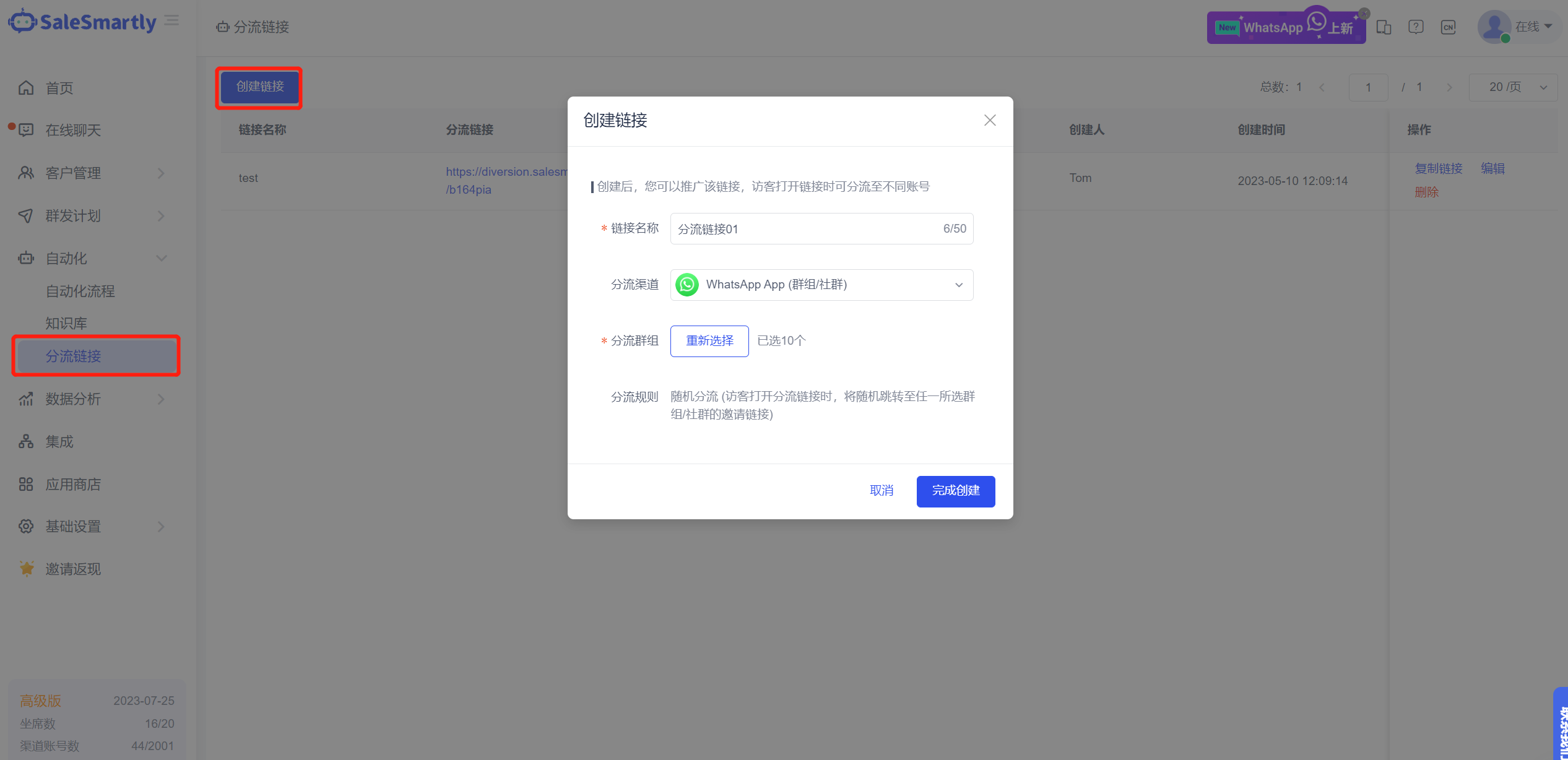
On the Automation-Diversion Link page, you can create a diversion link. After creation, you can promote the link. When visitors open the link, they can be diverted to different WhatsApp APP groups/communities (you must first authorize WhatsApp APP, and you can contact customer service to open the port).
Usage scenario: For WhatsApp private domain players, private domain community diversion can be carried out through diversion links.