Automated AI Recognition
1. Automated AI Intention Recognition
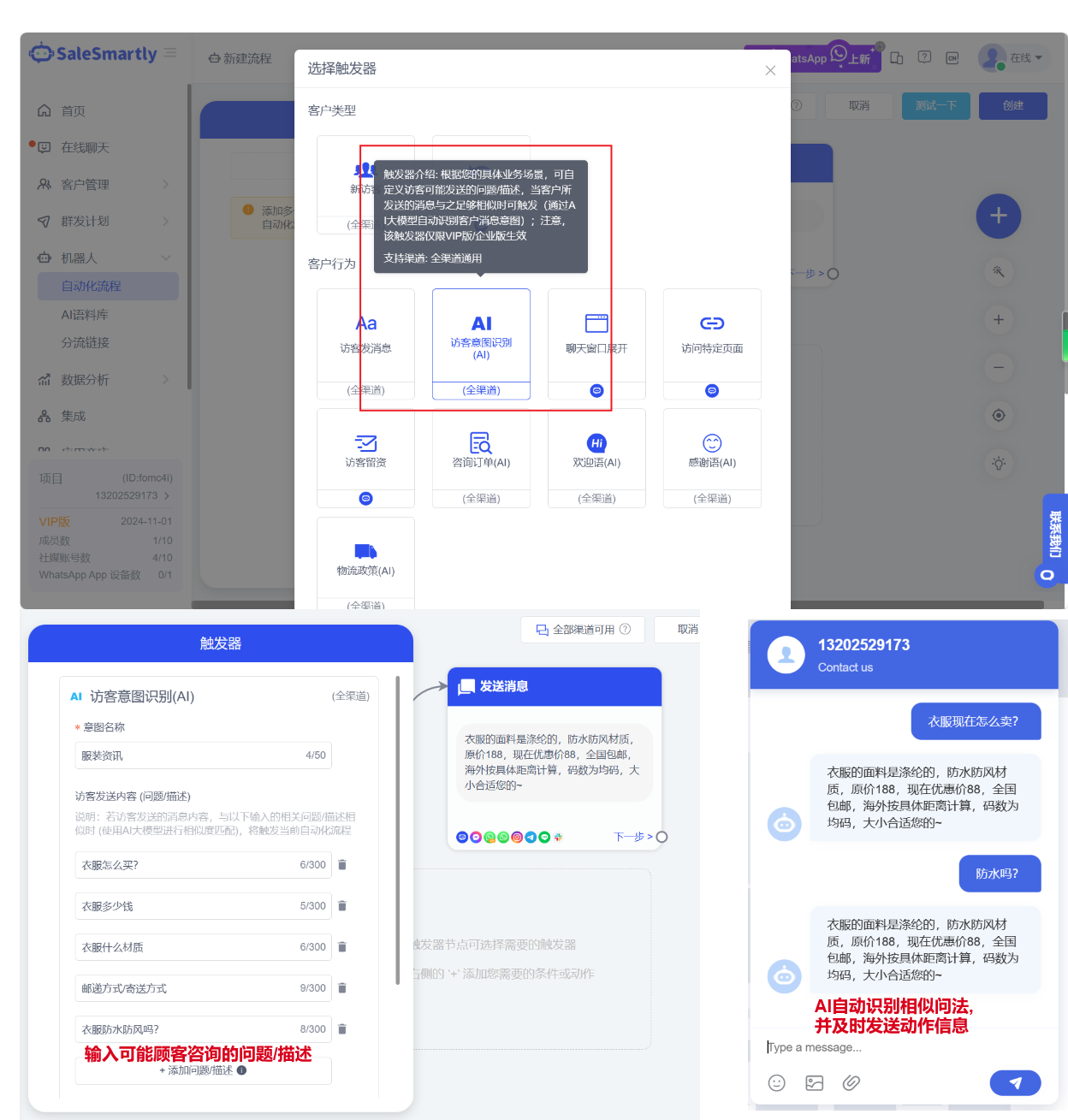
In Robot - Automated Process, a new AI visitor intent recognition trigger has been added. You can enter the information that the visitor may send in advance. In the actual conversation, if the visitor sends a similar message, it will be automatically recognized by the AI model and the corresponding automated process will be triggered.
Usage scenarios: You can customize any visitor's intention by simply entering the corresponding question/description; it can help you more accurately identify and receive different types of customers, that is, execute targeted automated processes based on the different intentions of customers, effectively reducing manual customer service costs.
2. Optimize Online Chat New Message Reminder
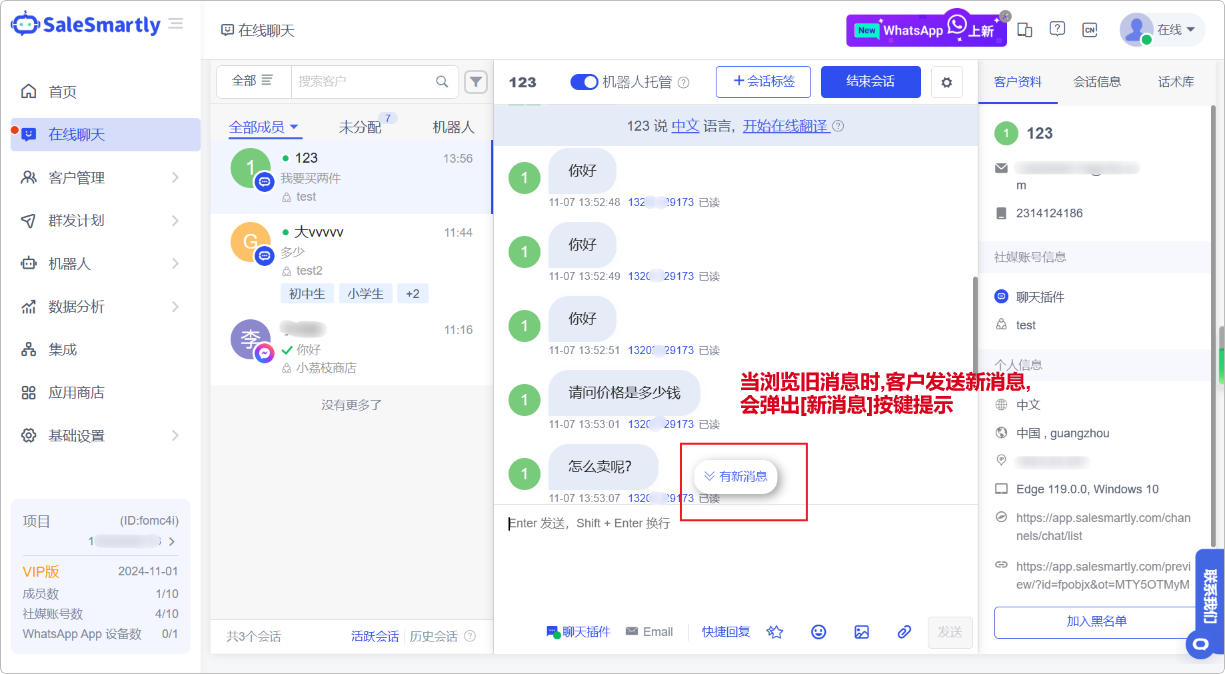
In the chat interface, when viewing the previous message of a conversation, if the customer sends a new message, a New Message prompt button will pop up. Click it to quickly locate the new message.
Usage scenario: In the same session, if a new message is generated, it will not affect the customer service staff to continue browsing the historical content. At the same time, a new message reminder button will be displayed. Clicking this button can quickly locate the latest message location for real-time viewing and reply.
3. Display the URL from Which the Visitor Originally Accessed
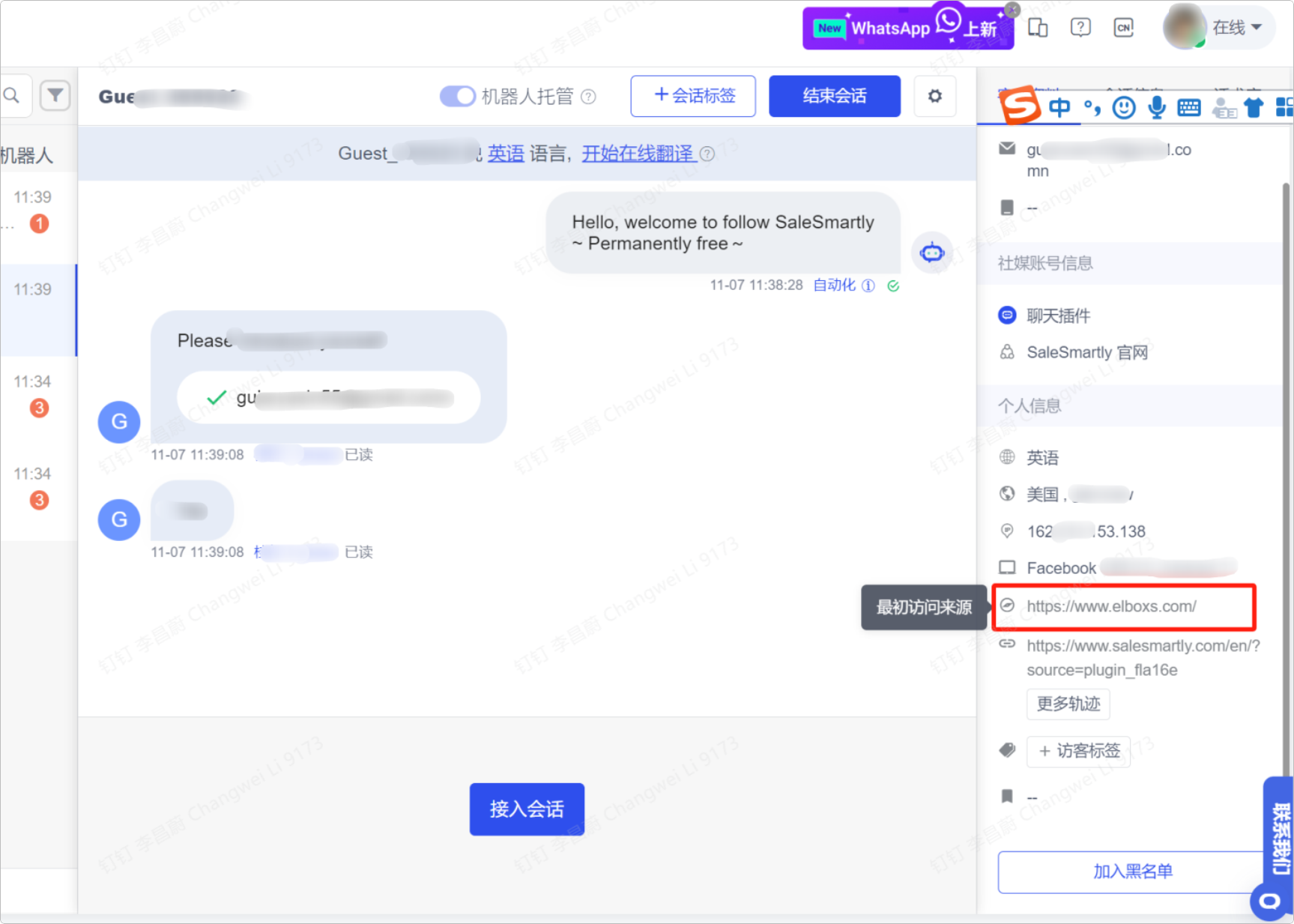
Online Chat - Customer Information Tab now supports displaying the visitor's original source URL.
Usage scenario: If a visitor enters your website through other pages, you can record the parent source link they visited, so that customer service staff can quickly distinguish the visitor's access channel.
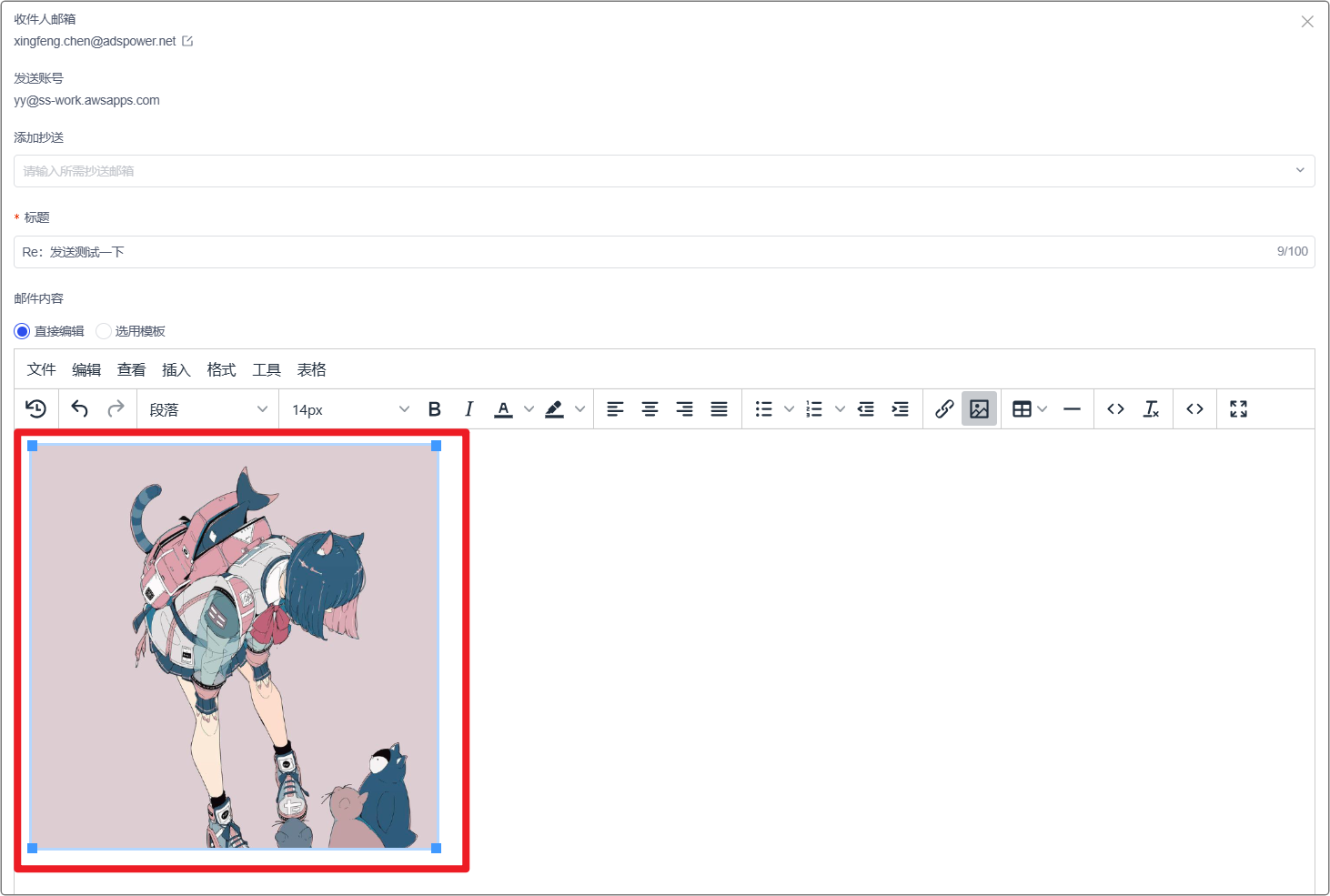
4. The Email Editor Supports Pasting Pictures
In the Online Chat section, the Email editor now supports pasting pictures.
Usage scenario: You can directly take a screenshot and paste it into the email editor, and quickly send an email to the customer.
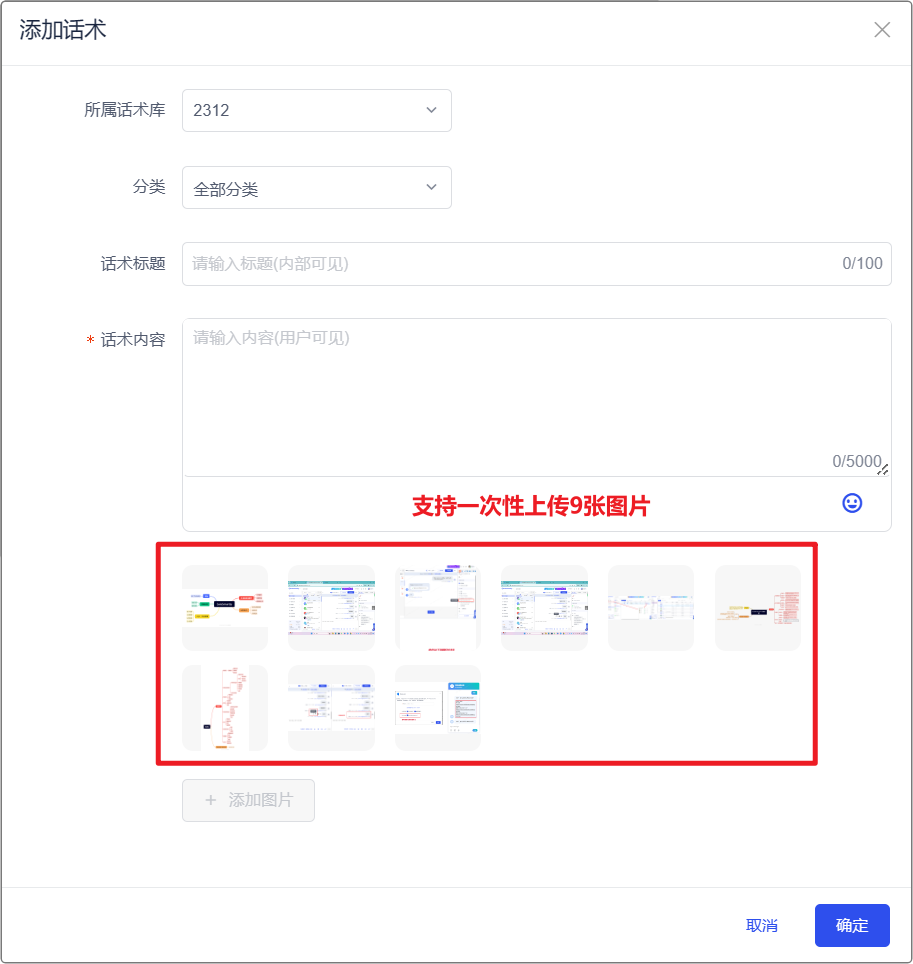
5. The Speech Library/Corpus Supports Uploading 9 Pictures
In the speech library/AI corpus, you can add up to 9 pictures when adding FAQ/speech.
Usage scenario: When customer service introduces a product to customers, multiple product pictures can be sent at one time to improve order efficiency.
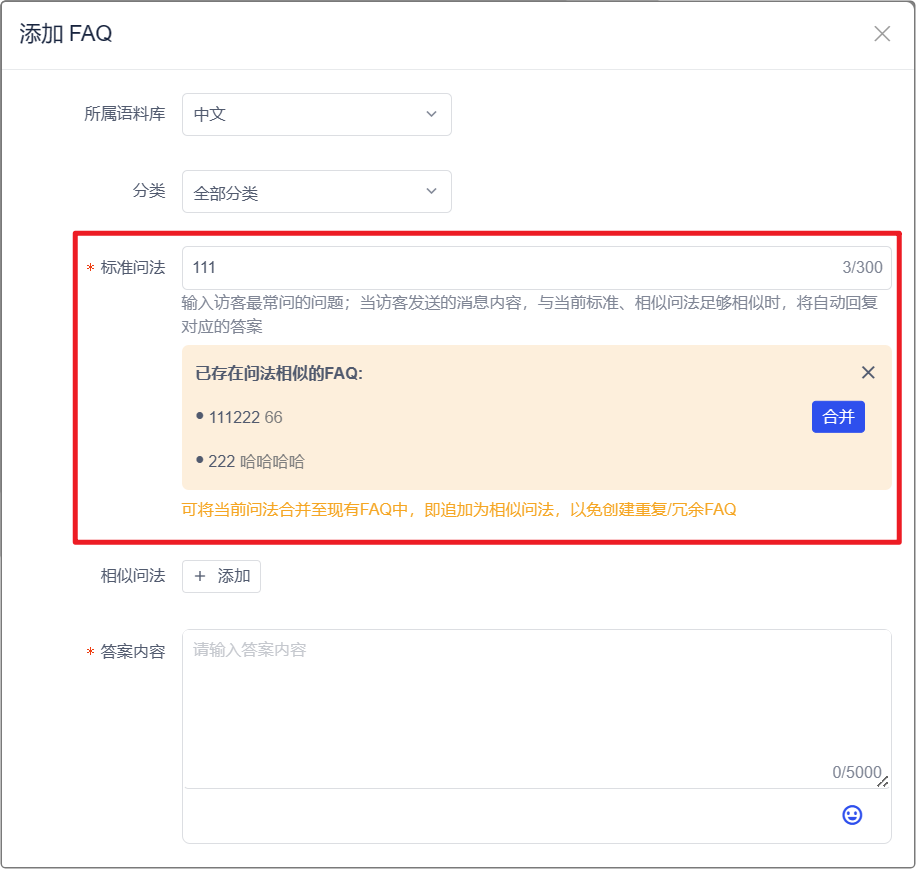
6. FAQ Question Recommendation and Merging
When you add FAQ statements in the Robot-AI Corpus, it can automatically recommend existing FAQs that are highly similar to the standard question content you entered, so that you can merge the questions.
Usage scenario: By merging FAQs, you can increase the coverage of AI matching and reduce the generation of redundant FAQs, making it easier for you to continuously maintain the AI corpus.
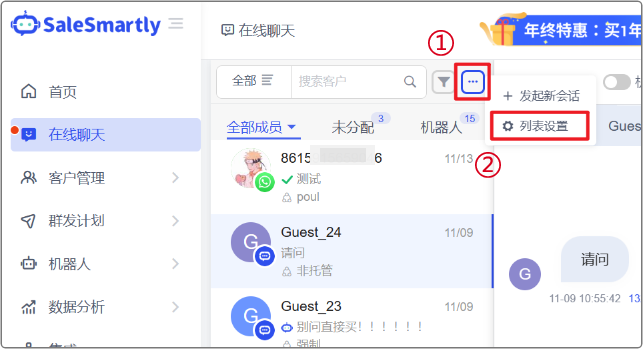
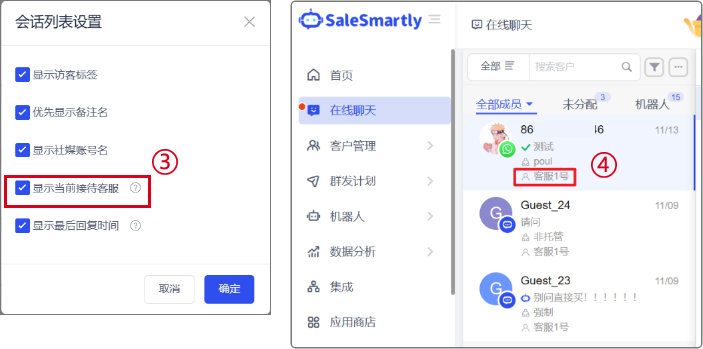
7. The List on the Left of the Online Chat Can Display the Receptionist
In the Online Chat-All Members tab, a new display of reception member information has been added. After checking the setting, the nickname of the reception customer service of the current session can be displayed.
Usage scenario: You can quickly view the receptionist of the current session without clicking on the session information, making session management more convenient.
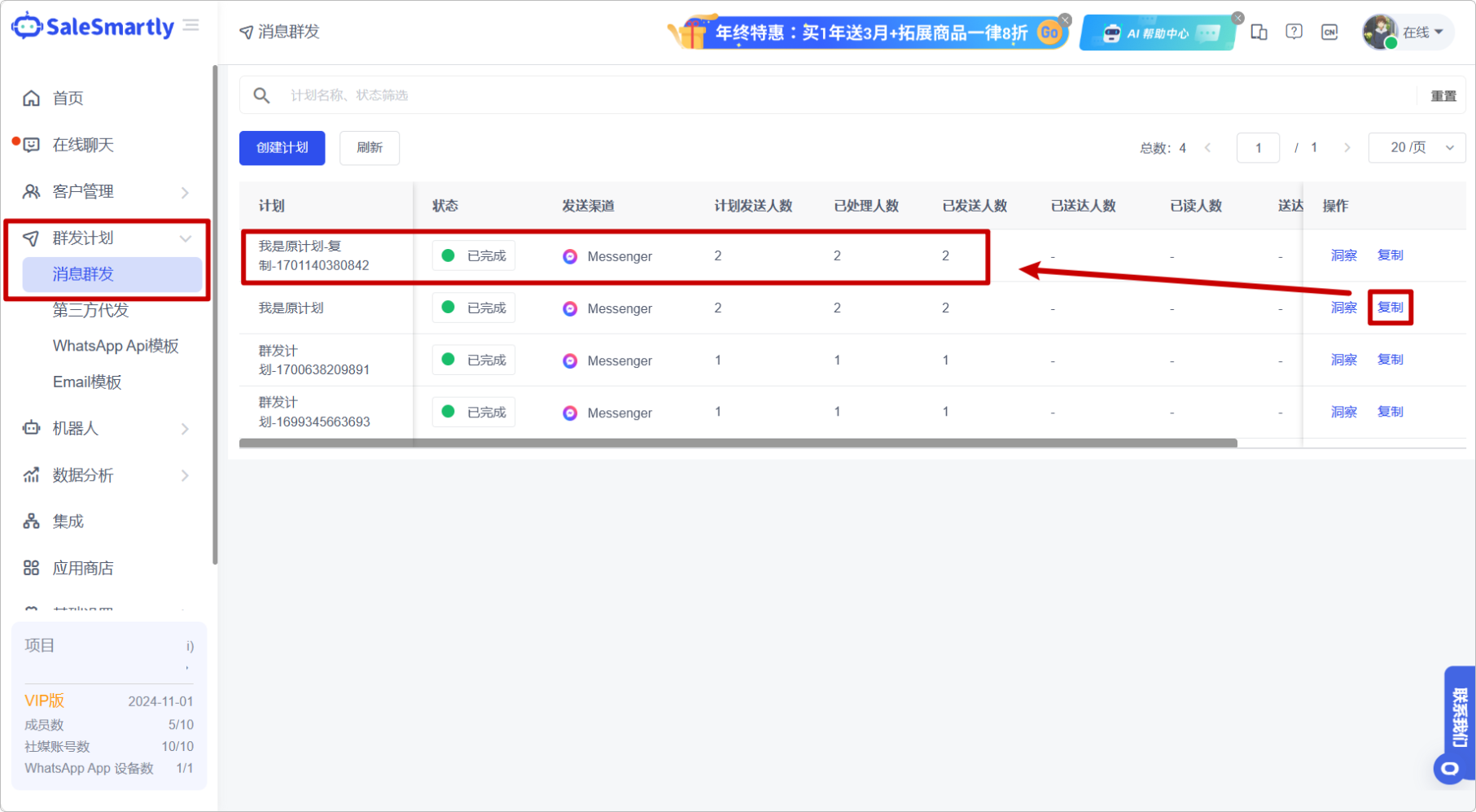
8. Group Messaging Supports Copy Function
In Mass Message Plan - Mass Message, copying of mass messages is now supported.
Usage scenario: You do not need to create similar mass messaging plans repeatedly. The copy function can save you a lot of time and energy.
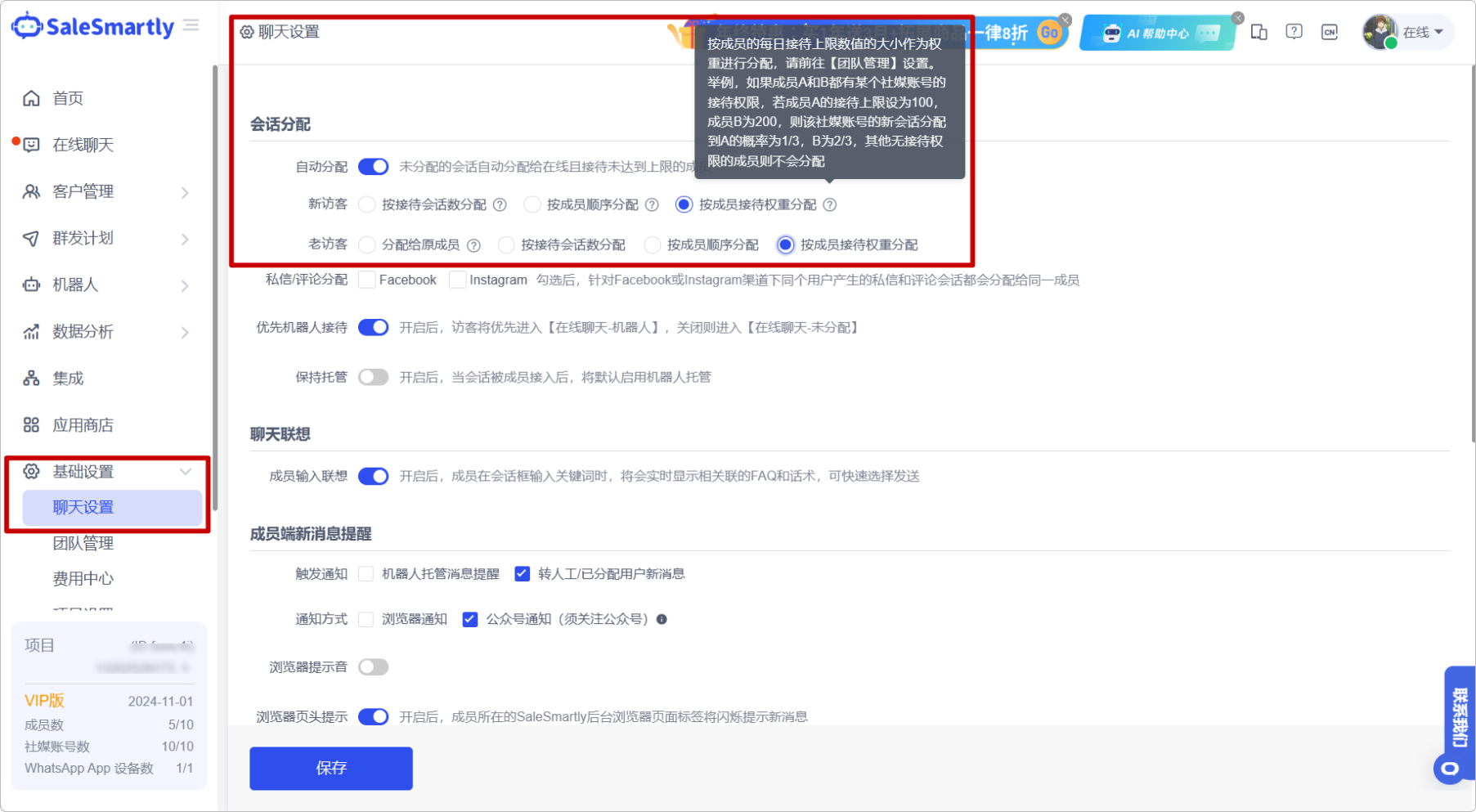
9. Support Setting the Distribution Weight of Customer Service Sessions
In Basic Settings - Chat Settings, the automatic allocation function now supports allocation rules based on member reception weights, that is, the allocation weight is determined by the percentage of the member's reception number to the total reception number. The larger the percentage, the greater the probability of allocating the conversation.
Usage scenario: Weight allocation can allocate conversations to different members more reasonably based on the number of receptions by the members; you can set higher weights for outstanding customer service staff to bring better customer experience or sales conversion.
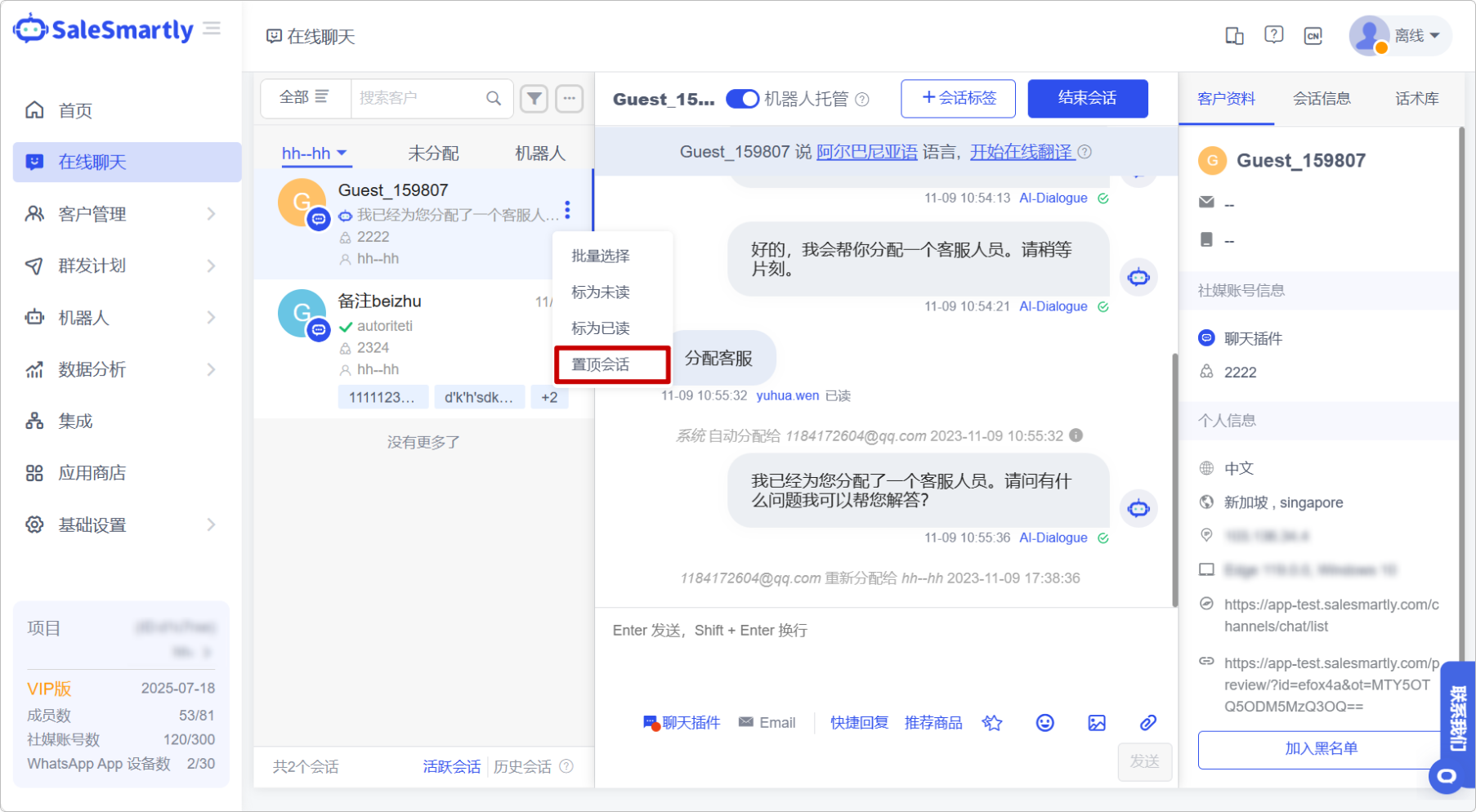
10. Administrators Can Pin Other Conversations to the Top
In the Online Chat area, super administrators and administrators can now pin/unpin other members' conversations.
Usage scenario: When you are an administrator viewing other people's conversation records, you can directly pin important conversations under the customer service name to remind members to pay attention to the corresponding conversations.
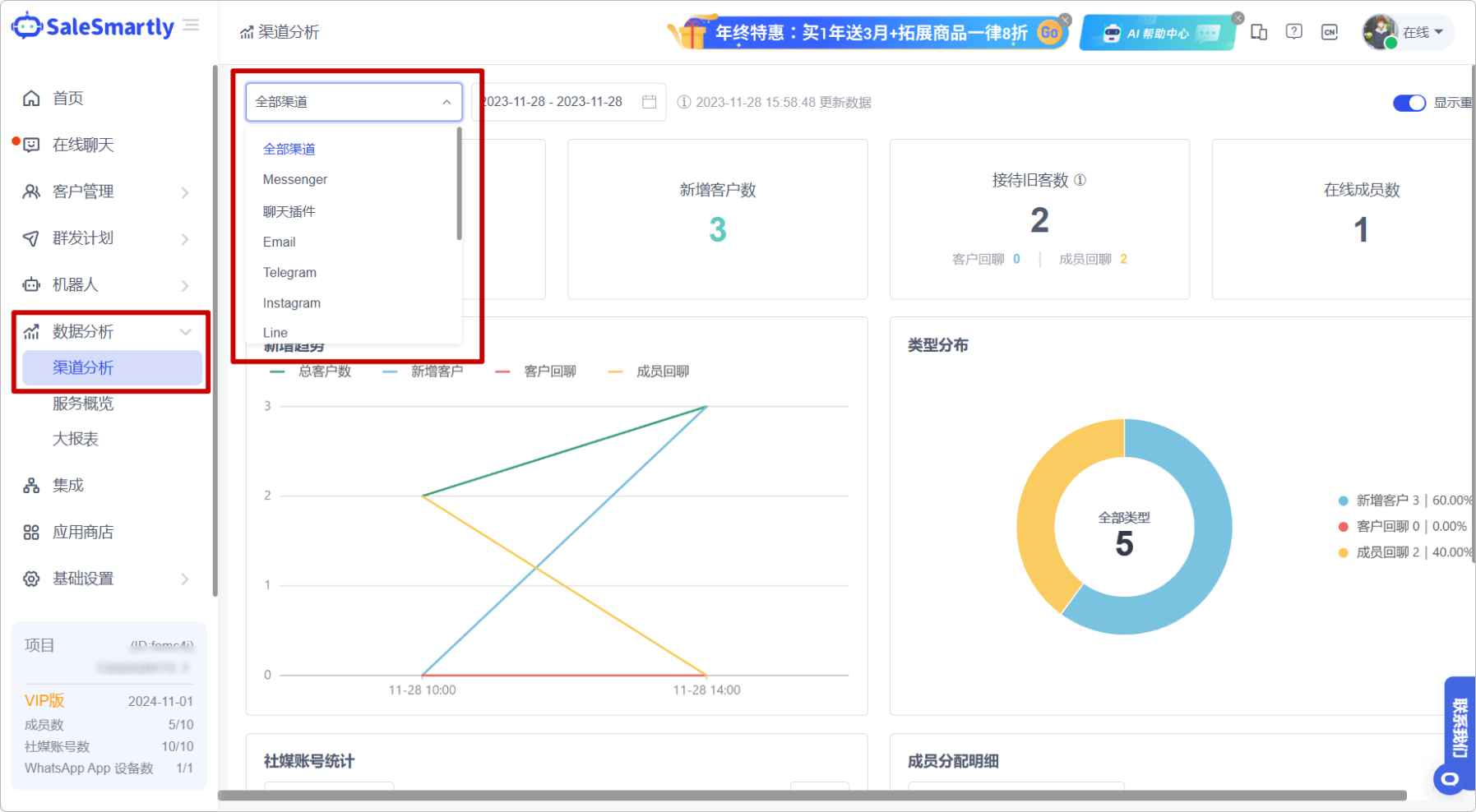
11. Channel Analysis Supports All Channels
In Data Analysis - Channel Analysis, all channel analysis is now supported.
Usage scenario: You can get an integrated understanding of your team's overall data status across various channels, helping you formulate company strategies at a more macro level.
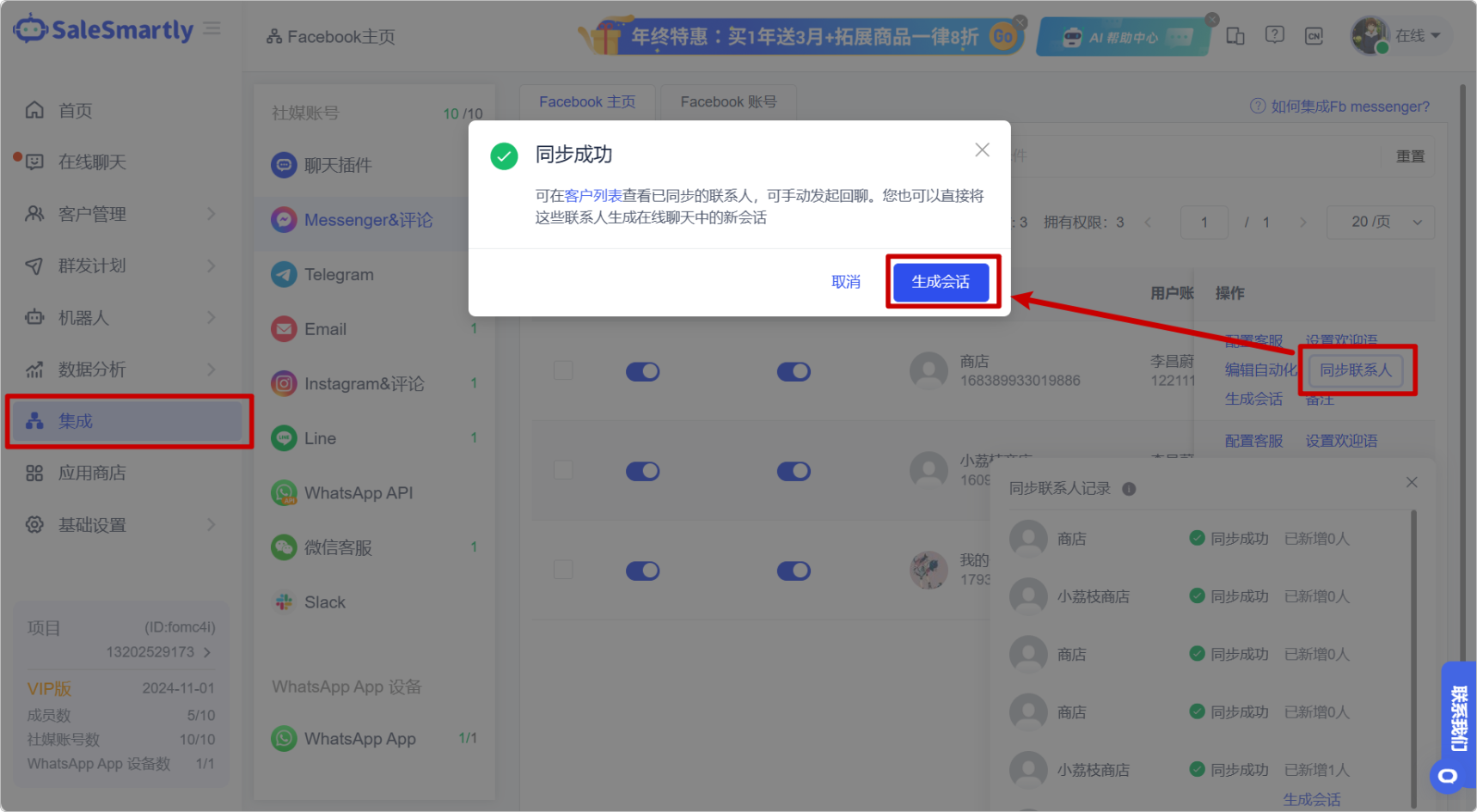
12. Optimize the Interaction Between Syncing Contacts and Generating Conversations
In Integration, we have optimized the functions of synchronizing contacts and generating conversations, allowing you to synchronize historical contacts on your Facebook public page to the SaleSmartly platform and quickly initiate chats.
Usage scenario: After you click to synchronize historical contacts, in the pop-up window of successful synchronization, you can click to quickly generate a conversation to generate a new conversation in the chat platform and send messages to old users.
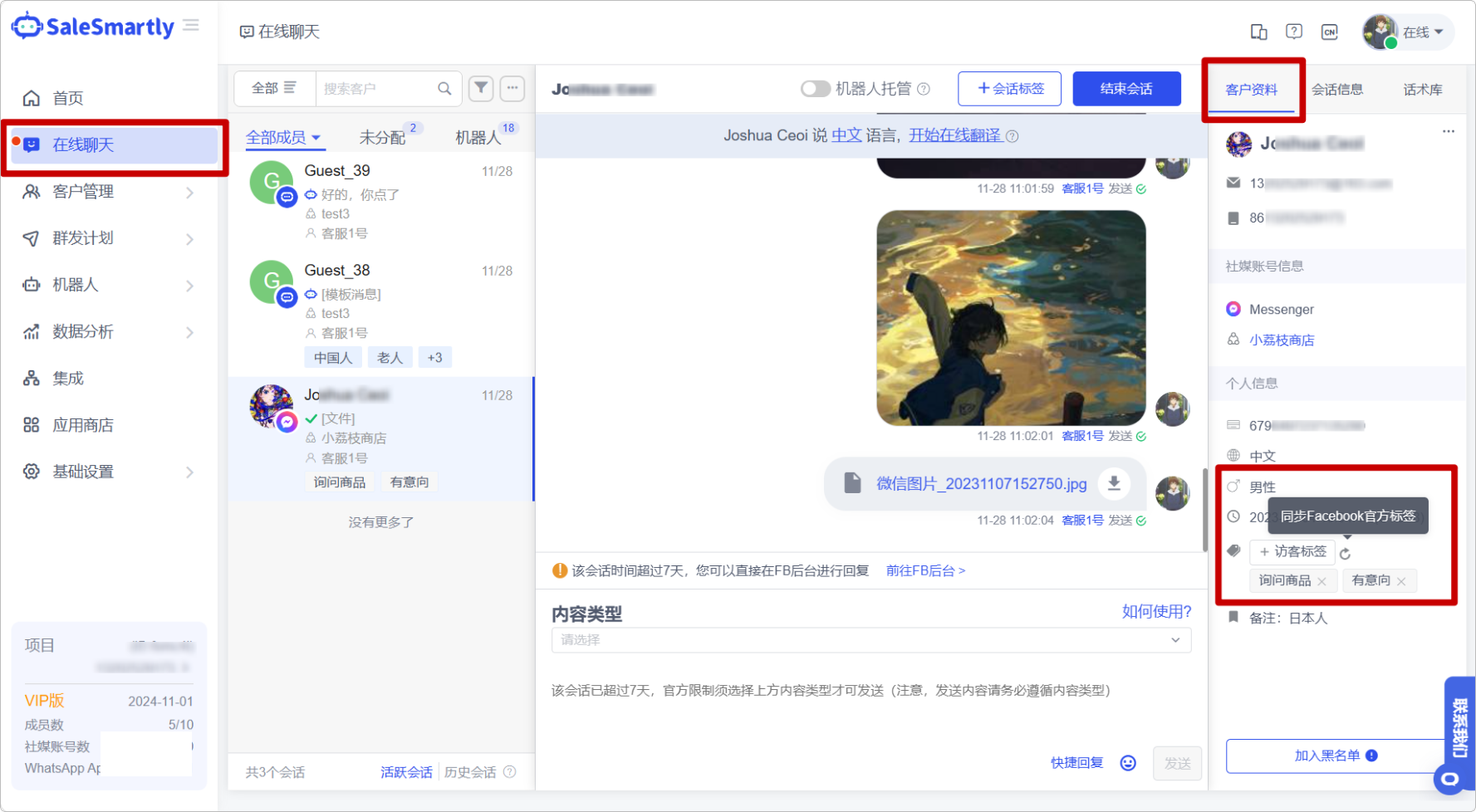
13. Support Synchronization of Facebook Official Tags
In Online Chat, a new function of synchronizing Facebook official tags has been added, which can synchronize and display the tags marked by the corresponding user in the Meta background.
Usage scenario: Synchronize Facebook's official tags, that is, retain the original Facebook user portrait, allowing you to seamlessly migrate to SaleSmartly and increase your sales conversion rate.
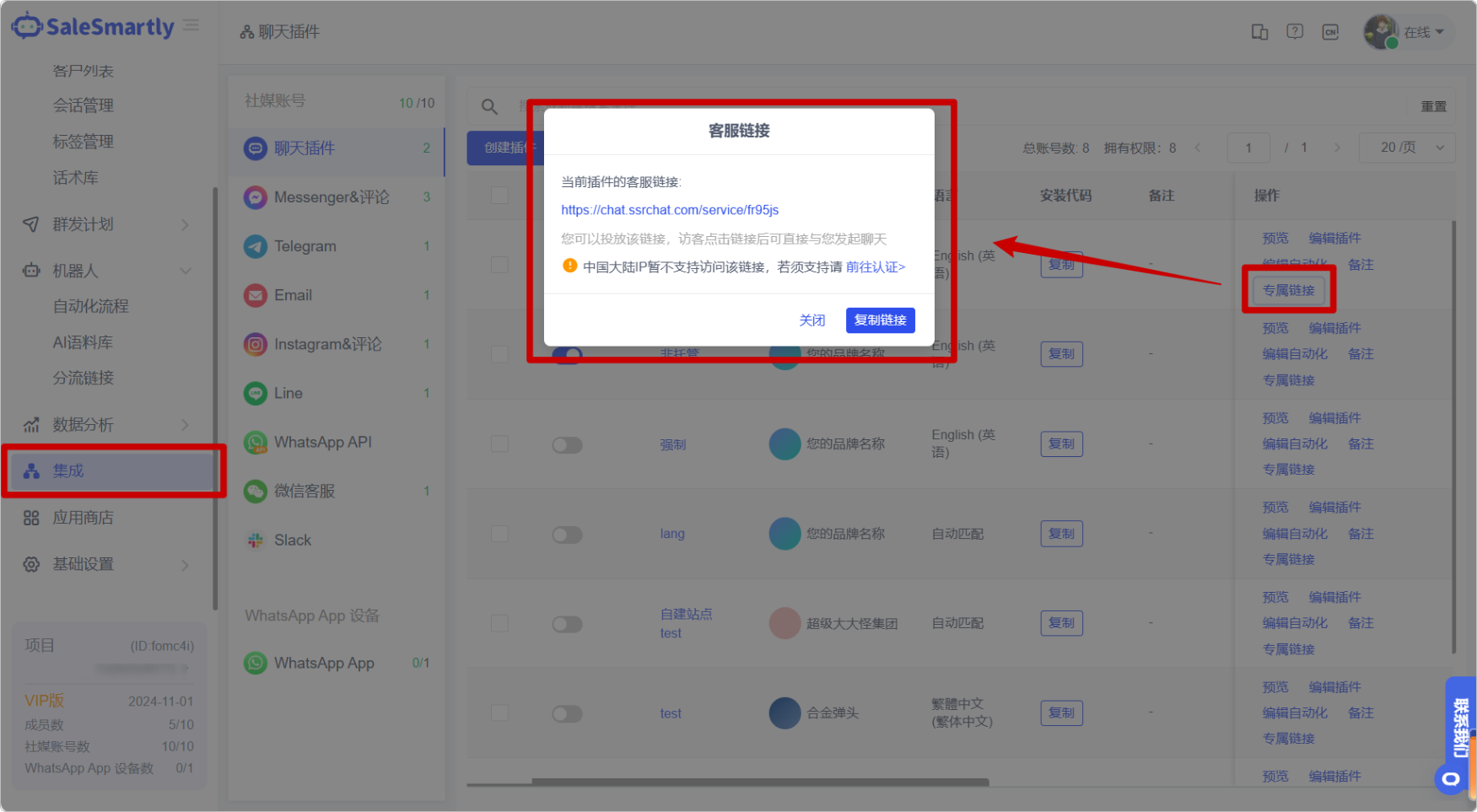
14. Open Chat Plug-in Exclusive Link Function for Enterprise Version Users
In Integration - Chat Plugin, only projects that have purchased the Enterprise Edition (at least 30 days) can obtain the exclusive chat link of the chat plugin.
Usage scenario: The paid version of the old project retains this function for normal use.
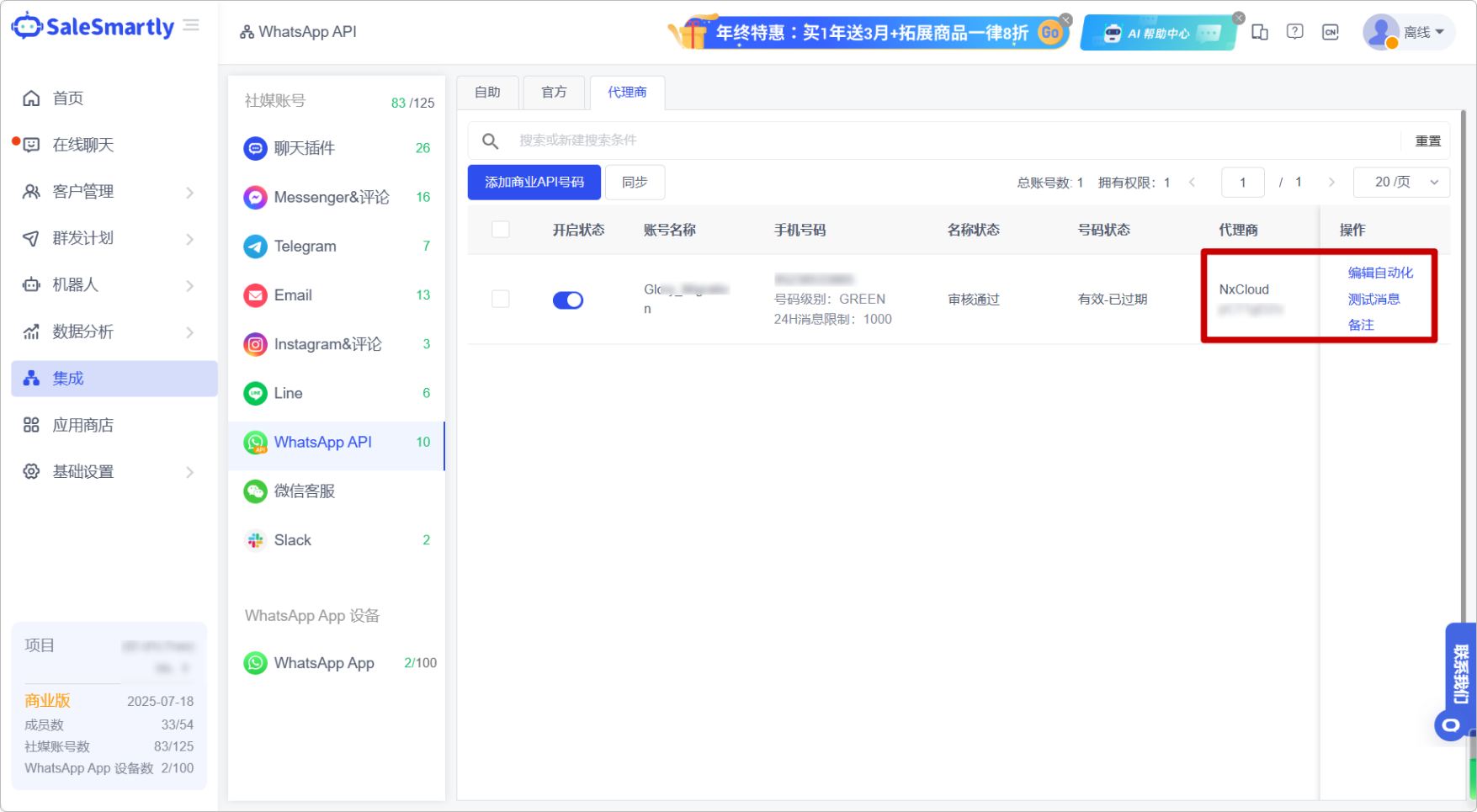
15. NxCloud is Compatible with Automation and Supports Test Messages
In Integration - WhatsApp API Agent, editing automation and test message functions are now supported for NxCloud agent numbers.
Usage scenario: After the NxCloud number is compatible with automation, the reception efficiency of users in this channel can be improved; in addition, after accessing the number, you can click the test message to simulate the conversation scenario and quickly get started with the product.
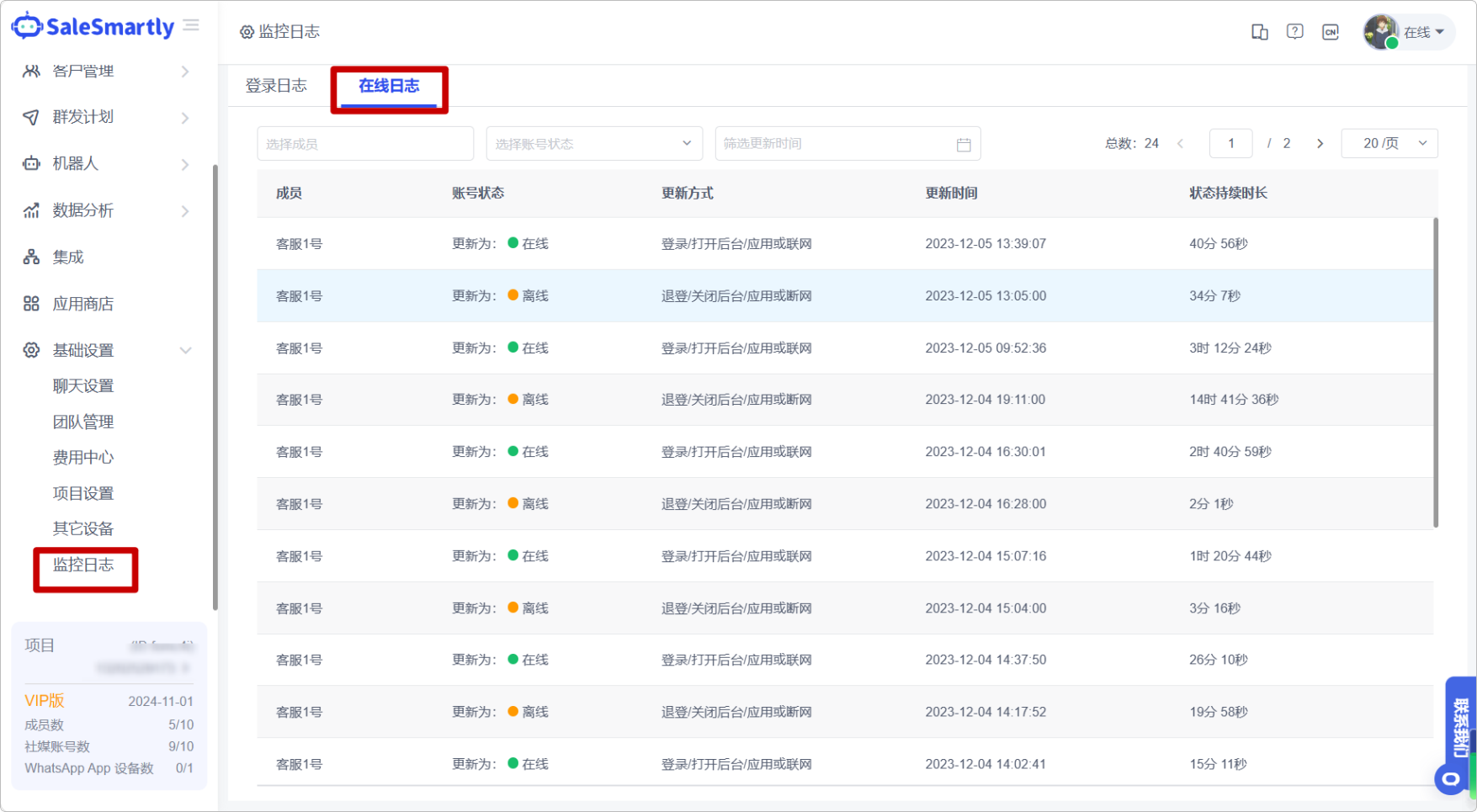
16. Online Log Function is Newly Launched
In Basic Settings - Monitoring Log, a new online log list has been added, where you can view detailed information such as each member's account status (online/offline/busy), status update time, and status duration.
Usage scenario: You can monitor the work status of each member in the project in detail through the online log, and filter and view the historical online records based on the specified member.
17. Plugin JS Supports Tag Value Passing
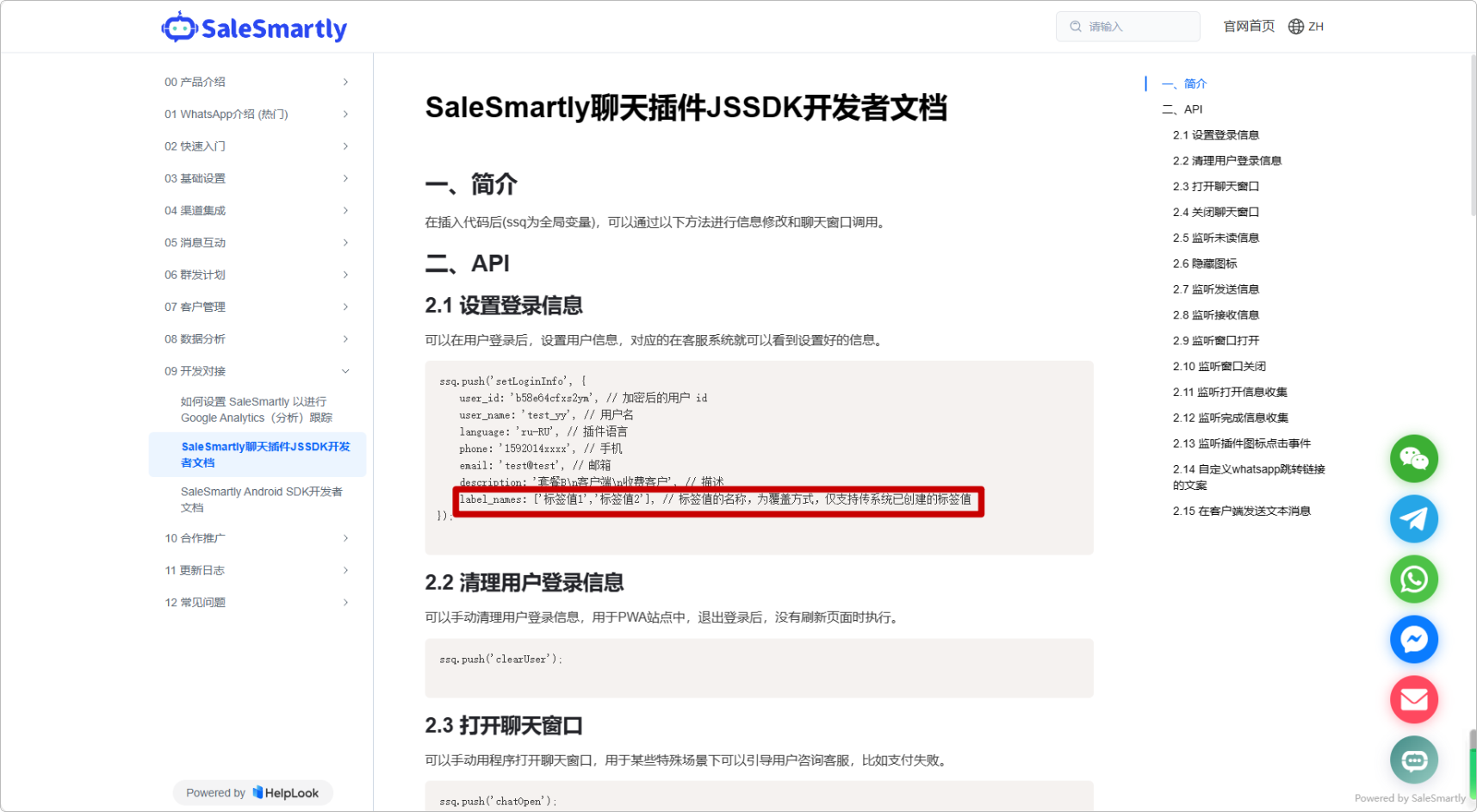
The chat plug-in JSSDK now supports passing user tag values, and can synchronize tags from third-party systems to SaleSmartly.
Usage scenario: You can now add and modify user tag values through method parameter passing, without having to manually tag in the customer service system. You can learn more about the specific parameter passing code details in the development connection section of the help document in the figure below.