Social App Updates
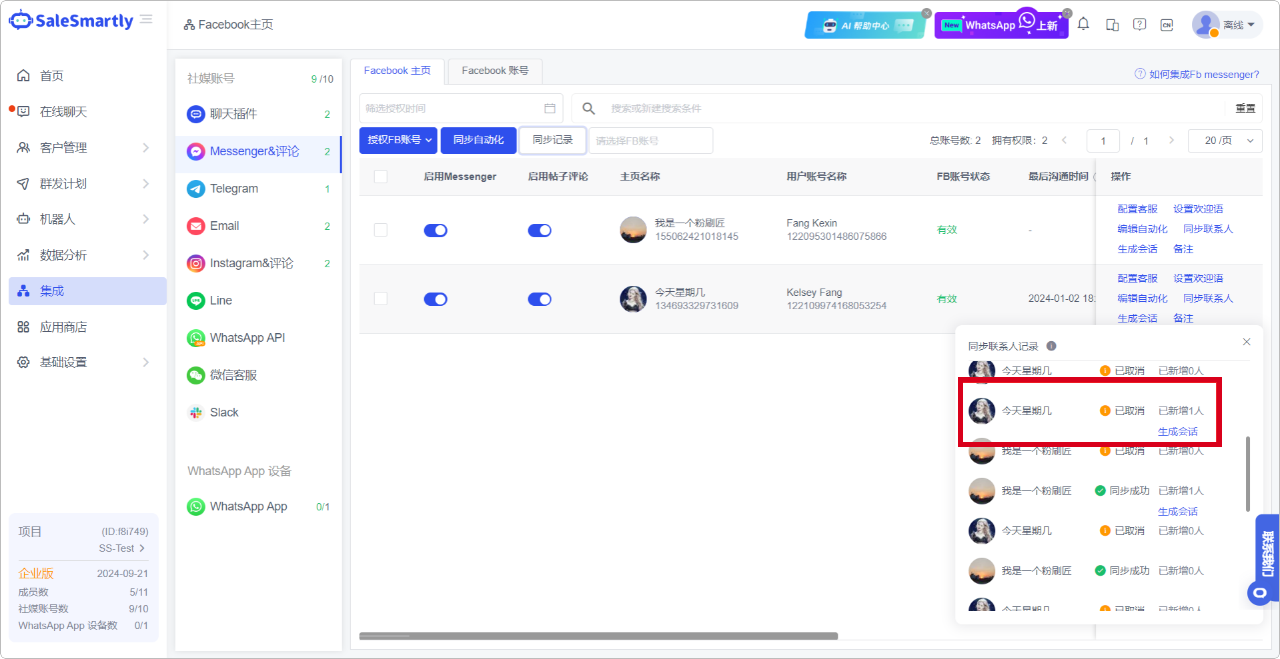
1. Facebook Supports Canceling the Process of Syncing Contacts
In Integration - Messenger & Comments, you can cancel the synchronization process when you are synchronizing contacts. As shown in the figure, the synchronization has been canceled, and you can still generate a conversation for the contacts that have been successfully added.
Usage scenario: When your Facebook account has too many contacts, you can cancel the synchronization process and synchronize multiple times. And quickly create a conversation with the newly added contacts.
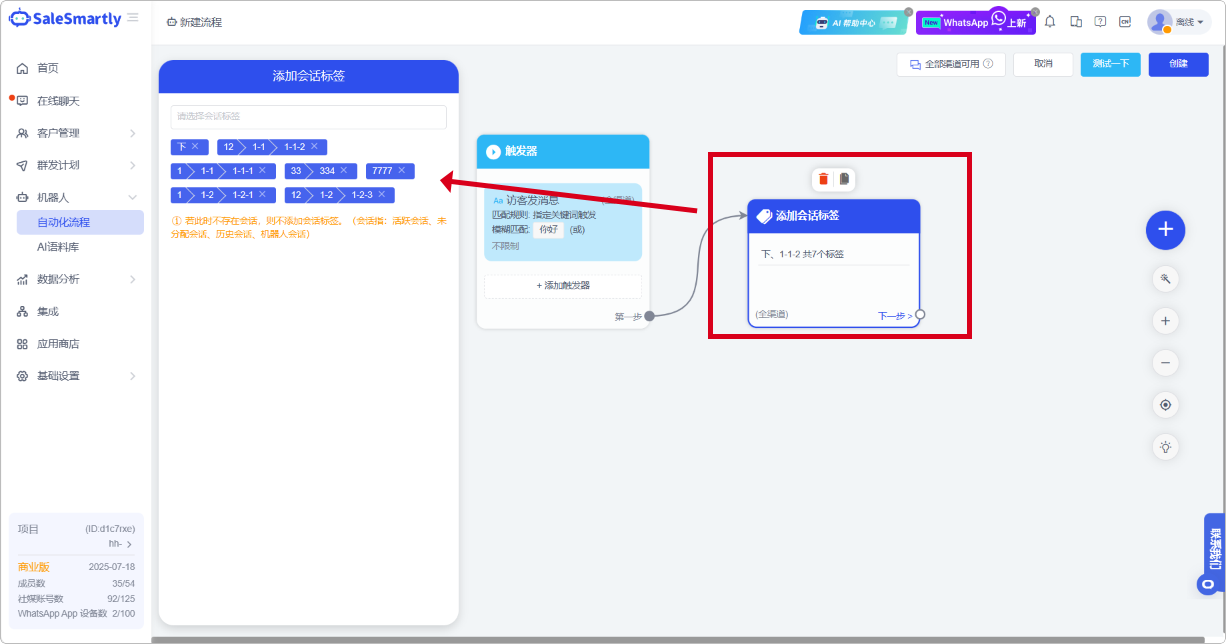
2. Added the Action of Adding Session Tags to the Automation Process
In the Robot - Automation process, a new "Add session tag" (Omnichannel) action component is added.
Usage scenarios: You can now use automated processes to help you add conversation tags in chat sessions, reducing the time and effort of manually adding tags after the session ends, making customer tagging more efficient and intelligent.
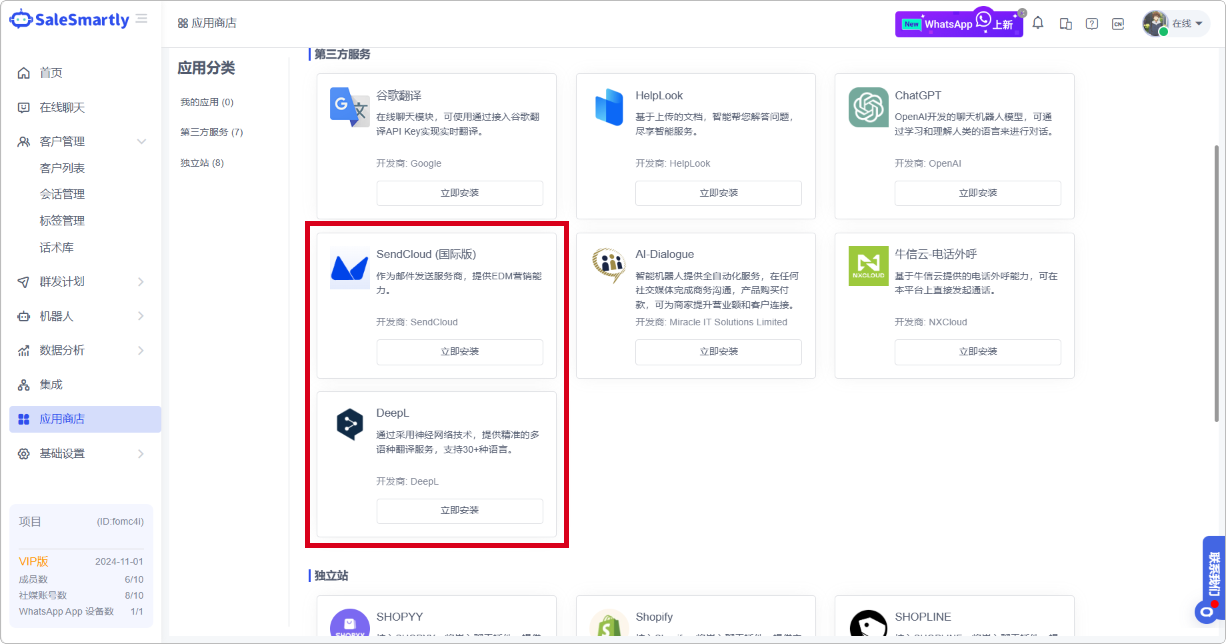
3. SendCloud and DeepL Are Now Available on the App Store
In the App Market-Third-Party Service section, SendCloud (International Edition) and DeepL are newly available.
Usage scenarios: After installing SendCloud, you can use SendCloud platform resources to send EDM messages. Similarly, if you have DeepL translation resources, you can use them across platforms according to your usage scenarios to maximize resource utilization.
4. WhatsApp App Chat Supports Product Messages
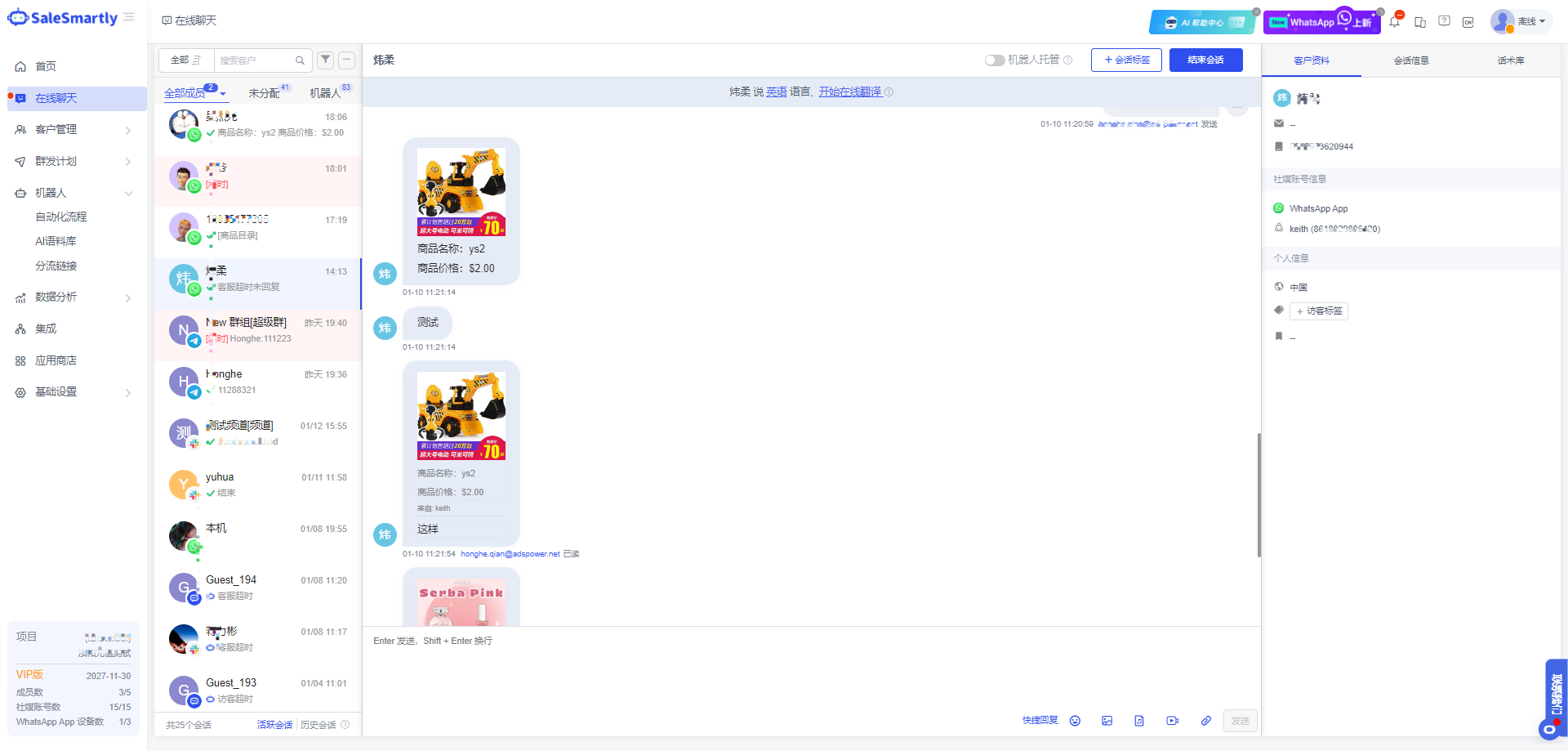
Online Chat The WhatsApp chat window supports displaying product catalog type messages sent by customers.
Usage scenario: When using WhatsApp, customers will send orders or products of interest to merchants in the form of link cards for consultation. Merchant service personnel can receive and view such messages in the chat, helping service personnel to intuitively understand the products of interest to customers.
5. Online Chat Session List Time Display Optimization
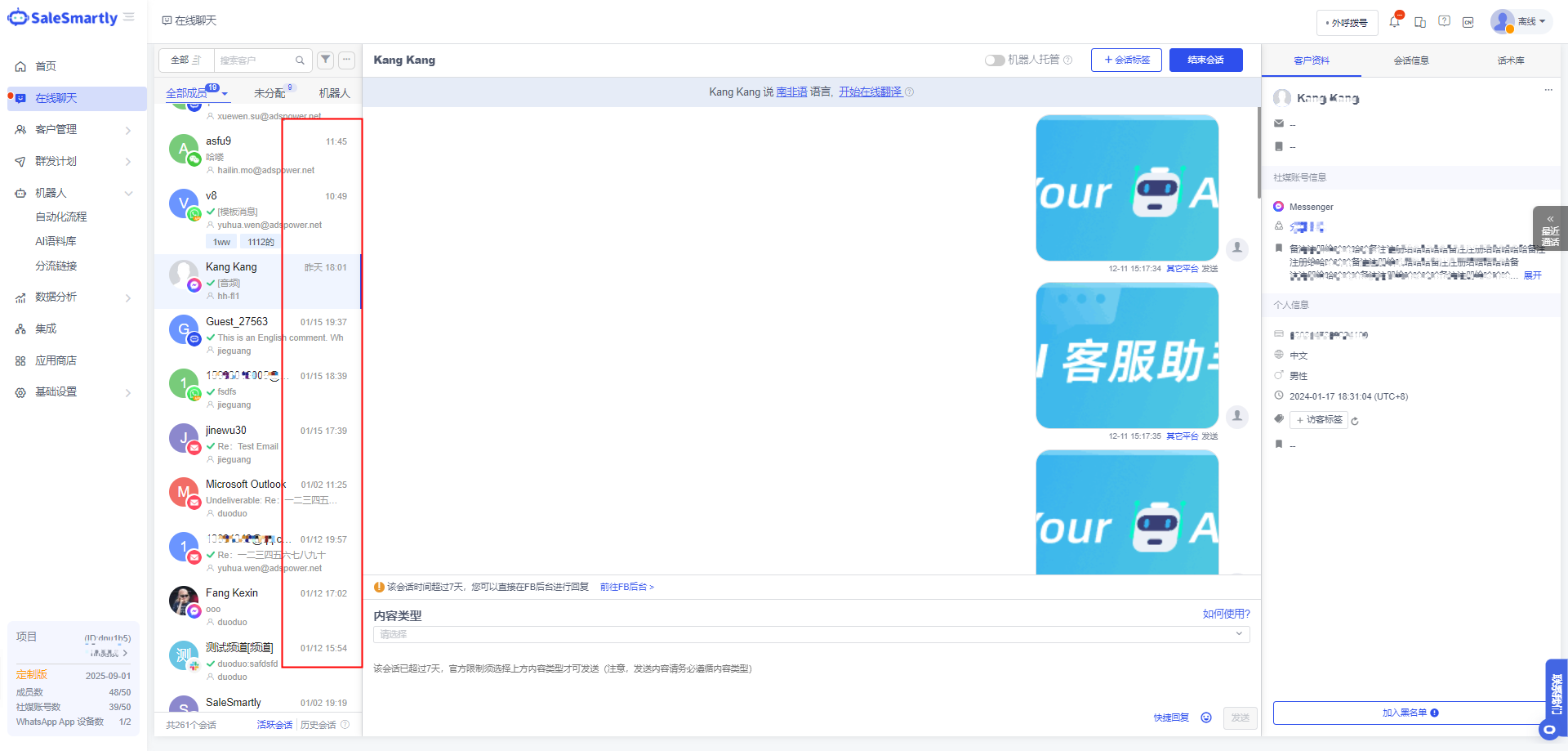
In Online Chat - Conversation List, you can intuitively view the final reply time of conversations in different time periods.
Usage scenario: When there are a large number of customer conversations that need to be followed up in the list, you can quickly distinguish the conversations that need to be followed up in the list by the last reply time.
6. Group Messaging Supports Video and Audio
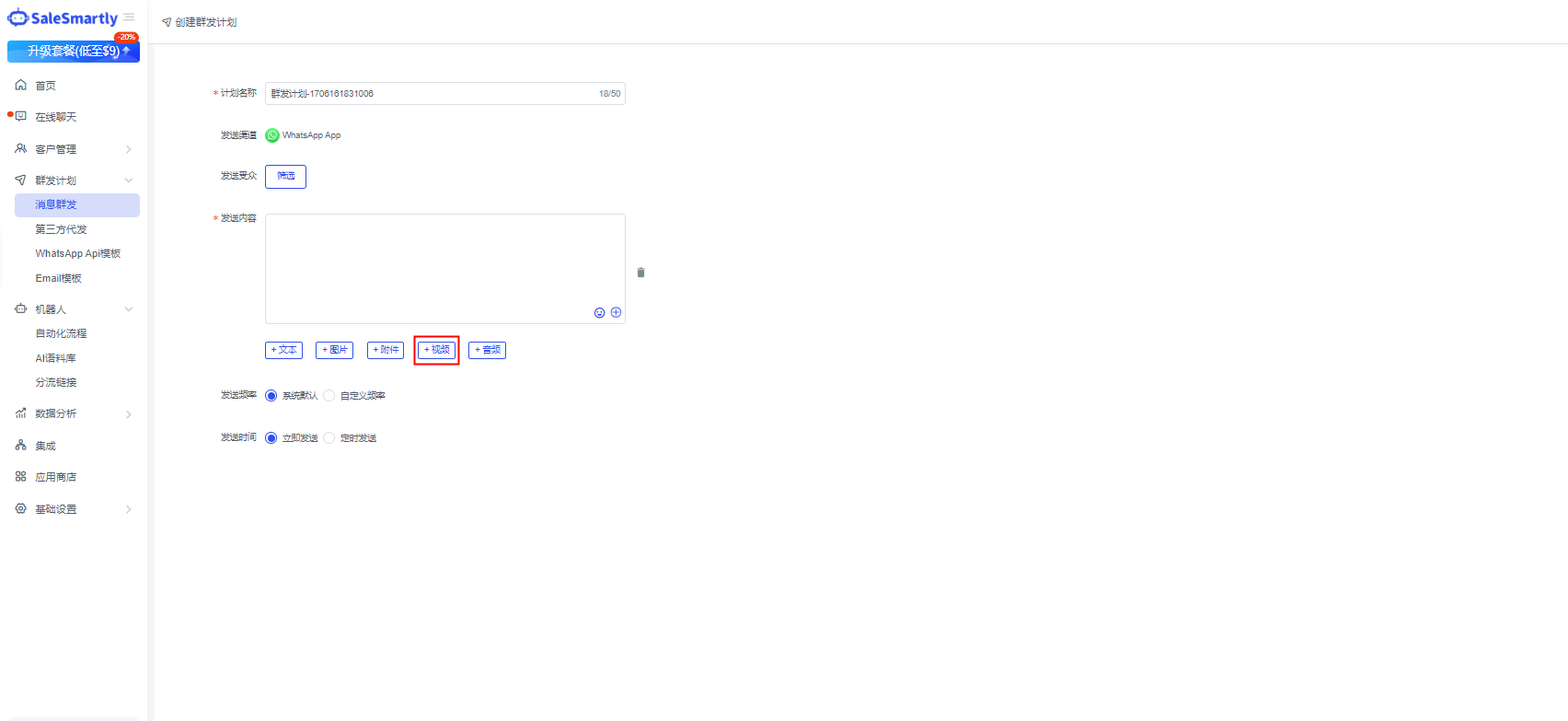
In Mass Message Plan - Mass Message, you can upload videos when creating a mass message plan to enrich your marketing content.
Usage scenario: When sending mass marketing messages to customer groups, use product introduction videos to allow customers to understand product-related information more conveniently and intuitively.
7. Mobile Client Tag Upgrade
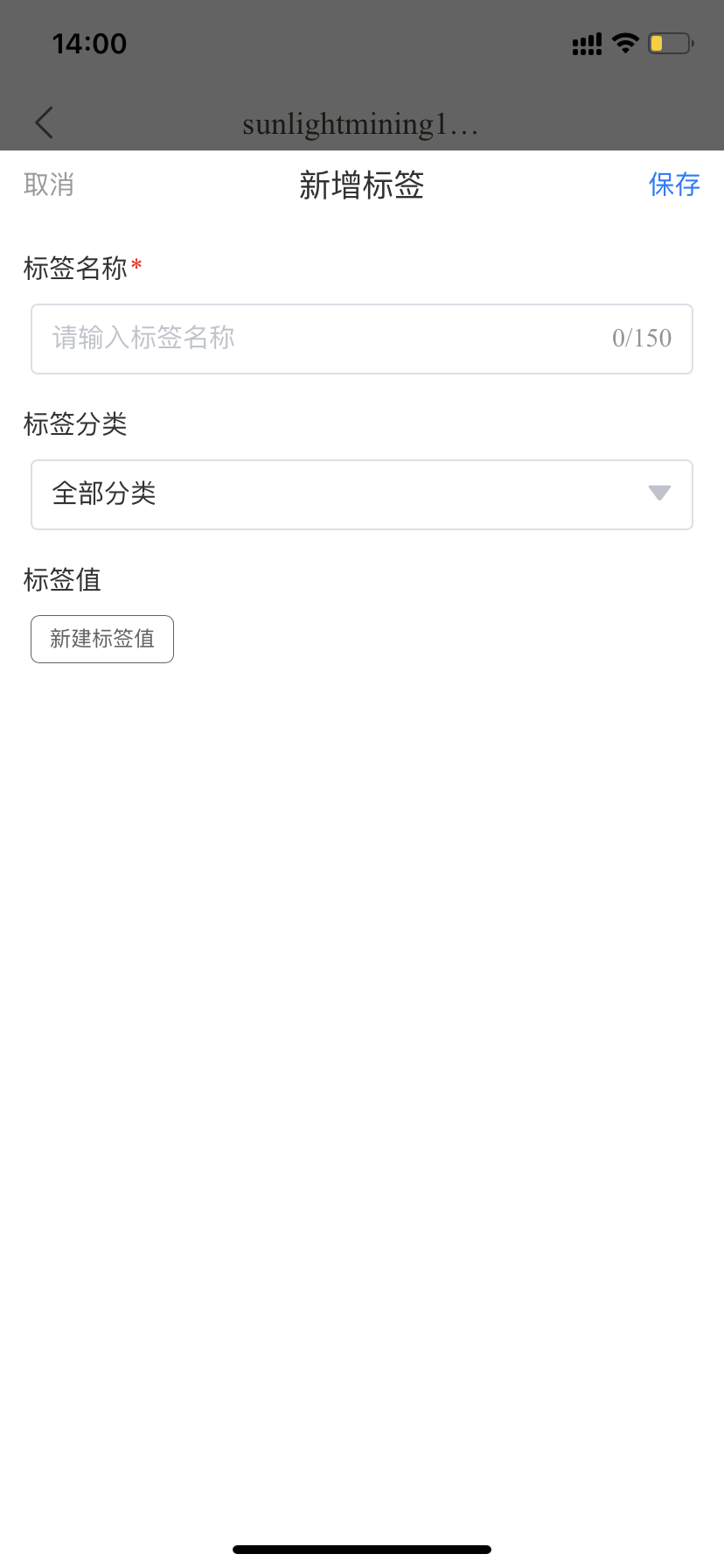
In Customer Information - Add Tags, you can choose to add existing tags under different categories or add new tag content for customers.
Usage scenario: In daily customer follow-up communication, you can set different content labels according to the business to facilitate subsequent targeted marketing follow-up.
8. Abnormal Account Prompts in the Online Chat Interface
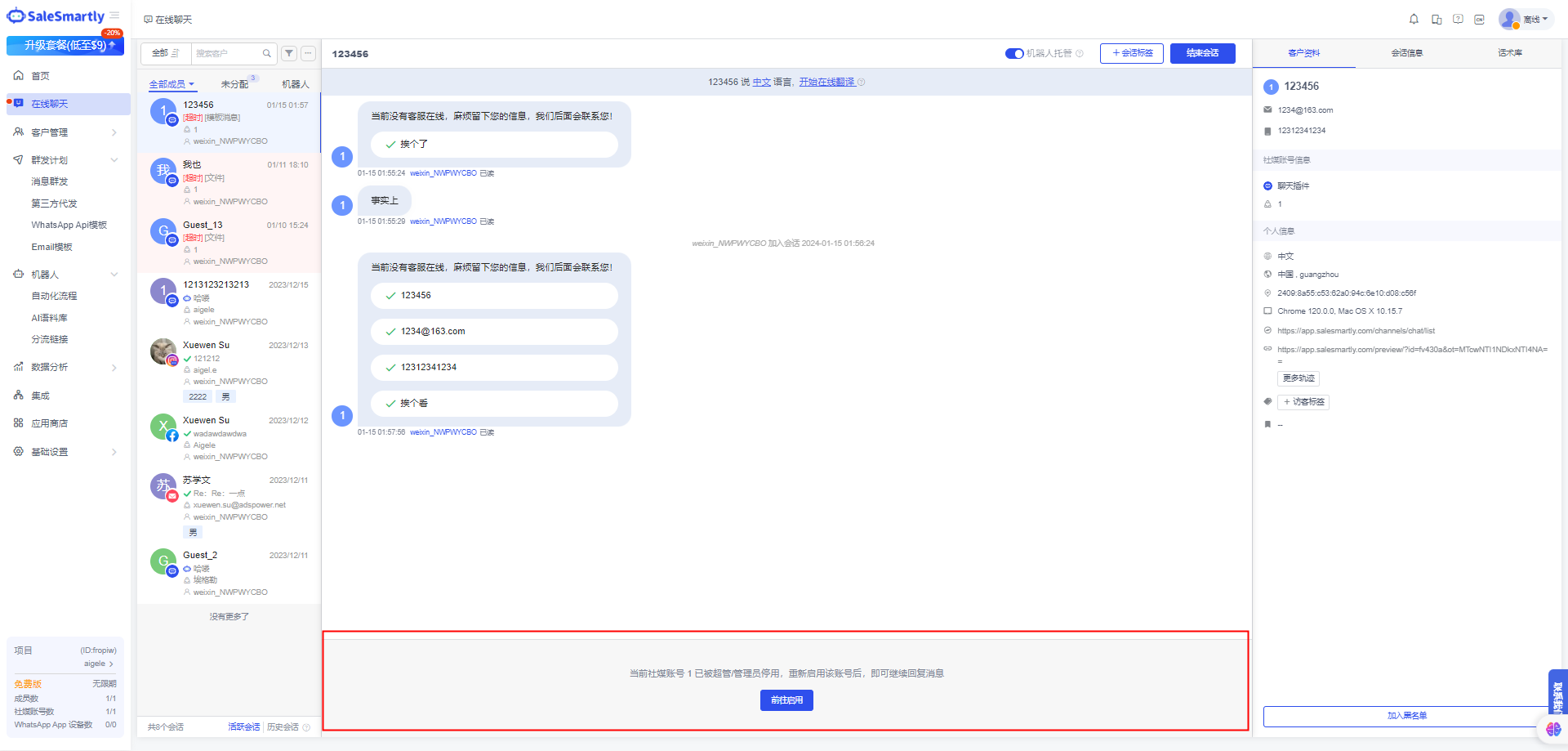
In the Online Chat dialog box, prompts will be displayed for scenarios such as the expiration, deactivation, and deletion of the corresponding social media account.
Usage scenario: When your integrated social media account becomes unavailable, you will be notified in the online chat window so that you and your team members can detect account problems in time to reduce possible financial losses.
9. WhatsApp API Template Message Adds Video and Attachment Formats
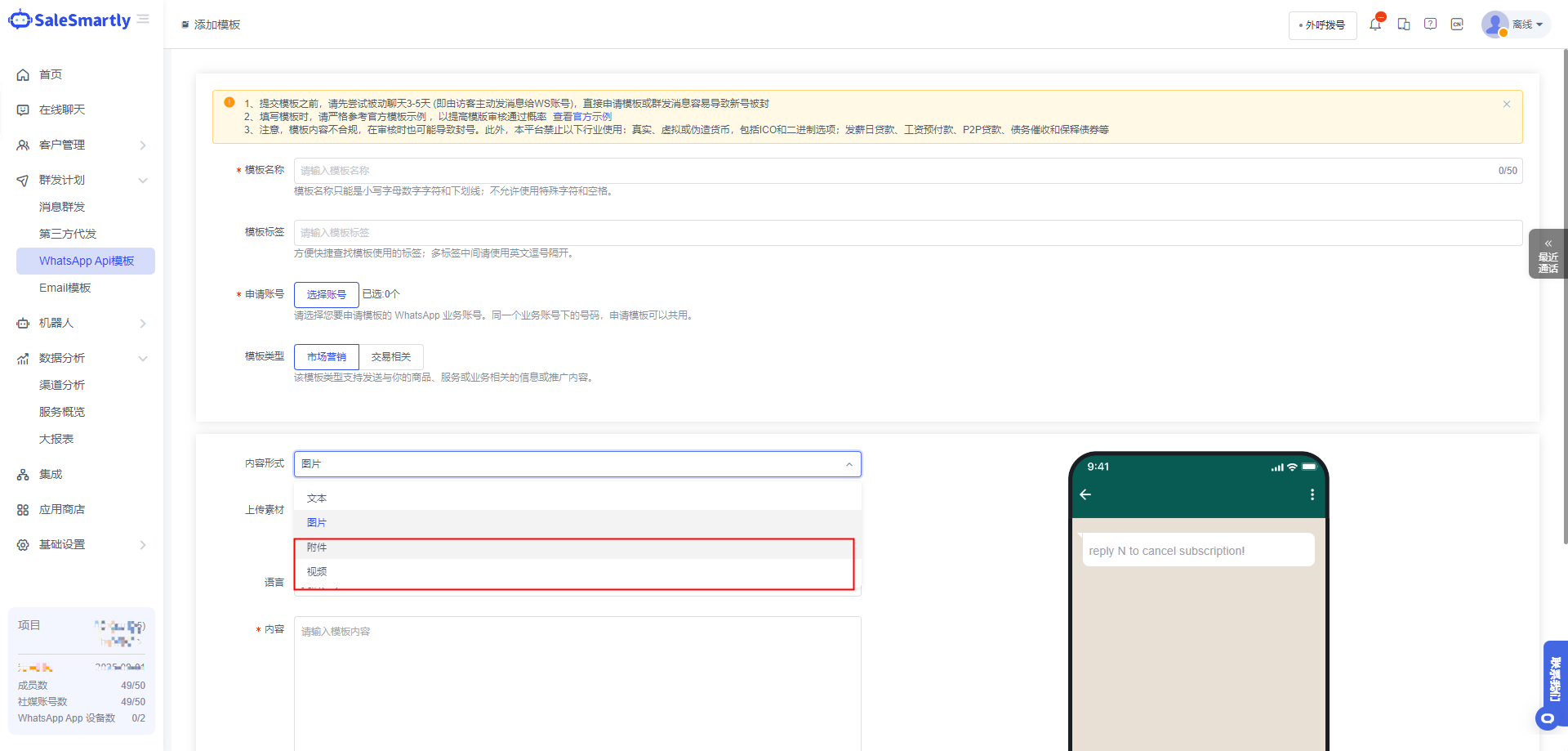
Create a new template content in Bulk Sending Plan - WhatsApp API template to support uploading videos and attachments to enrich your marketing content.
Usage scenario: When using templates to send group messages to customers via the WhatsApp API channel, you can use videos to let customers understand product information intuitively, or you can send relevant files to customers through attachments.
10. Integrated Channel Support Configuration Customer Service
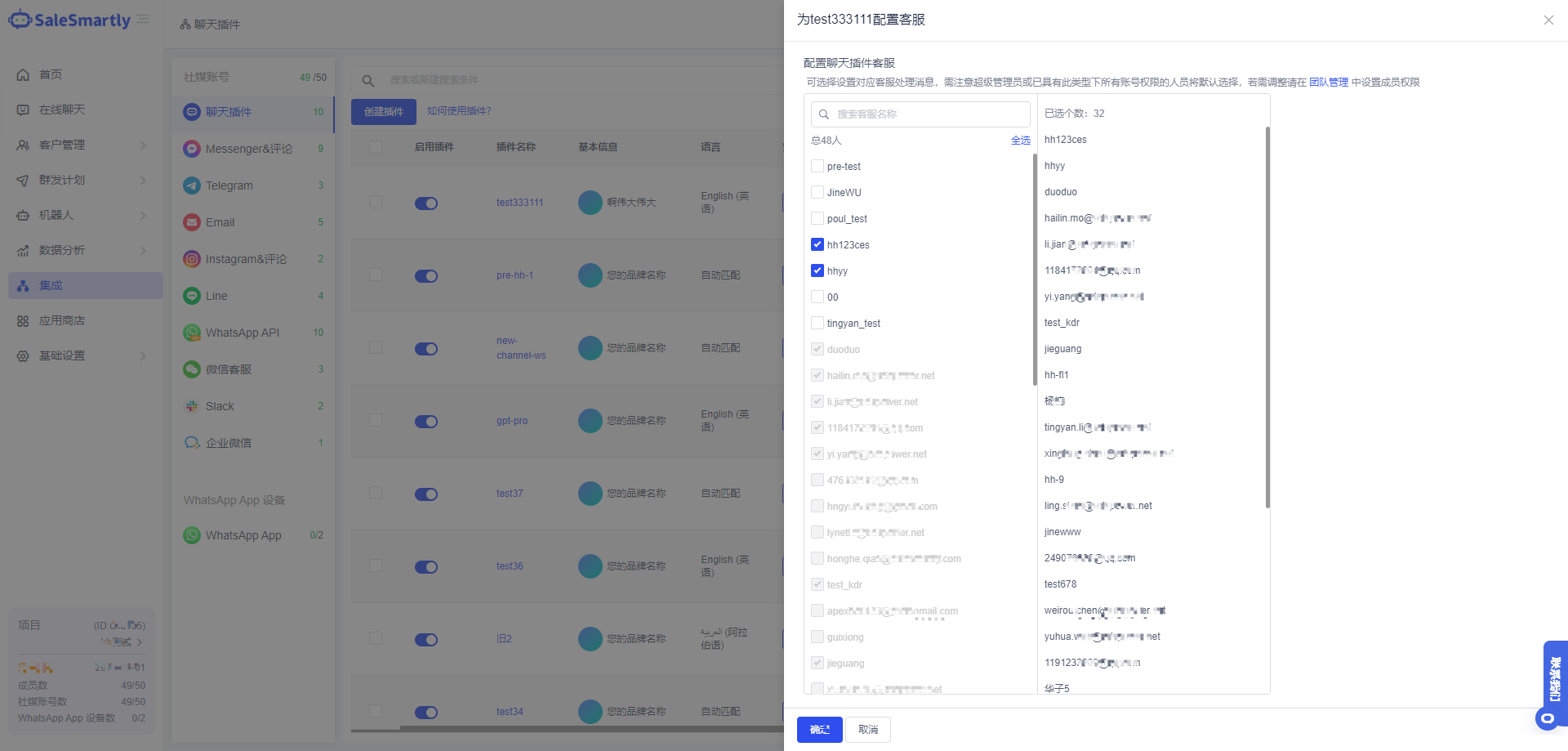
In Integration - List Operation, you can configure customer service under the corresponding channel account, and support setting multiple service personnel for a single or multiple channels at one time.
Usage scenario: When you need to configure multiple members at one time after creating a new social media account, you can use the "Configure Customer Service" function to select the corresponding personnel for batch settings, which makes social media accounts more flexible and convenient to manage.
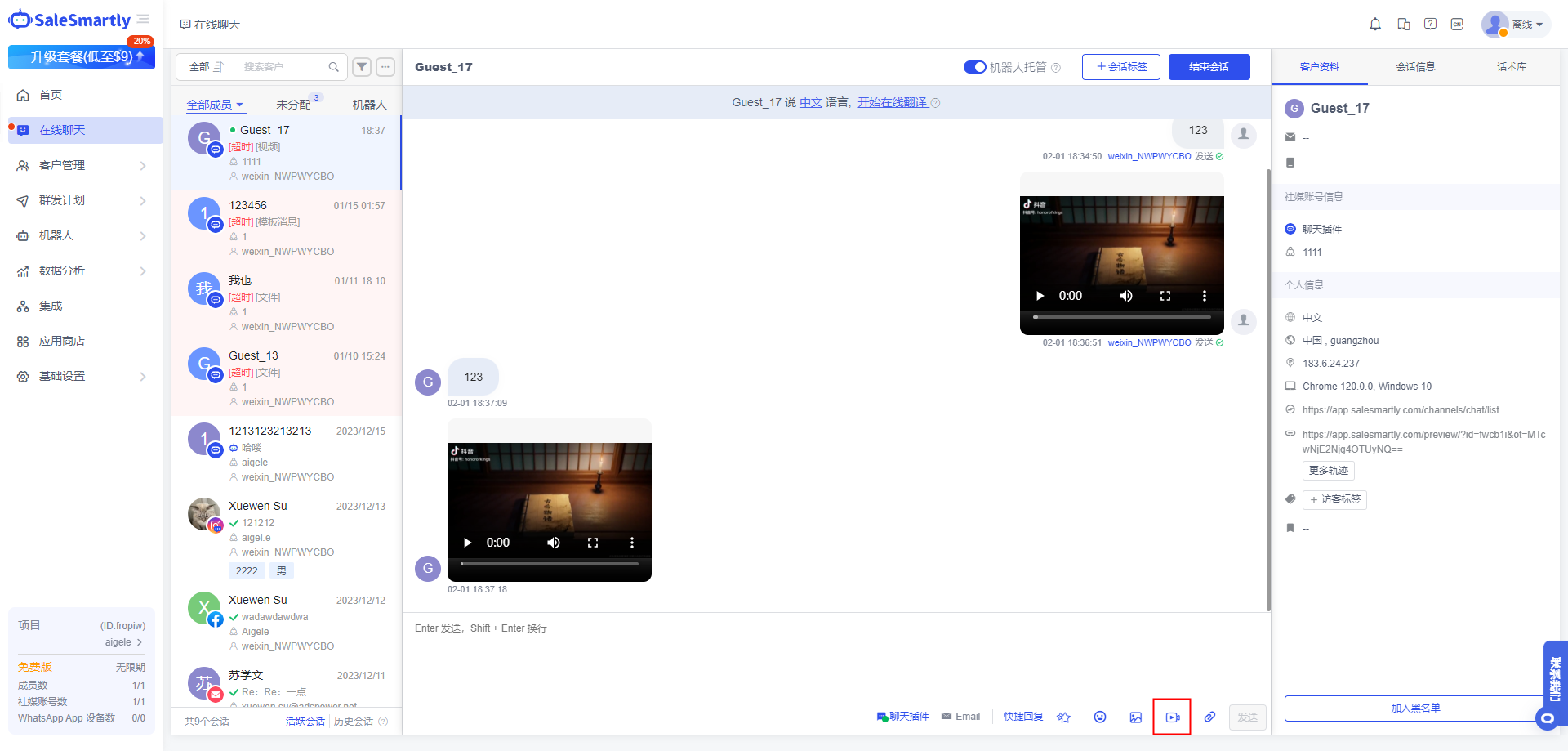
11. Chat Plug-in Supports Video Sending Preview
The chat plug-in website visitor side and the customer side support sending video files to each other and support click preview.
Usage scenario: When receiving website customers, you can send product-related videos to allow customers to understand product-related information more conveniently and intuitively. Users can record video feedback to get more efficient solutions.