Automation Features Upgrade
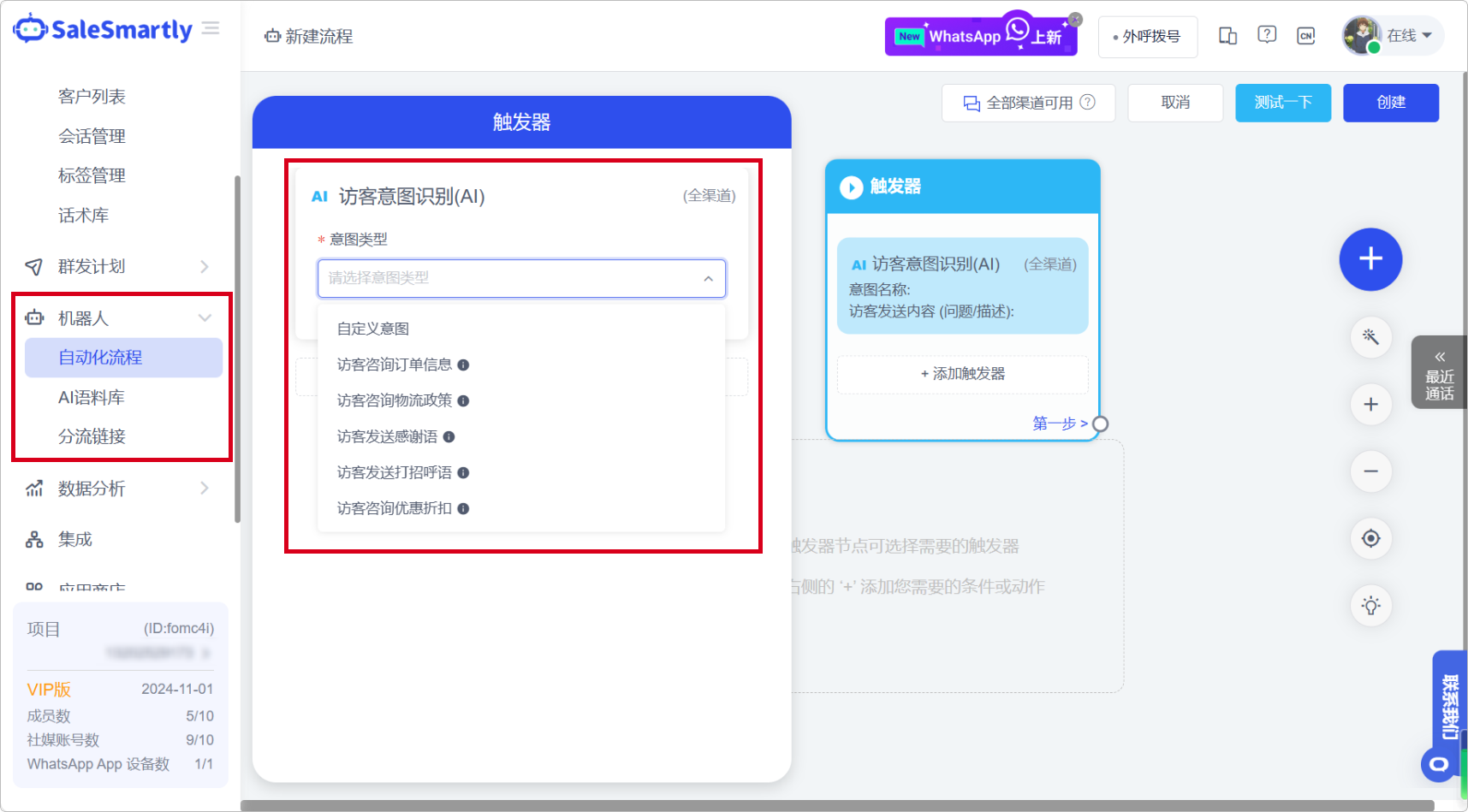
1. Automation Features: Preset AI Intentions
In Robot - Automated Process, you can select the official preset intent template for the visitor intent recognition (AI) trigger.
Usage scenarios: You can now select an official intent template, and the system will automatically add a question description of the corresponding intent. You can edit or add more intent descriptions based on this to make visitor intent identification more accurate.
2. Diversion Links Assigned by Time Period
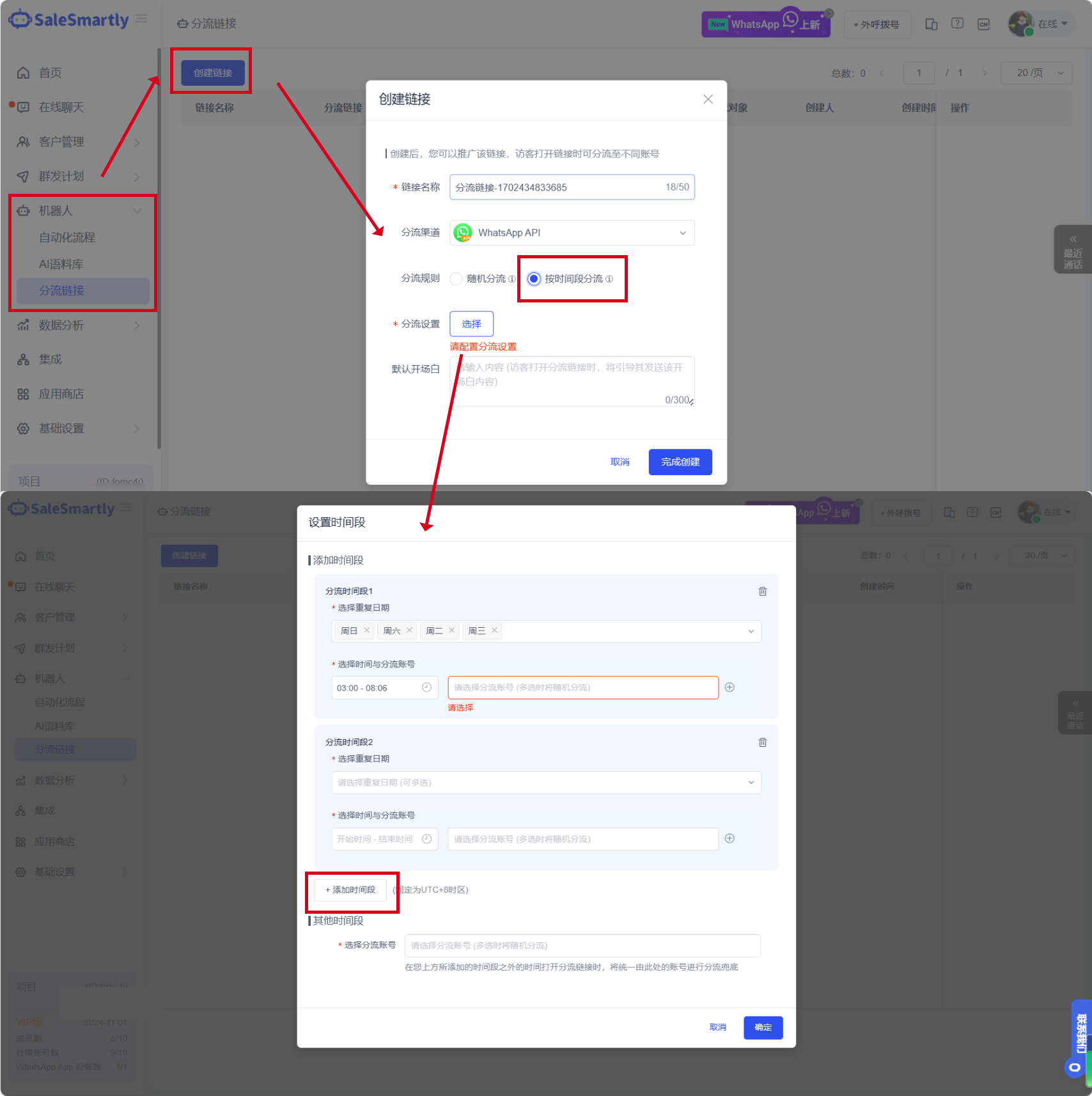
In the Robot-Diversion link, it supports diverting WhatsApp accounts according to different time periods.
Usage scenarios: You can add multiple time periods on different days of the week. Each time period can be assigned to a specific WhatsApp account or group to meet your multi-account, multi-time diversion scenarios.
3. Country Conditioner Compatible with WhatsApp Channel
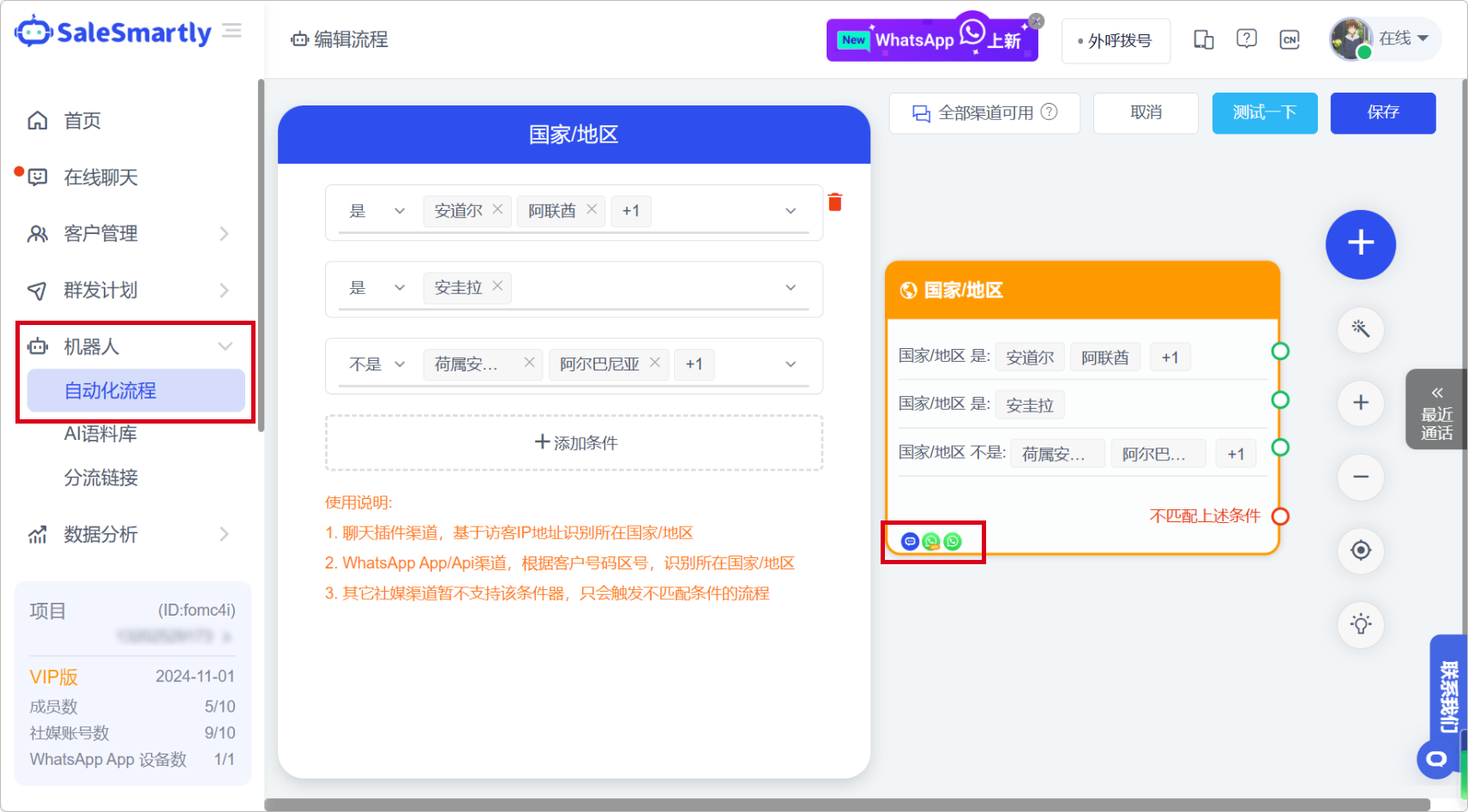
In Robot - Automated Process, the country/region conditioner is now compatible with WhatsApp App/Api channel contacts.
Usage scenario: You can use the country/region conditioner to filter and divert WhatsApp users and perform more targeted process branches to achieve refined marketing.
4. Customer Attribute/Behavior Conditioner Added
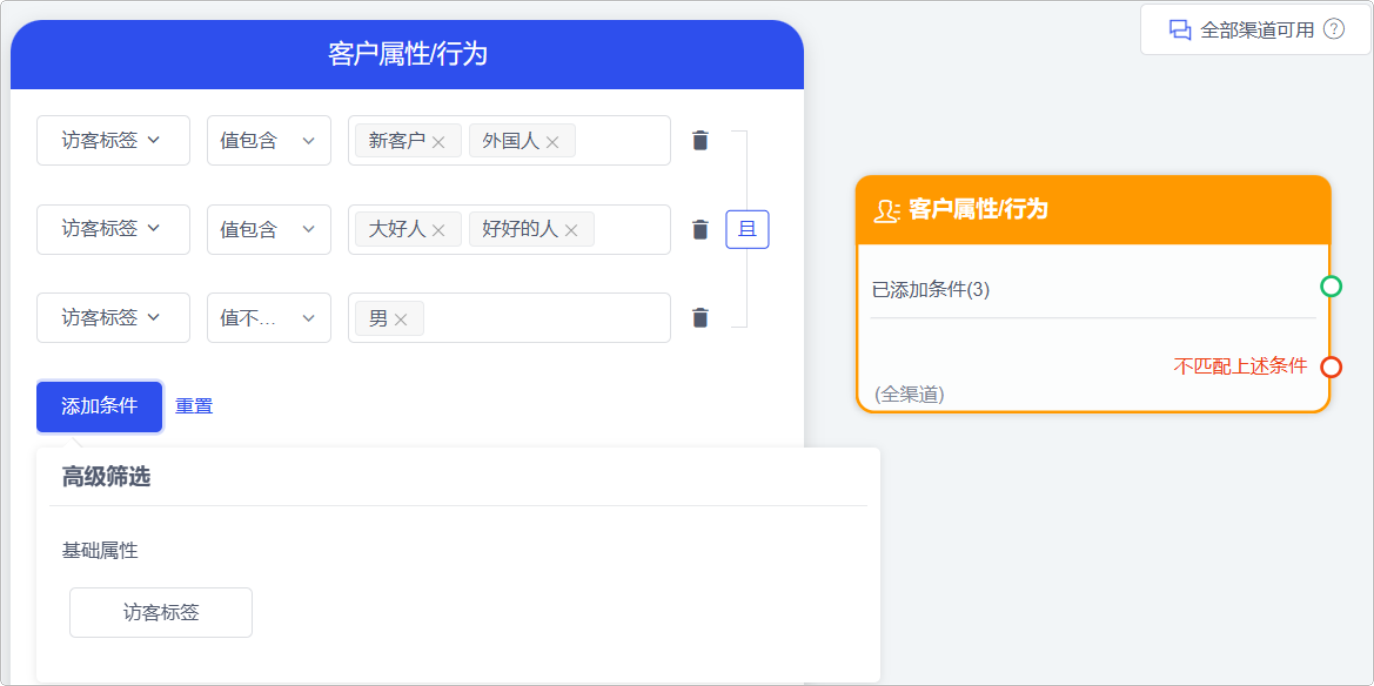
In Robot - Automated Process, a new customer attribute/behavior conditioner is added, which can be used to filter traffic based on the user's visitor tags.
Usage scenario: When customers visit your website, you can configure customer attribute/behavior conditioners to divert customers based on their attributes and adopt targeted marketing strategies to improve conversion rates.
5. Cross-Channel Message Quoting Support
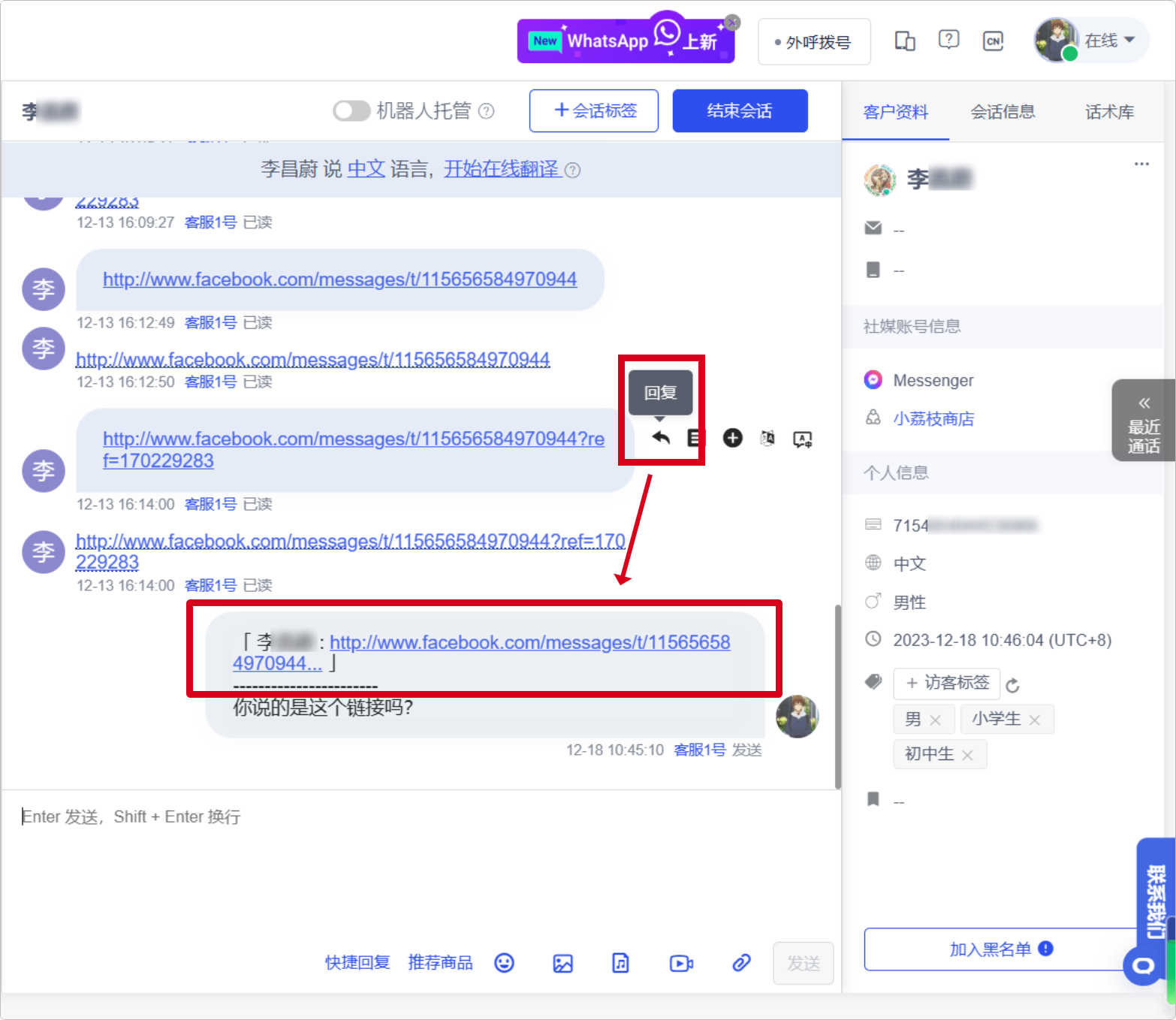
Online Chat now supports quoted reply messages across all channels, making your message replies clearer and more concise.
Usage scenario: When customers ask multiple questions at the same time, you can use quoted replies to make your answers more accurate, reduce communication costs, and increase the order conversion rate.
6. WhatsApp API Template Creation Compatibility
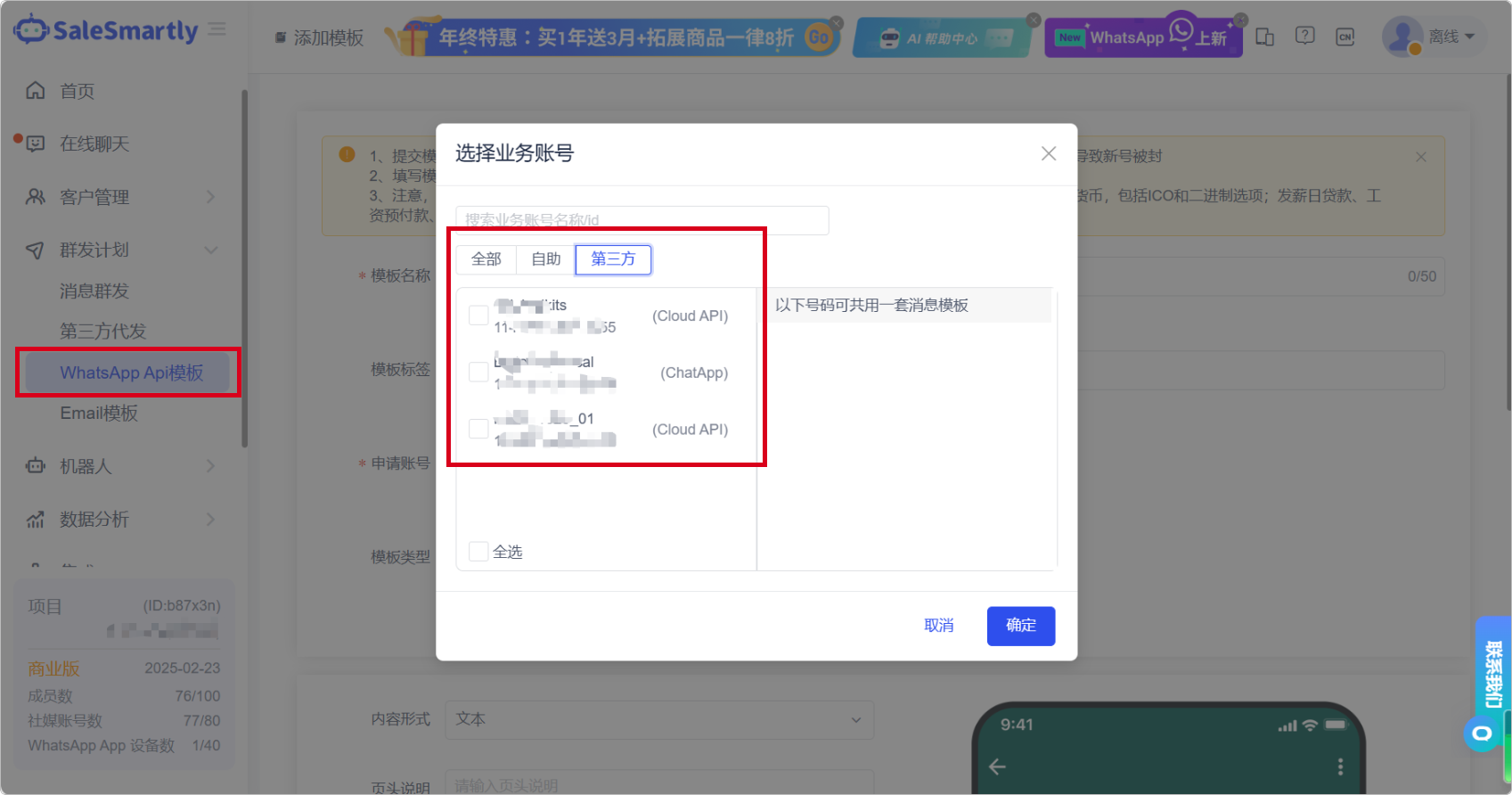
In the WhatsApp Api template, it is now compatible with creating WhatsApp business account message templates of ycloud, nxcloud, and chatapp types.
Usage scenario: You no longer need to create message templates on the ycloud or nxcloud platform. You can create message templates directly on the WhatsApp API template, reducing the time cost caused by frequent switching between different platforms.
7. WhatsApp API Integration: ChatApp Support
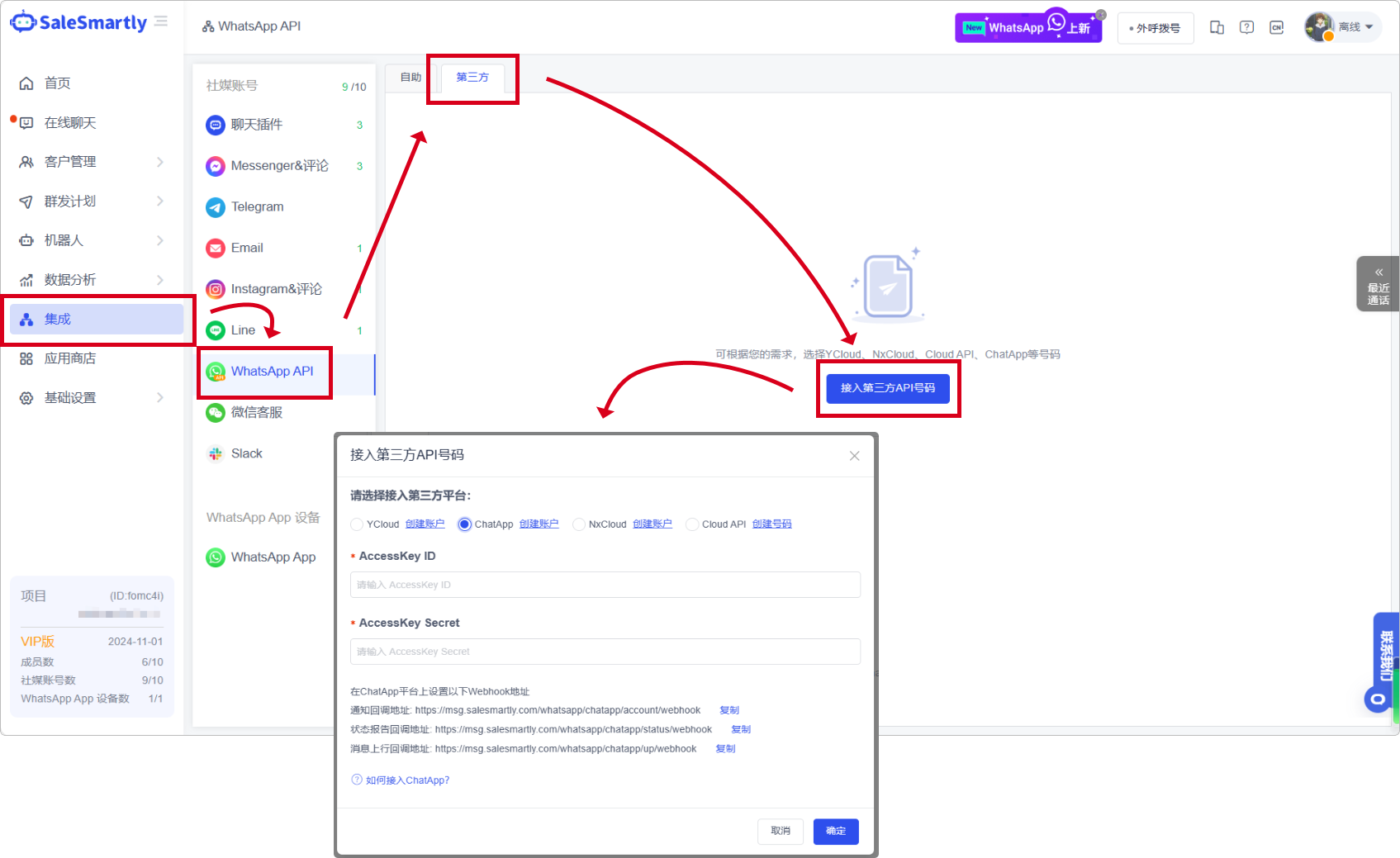
In Integration-WhatApp API-Third Party, access to ChatApp numbers is now supported.
Usage scenario: After connecting to a ChatApp number, you can use practical functions such as configuration automation, template message sending, and test message sending to help you manage multiple numbers efficiently.
8. Team Management Role Deletion Function
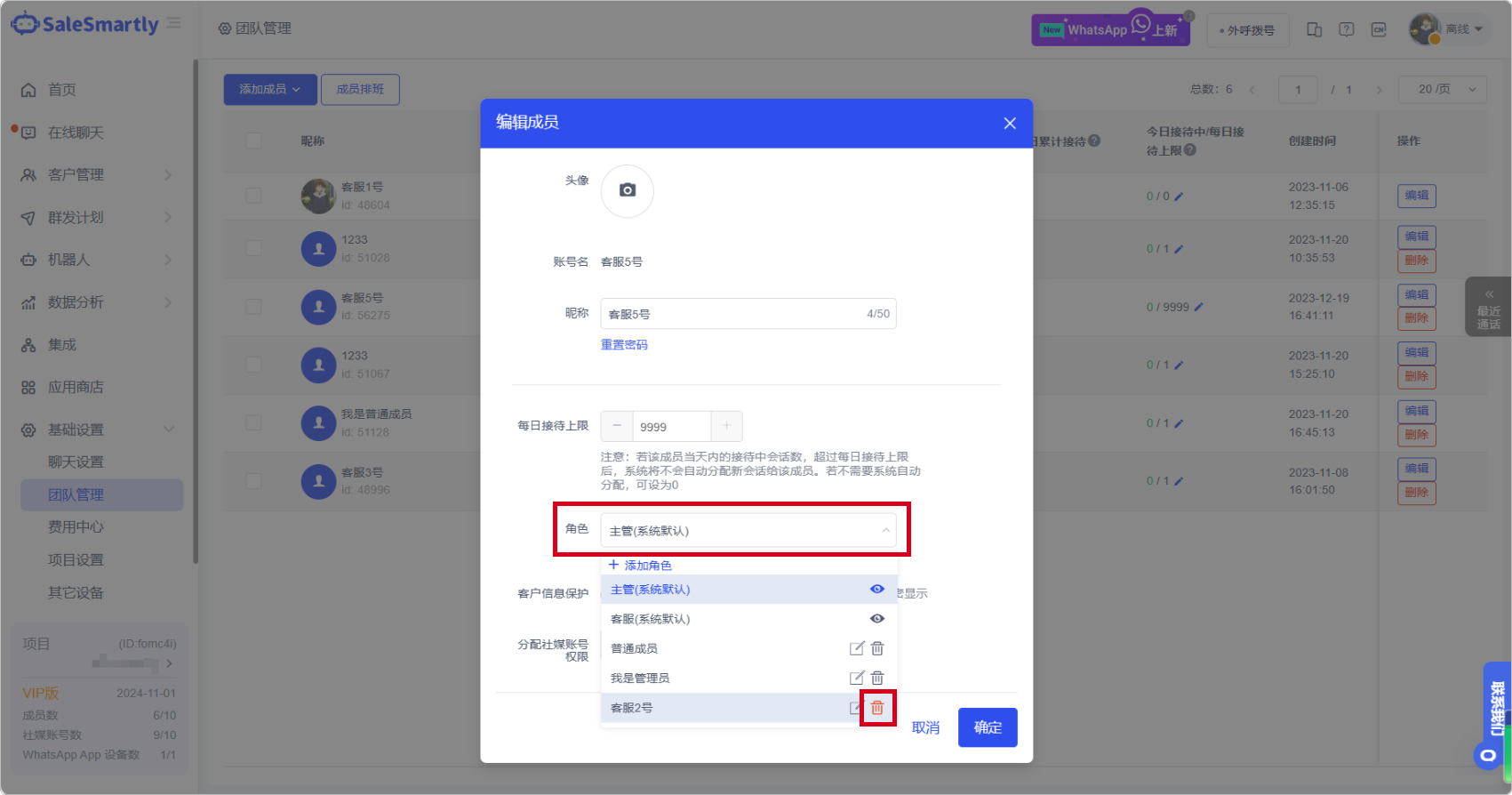
In Team Management-Edit-Roles, you can now delete newly added roles to help you resolve the operational inconvenience caused by redundant roles.
Usage scenario: When you mistakenly add an invalid role or an employee change results in an invalid role, you can now delete the invalid role information to facilitate your subsequent viewing and management.
9. ChatGPT Configuration Enhancements
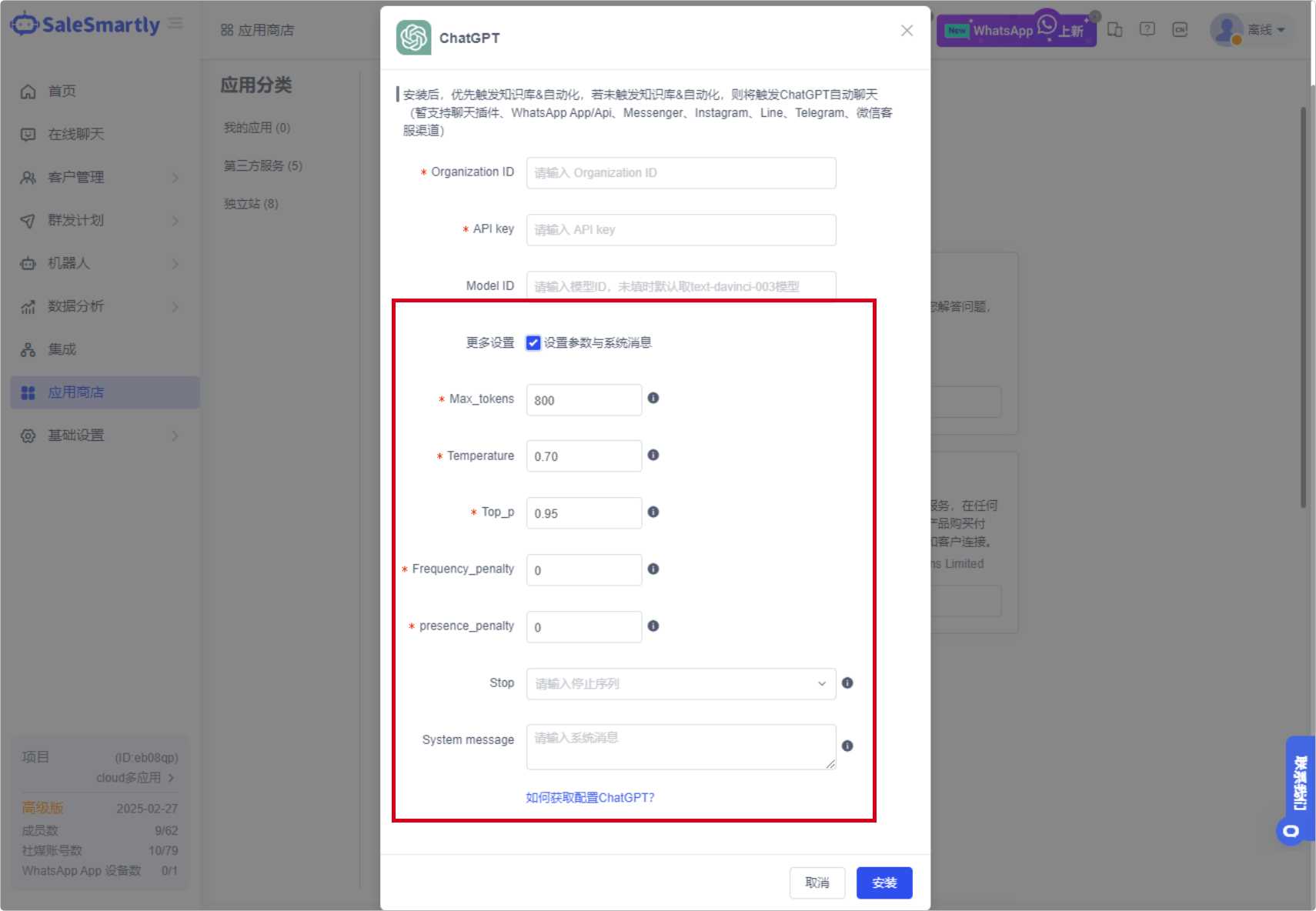
In App Store - Third-party Service (ChatGPT is not currently supported for mainland China IP), the ChatGPT application configuration function is now supported.
Usage scenarios: You can adjust the ChatGPT parameter settings to make AI's responses more accurate, controllable, and intelligent.
10. Reverse Chronological Chat Display
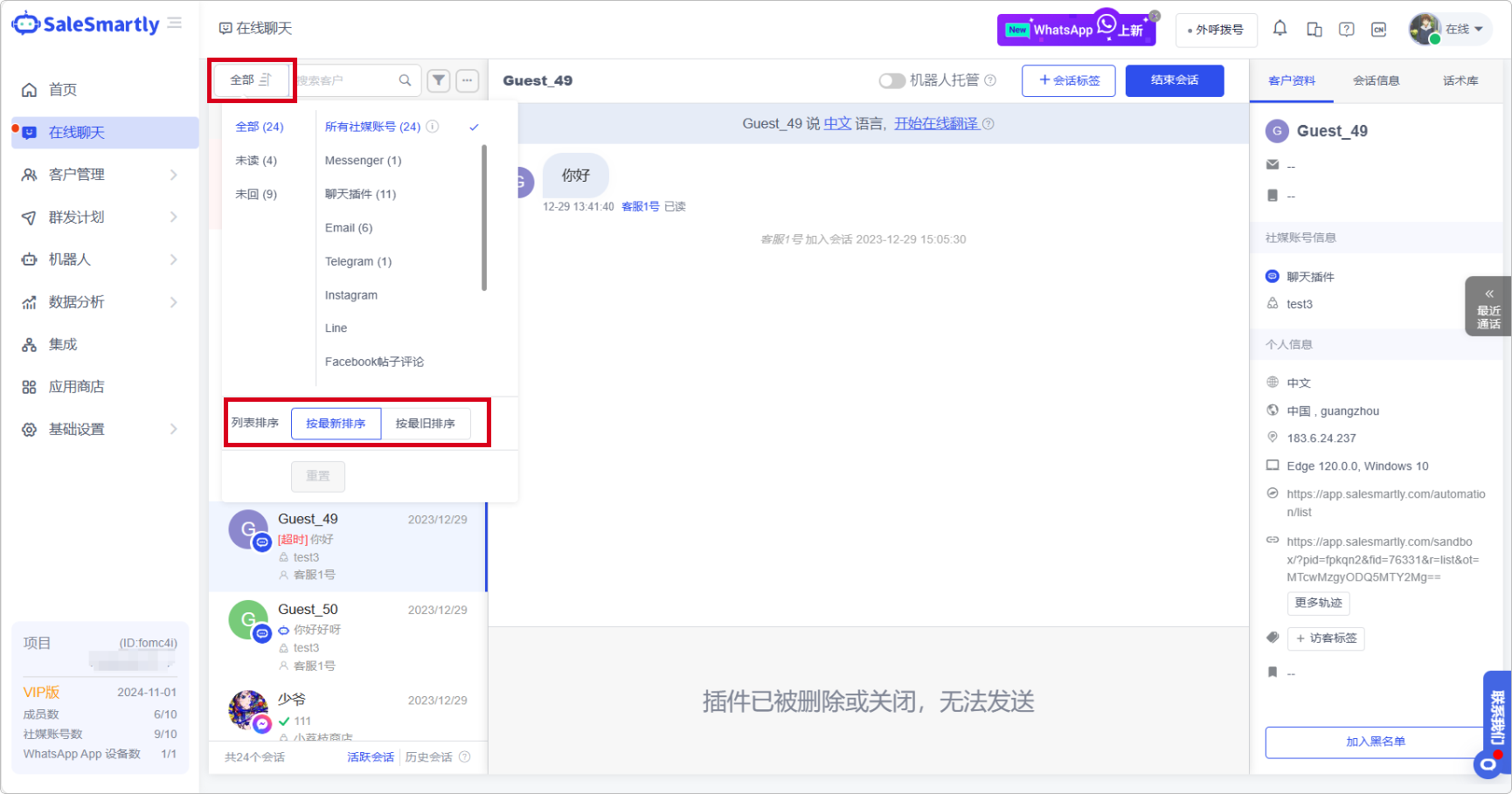
In Online Chat, the chat list now supports displaying messages in reverse chronological order, which improves your message retrieval efficiency.
Usage scenario: When you have too many chat sessions, you can switch to "Show by oldest" to facilitate you to retrieve the previous unanswered sessions and give priority to replying.
11. System Message Notification Feature
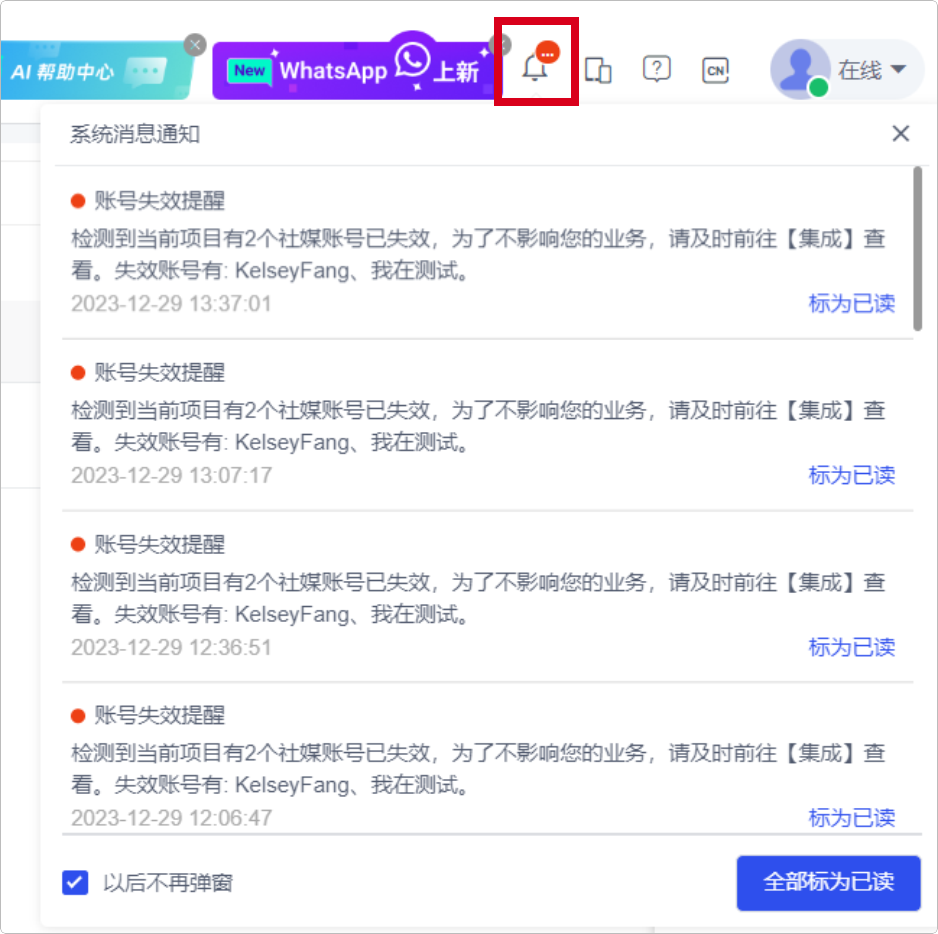
A new system message icon has been added to the top right corner. Click it to view notifications about invalid social media channel accounts.
Usage scenario: When your integrated social media account becomes invalid, the system notification will remind you so that you can find the invalid account in time to reduce the economic losses that may be caused by the invalid account.
12. External Request Actions Automation
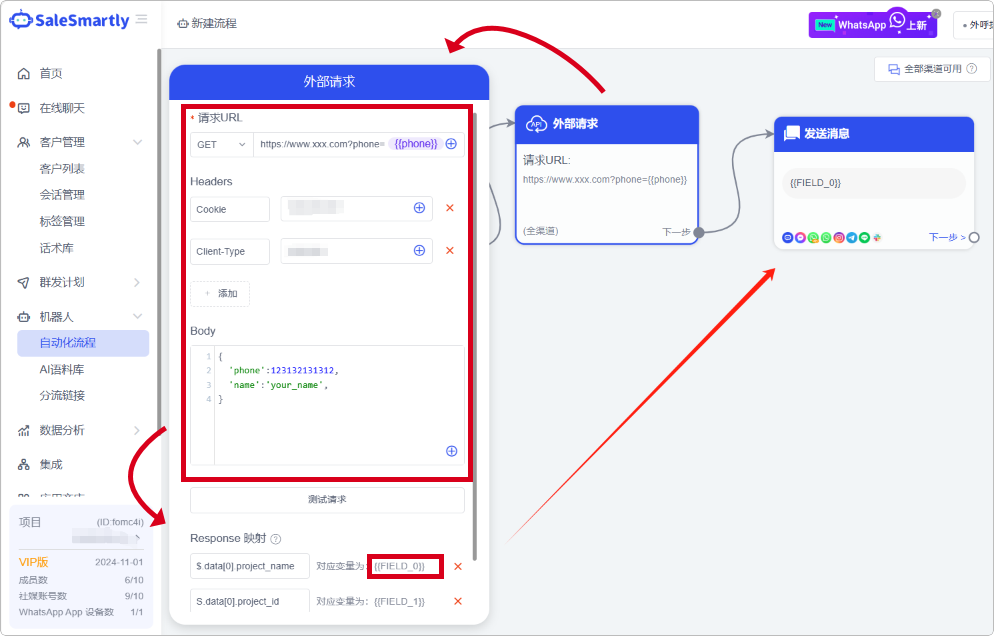
In Robot - Automated Process, you can call the third-party request URL in the automated process and obtain the callback result.
Usage scenario: You can call a third-party API in automation and send the callback result in the subsequent message sending action to meet your needs for retrieving data from a third-party platform.