WhatsApp App Features
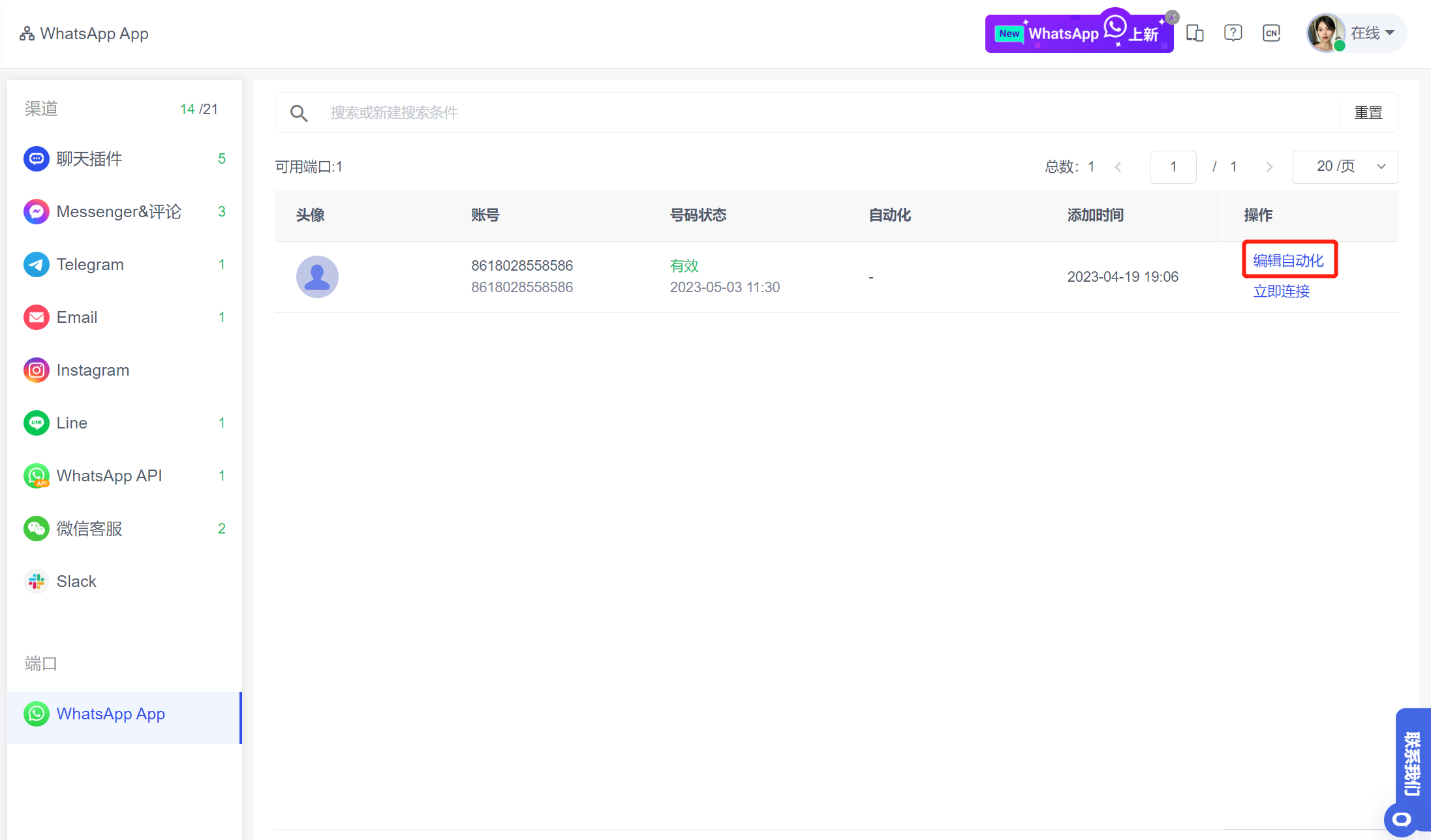
1. WhatsApp App Channel Supports Automation
On the Automation - Automated Process page, after creating an automated process, you can associate a WhatsApp account to trigger it, or directly associate the automated process with the WhatsApp App account list.
Usage scenario: Implement the robot automated reception function for WhatsApp accounts. It can automatically execute the sending script through triggers such as new visitors, keywords, timeouts, etc., to improve visitor reception efficiency.
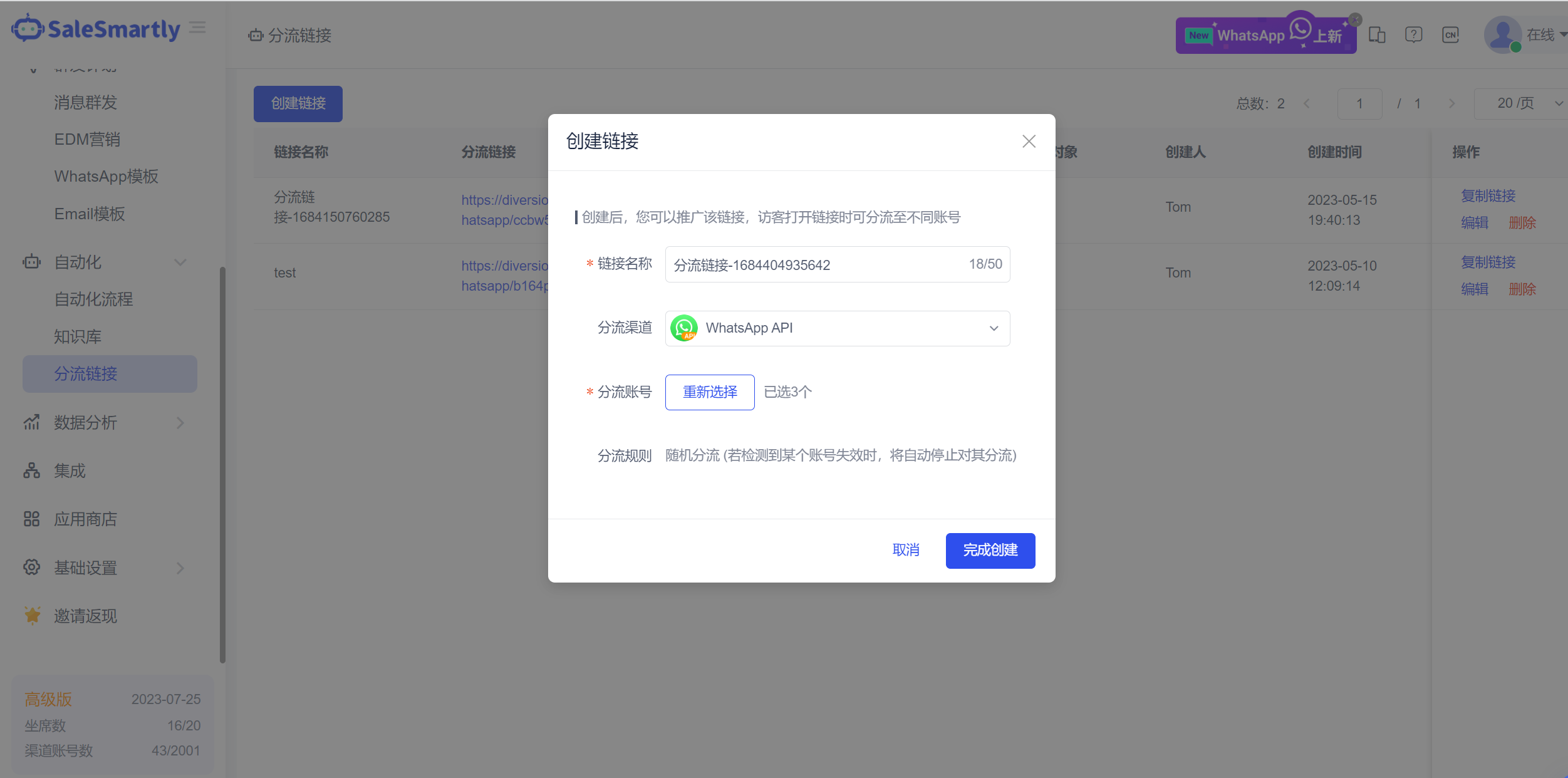
2. The Diversion Link Supports WhatsApp API Number
On the Automation-Diversion Link page, you can create diversion links for WhatsApp platform accounts, Cloud API accounts, and business accounts. When a visitor opens the diversion link, it can be automatically diverted to different API accounts; in addition, when an API account is detected to be invalid, the system will automatically stop diverting it, thus effectively taking over WhatsApp users.
Usage scenario: For players who receive traffic through WhatsApp API numbers, this function can be used to uniformly distribute traffic links and automatically divert accounts. During the link distribution process, you can also flexibly switch and divert WhatsApp accounts to reduce the risk of account suspension.
3. WhatsApp App Supports Group Messaging
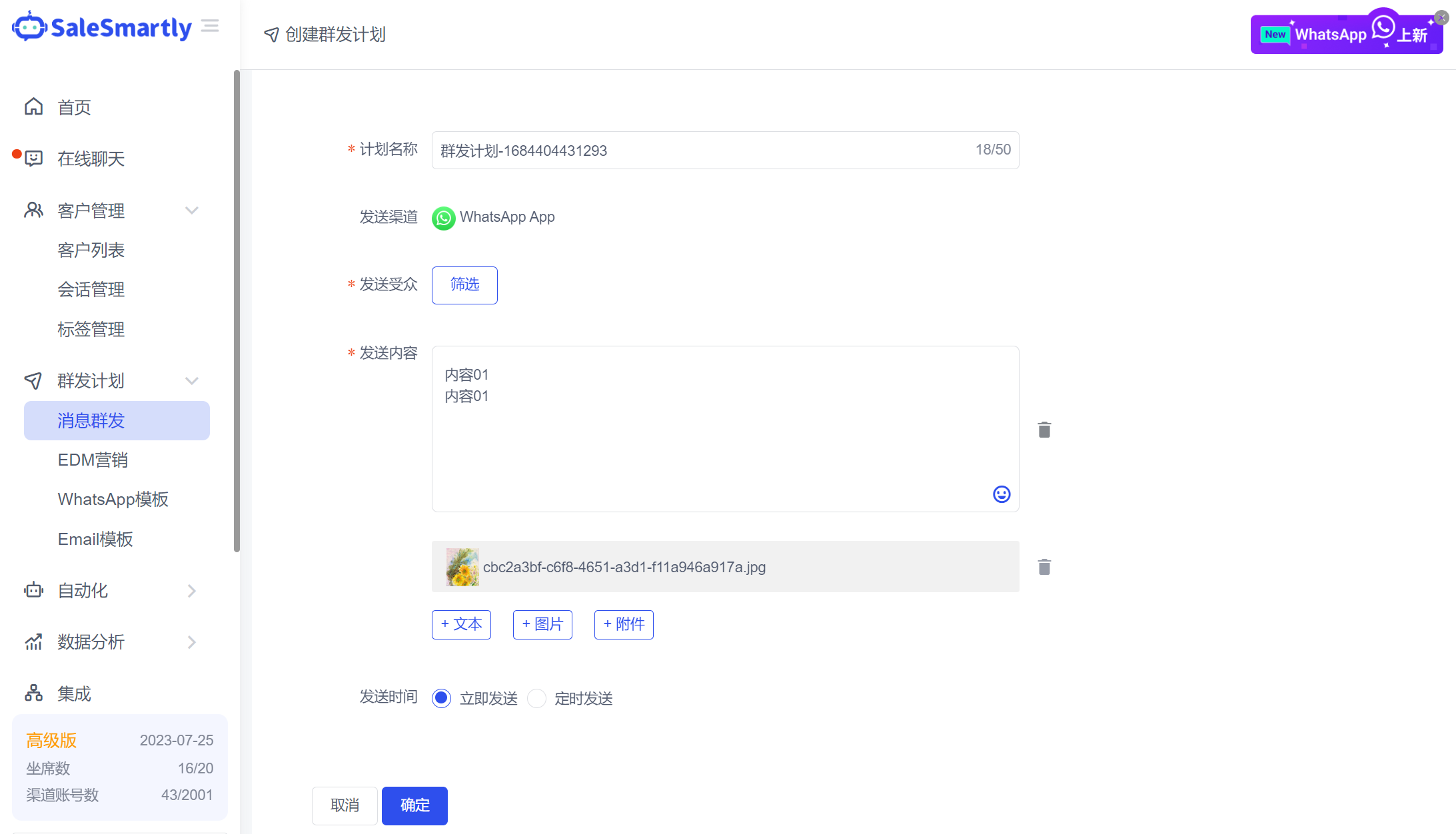
In Mass Message Plan - Mass Message, you can create a mass message plan based on a WhatsApp account; the mass message audience type can be selected as contacts, groups/communities, and batch mass messages can be sent.
Usage scenarios: Enrich the marketing capabilities of WhatsApp account players, and broadcast discount/promotion information and other event information around private domain fans.
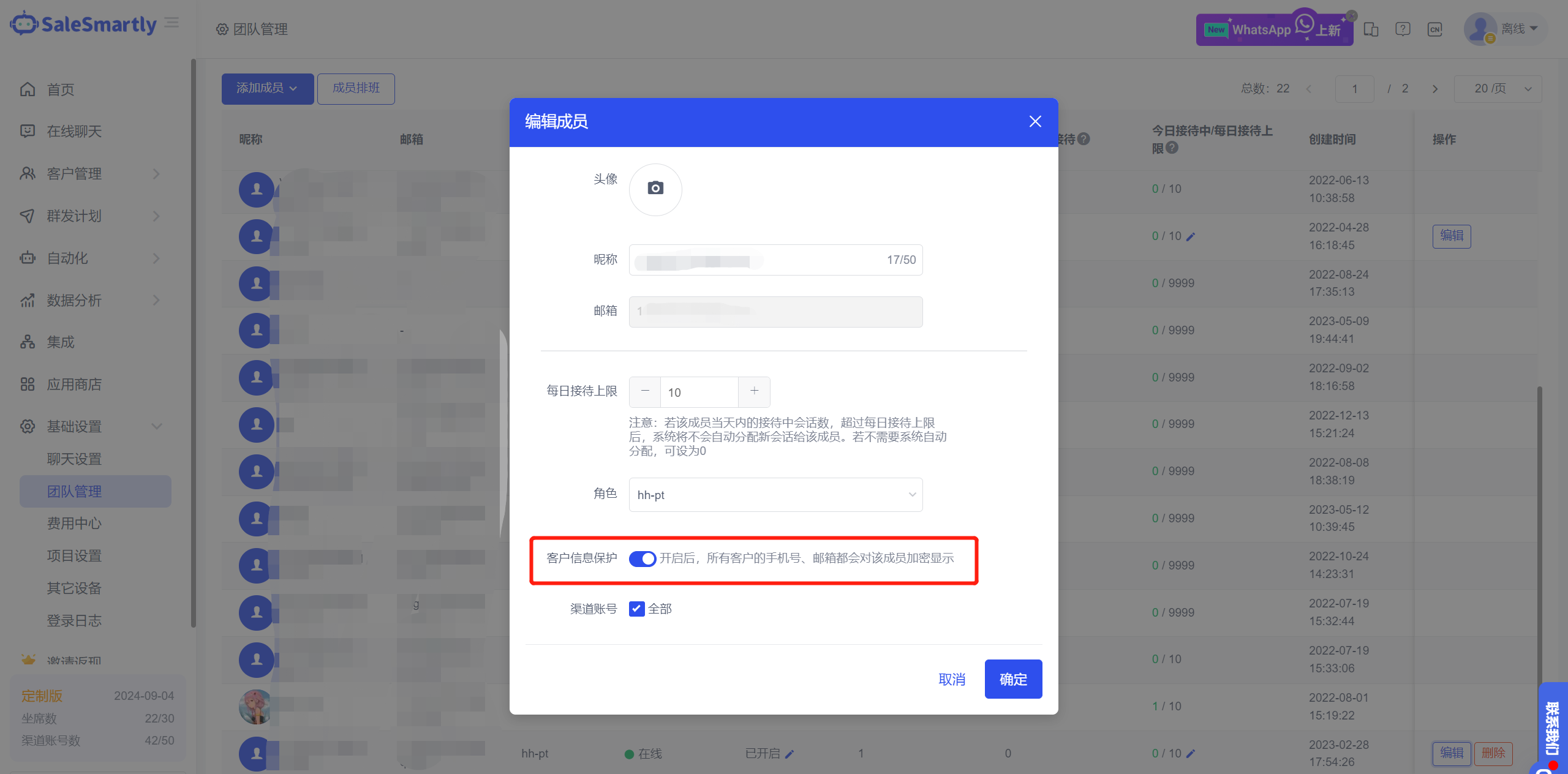
4. Customer Information Protection
In Basic Settings - Team Management, you can set the "Customer Information Protection" switch for members. Once turned on, the mobile phone and email information of all customers in the Online Chat module will be displayed encrypted to this member.
Usage scenario: For merchants who value customer asset protection, this switch can be set to prevent employees from taking away customer contact information when they leave the company.
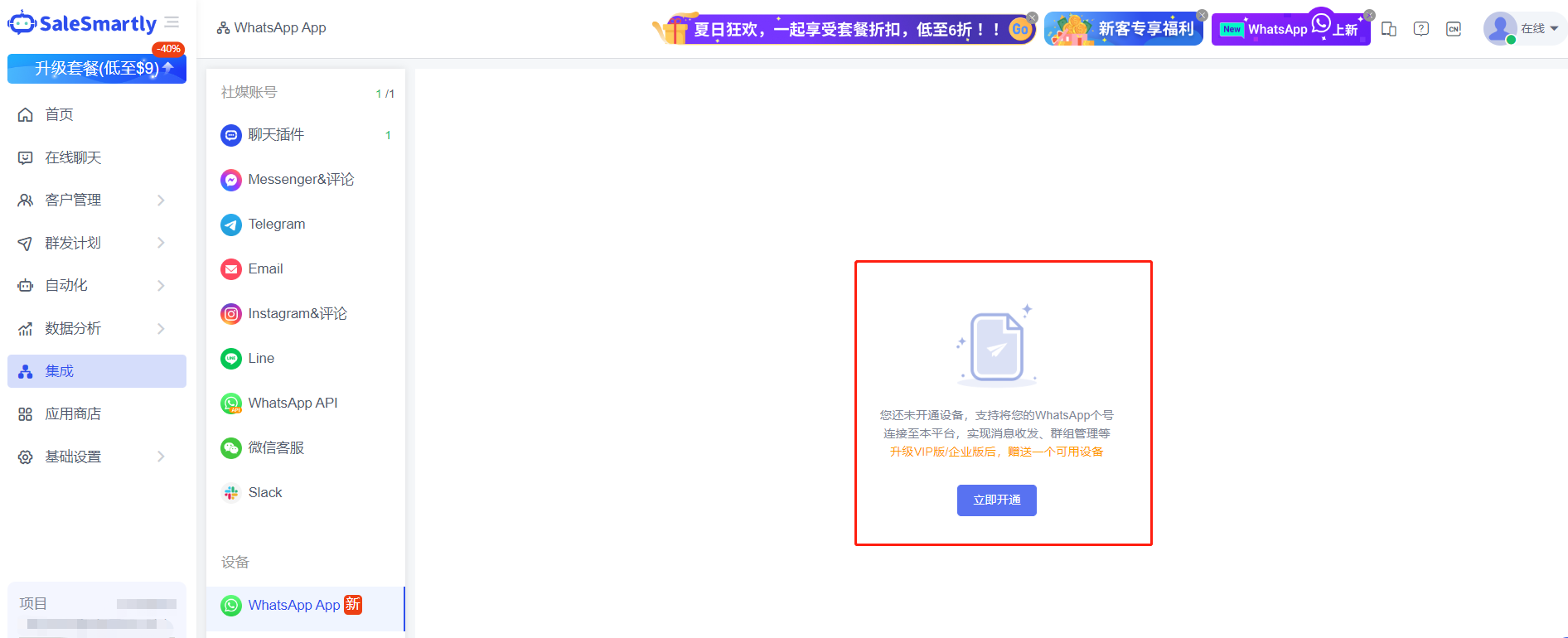
5. Quickly Activate WhatsApp Personal Number Device
In Integration - WhatsApp App, as long as you upgrade to the premium package, you will be given a WhatsApp device by default. As shown in the figure below, click Activate Now to directly obtain the WhatsApp device and scan the code to connect.
Usage scenario: It is convenient for merchants to quickly experience the functions of the WhatsApp App channel. They can activate WhatsApp devices by themselves and experience it immediately without contacting manual customer service.
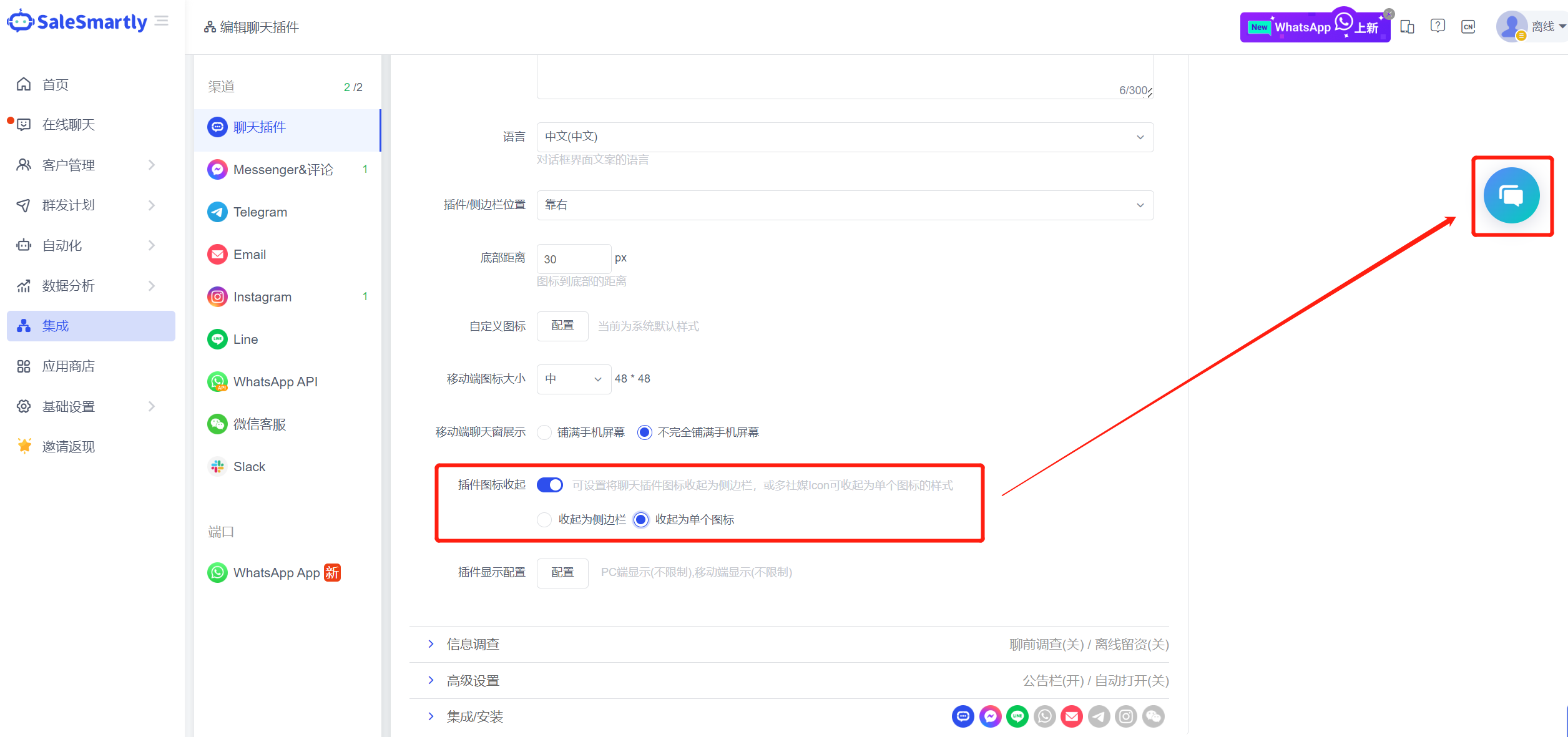
6. Website Traffic Icon Can Be Collapsed Into a Single Icon
In Integration-Chat Plugin, you can set the chat plugin icon to be collapsed into a single icon.
Usage scenario: If your chat plug-in has multiple social media traffic icons enabled, you can collapse them into a single icon to avoid your website having too many traffic icons and affecting the visitor's browsing experience.
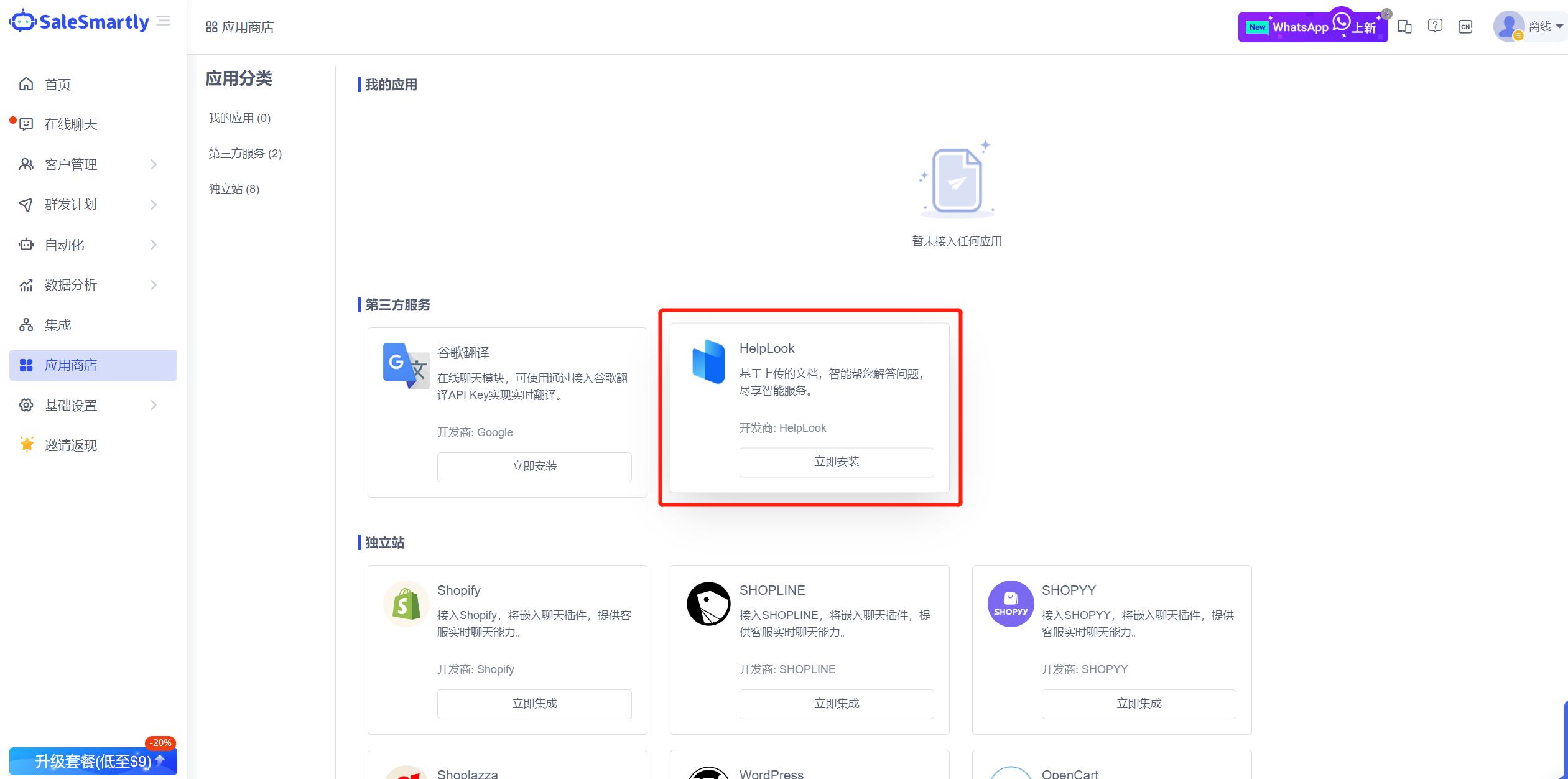
7. HelpLook Is Now Available on the App Store
In the App Store, you can install the HelpLook App and use the HelpLook AI knowledge base and automatic reply function (using ChatGPT 3.5).
Usage scenario: You only need to import the knowledge base content on the HelpLook platform, and then you can use ChatGPT capabilities to automatically and intelligently reply to messages from visitors of the chat plug-in channel (currently only supports the chat plug-in channel).
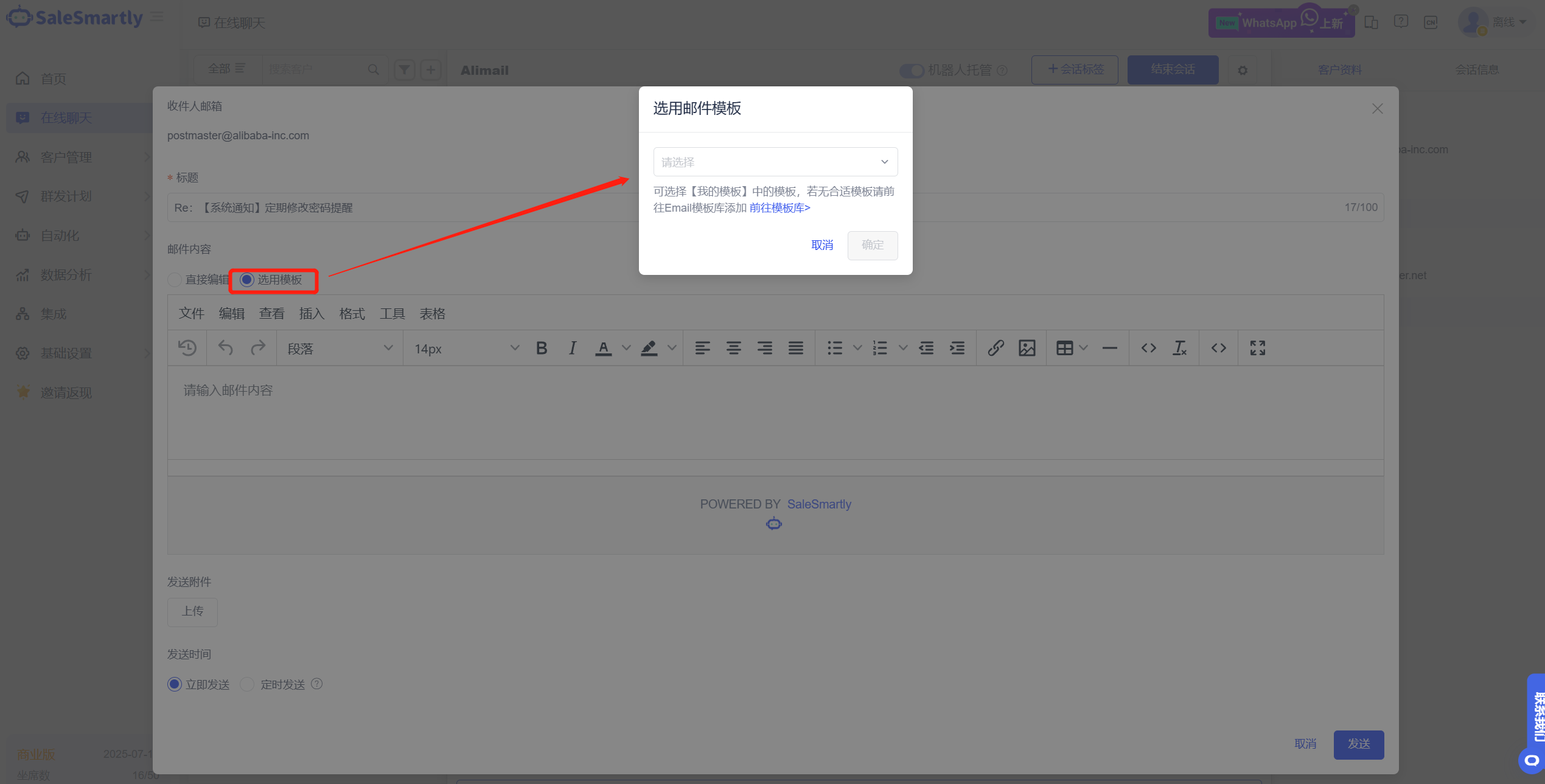
8. Email Channel Supports Template Selection
In the conversation of the Online Chat Email channel, you can use templates to send emails.
Usage scenario: By sending your preset template content and style, you can present your brand sense in the reply email content and provide a good reading experience for the recipients.
9. WhatsApp App Device Supports Reset
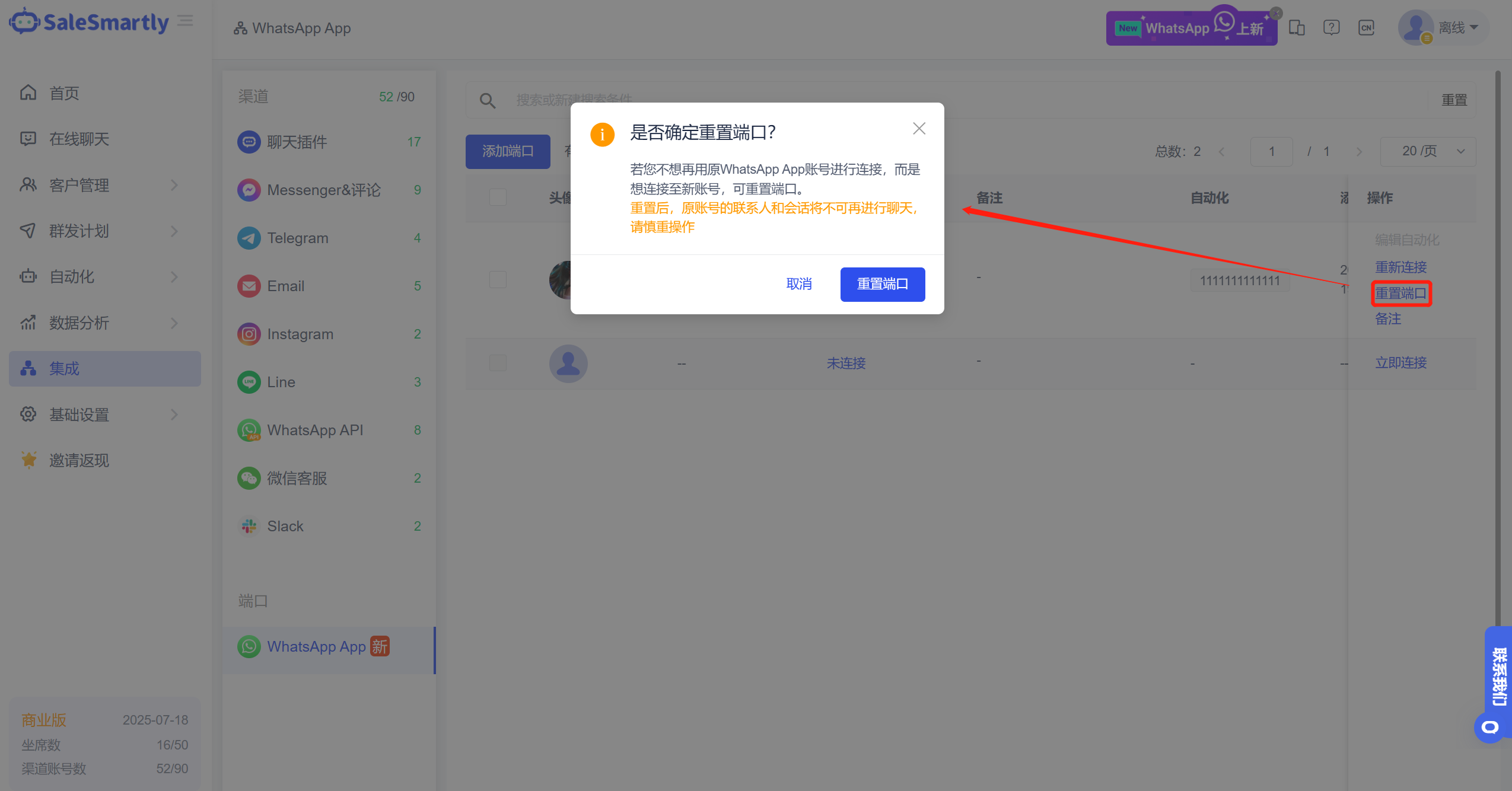
In the Integration-WhatsApp App list, you can reset the device for an expired account.
Usage scenario: If you no longer want to connect with the original WhatsApp App account, you can connect to the new account after resetting the device.
10. Automated Keyword Trigger Optimization
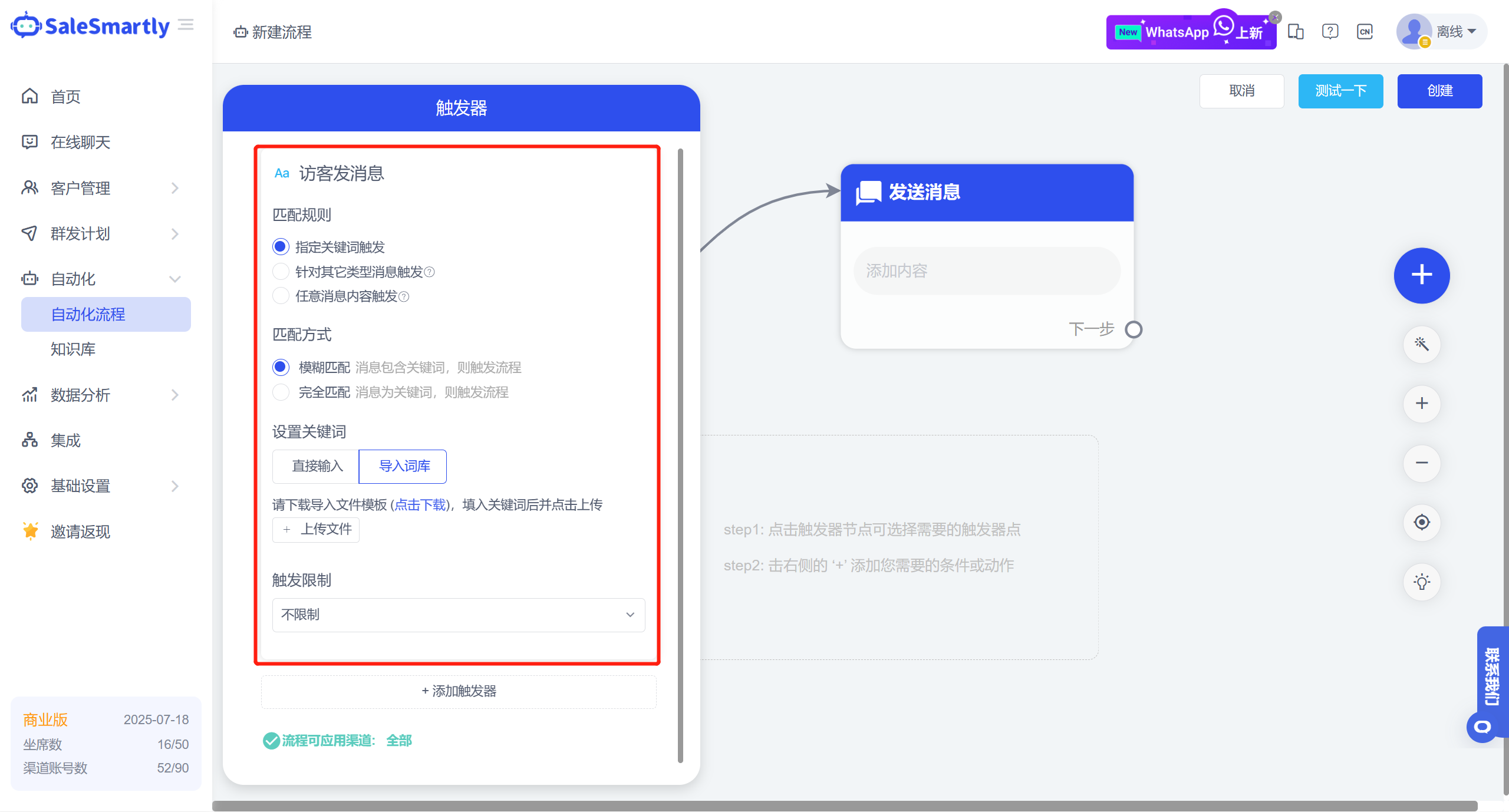
In Automation Edit - Visitor Message Trigger (original keyword trigger), you can flexibly select matching rules:
- Specified keyword trigger: You can add multiple keywords, add the import function, and import keyword tables in batches
- Trigger for other types of messages: You can select link, image/video/attachment type, that is, when the visitor sends a message of the corresponding type, the automation will be triggered
- Trigger with any message content: Any message sent by a visitor will trigger automation
Usage scenario: For the control of comments on FB advertising posts, it can quickly identify and hide negative comments, maintain the comment area of the post, and increase users' trust in the products you put on the market.
11. Unassigned Conversations Can Be Marked as Unread
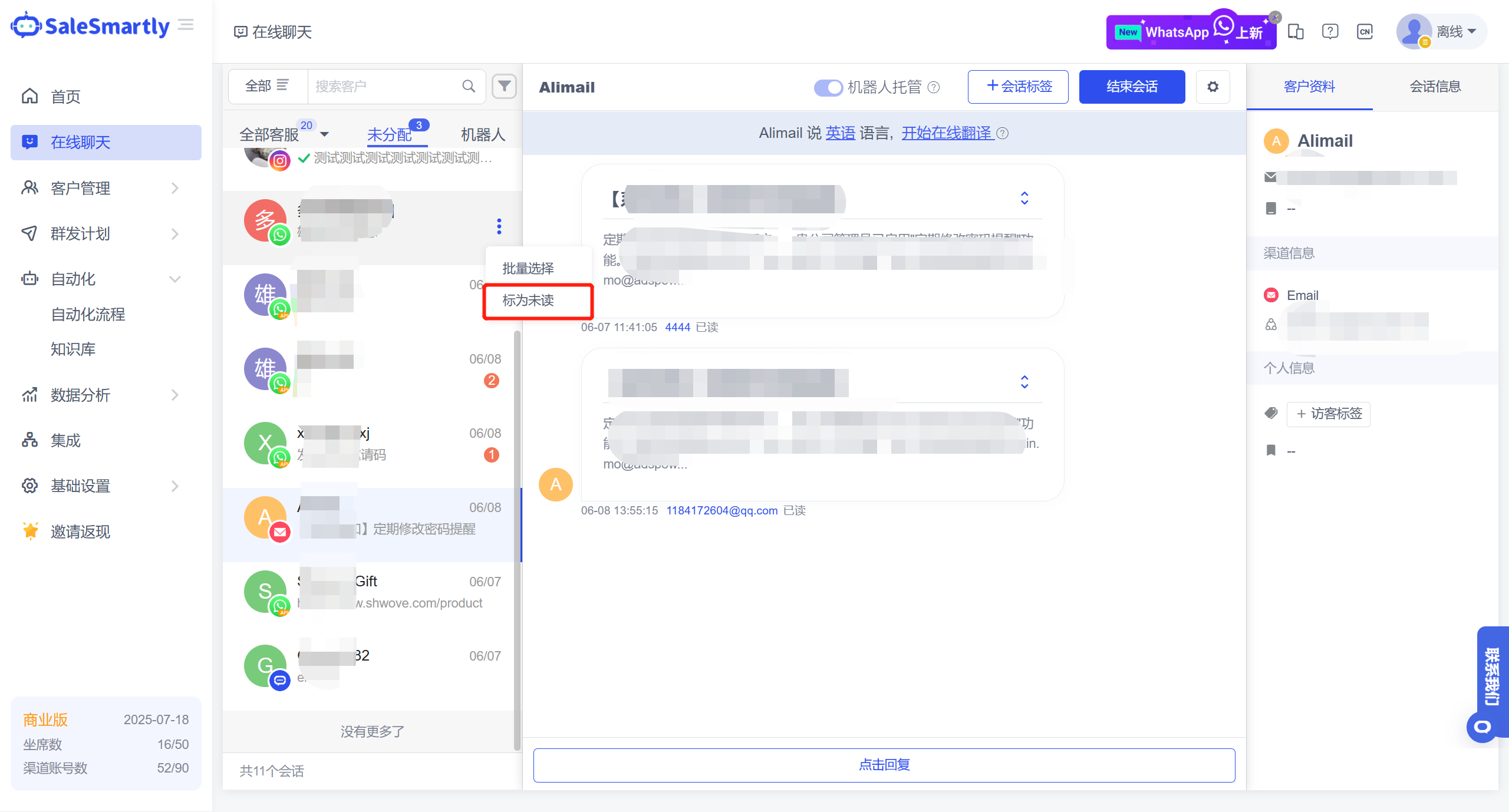
In the Online Chat unassigned tab, you can mark the read conversations as unread/mark them in batches as unread.
Usage scenario: When an agent views an unassigned conversation, it can be marked as unread and handled by another agent.
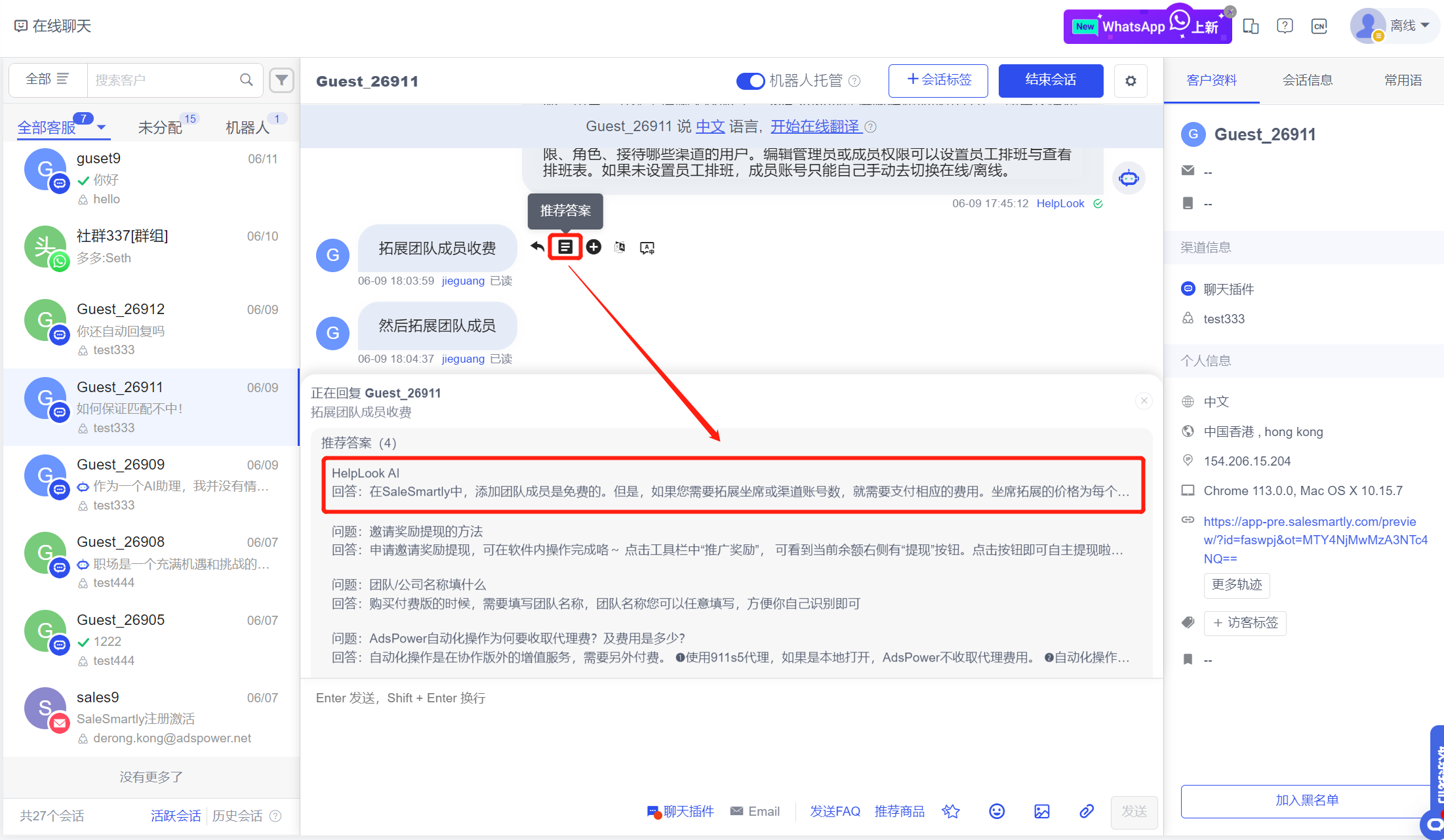
12. HelpLook App Supports Recommended Answers
After you install the HelpLook App in the App Store and check the recommended answer function, you can click the recommended answer for each message sent by the visitor in the Live Chat to get the answer generated by HelpLook (using the ChatGPT 3.5 model).
Usage scenario: In manual reception scenarios, you can improve customer service response efficiency by clicking on recommended answers.
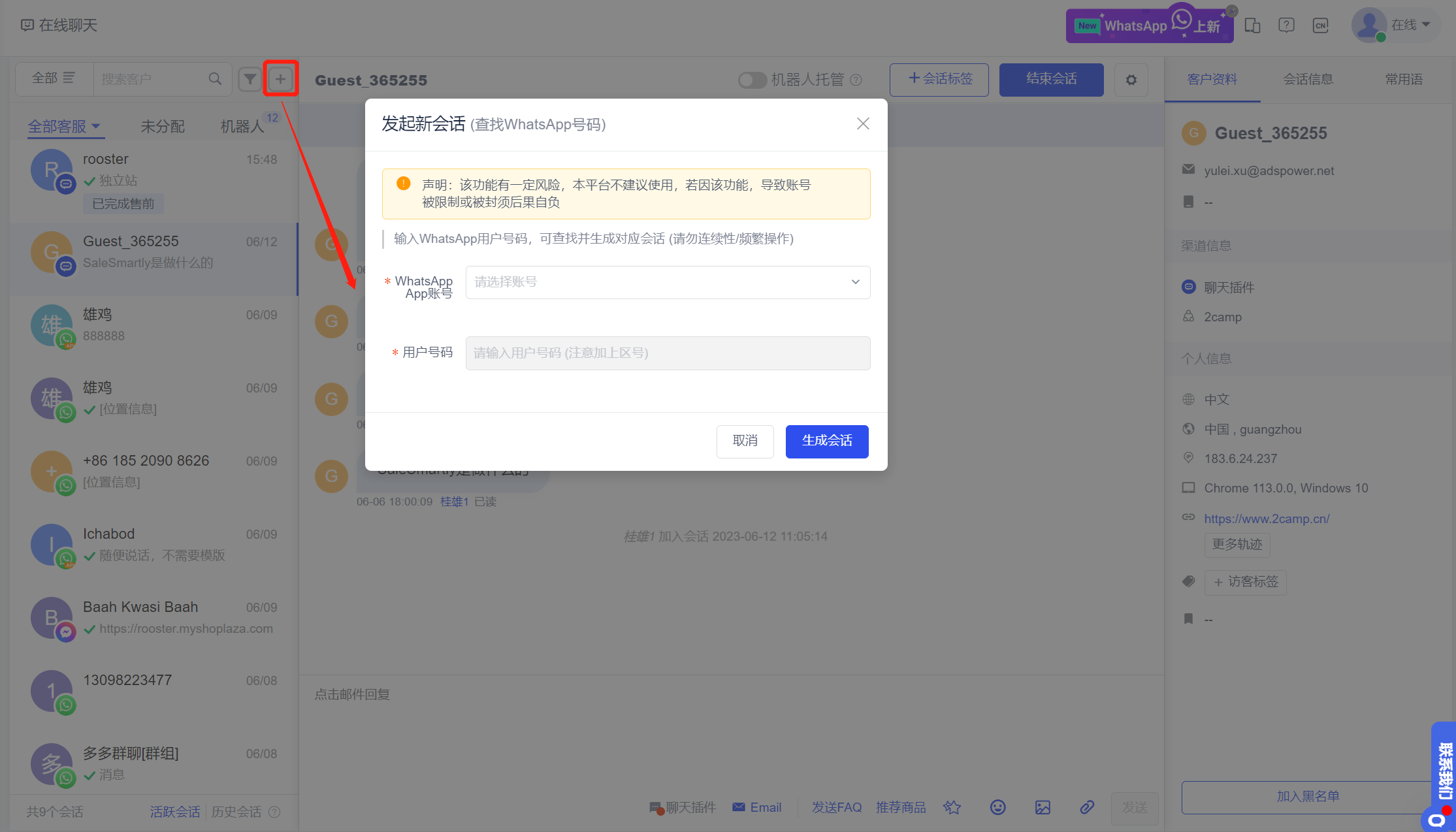
13. WhatsApp App Supports Initiating Chats with Unknown Numbers
In the Online Chat interface, you can quickly start a chat based on the WhatsApp App account by entering an unfamiliar number (note that this function entrance will only be displayed after the WhatsApp App port is opened).
Usage scenario: After obtaining the customer's contact information, the salesperson can use this function to initiate a chat with the customer on WhatsApp, solving the problem of not being able to proactively contact an unfamiliar number.
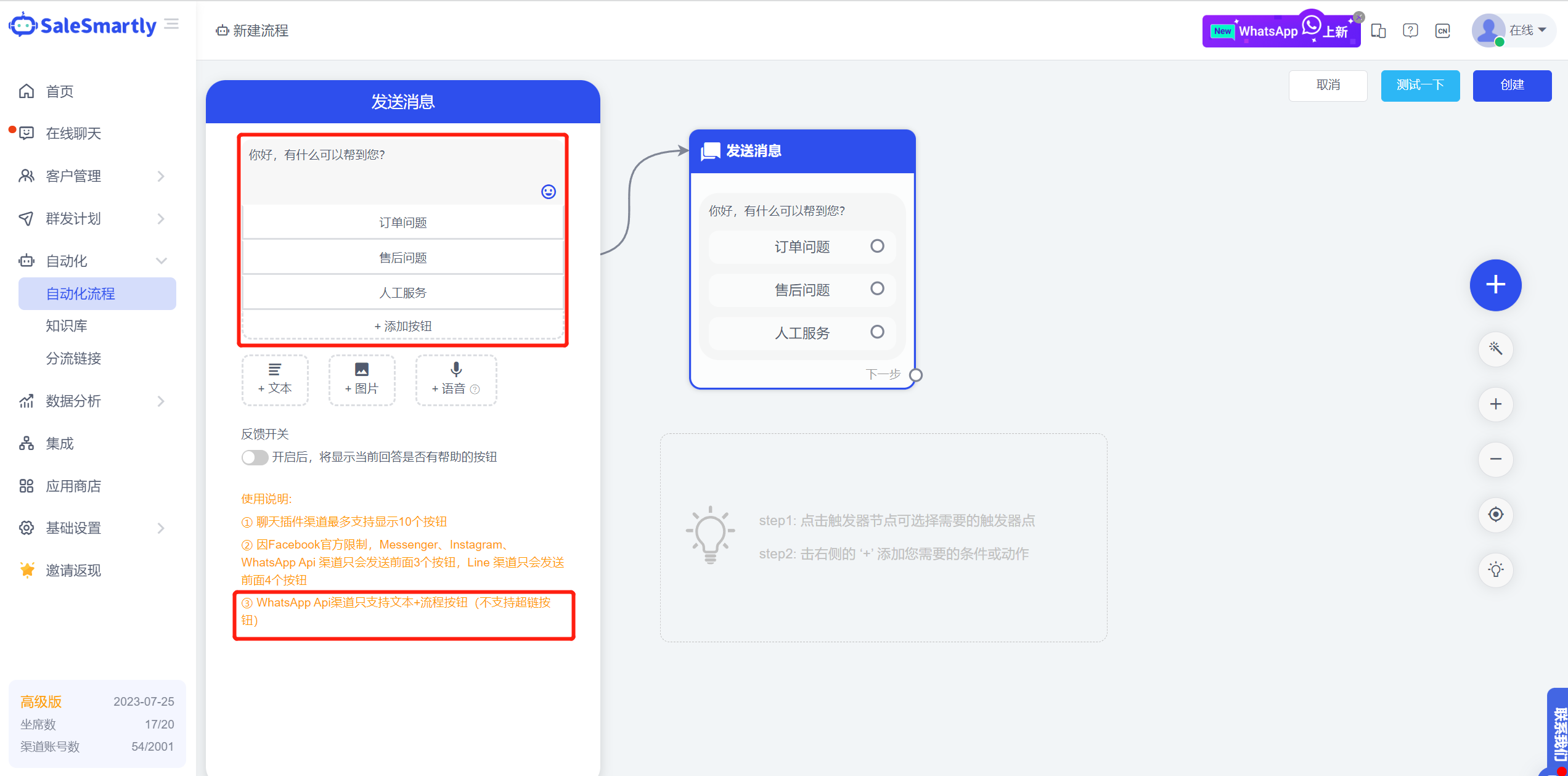
14. WhatsApp API Number Supports Send Message Button
In the Automation editing interface, the Send Message Action can be configured with text + button, and compatible with WhatsApp API number display.
Usage scenario: After a visitor triggers the automation, your WhatsApp API number can send a message template with a button to the visitor for free, and after the visitor clicks the button, the corresponding branch of the content can be automatically sent. At this point, you can configure a refined self-service consultation process for the WhatsApp API number.
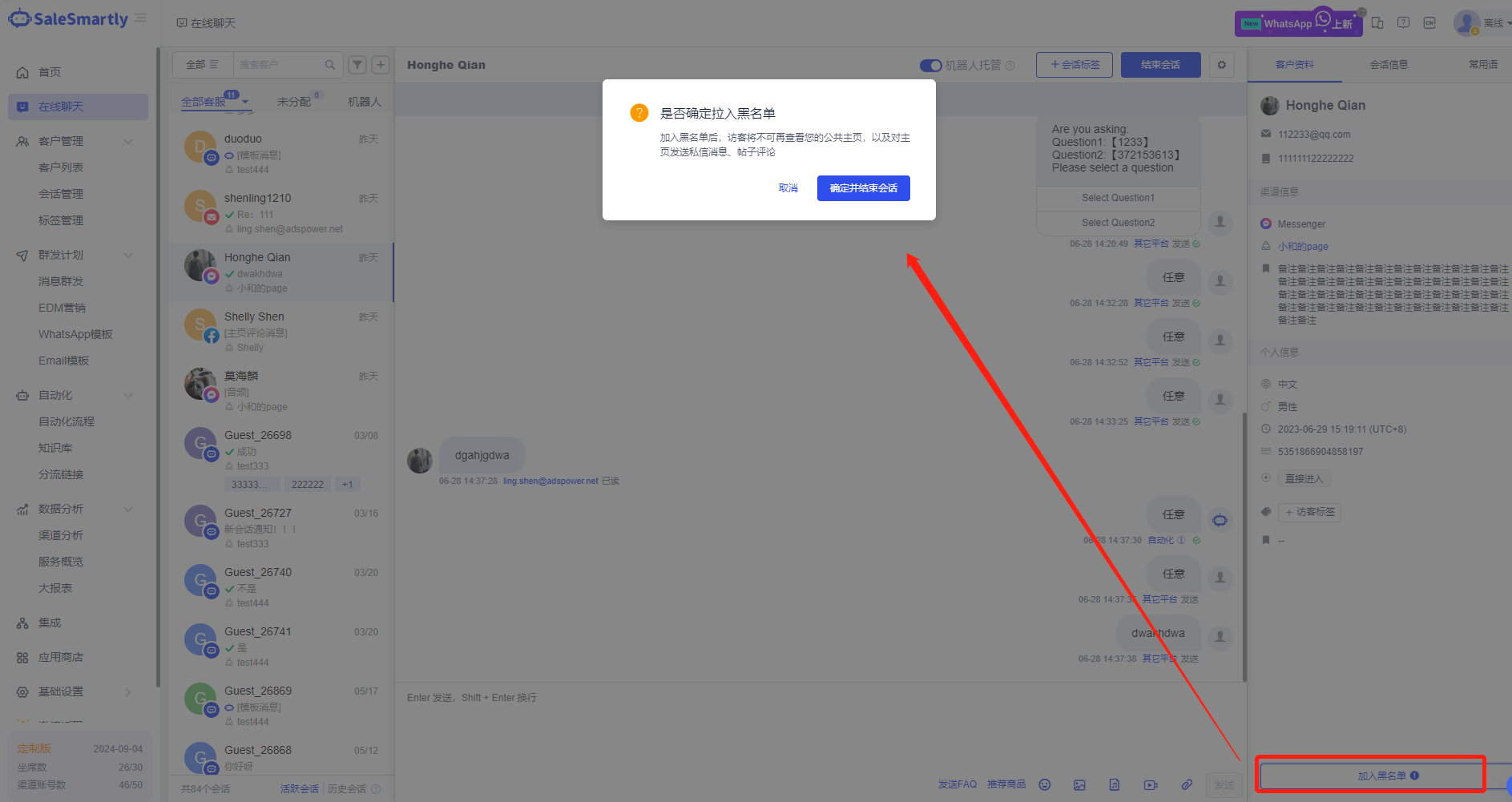
15. Facebook Supports Blocking Users
In the conversation interface of the Online Chat Facebook comments and Messenger channels, you can add users to the blacklist with one click.
Usage scenario: For customers who often post malicious comments on the merchant's Facebook page, frequently send unreasonable private messages, deliberately spread false information or slander the merchant, the merchant can choose to block these customers with one click in the chat interface to prevent their further malicious harassment, protect their own interests and avoid malicious harassment.
16. WhatsApp Accounts Support Displaying Read Messages and Quoting Replies
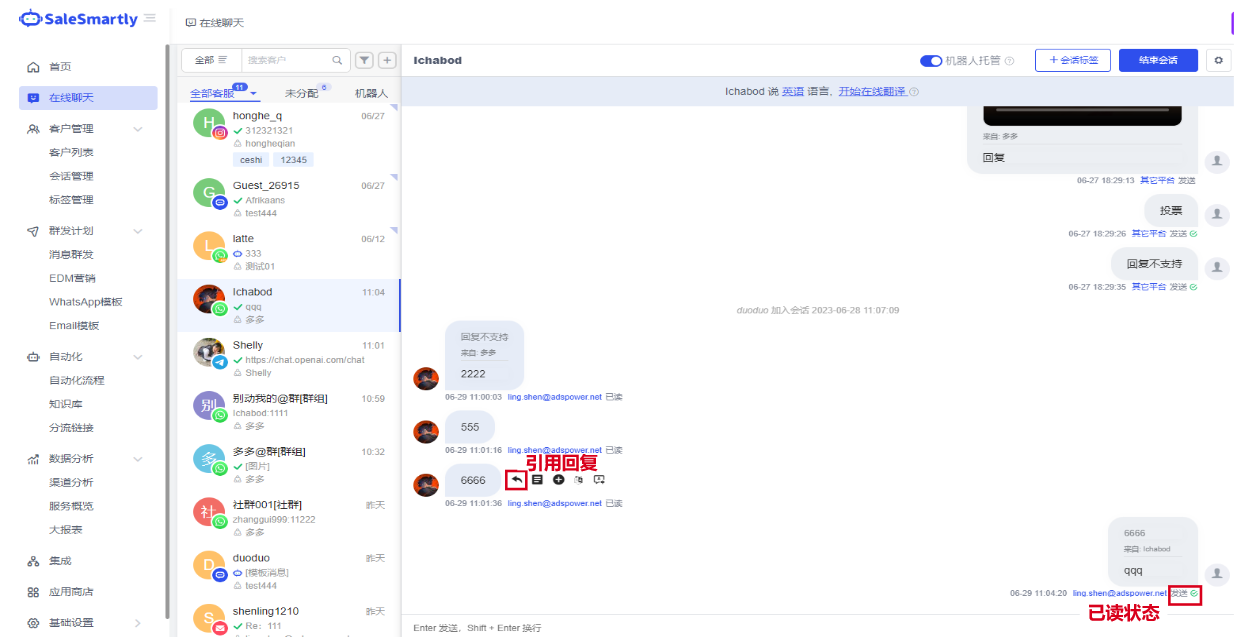
In the Online Chat template, a new message read function has been added for WhatsApp accounts. After the customer service sends a message, you can see whether the other party has read the message. At the same time, it supports quoted replies to the above chat message.
Usage scenario: Messages have been read, which makes it convenient for customer service staff to confirm the delivery of their messages. Through message references, customers can view the content of the message quoted by the customer service when replying, to prevent information asymmetry in communication between the two parties.
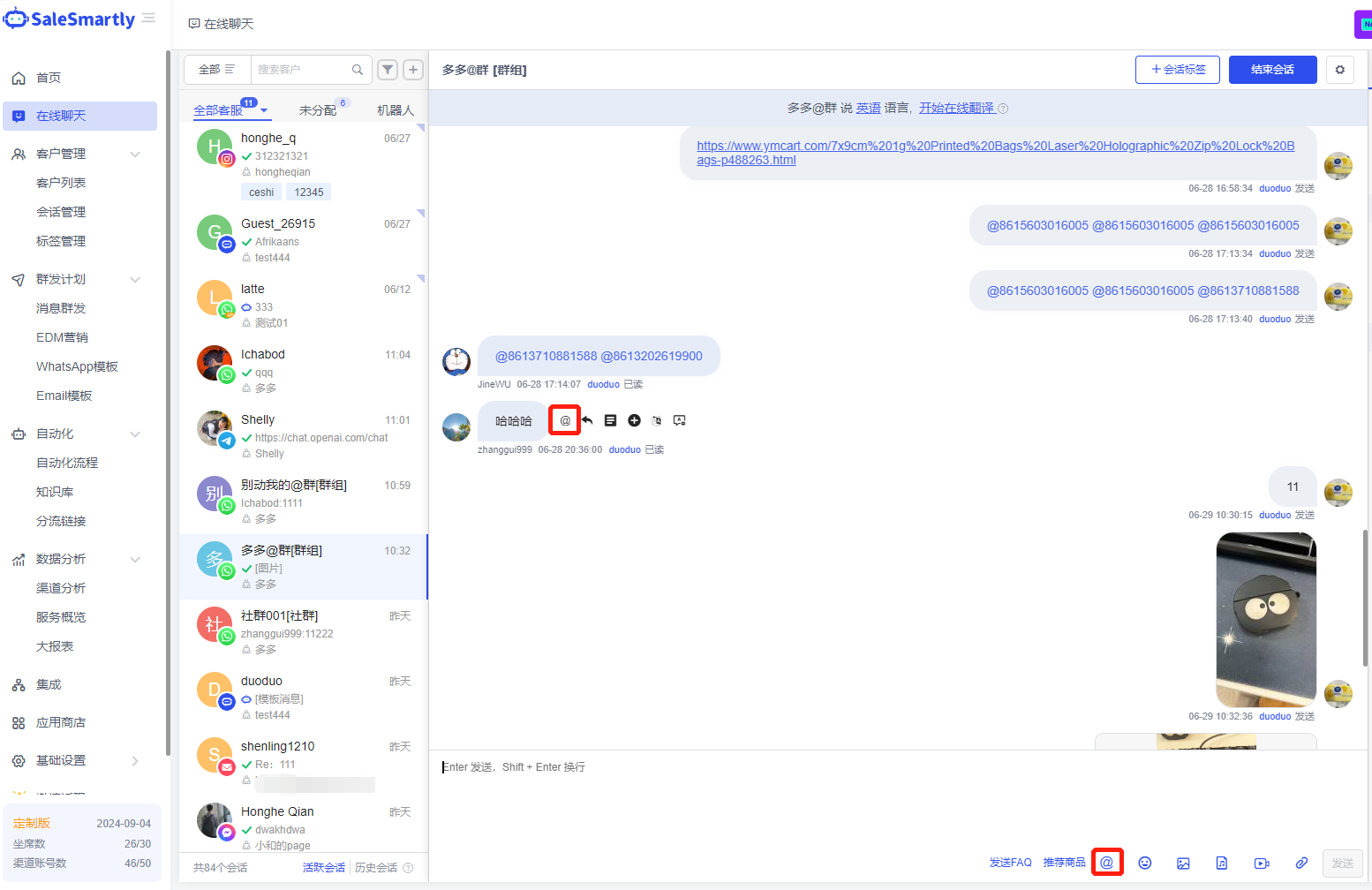
17. WhatsApp Individual Group Supports Tagging Members
In the Online Chat WhatsApp individual channel, for group-type conversations, it supports tagging members.
Usage scenario: Customer service can tag members in the WhatsApp group to make their reply messages more targeted and remind corresponding members.