AI Robots Upgrade
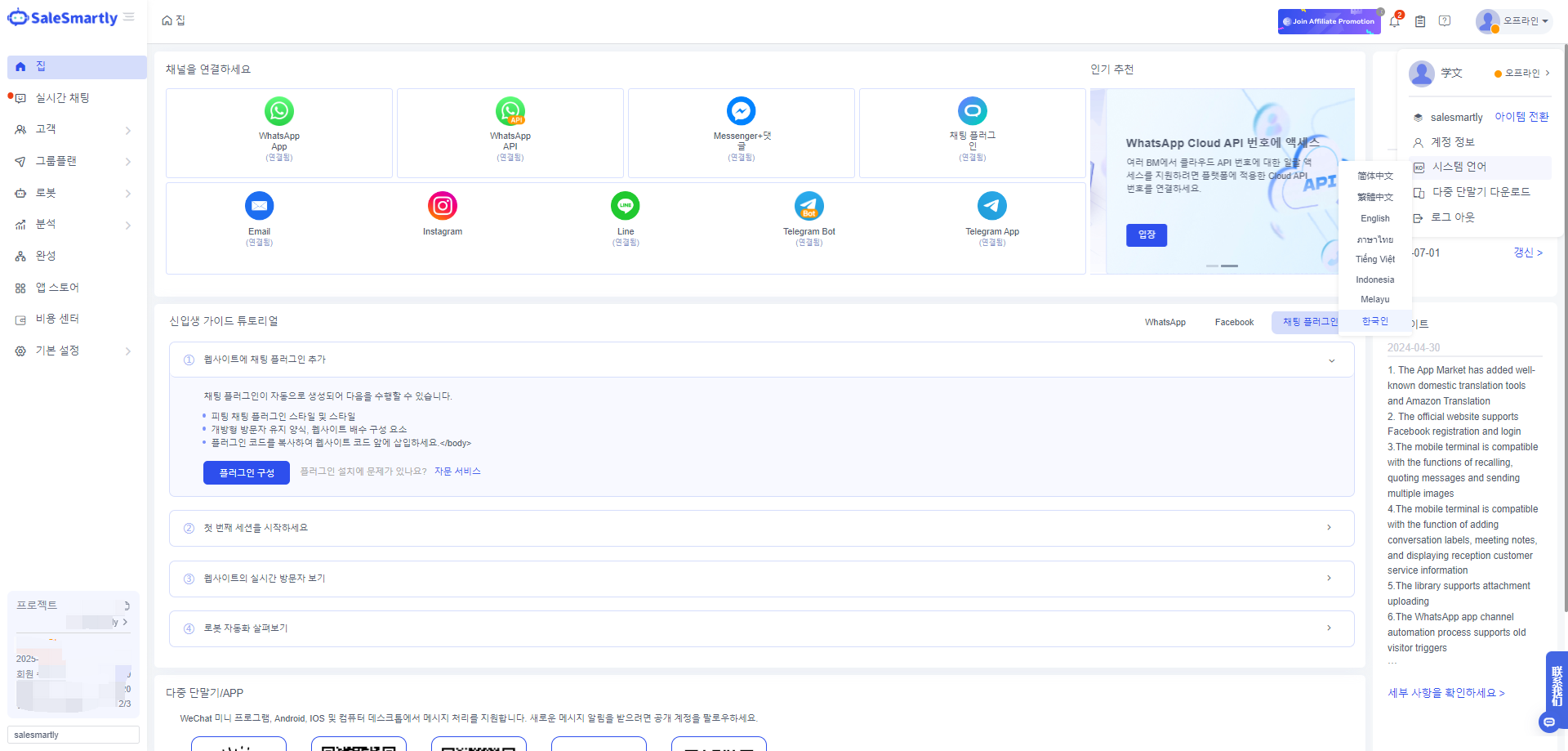
1. System Language Support Switched to Korean
In Personal Center - System Language, Korean is added as the system language to facilitate Korean users to use the system.
2. Password Modification Adds Verification Code to Reset Password
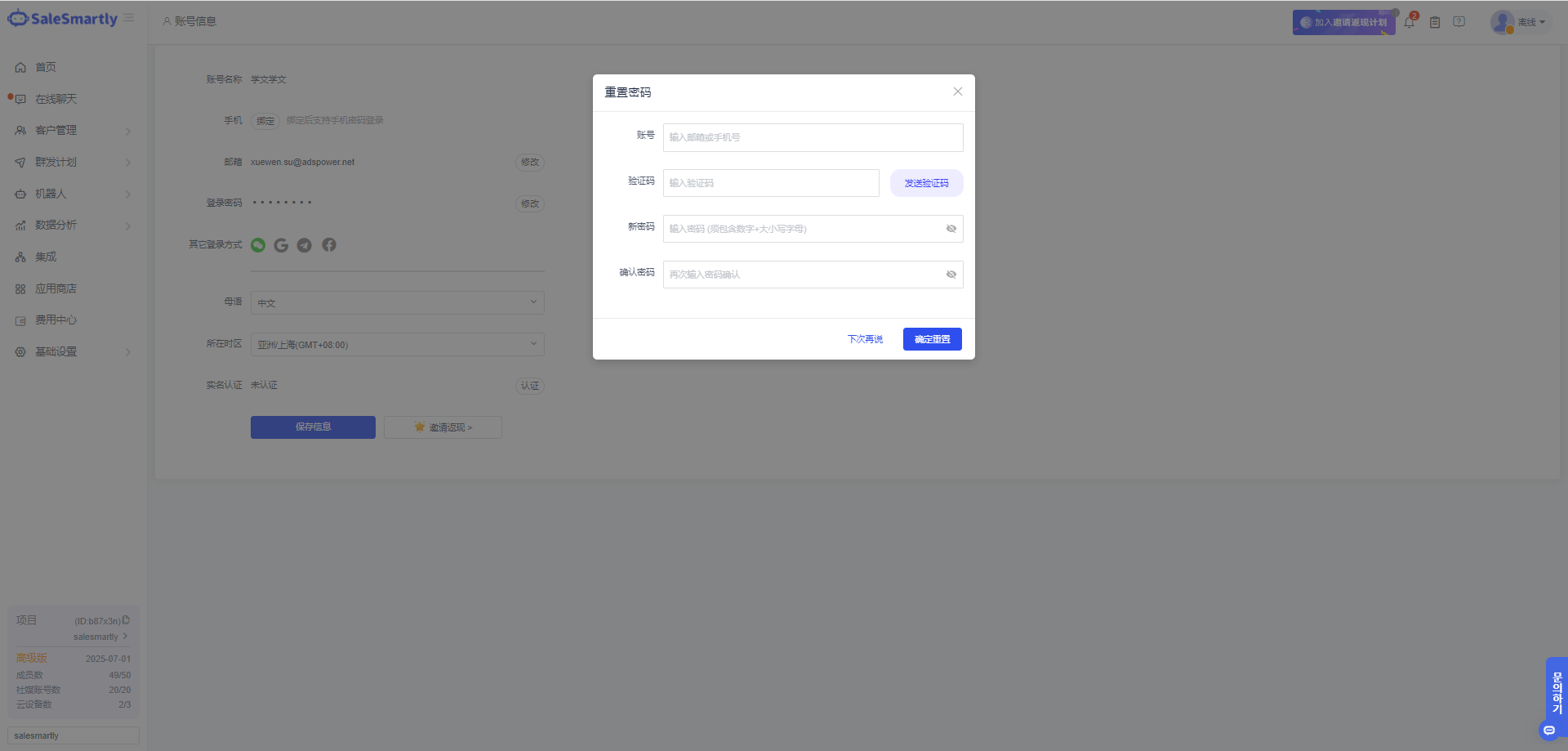
In Account Information - Change Login Password, you can now reset your password via email or mobile phone number to solve the problem of being unable to change your password when you forget your old password.
Usage scenario: Solve the problem of being unable to reset passwords due to forgetting old passwords due to default login or other registration methods in daily use.
3. WhatsApp API Number Purchase New Template Number
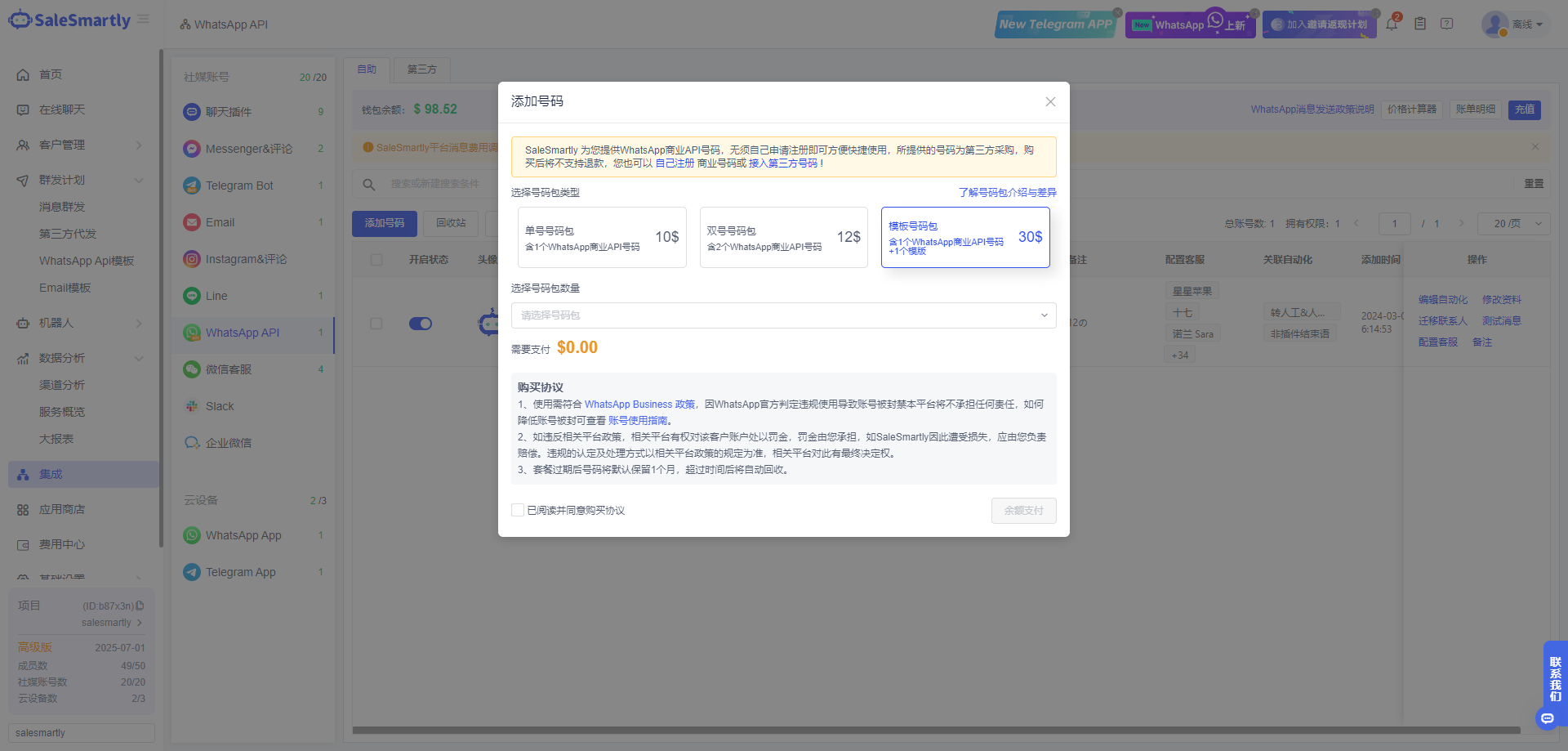
In Integration - WhatsApp Api self-service number purchase, new single numbers and template number packages have been added to meet the needs of purchasing different types of numbers.
Usage scenario: For customers who have trouble registering and applying for templates, they can purchase a number package to quickly start the business. They can use it conveniently and quickly without having to apply for registration themselves.
4. Automatically End the Session
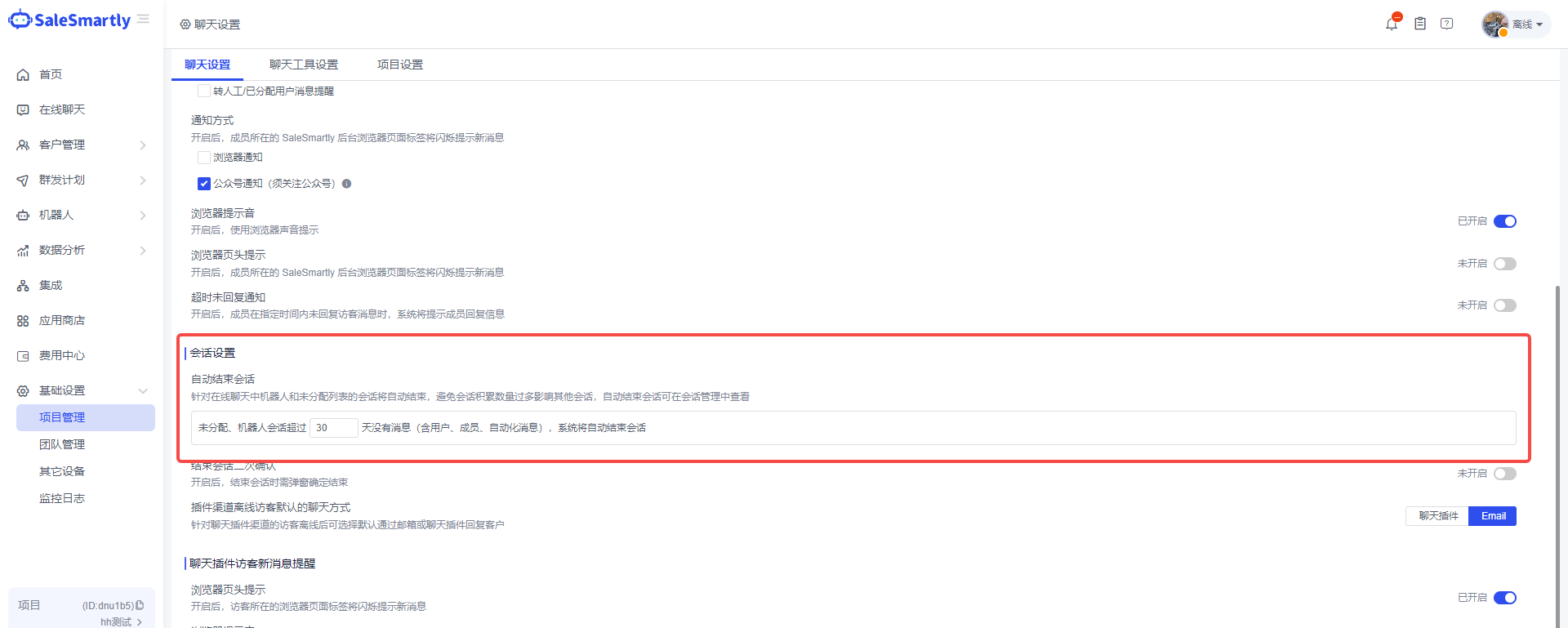
A new automatic session end setting has been added in Basic Settings - Project Management Chat Settings, which supports custom configuration time.
Usage scenario: Online chats to be assigned and robot conversations often have invalid conversations where customers do not reply or are offline. This configuration will automatically end the conversations to avoid excessive accumulation of conversations that affect other conversations. The automatically ended conversations can be viewed in the conversation management.
5. AI Robots
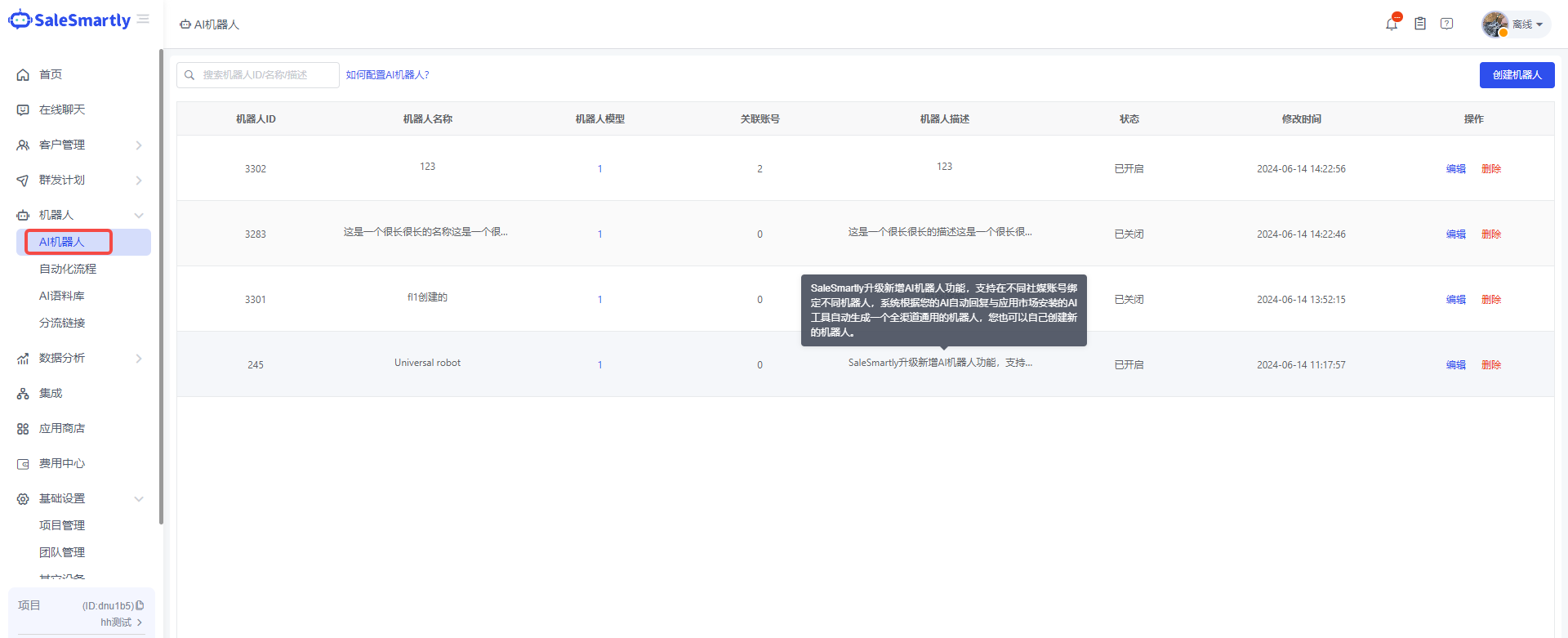
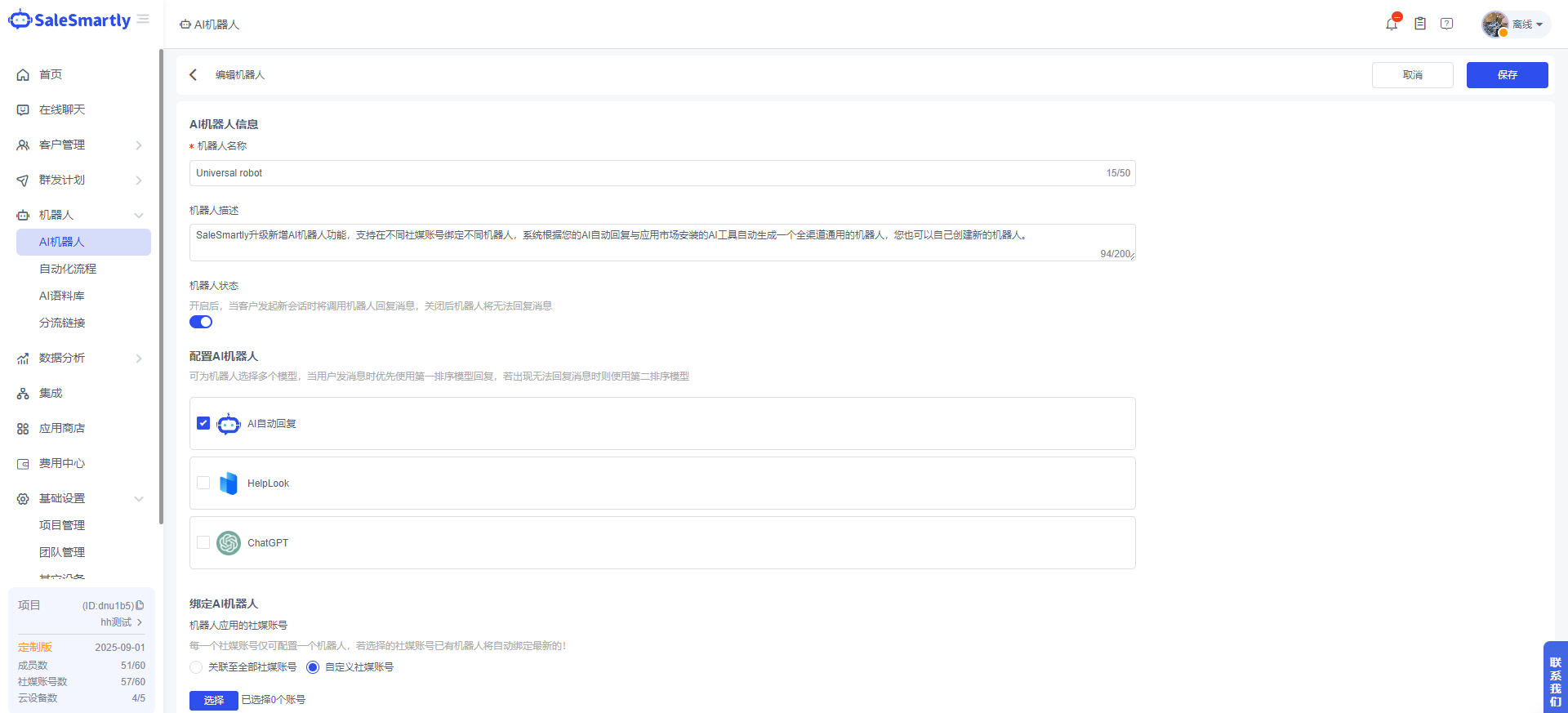
A new AI robot module has been added in Robot, which supports configuring third-party AI models such as Chat gpt and helplook into robots and connecting them to different social media channels for use.
Usage scenarios: AI robots can combine AI applications such as Chat gpt, Helplook, system AI automatic reply, etc. installed in the app store into a chat robot, and support use in designated social media channel accounts.
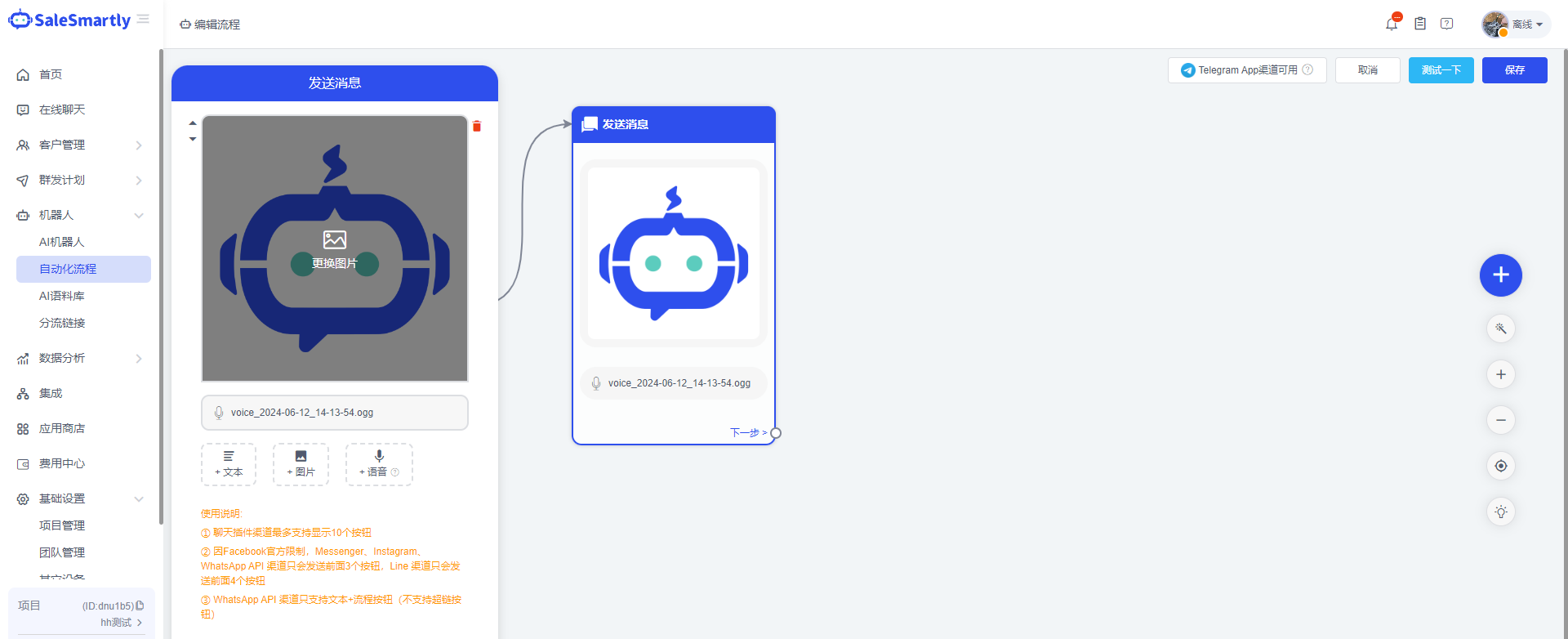
6. Automated Image Replacement
In Robot-Automatic message sending, you can change pictures without deleting the message module and uploading it again.
Usage scenario: If the image in the message being sent has a button-associated process, deleting the image requires resetting the process. By replacing the image, the original image can be directly replaced without repeated configuration.
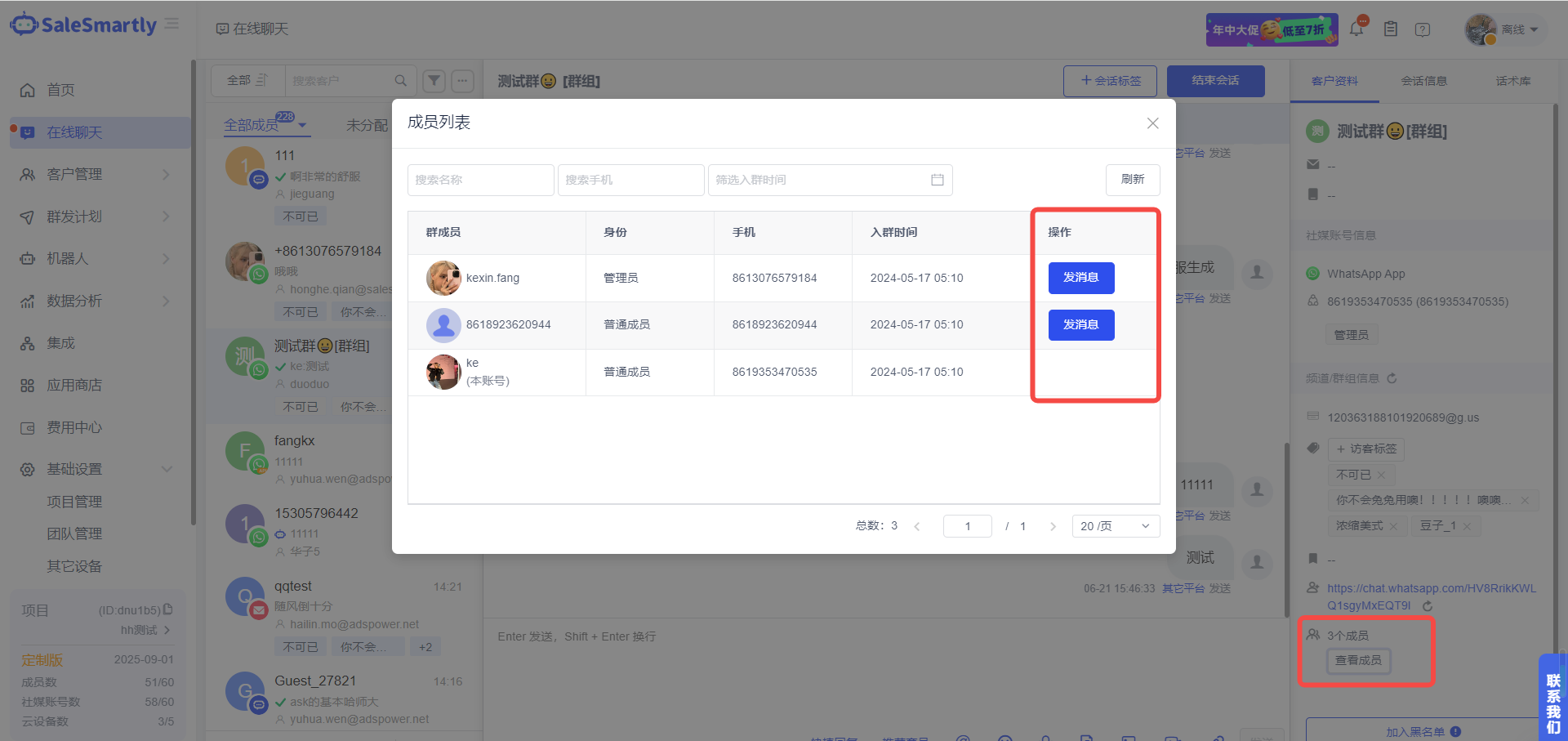
7. Add Private Chat Members to WhatsApp APP Group
In Online Chat - WhatsApp app group chat, you can view group members and initiate conversations with members individually.
Usage scenario: In a WhatsApp group chat, if you need to chat with a customer alone, you can talk to the customer in a private chat to avoid being disturbed by other messages in the group chat.
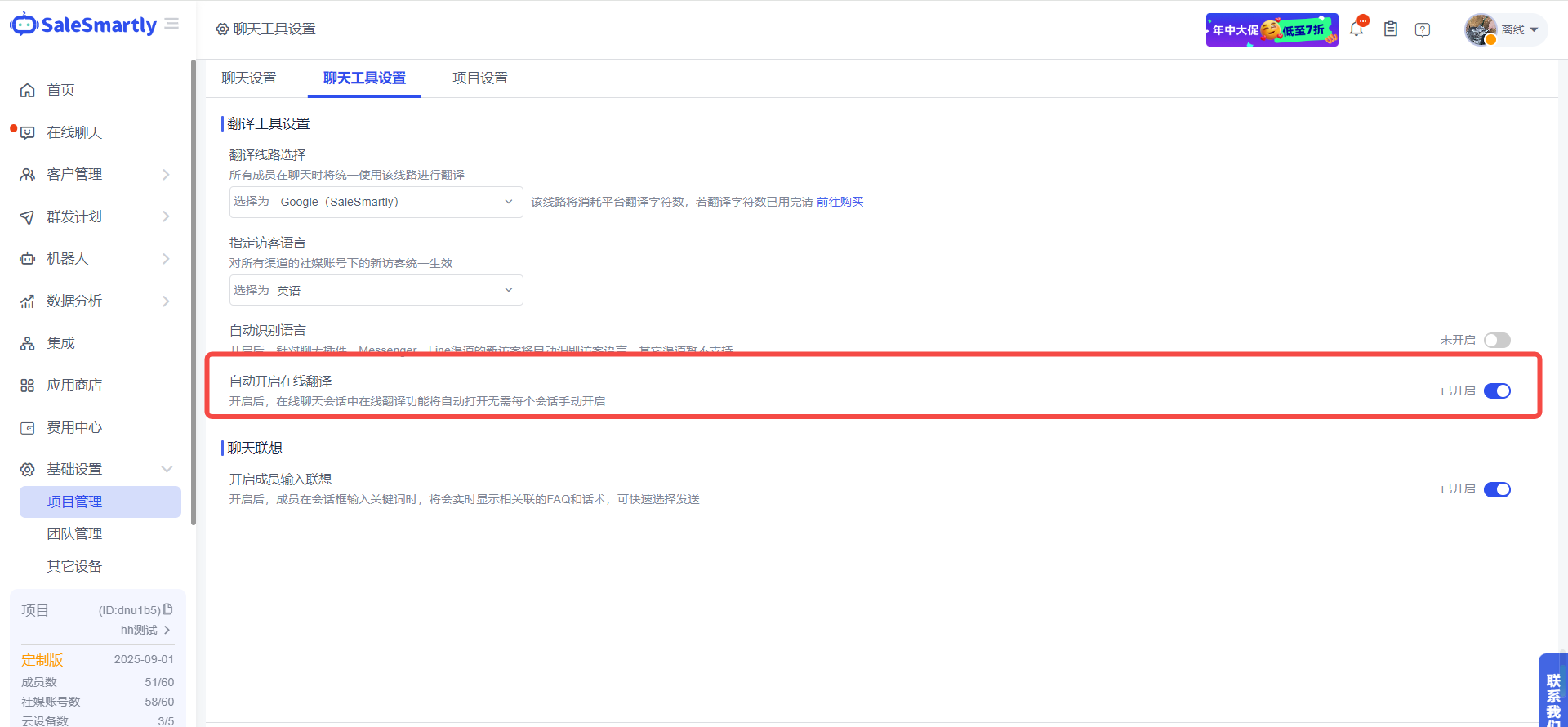
8. Automatically Start Translation to Improve Efficiency
In the Basic Settings - Project Management Chat Tool Settings, the translation function in online chat sessions will be automatically turned on, without the need to manually turn it on for each session.
Usage scenario: When customers from different countries send messages, they need to click to turn on translation before sending the message. This function can automatically turn on translation for new conversations to improve communication efficiency.
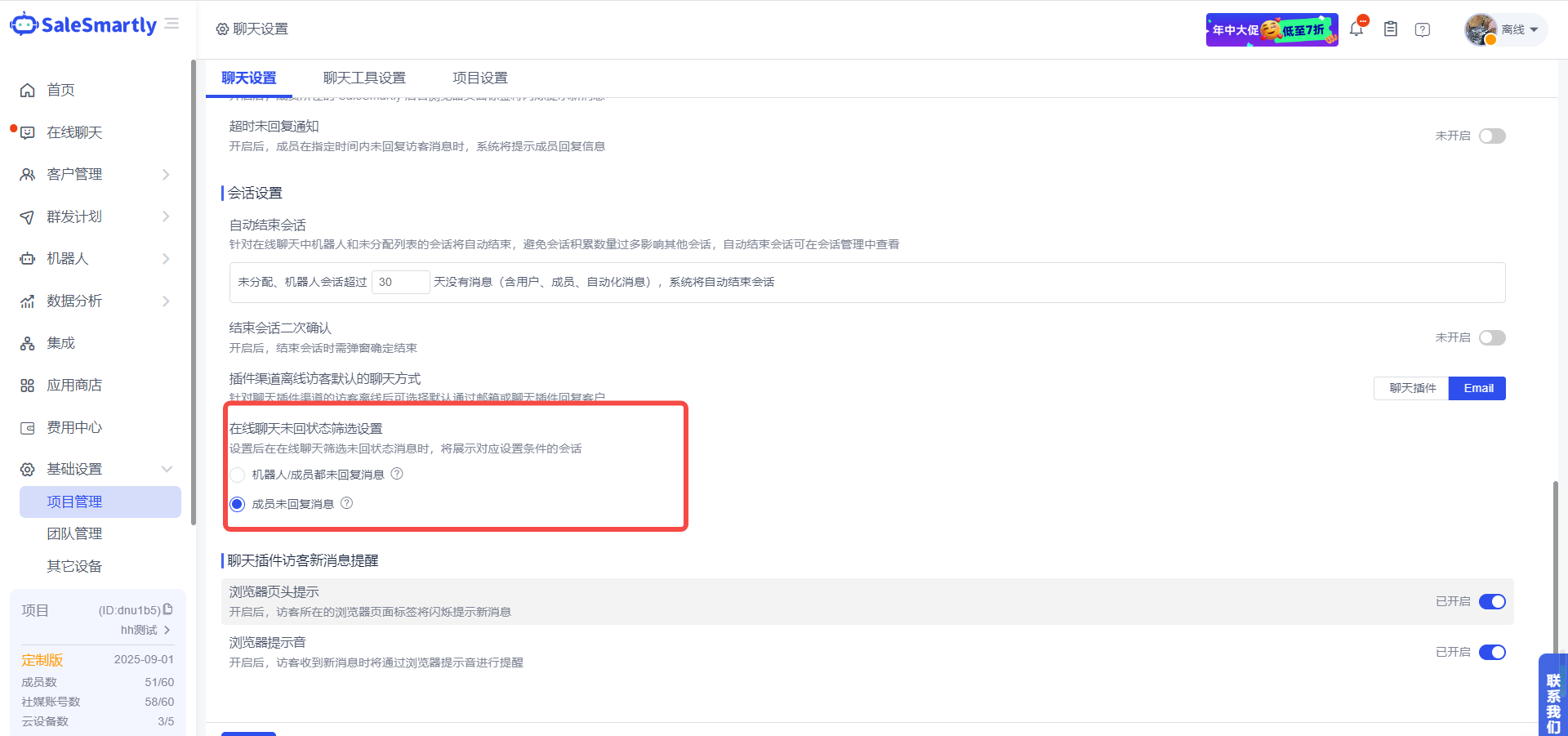
9. Unreply Messages Support Personalized Configuration
In Basic Settings - Project Management Chat Settings, you can personalize members and robots based on the filtering range of unanswered messages in online chats.
Usage scenario: In daily communication, messages replied by robots need to be replied by humans again. By setting the method to only reply by humans, you can filter out the messages replied by robots but not by humans, so that service personnel can quickly find the corresponding conversations.
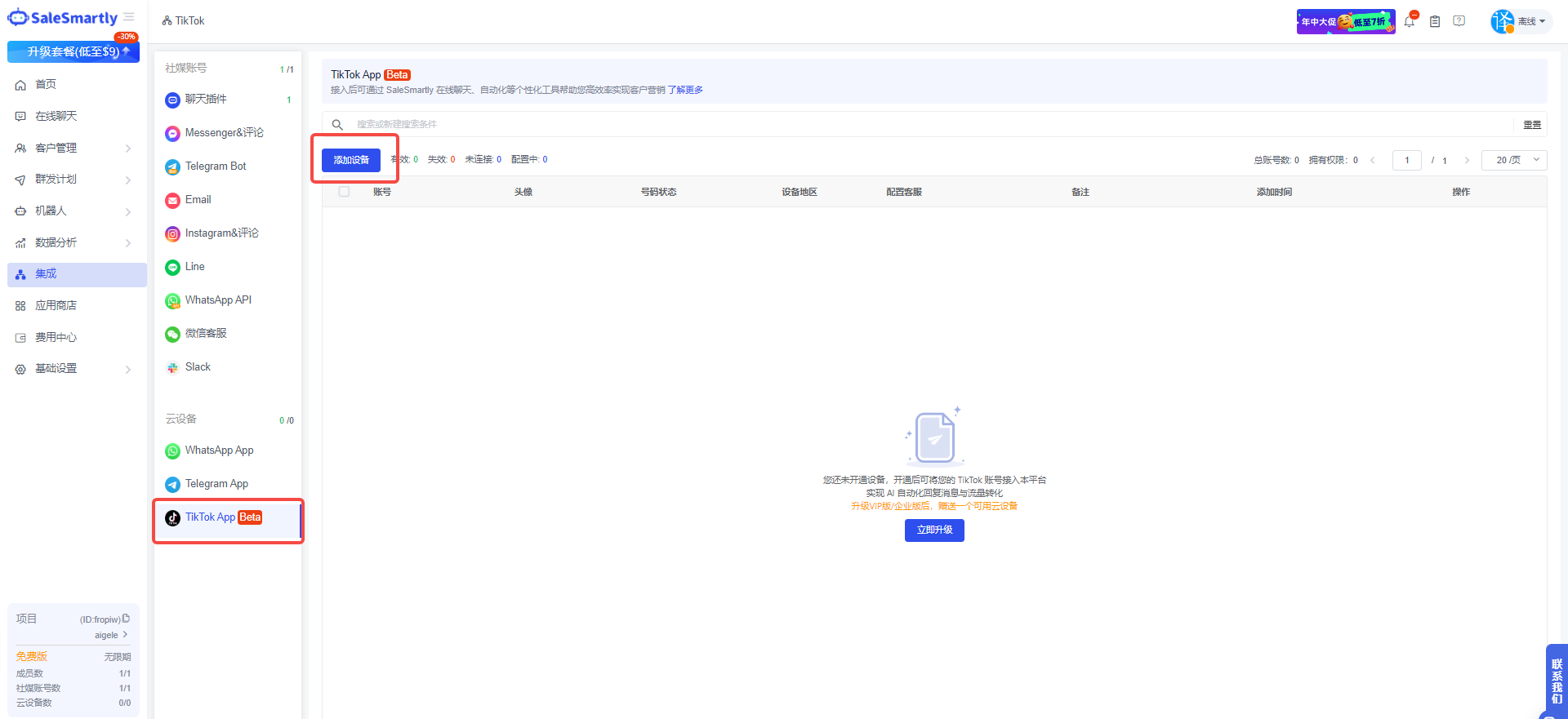
10. Tiktok Channel Integration
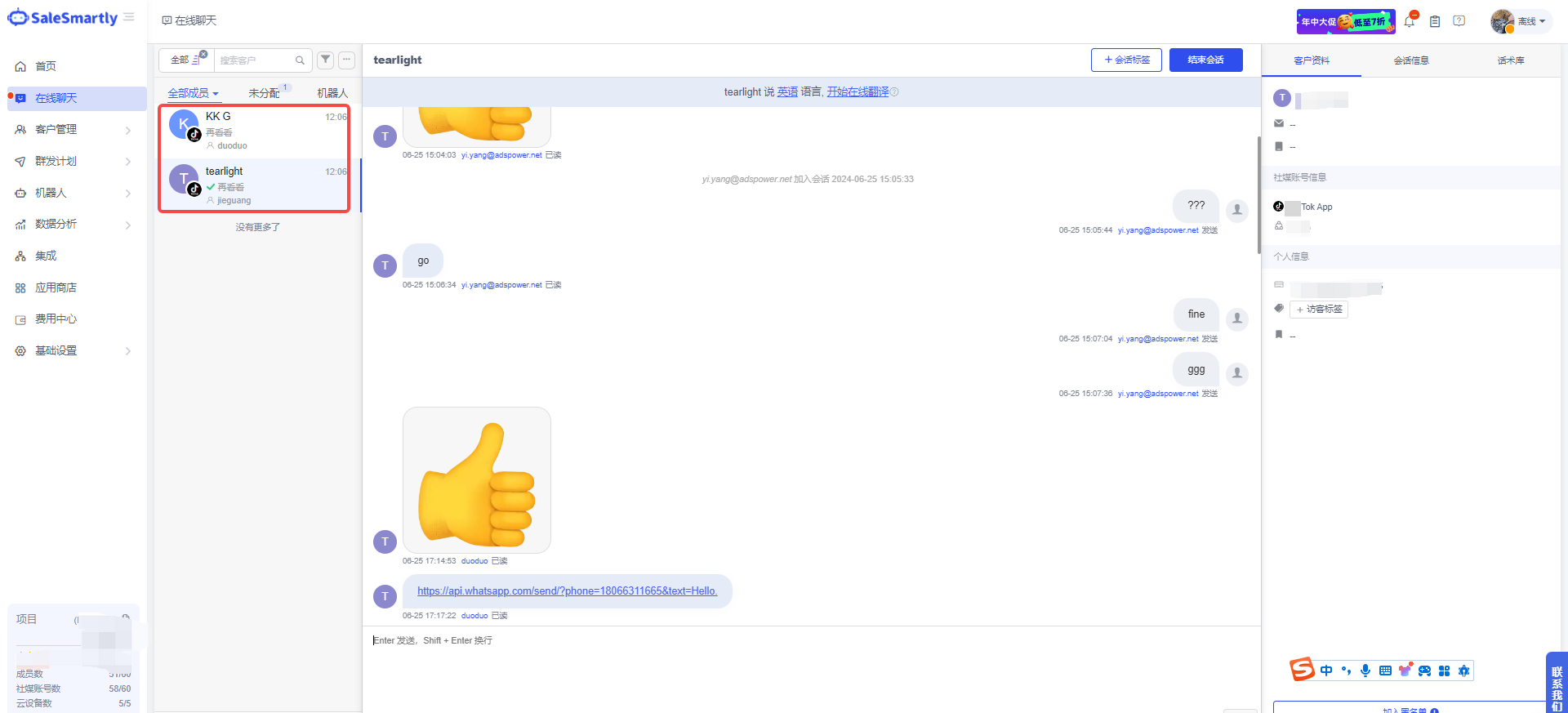
In Integration, we have added support for connecting to your Tiktok personal account. You can now chat conveniently with friends in your personal account on SaleSmartly.
Usage scenarios: You can use your Tiktok personal account to receive and reply to messages from friends. Combined with SaleSmartly's mass messaging, translation, labeling and other personalized tools, it can help you achieve precision marketing and reach more business scenarios.
11. AI Robots Support Access to OpenAI Assistants
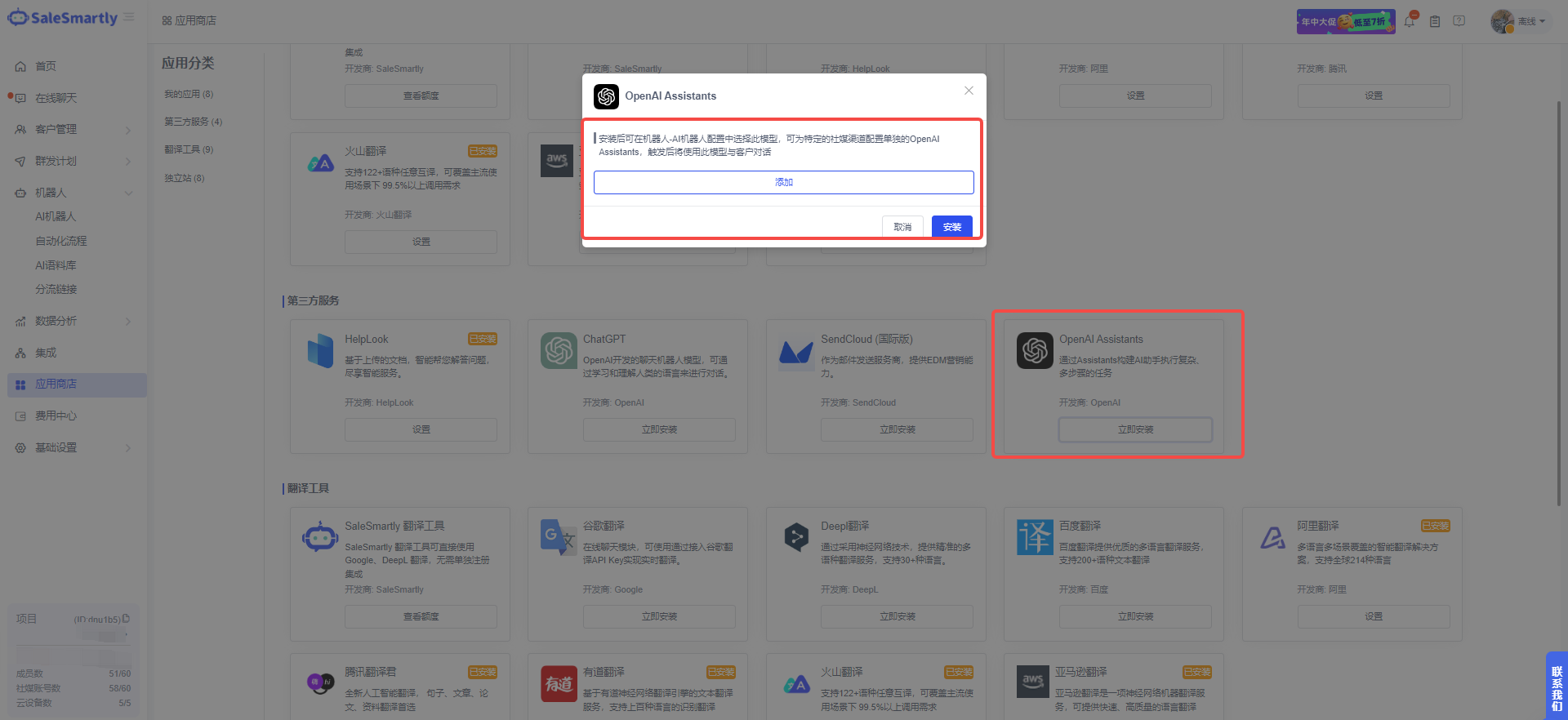
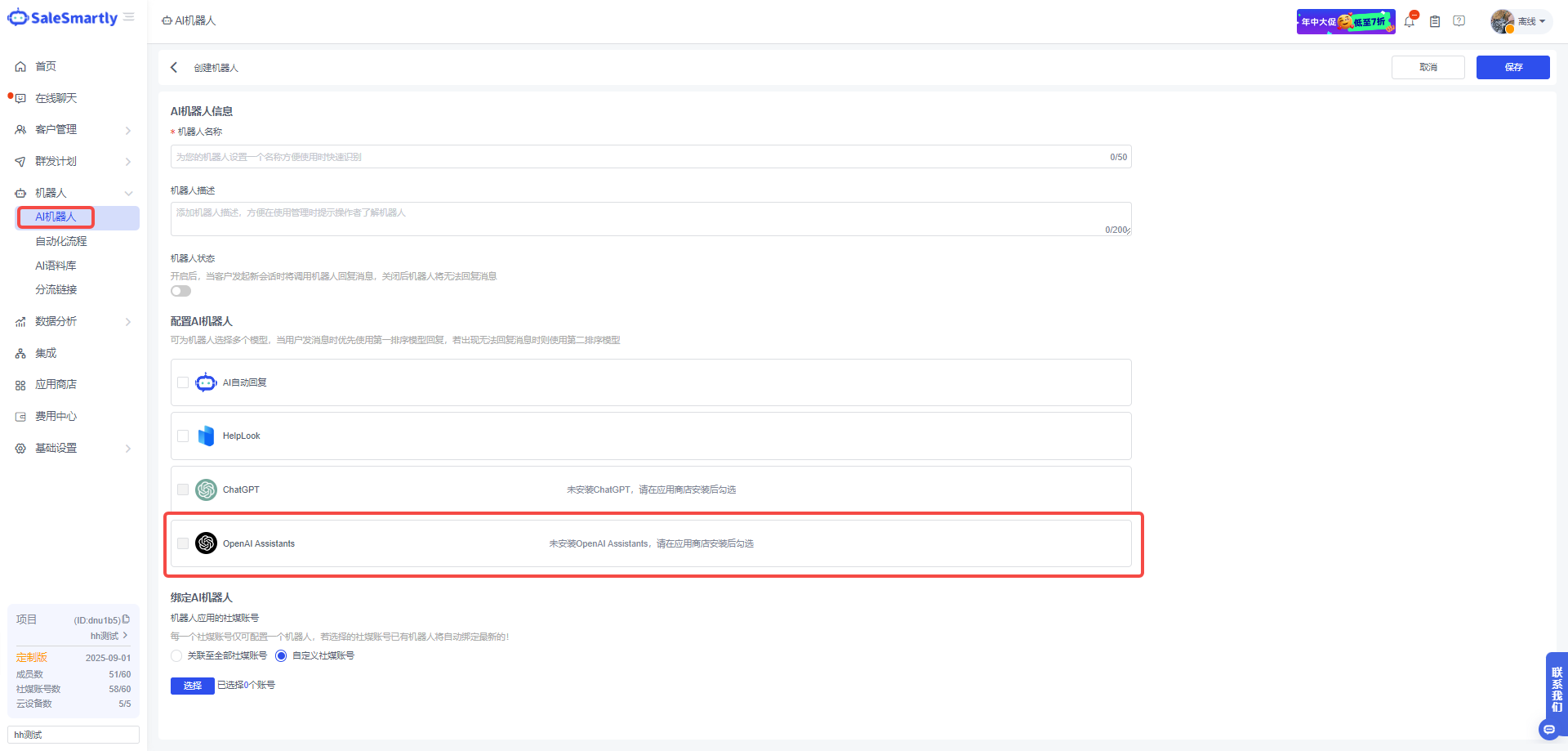
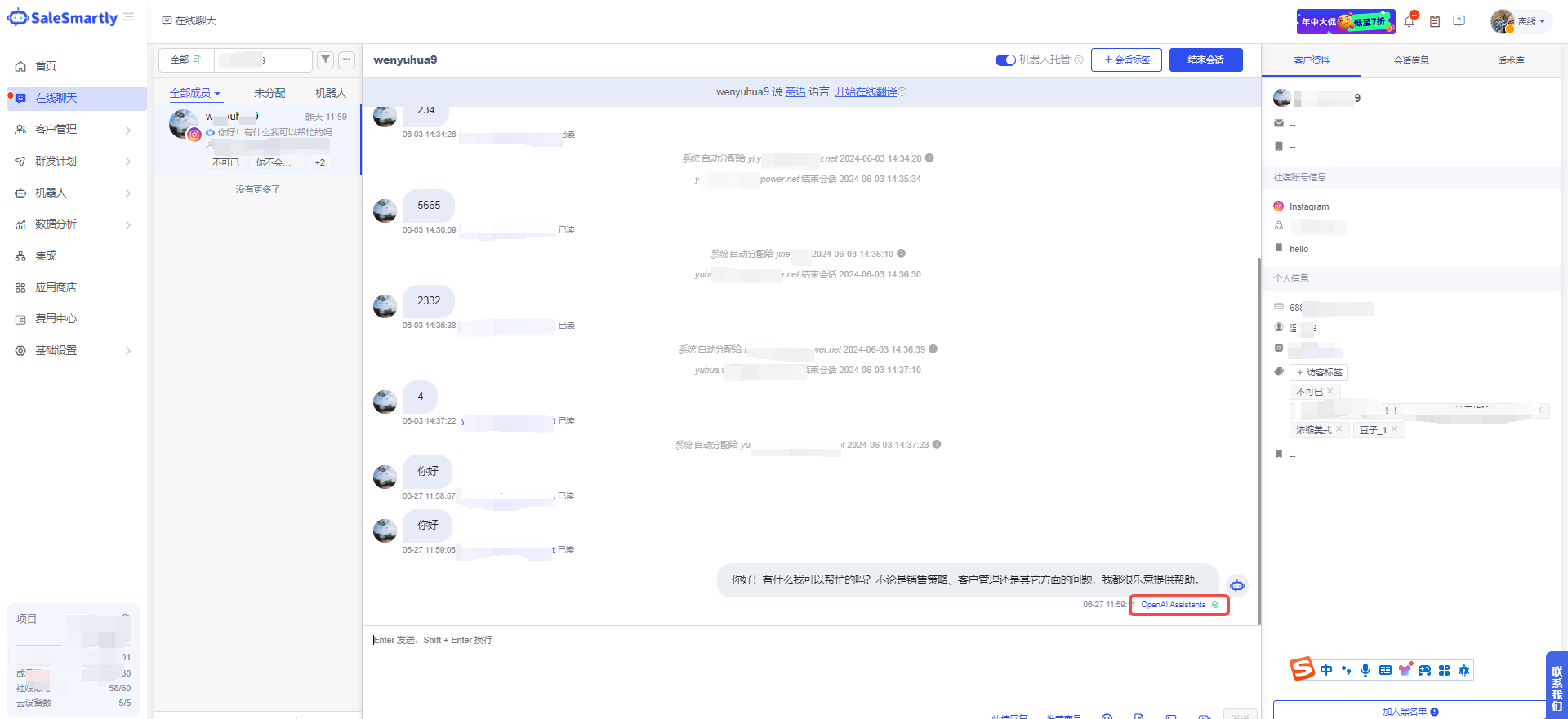
OpenAI Assistants is newly available in the App Store - Third-Party Services section, and you can reply to customer messages through robots.
Usage scenarios: After installing OpenAI Assistants, you can call OpenAI Assistants in your AI robot. The robots on the salesmartly platform support connecting to different social media accounts. After configuring and starting the robot, it will reply to customer messages by calling OpenAI Assistants.
12. AI Robot Trigger Corpus Supports Specified Corpus
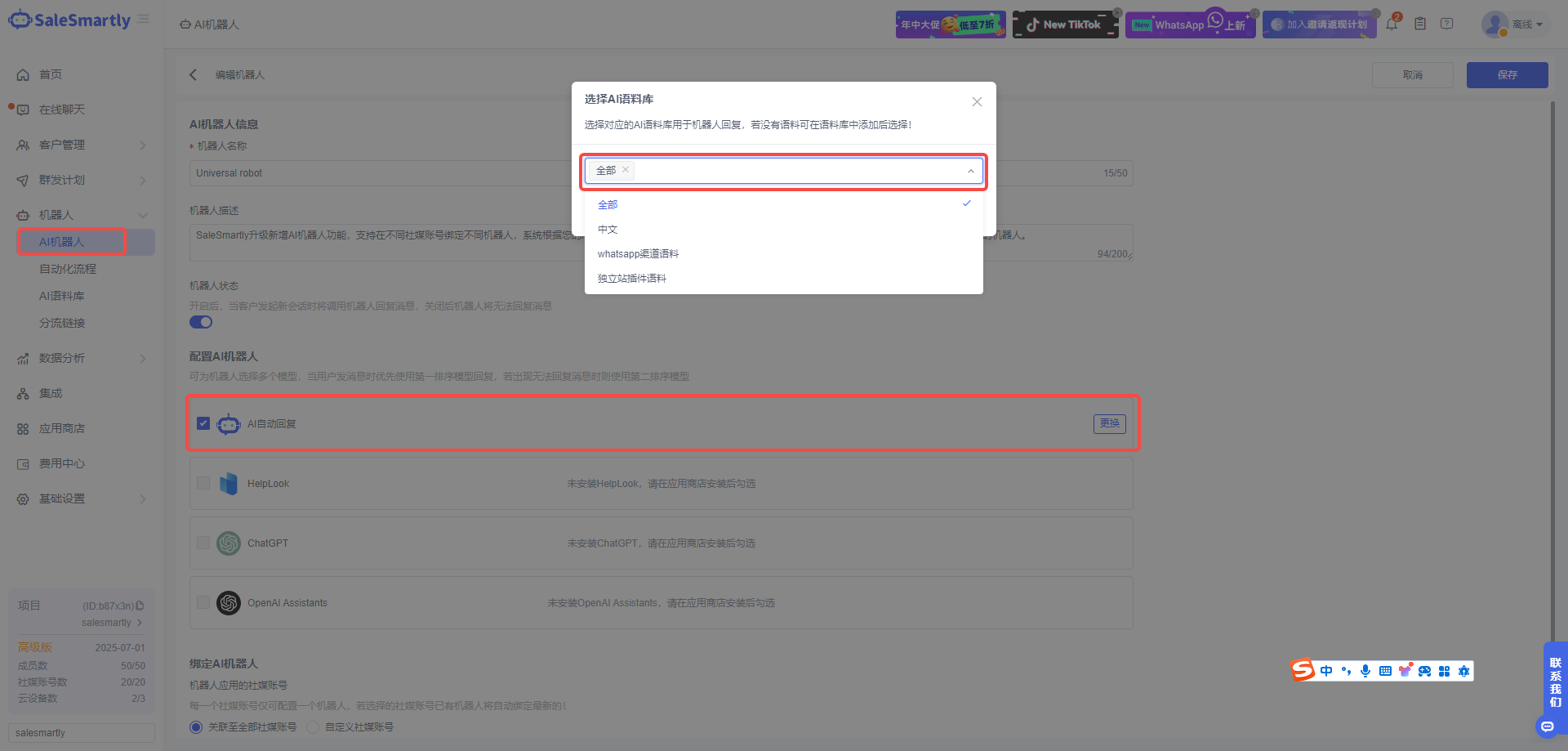
In Robot - AI Robot, you can specify the corpus for the AI automatic reply of the salesmartly platform to realize personalized corpus content for different channels.
Usage scenarios: For different business or product websites, different AI corpora can be connected for robots to reply to customer messages, making AI responses more accurate.
13. Add Sorting Function to the Speech Library
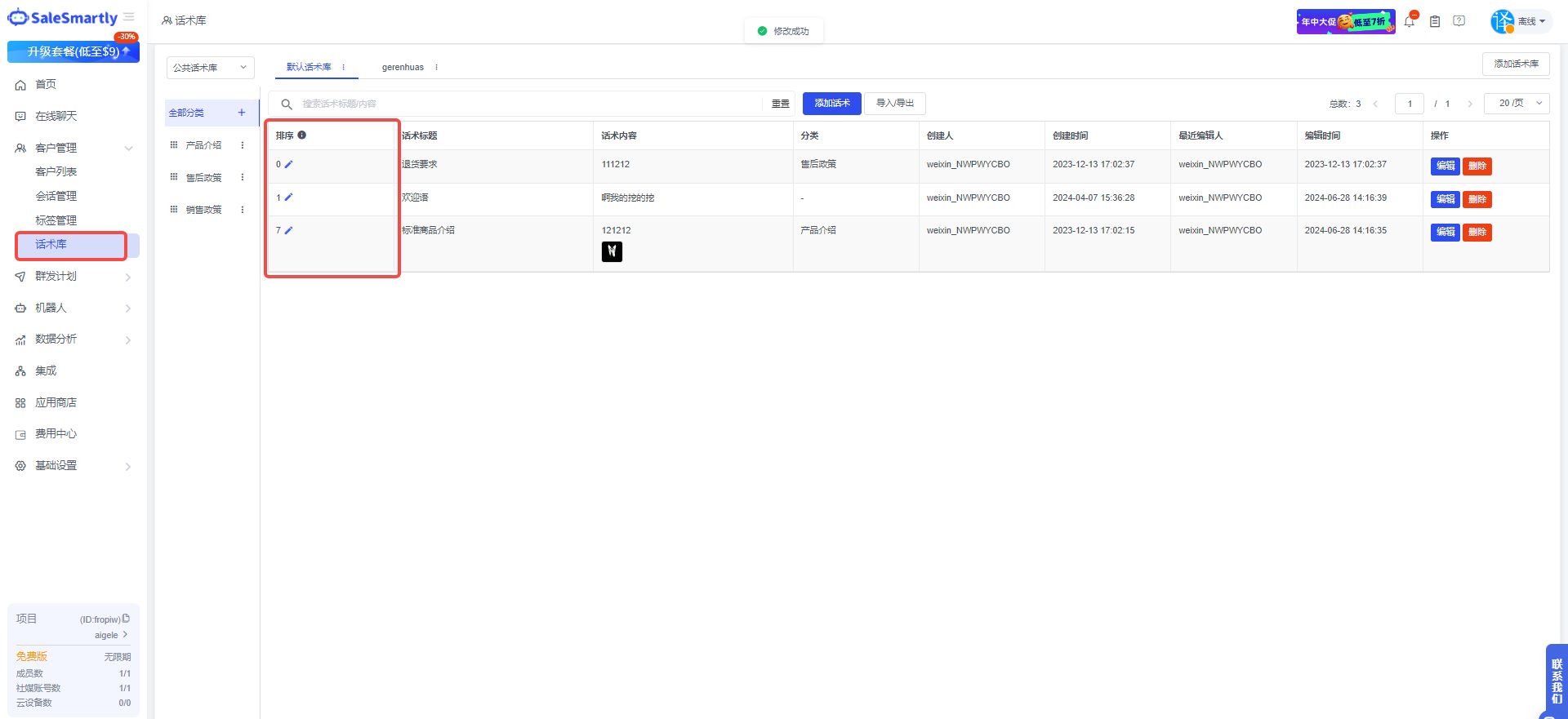
In Customer Management - Script Library, you can drag the script categories to set the sort order and set the sort order for the scripts.
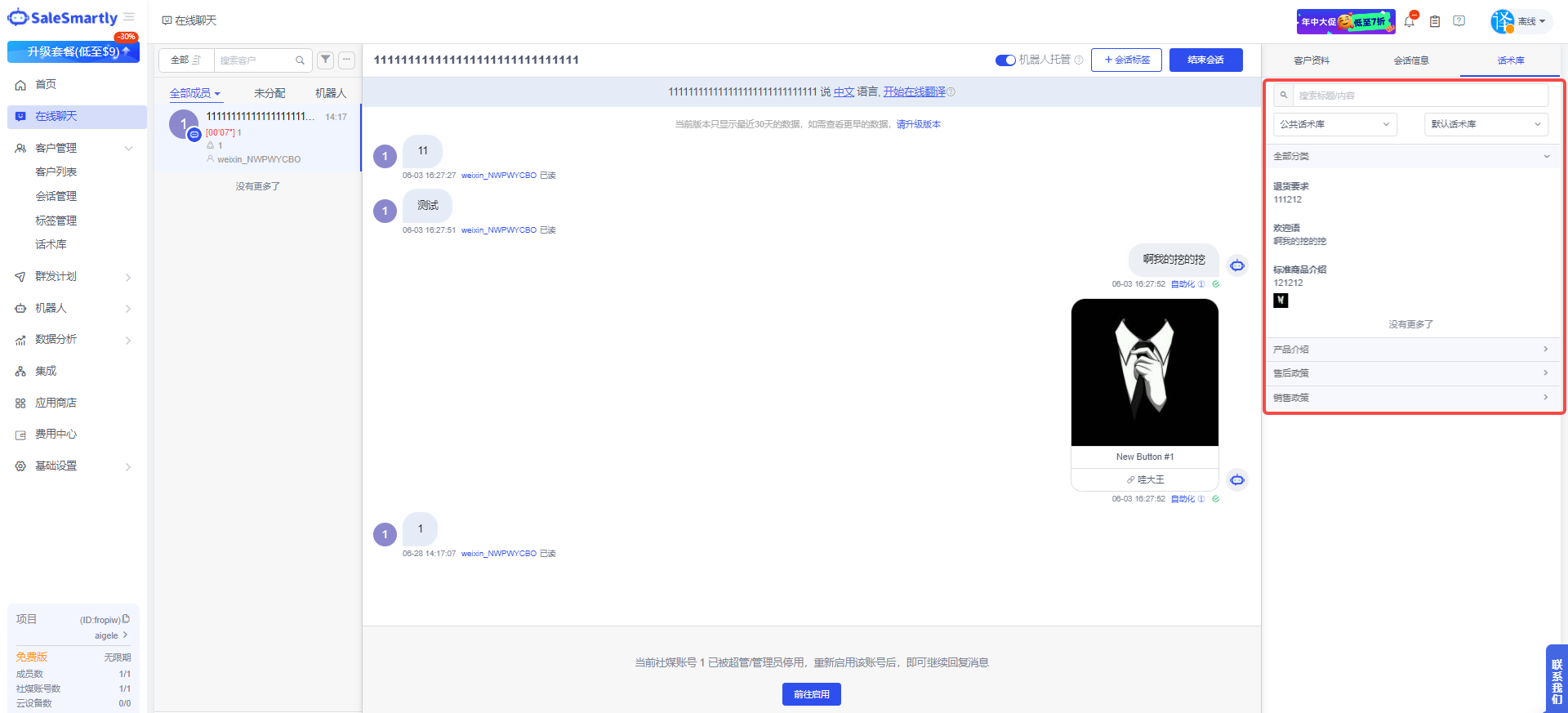
Usage scenario: In daily communication, to help service personnel quickly find the corresponding words, you can set the commonly used and important words to the front by setting the sort order. They will be displayed in the online chat in the set order.