SaleSmartly New Features
1. SaleSmartly Features Overview
1.1. Support Copying Plug-in Customer Service Link
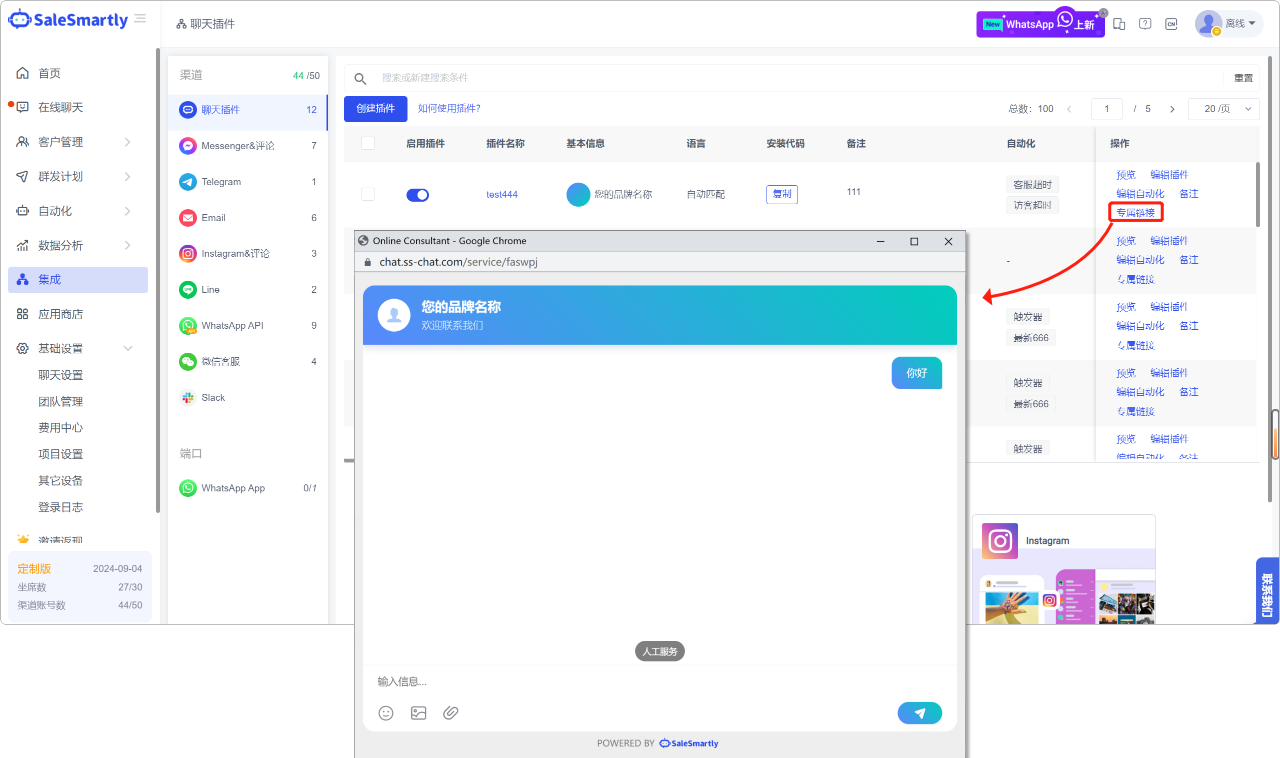
In the Integration-Chat Plugin module, click "Exclusive Link" in your chat plugin to copy the customer service link.
Usage scenario: You can embed this link into a web page or APP, and visitors can click it to open the consultation page to chat with you. At the same time, you can also use this link for advertising and promotion.
1.2. Purchase WhatsApp App Expansion Equipment by Yourself
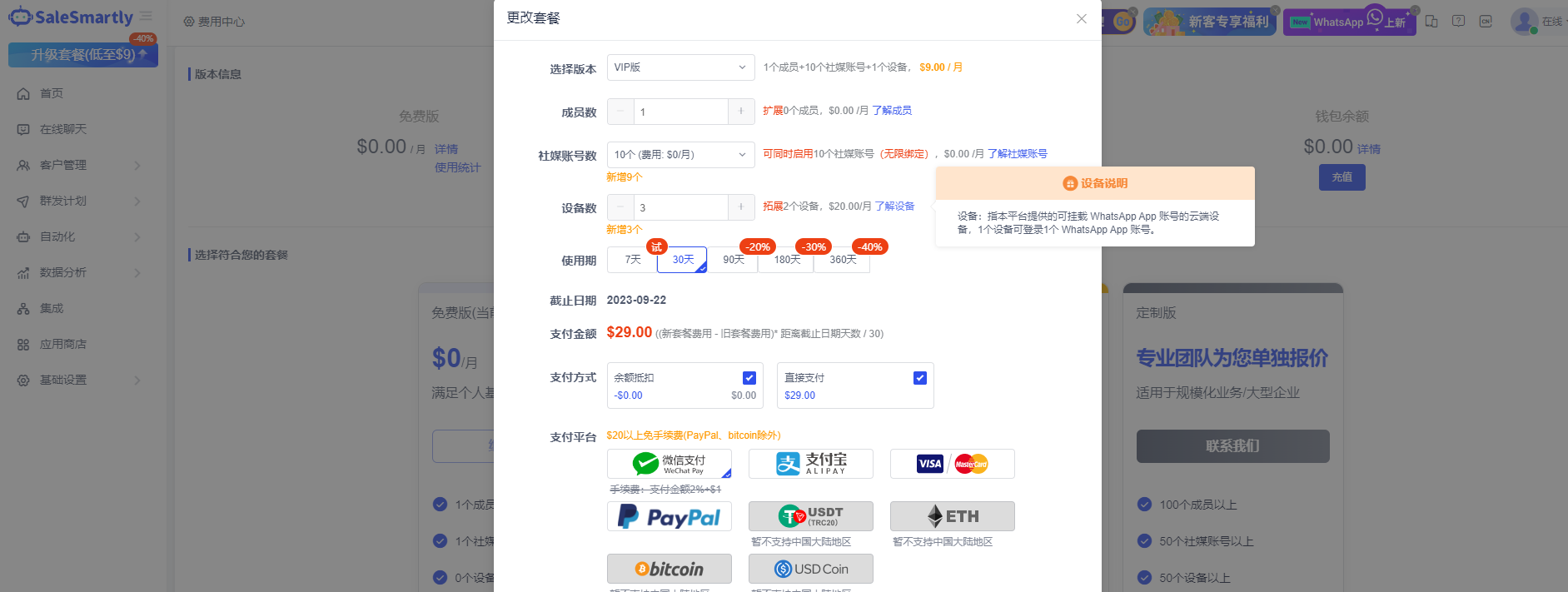
When upgrading or changing your plan in Basic Settings - Cost Center, you can manually enter the number of WhatsApp App expansion devices you want to purchase.
Usage scenario: You can add new WhatsApp devices by yourself and purchase them on demand without contacting customer service.
1.3. Change the Mailbox Recipient and Add CC
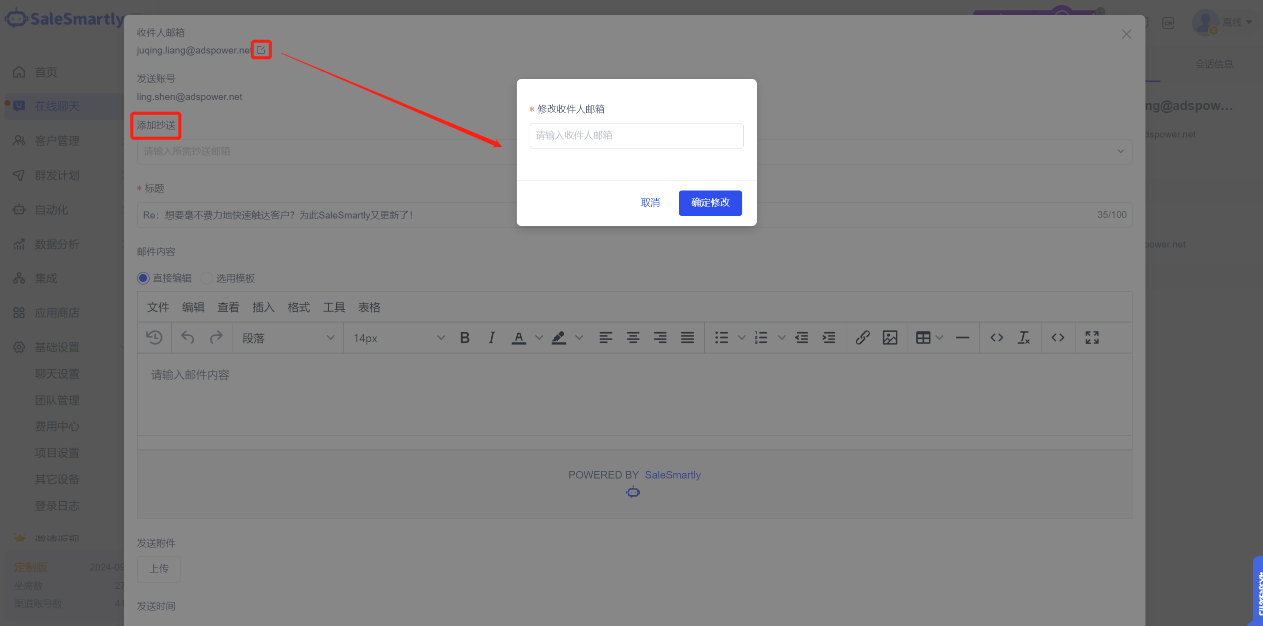
In the Online Chat section, for email channel messages, you can modify the recipient's email address and add a CC in the send email pop-up window.
Usage scenario: For example, for Amazon email ticket messages, you can respond to customer questions under different tickets in the same session to improve after-sales efficiency. Email CC helps you send emails to other colleagues in the company at the same time.
1.4. Instagram Supports Replying to Comments
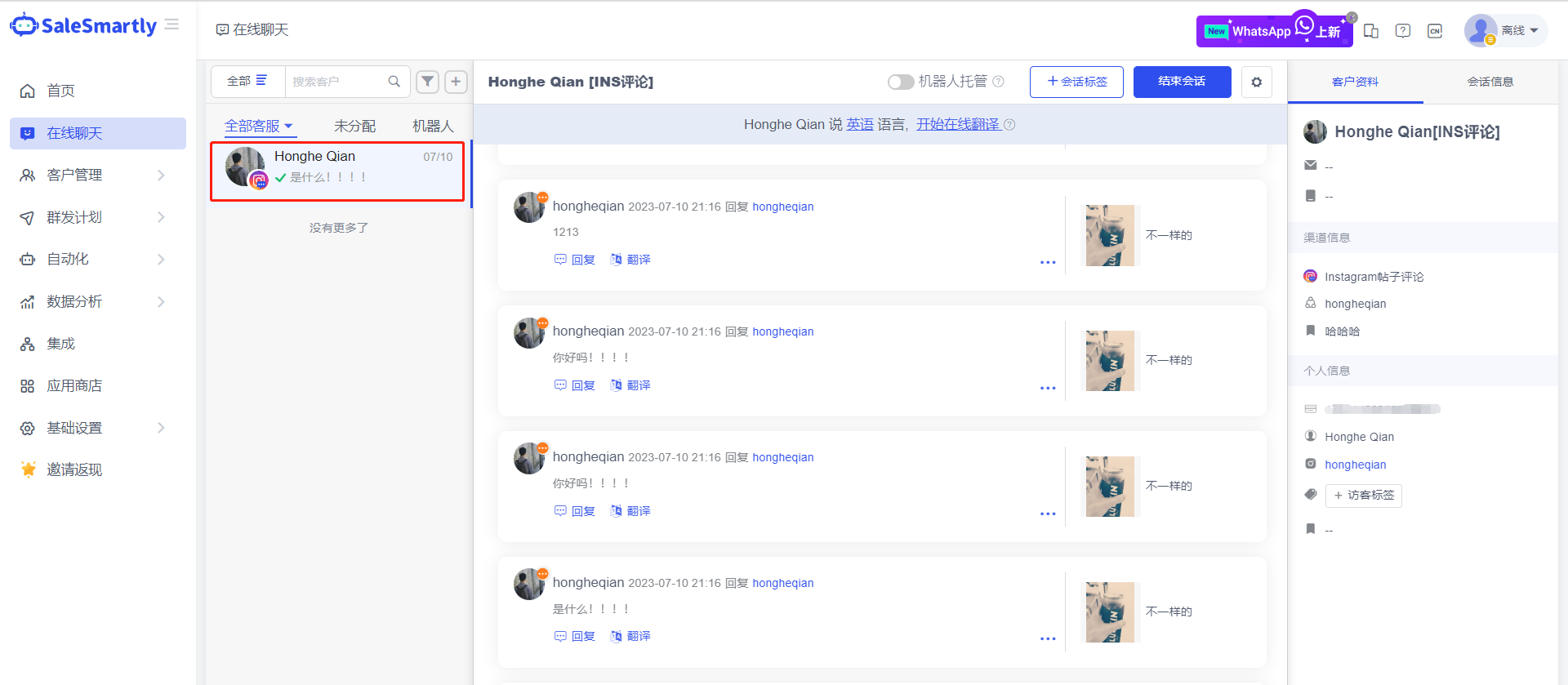
In the Live Chat section, you can receive and reply to messages in the Instagram post comment channel, and hide/delete comments.
Usage scenario: Merchants who operate Instagram posts/stories/REELS or place post ads can send and receive Instagram comment messages on the SaleSmartly platform, which helps you maintain positive public opinion in the comment area, remove negative reviews, retain positive reviews, and interact with users in a positive way, which helps to increase order conversion.
1.5. Support Editing Data Permissions for Customer Lists and Mass Messaging Plans
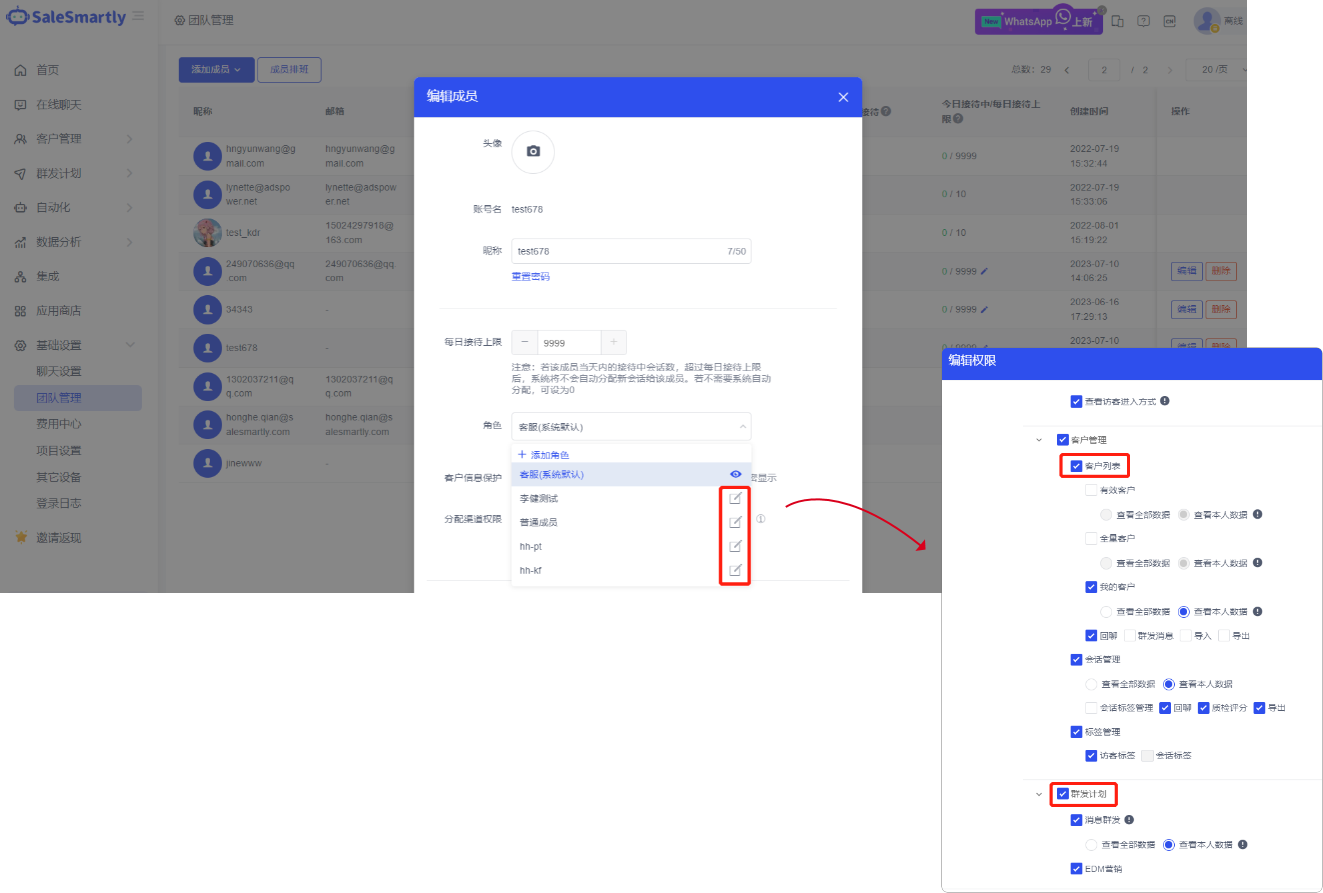
In the Basic Settings - Team Management interface, when creating a new role for a team member, you can edit the role's data permissions for customer lists and mass messaging plans.
Usage scenario: You can set the permission for customer service to view all customer data or view their own data according to business needs. In this way, customer data of different customer service staff can be separated to prevent customer service staff from viewing data beyond their permission, effectively ensuring the security of corporate data.
1.6. Support Google One-Click Registration & Login
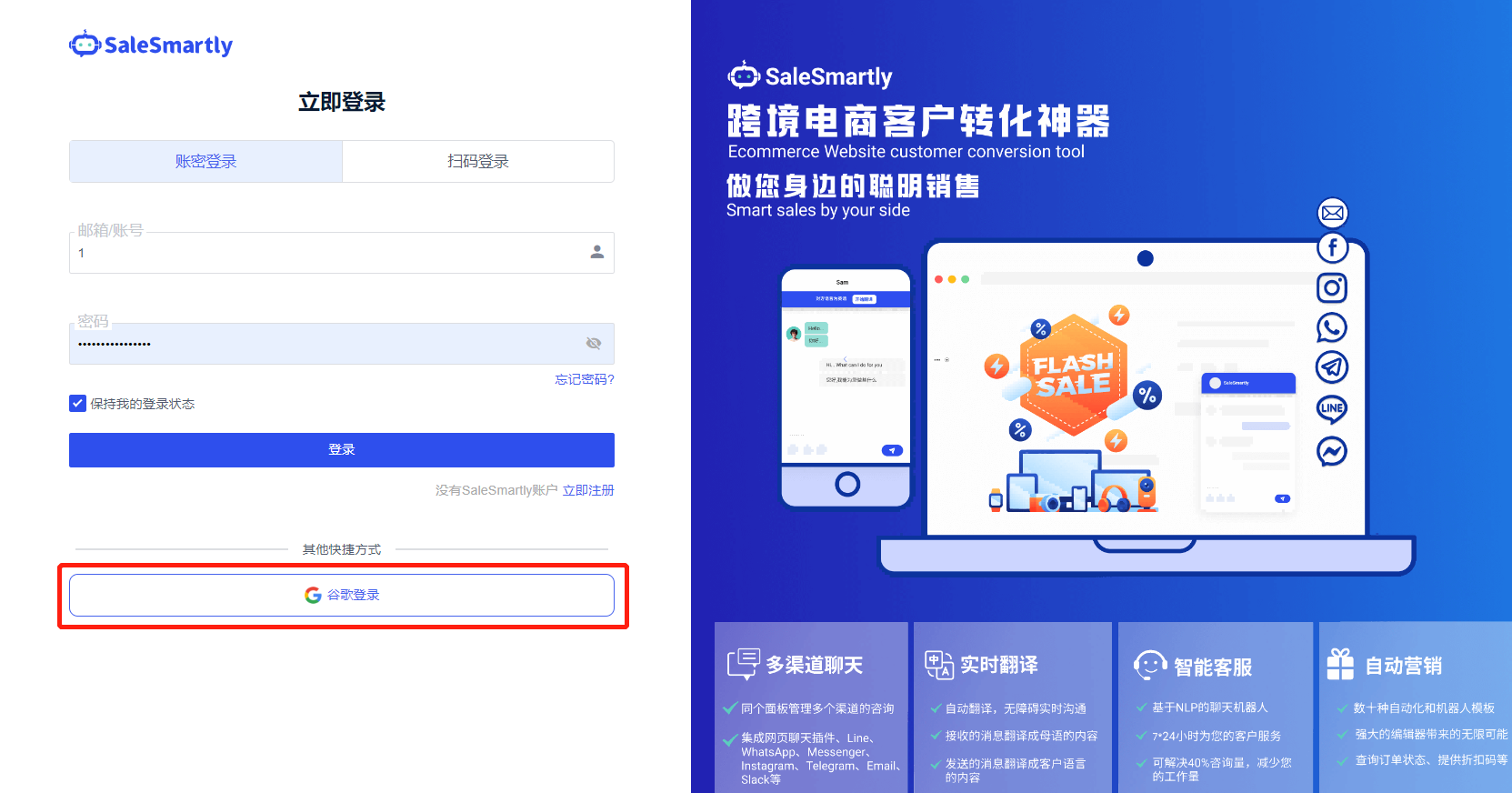
A shortcut for Google authorized login has been added to the official website registration/login interface.
Usage scenario: If you have a Gmail account, you can complete the registration/login process with one click, lowering the threshold for you to experience SaleSmartly.
1.7. WhatsApp API Number Supports Sending Normal Messages
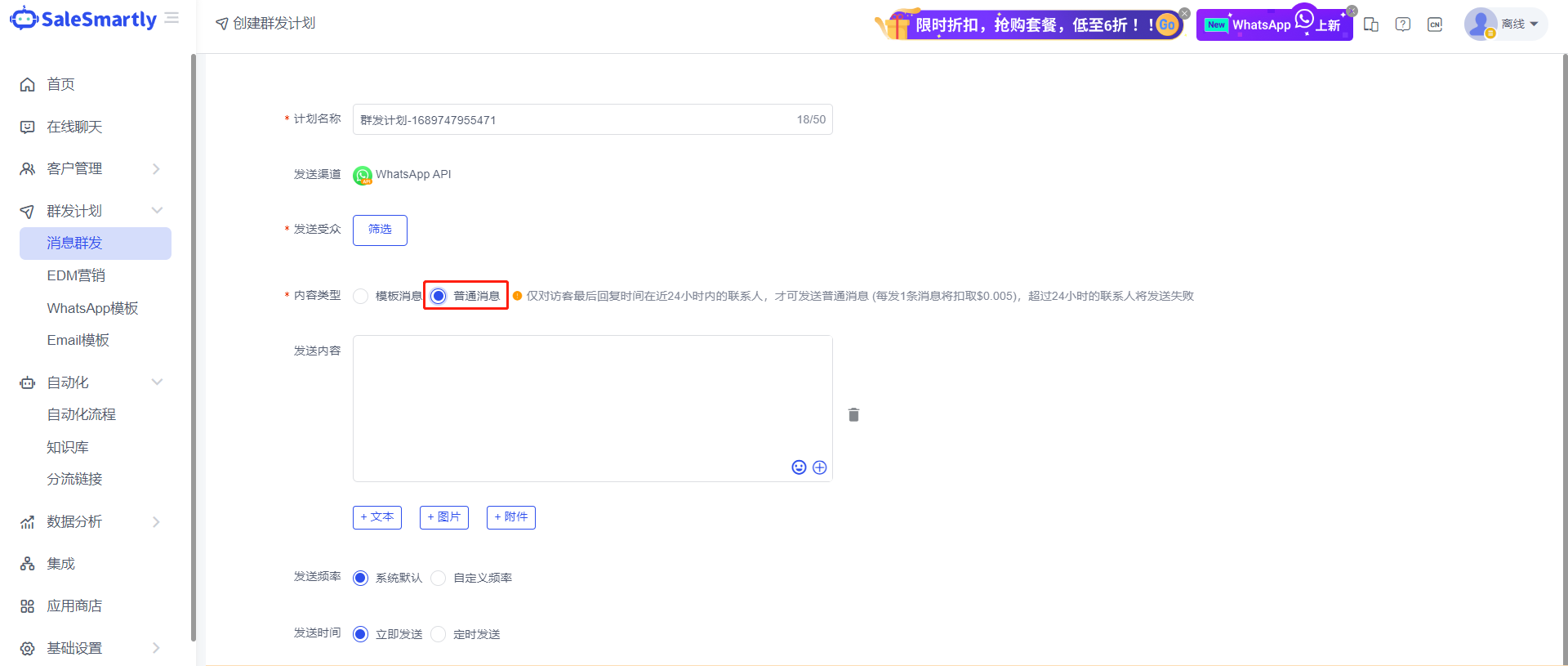
In the Mass Message interface for creating a mass messaging plan, the WhatsApp API number supports sending non-template messages to visitors who have interacted with you within 24 hours.
Usage scenario: You can directly send text/image/attachment messages to customers with whom you have interacted in the past day to wake up the customers. If the visitor replies, a new 24-hour conversation window can be opened without deducting the official message template conversation fee, thus reducing your marketing costs.
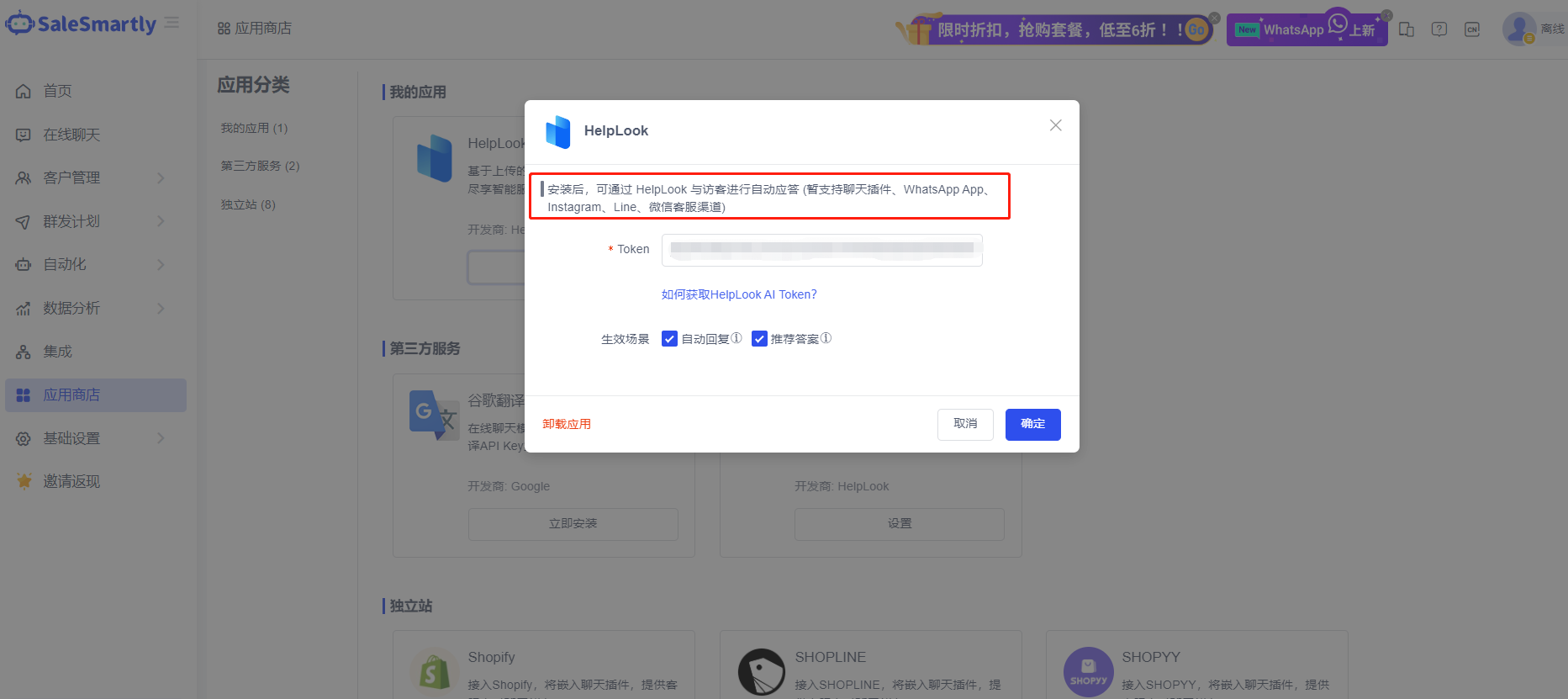
1.8. HelpLook Supports Configuration Triggering of Multiple Channels
Install the HelpLook app in the App Store to support configuration triggering of multiple channels.
Usage scenario: You can use HelpLook smart reply capability (ChatGPT3.5) to enable visitor self-service consultation in chat plug-ins, WhatsApp App, Instagram, Line, WeChat customer service and other channels.
1.9. Chat Plugin Supports Multiple Languages
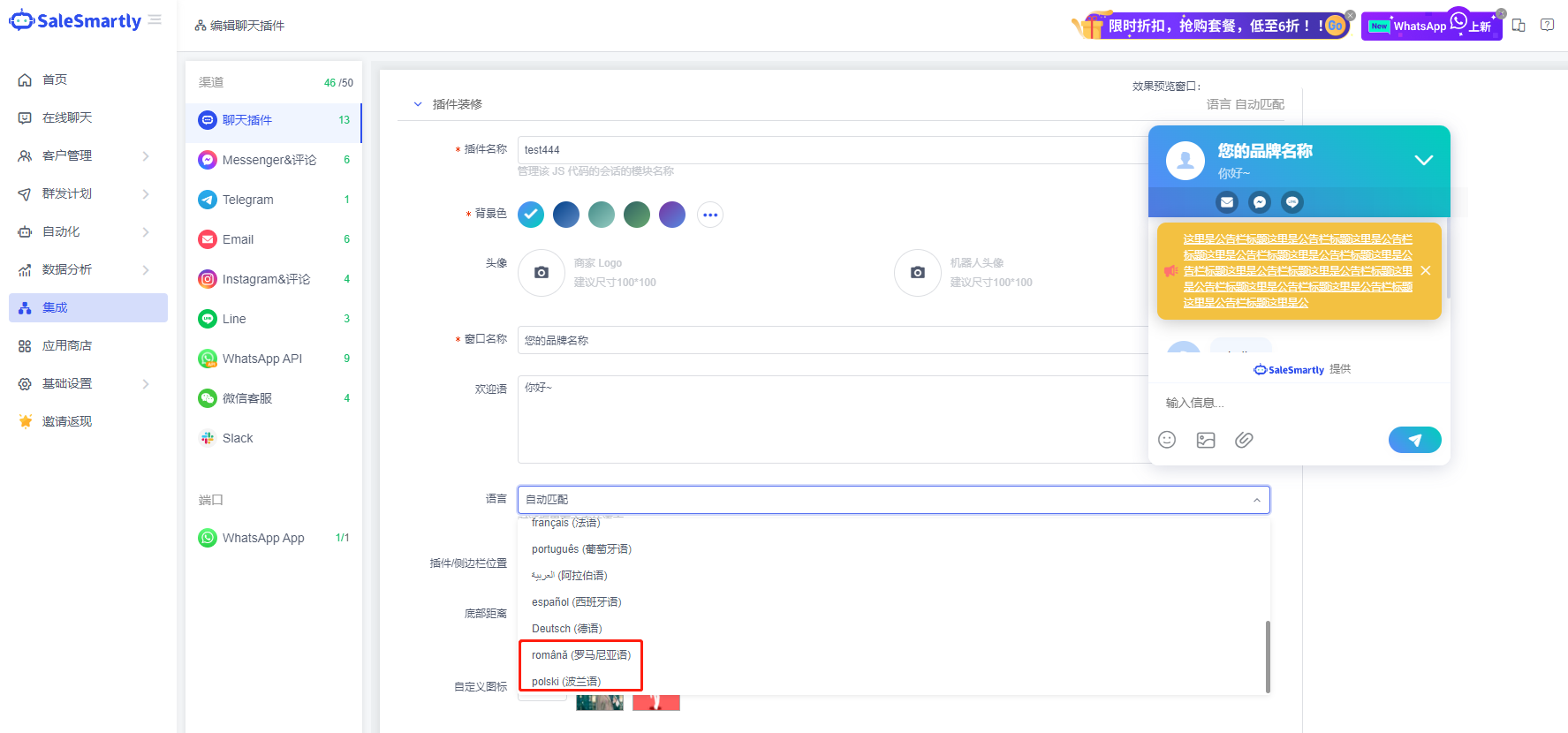
In the Integration-Chat Plugin editing interface, the default text in the real-time chat window supports multiple languages such as Romanian and Polish.
Usage scenario: The chat plug-in supports multi-language display, allowing you to provide more targeted services to visitors from different countries and regions and improve their consulting experience.
1.10. WhatsApp Individual Numbers Can Be Withdrawn
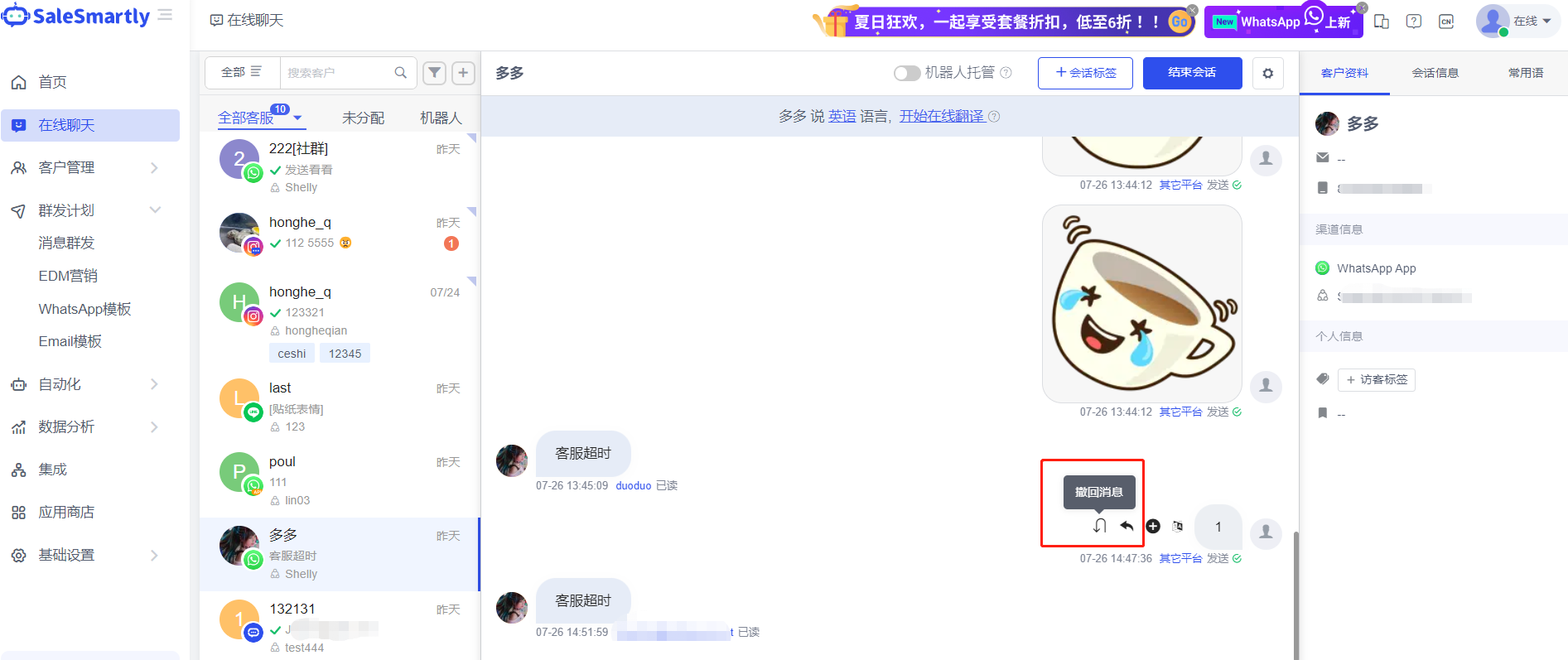
A new function of withdrawing messages has been added to the Online Chat WhatsApp App channel conversation interface.
Usage scenario: When chatting with customers, you can use this function to promptly recall previously sent error messages to avoid misunderstandings with customers.
1.11. Telegram Supports Group Messaging
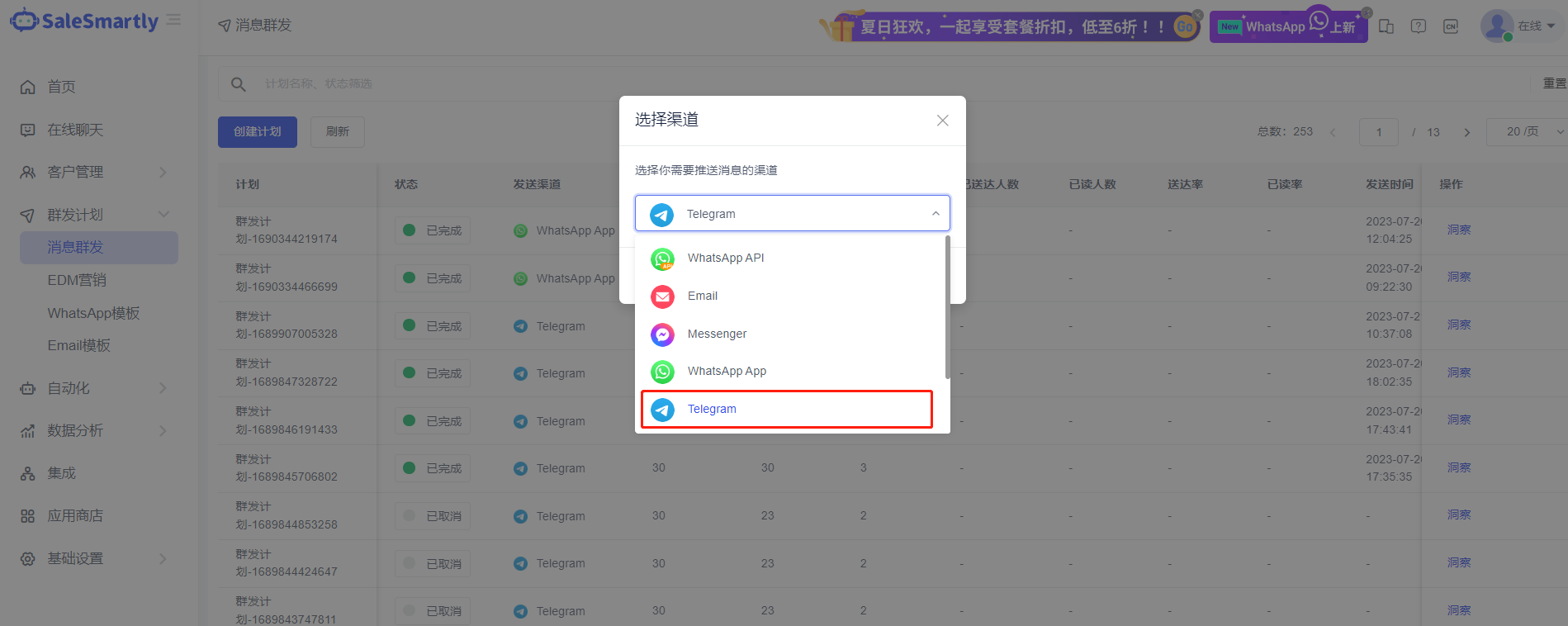
In the Mass Message Plan - Create Plan interface, group messaging via Telegram channels is supported.
Usage scenario: You can send messages such as product promotions and discounts to contacts and groups/channels on Telegram to improve the efficiency of message sending.
1.12. WhatsApp App/Line Compatibility Displays More Message Types
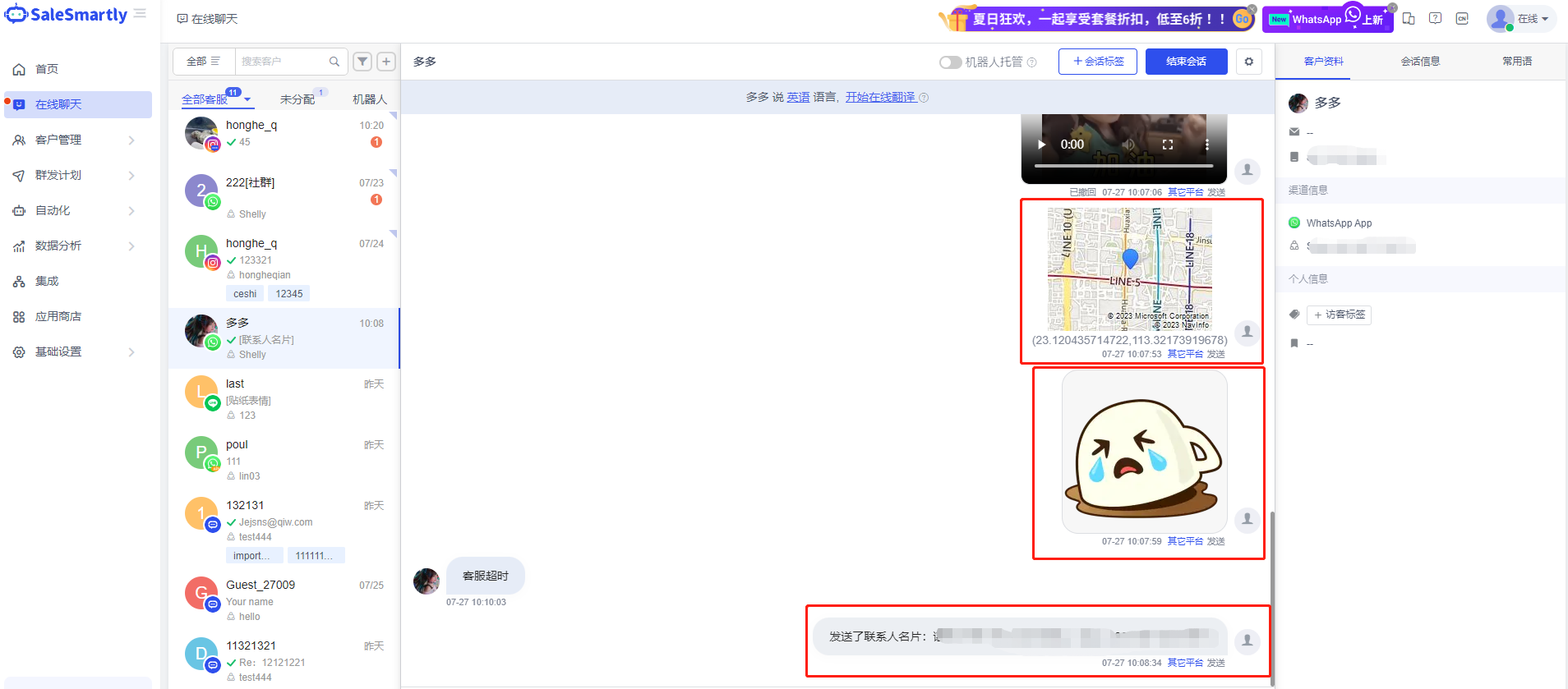
In the Online Chat interface, the WhatsApp App channel supports the display of message types such as stickers, locations, and friend business cards; the Line channel supports the display of sticker emoticons.
Usage scenario: By being compatible with more message types and displaying more complete chat information, it can help you quickly understand customer demands and promote sales, while also improving your experience of chatting and interacting with customers on the SaleSmartly platform.