SaleSmartly New Features
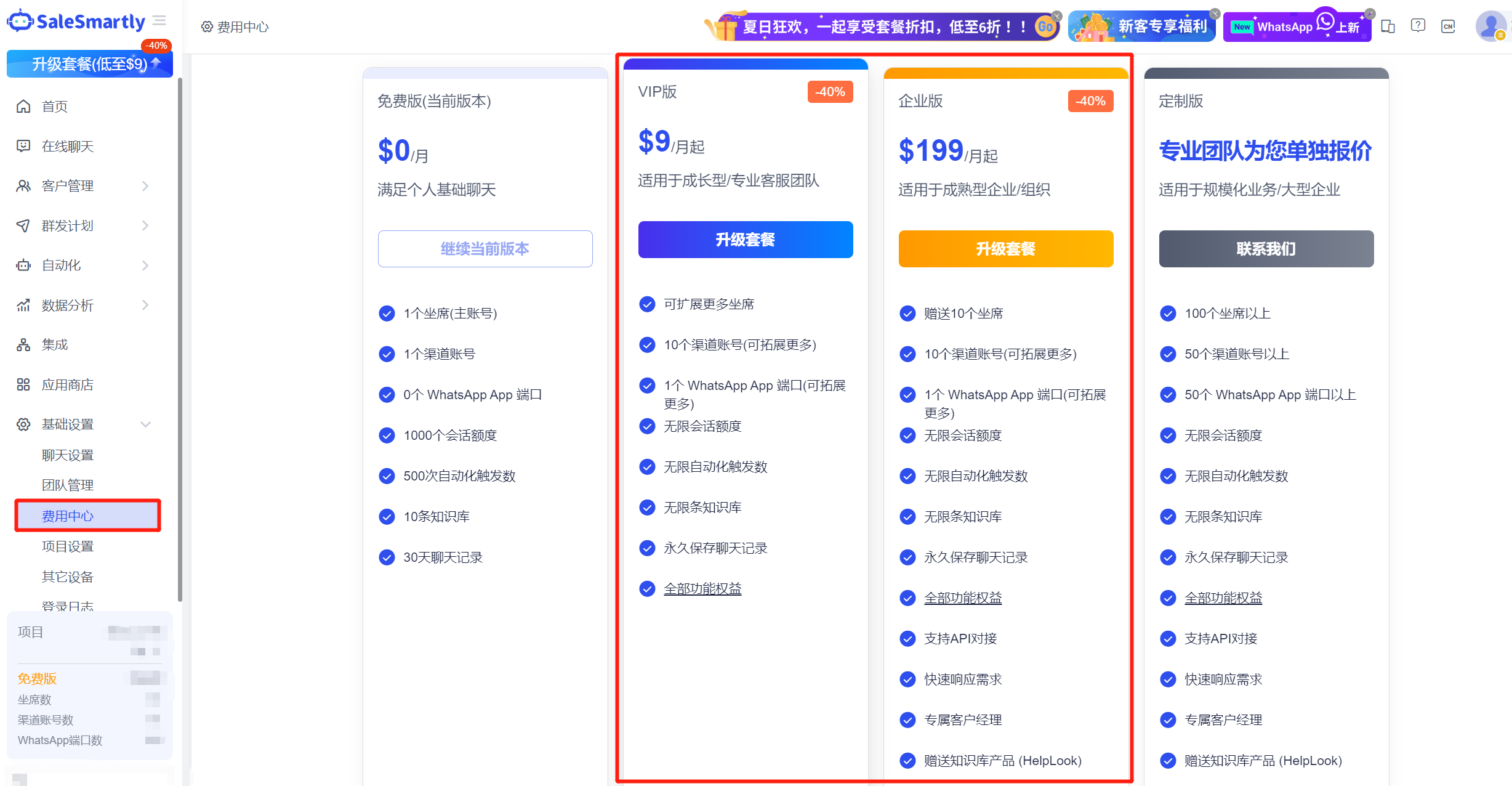
1. SaleSmartly New Features: VIP/Enterprise Edition Packages
In order to promote customers to use products with low barriers and match the application scenarios of medium and large-scale enterprises/organizations, SaleSmartly has now officially launched VIP and Enterprise Edition packages.
- VIP version: $9/month, comes with:
- 1 seat (main account)
- 10 channel accounts (the original premium version only has 1 channel account)
- 1 WhatsApp App port
- Opens all product function permissions
- Enterprise Edition: $199/month. Compared with the VIP version, it provides:
- 11 seats
- Open API connection
- Comes with the HelpLook knowledge base product (automatically answering visitor questions based on the ChatGPT model)
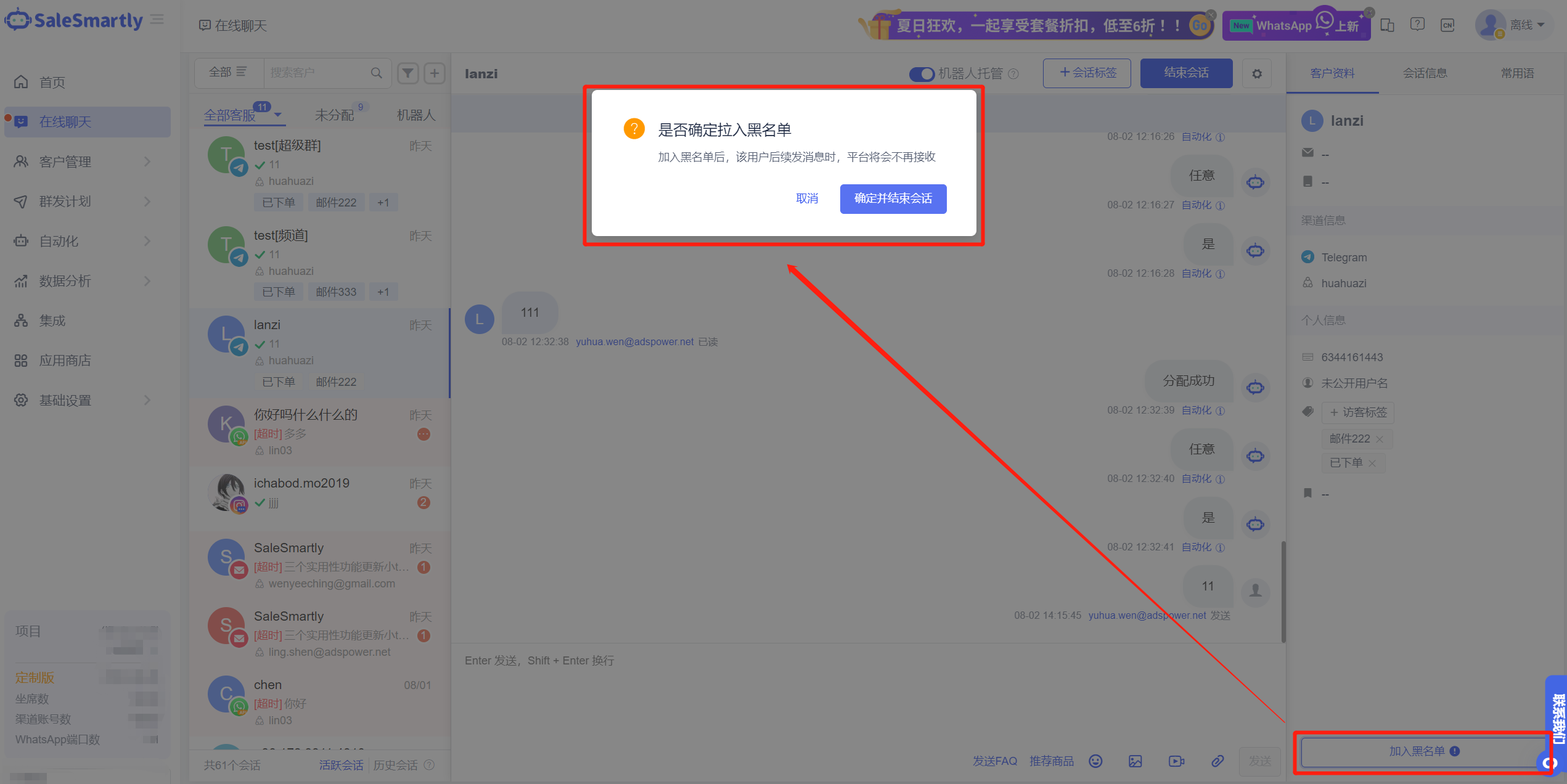
2. Telegram Supports Blacklisting Private Chats/Groups/Channels
A new "Add to Blacklist" button has been added under the Customer Information Tab in the Online Chat Telegram channel conversation interface to support blacklisting of private chat contacts, groups/channels.
Usage scenario: After blacklisting some Telegram users/groups/channels that engage in malicious marketing and indiscriminate advertising, this platform will no longer generate new conversation messages to avoid affecting the normal reception work of customer service.
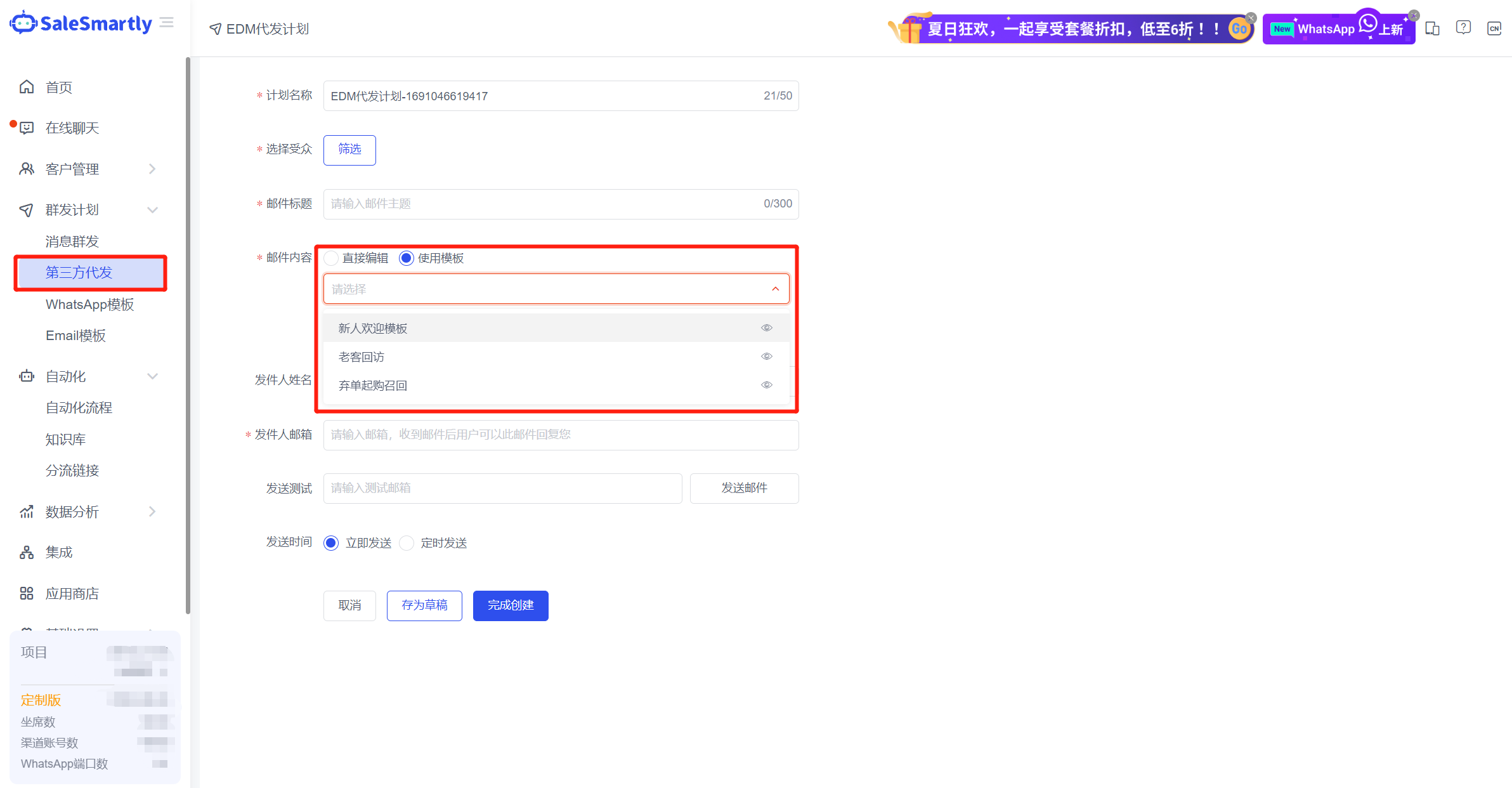
3. EDM Sending Supports Template Selection
In the Third-Party Sending - EDM Sending interface for creating a marketing plan, when composing email content, you can select the edited email template in "My Template" to send.
Usage scenario: Merchants only need to uniformly manage and maintain my email template library. When doing EDM marketing, there is no need to rewrite the email content. They can directly select the preset template to send, thereby improving the work efficiency of operators.
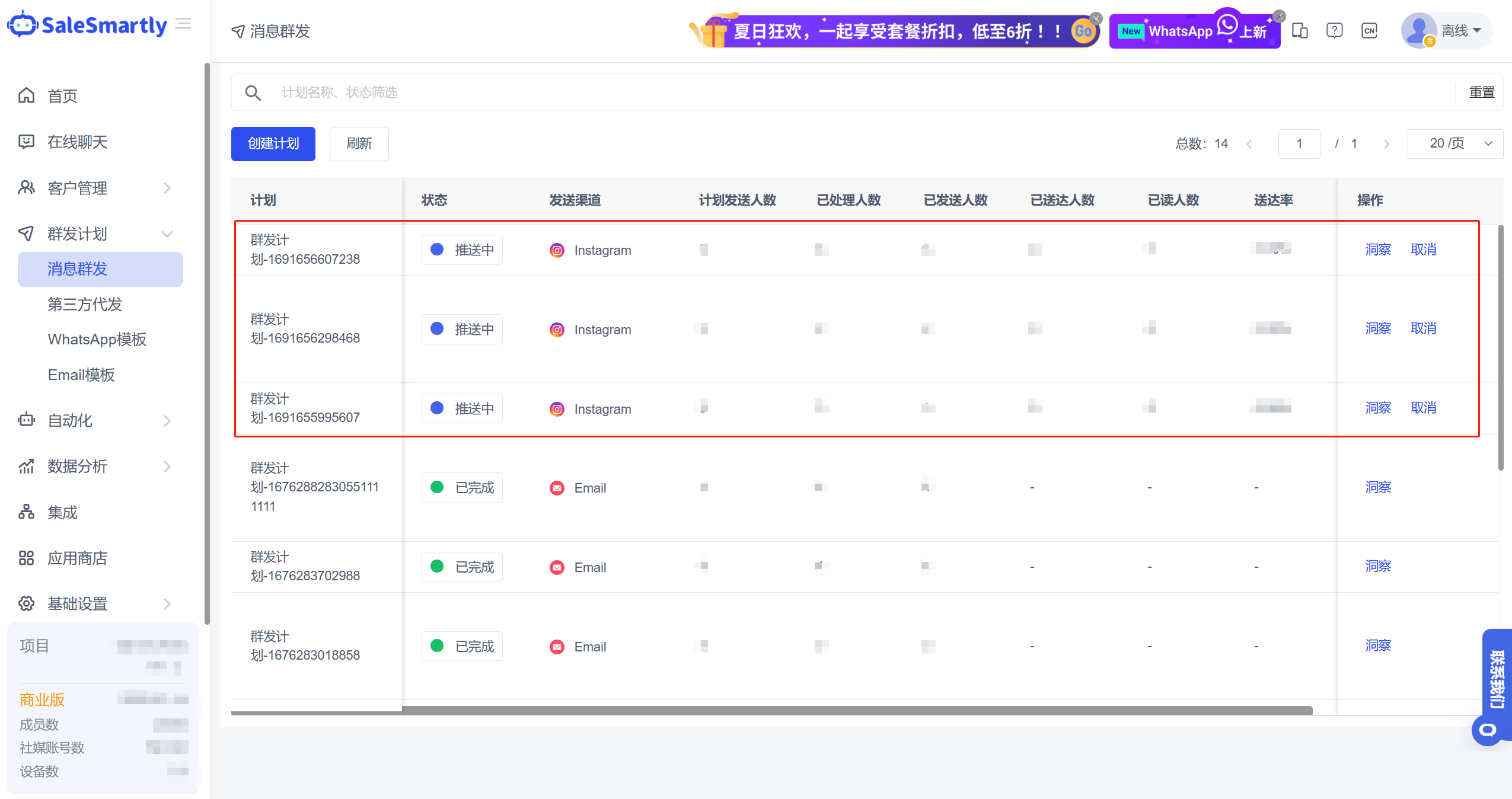
4. Group Messaging Supports Instagram Channels
In the Mass Message module, you can create mass messaging plans for the Instagram channel, and send text, picture, and video messages in batches to contacts with whom you have interacted in the past 7 days.
Usage scenarios:
- For Instagram users whose sessions are about to expire, they can be awakened through group messaging
- When businesses hold holiday promotions, this function can also be used to achieve efficient publicity and attract users to place orders
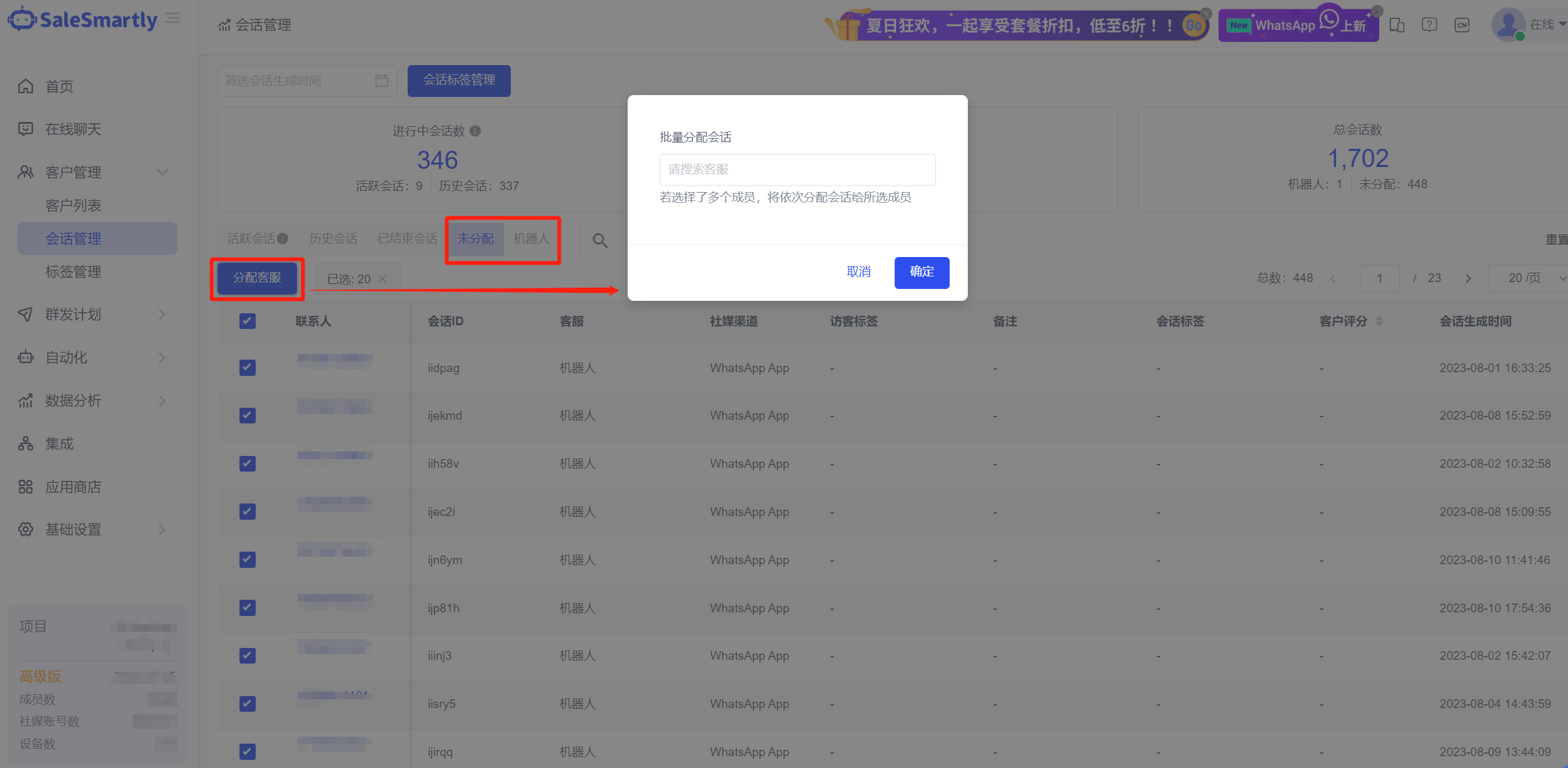
5. Unassigned/Robot Sessions Support Batch Assignment
A new Unassigned/Robot Tab list has been added to Session Management to display sessions of corresponding status and support batch assignment of customer service operations.
Usage scenario: Customer service supervisors can allocate sessions to different customer service staff by quantity in Session Management-Unassigned/Robot List to meet the scenario where merchants manually allocate sessions.
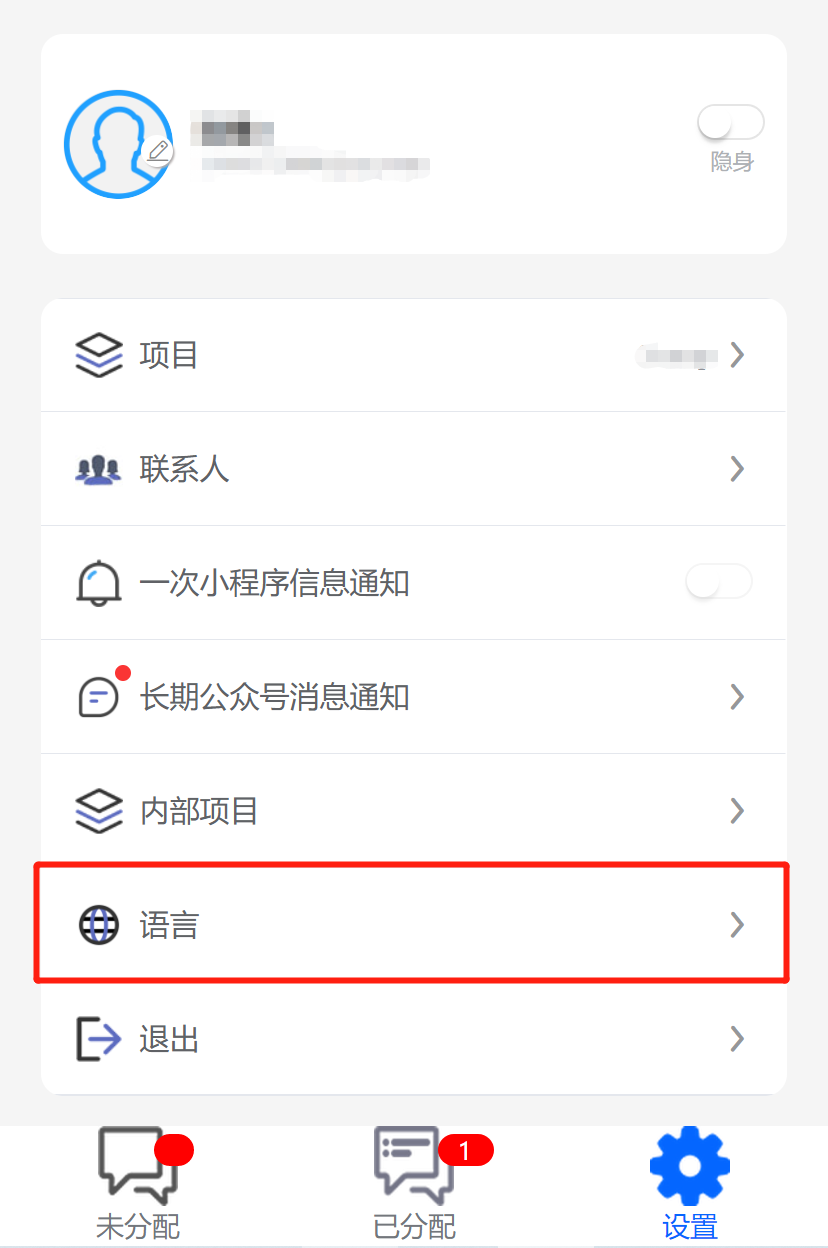
6. Mobile Terminal Supports Language Switching
The mobile App/Mini Program now supports setting the operating language, and can now switch between Chinese and English.
Usage scenario: Some overseas customers may be more accustomed to reading in English. Switching the mobile terminal to English language can improve their mobile office experience and efficiency.
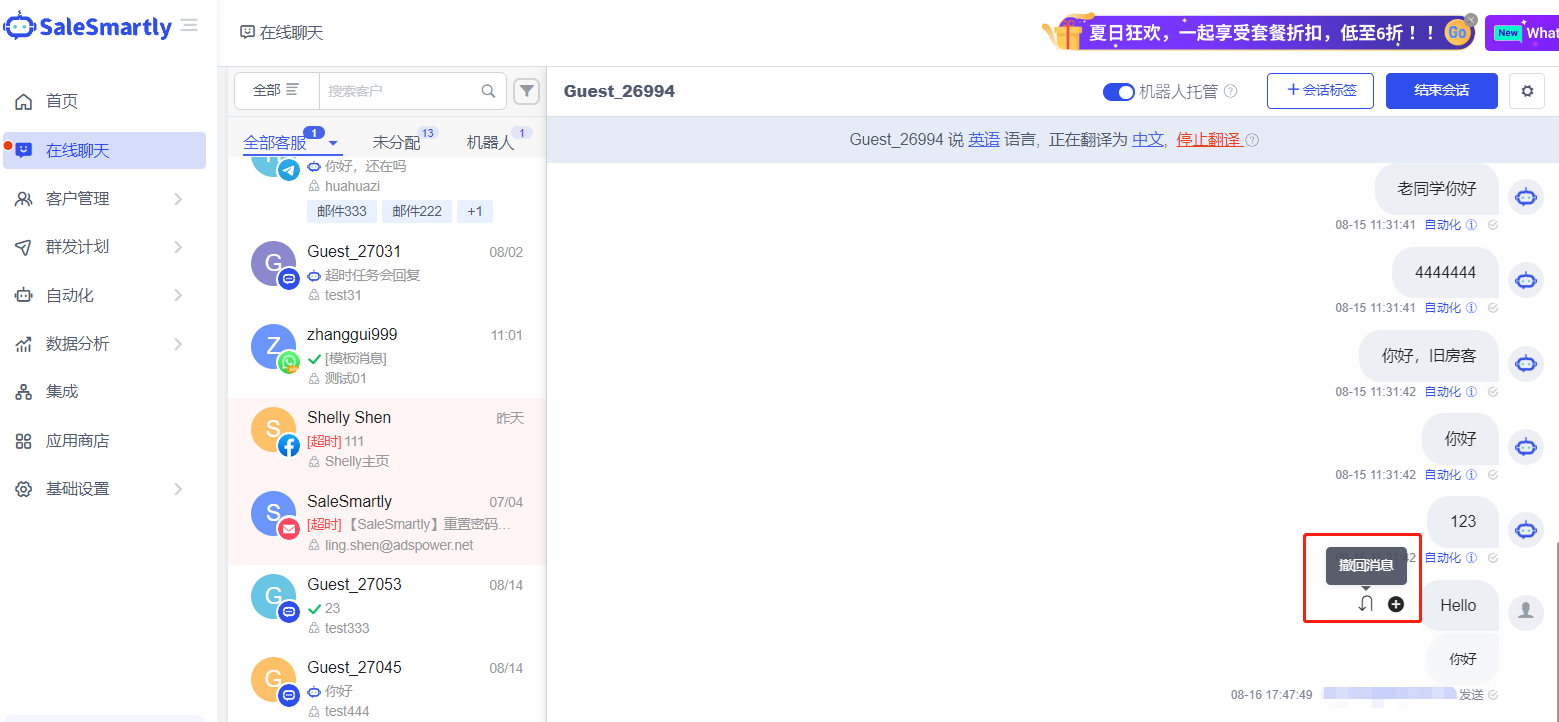
7. Chat Plugin Channel Messages Support Withdrawal
In Online Chat - for conversations in the chat plug-in channel, the customer service message withdrawal function is now supported.
Usage scenario: When chatting with customers, you can use this function to promptly recall previously sent error messages to avoid misunderstandings with customers.
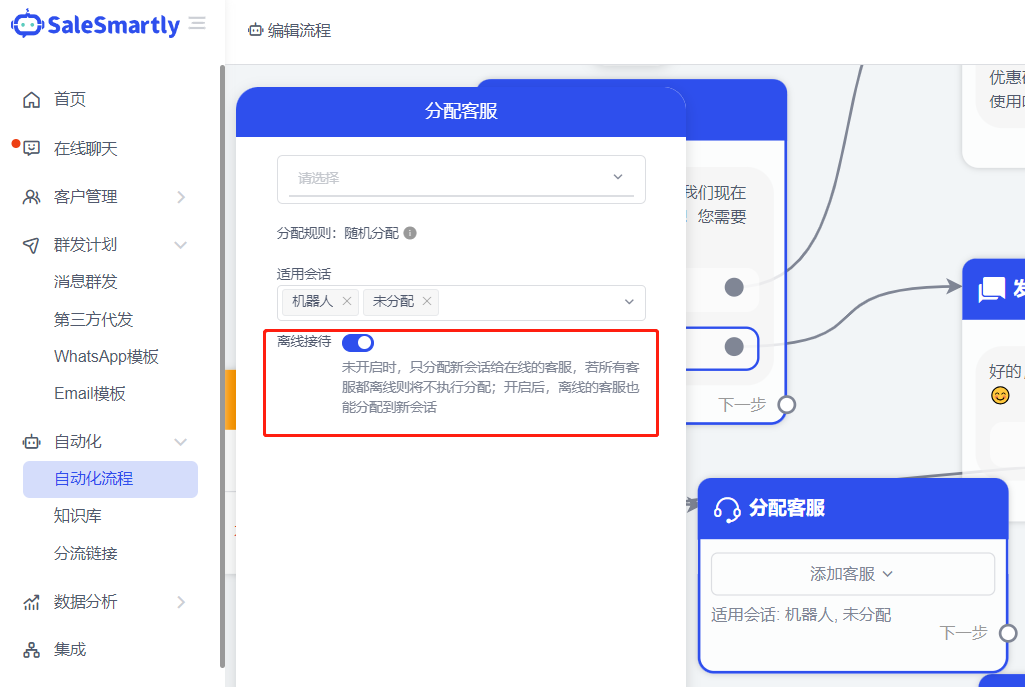
8. Automated Support Only Assigns Online Customer Service
In Automation - Assign Customer Service Action, add an offline reception switch. When this switch is not turned on, new sessions will only be assigned to the customer service who is currently online.
Usage scenario: For merchants with different customer service shifts, you can set it to only assign new sessions to online customer service, and not assign customer service staff who are not within the current shift, so that visitor messages can be responded to in a timely manner.
9. Mobile Terminal Function Update
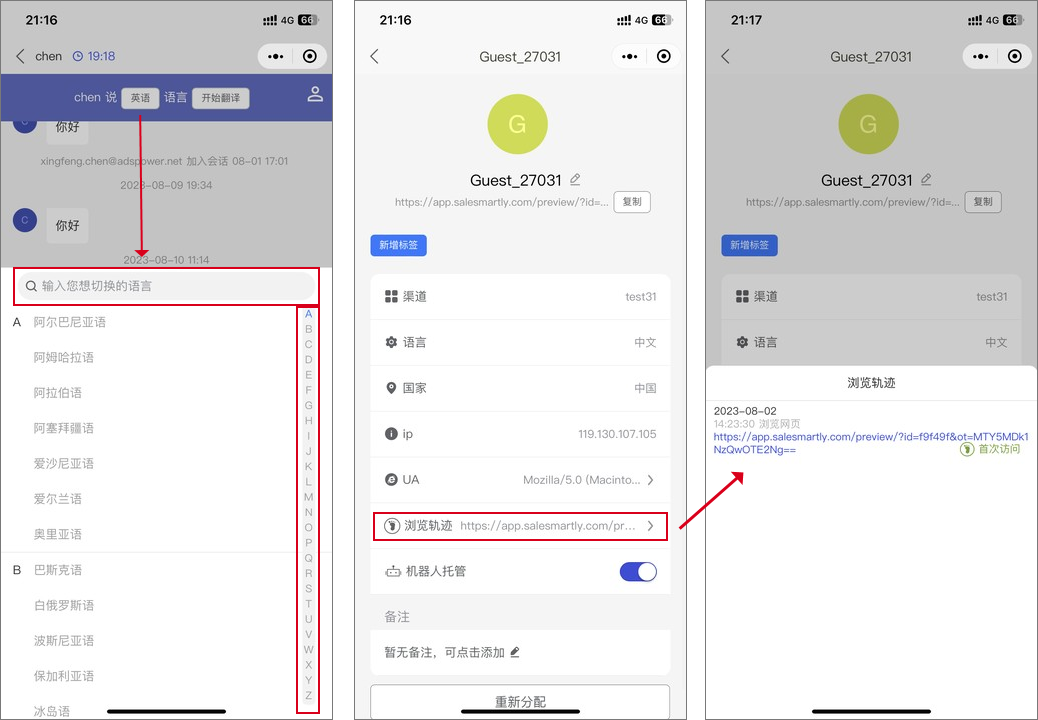
Mobile App/Mini Program that supports:
- Searching and translating languages
- Viewing the browsing history of website visitors
Usage scenarios:
- Quickly search and select the visitor's language
- View visitor's web browsing history to understand their consultation intention
10. Diversion Links Support Generating QR Codes
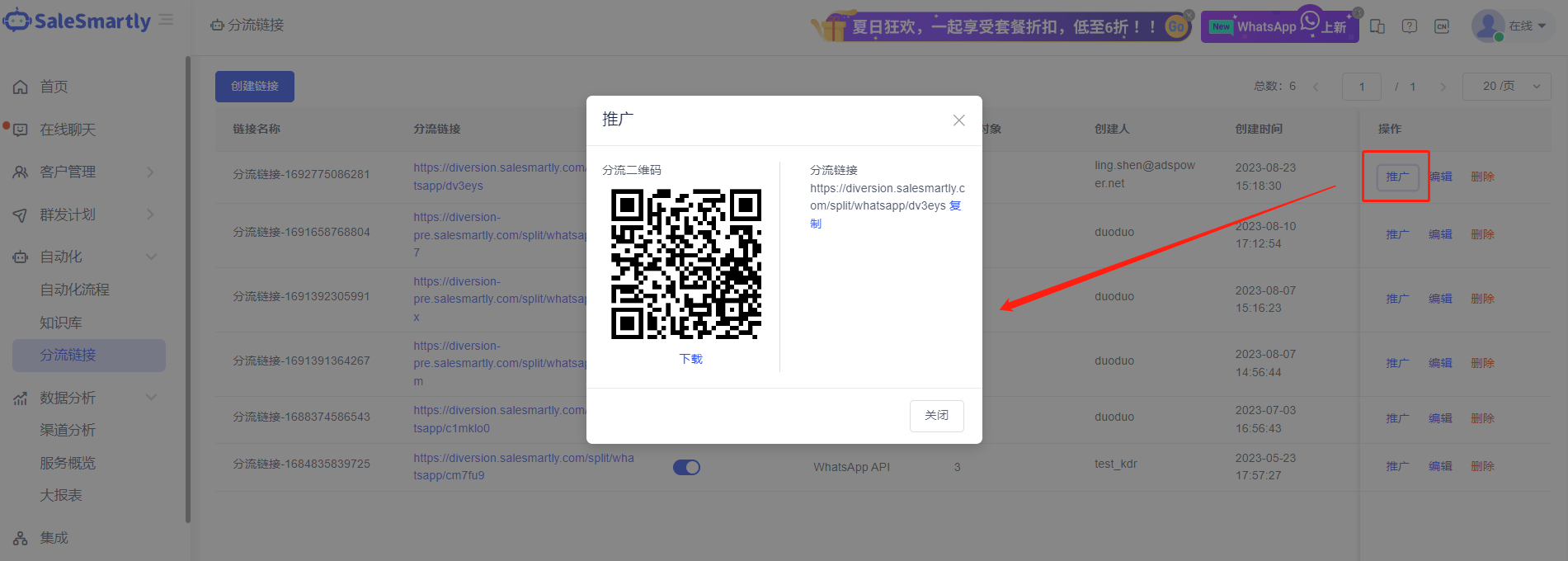
In the Automation - Diversion Link interface, diversion promotion supports:
- Copying links
- Generating diversion QR codes
Usage scenario: Visitors can click on your promotional link or scan the QR code to be redirected to the WhatsApp account/group/community of your choice.
11. Optimization of Transfer Conversations for Resigned Employees
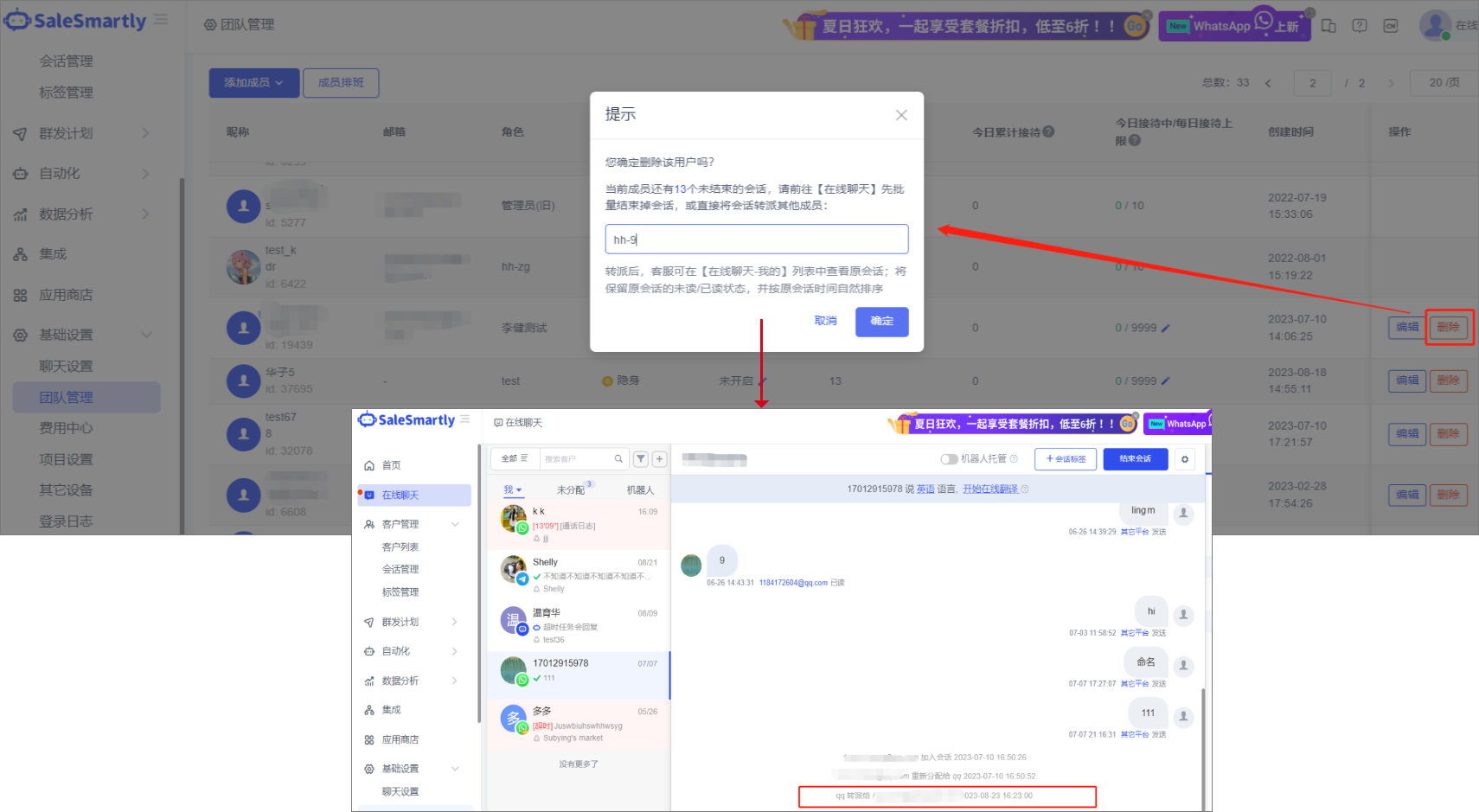
In Basic Settings - Team Management, when deleting an agent:
- You can assign their conversation to other agents
- After transfer, system message reminder will be displayed
- Read/unread status of original conversation message will be retained
Usage scenario: Ensure customer's conversations can continue to be followed up when an employee leaves.
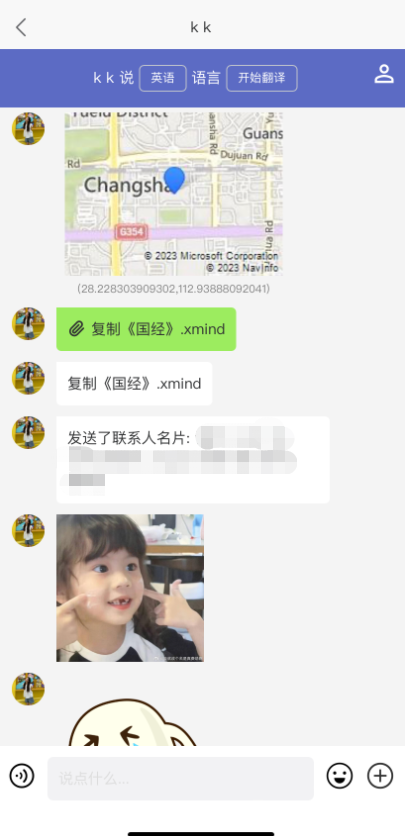
12. Mobile Terminal Compatible with WhatsApp App Message Types
The mobile App/Mini Program WhatsApp App channel supports displaying message types such as:
- Stickers
- Locations
- Friend cards
- Files
Usage scenarios: Display more complete chat information to improve mobile office experience.
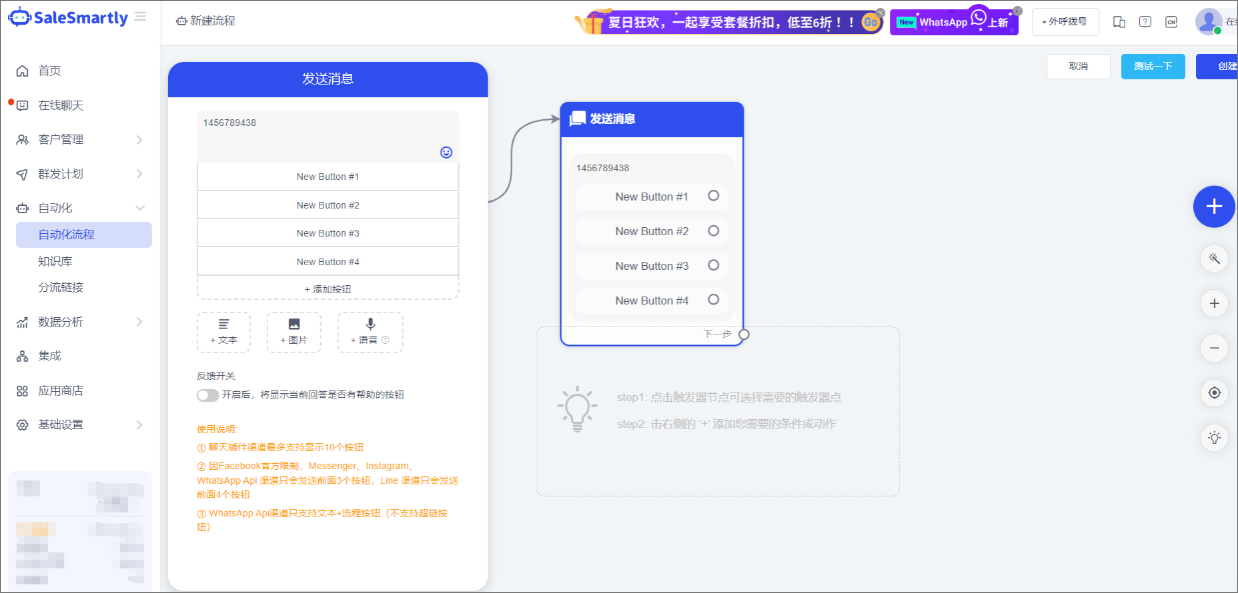
13. WhatsApp API Number Compatible with Automated Message Button
In Automation - Automation process, WhatsApp API number (agent-ycloud number) supports the send text + process button.
Usage scenario: Create automated reply process where robot can automatically reply when visitor clicks message button.
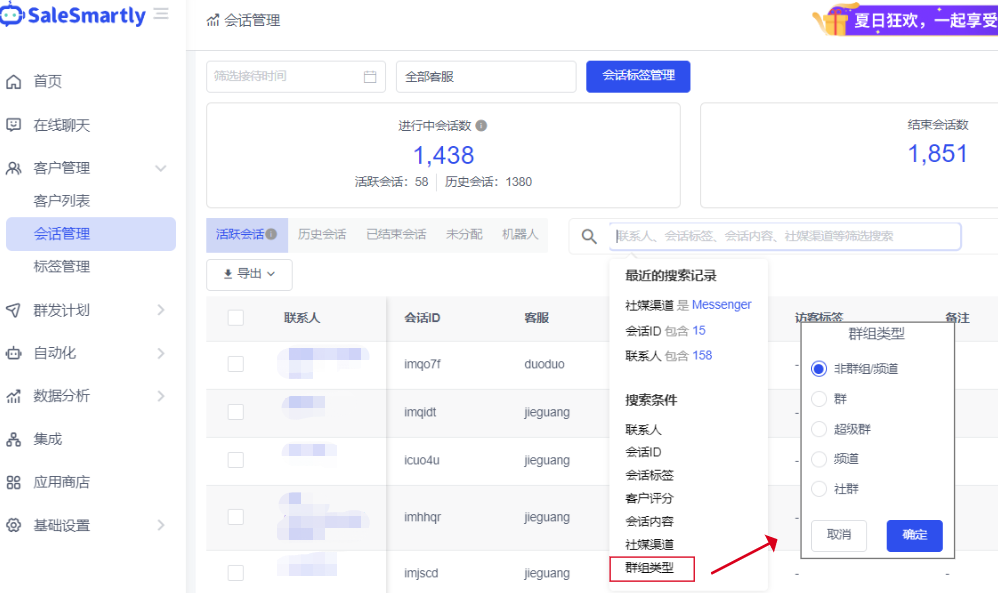
14. Added Group Type Filtering for Conversations
In Session Management, new functions:
- Filter sessions by "Group Type"
- Display in ascending/descending order by various time fields
Usage scenario: Filter and manage all conversations associated with corresponding group contacts.
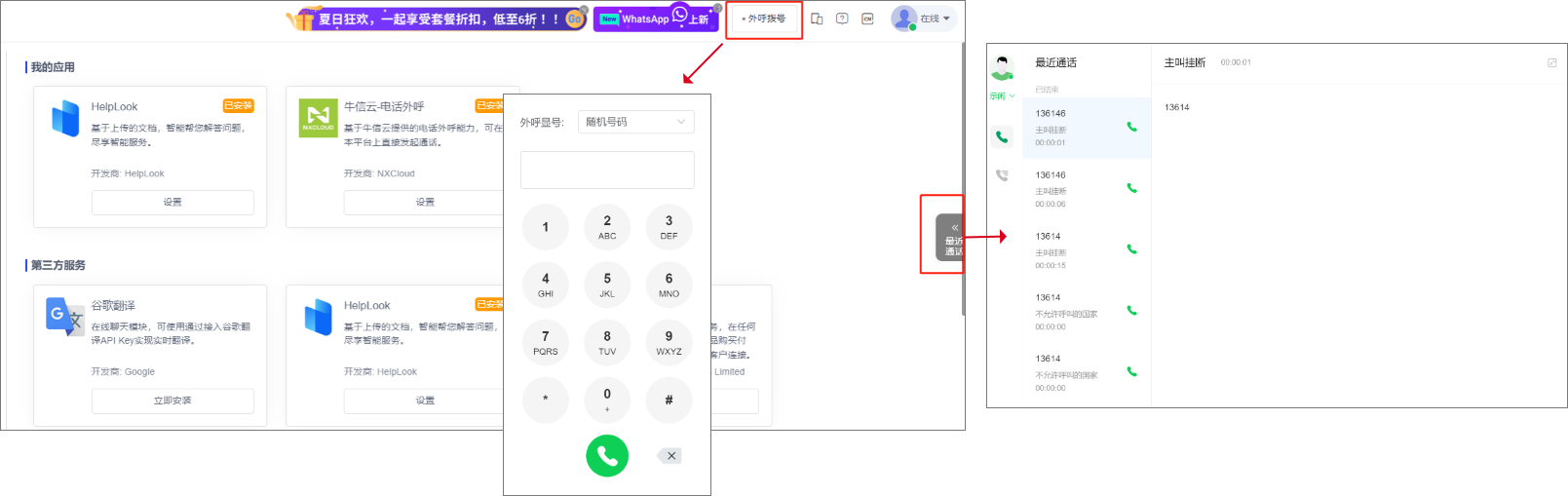
15. Added Niuxin Cloud Outbound Calling Function
In the App Store, you can:
- Install the Niuxin Cloud Outbound Call Plug-in
- Initiate outbound calls in computer web/desktop version
Usage scenarios:
- Make outbound calls to overseas users
- Each member account can login to different outbound call accounts