Product Feature Updates
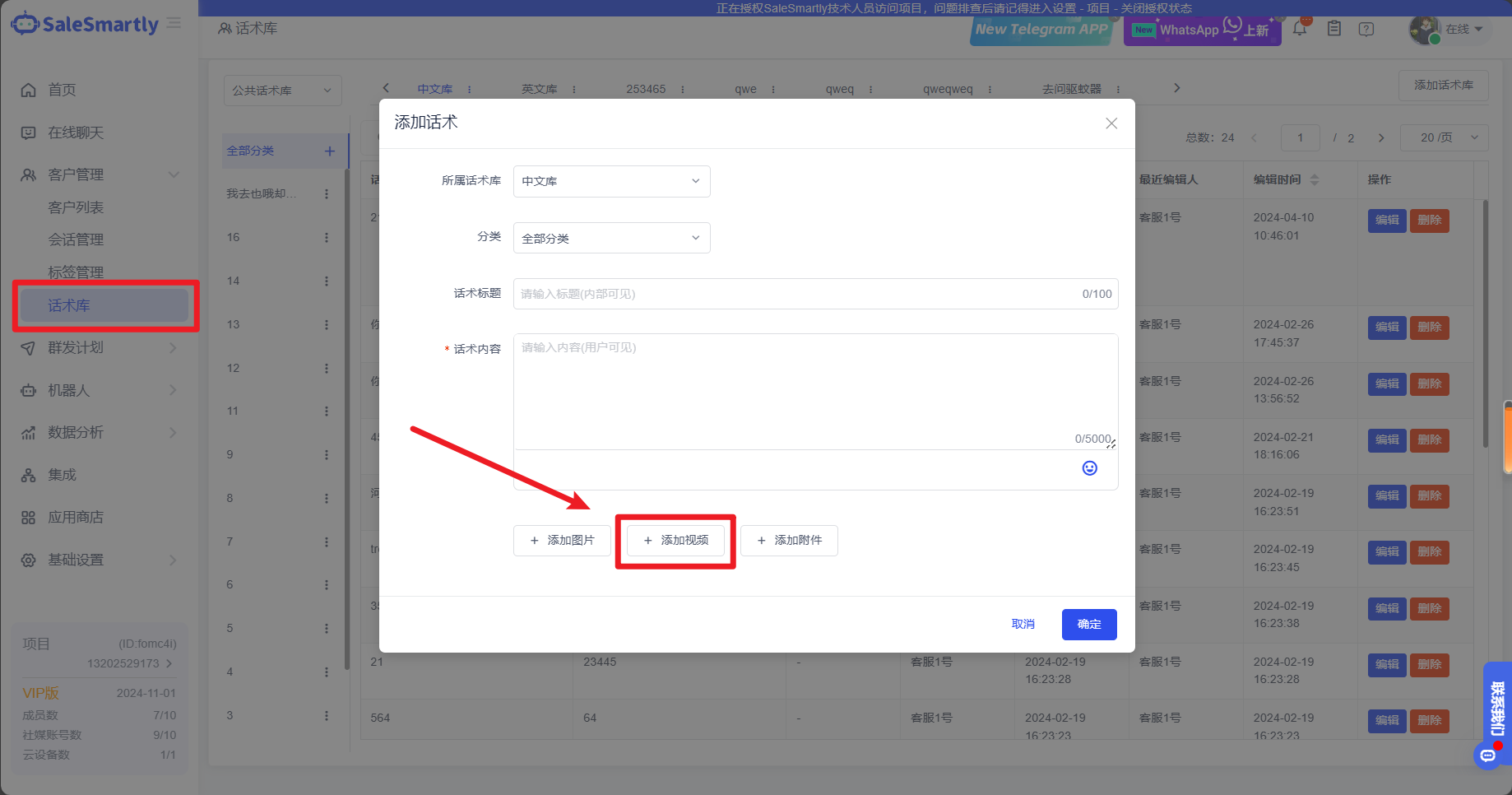
1. Product Feature Updates: Speech Library Now Supports Videos
In Customer Management - Script Library, we have added support for adding video formats, making it easier for you to send commonly used video script content.
Usage scenario: When customers do not understand your products or content, you can send the script together with the video to help them better understand your content.
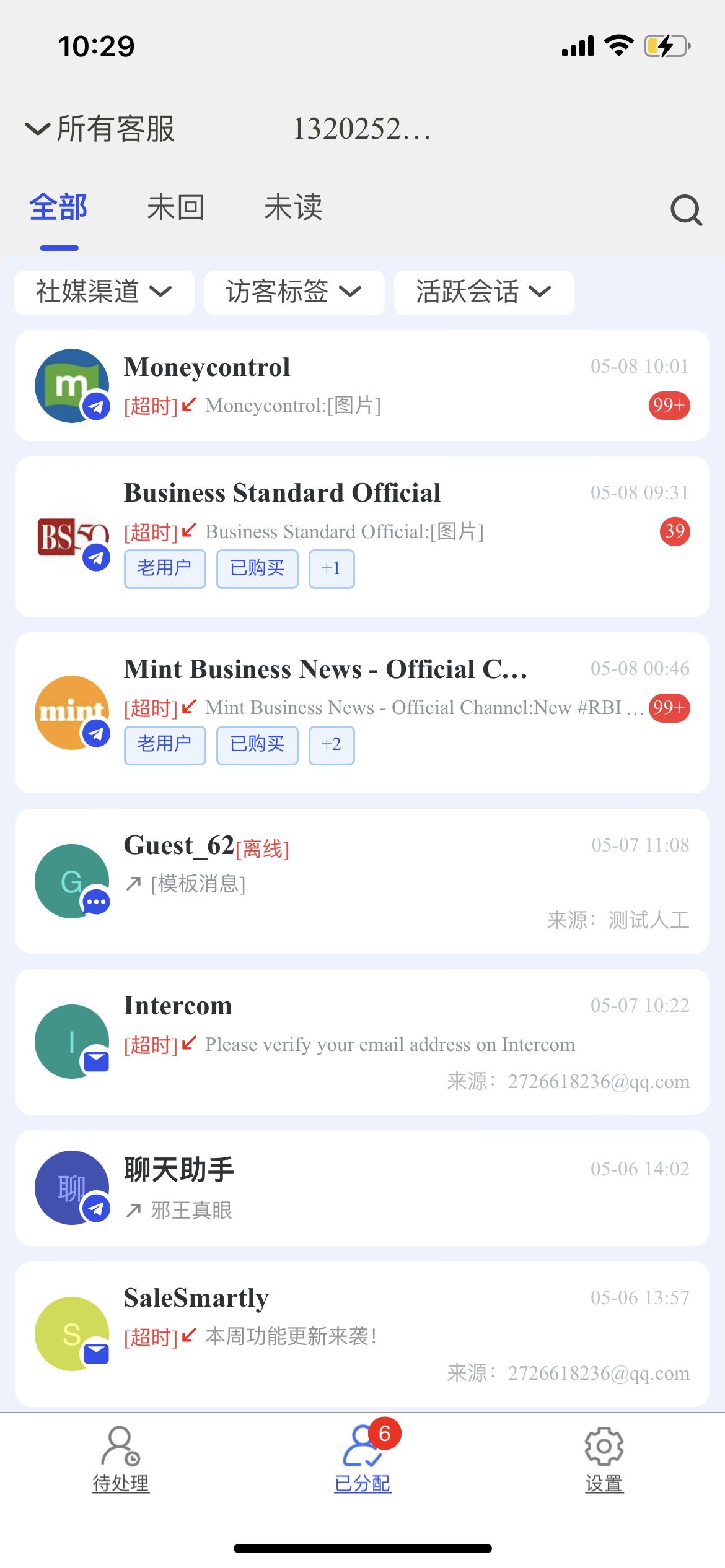
2. Mobile Terminal Optimization: Style Revision and Filtering Function Launched
This optimization is compatible with the read and unread, label and channel filtering functions on the PC side, and redesigns the display style of the reception tab page, optimizes the display prompts of timeout and unread message numbers, and improves your user experience on the mobile side.
Usage scenarios: It enriches your chat function modules on the mobile terminal and has more comprehensive functional compatibility, allowing you to efficiently chat outside of the computer.
3. Partial Optimization
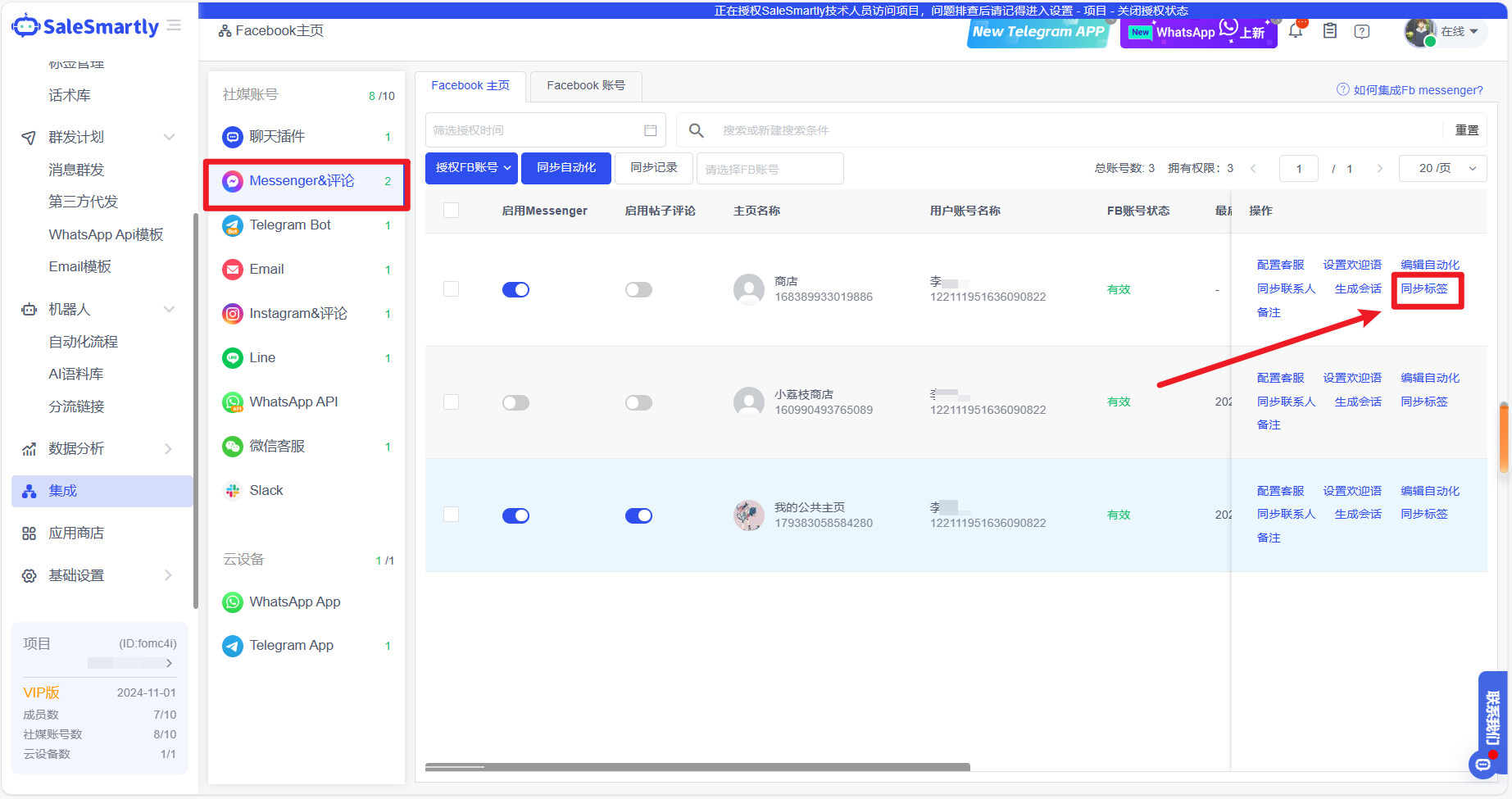
3.1 Facebook Integration Interface Adds FB Official Tag Sync Function
In Integration, a new sync label function has been added for Messenger & Comment channels.
Usage scenario: In Integration, you can synchronize the official tags of all customers in a Facebook homepage with one click. Compared with Live Chat which can only synchronize customers one by one, this optimization can not only simplify your previous tedious operations, but also avoid uncertain situations such as missed synchronization.
3.2 Channel Analysis Adds Telegram App Dimension Data
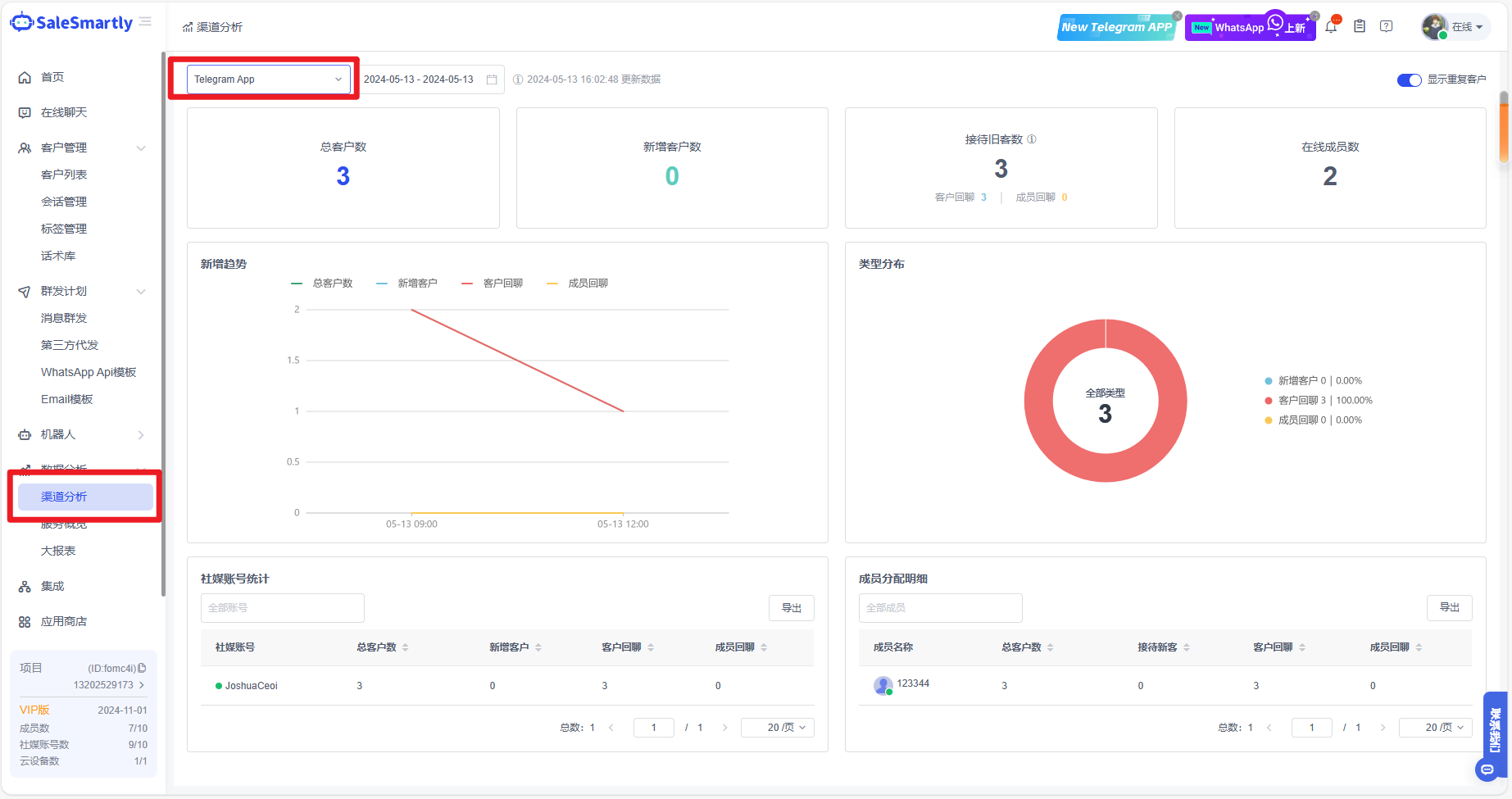
In Channel Analysis, data analysis of the channel dimension of Telegram personal accounts is now supported.
Usage scenario: Switch to Telegram App, you can view Tg customer data of different dates, different accounts, and different members, which can provide visual data support to help you formulate marketing strategies in the future.
3.3 Chat Plug-in Manual Customer Service Button Style Optimization
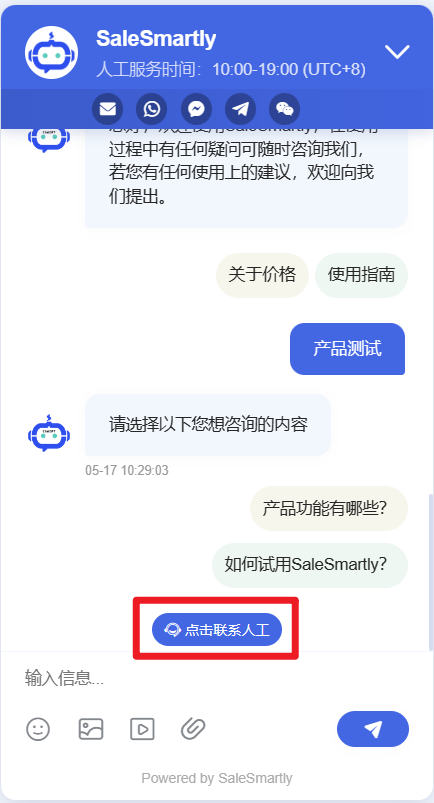
This optimization is for the chat plug-in's button for transferring to manual customer service, making it easier to understand and improving customer perception.
Usage scenario: The new style avoids the dilemma that customers could not perceive and did not know they needed to click. More obvious prompts can speed up customer service to reach customer needs and improve customer service experience.
4. Quick Reply Function Compatibility Expansion
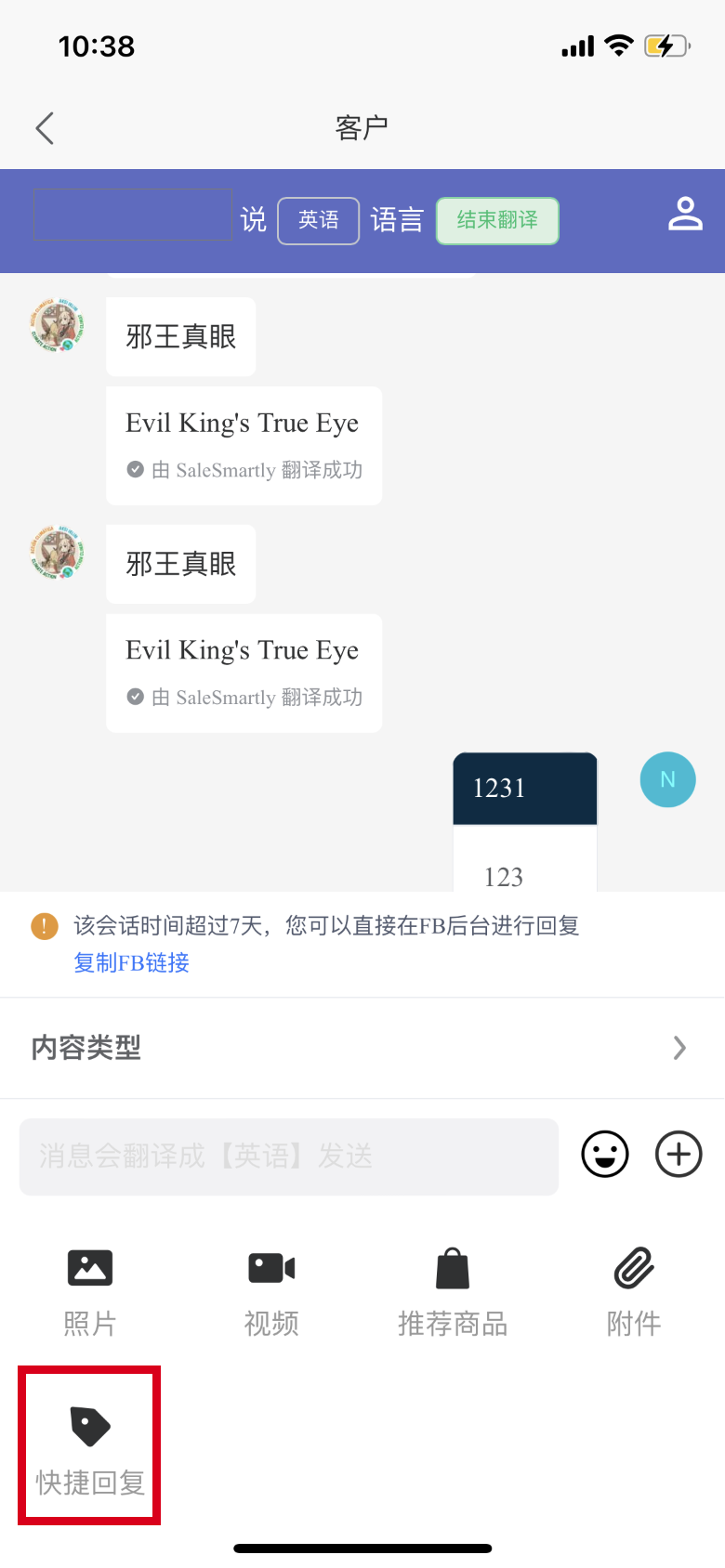
The mobile version is now compatible with the quick reply feature for Messenger, WhatsApp App, WhatsApp API, and Instagram channels.
Usage scenarios: Quick replies include a script library and AI corpus. The mobile terminal will automatically be compatible with your project data on the PC, allowing you to reply to customers conveniently and efficiently while working away from home.
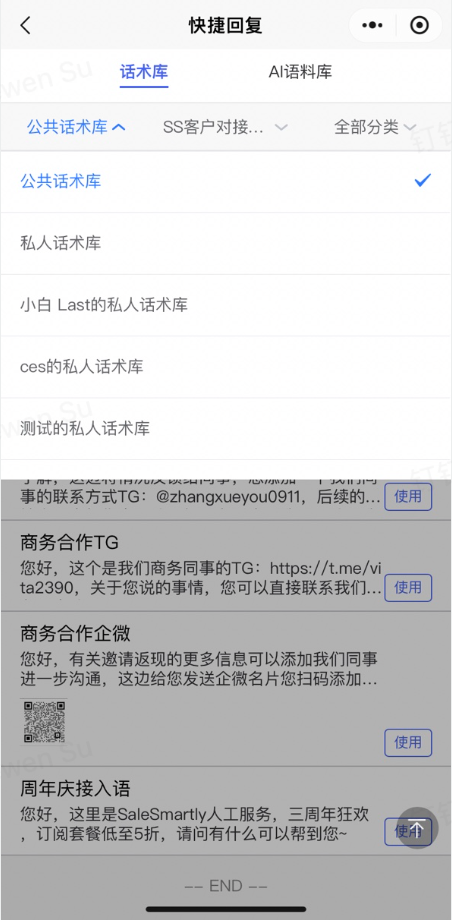
5. Mobile Quick Replies Support Personal Script Library
The mobile terminal's quick reply script library function has been added with support for switching to view personal script libraries. This function can be used to browse and send scripts created on the PC.
Usage scenario: In daily customer maintenance, customer service will provide personalized services for customers of different channel types. The mobile personal script library helps service personnel to be more efficient in this scenario.
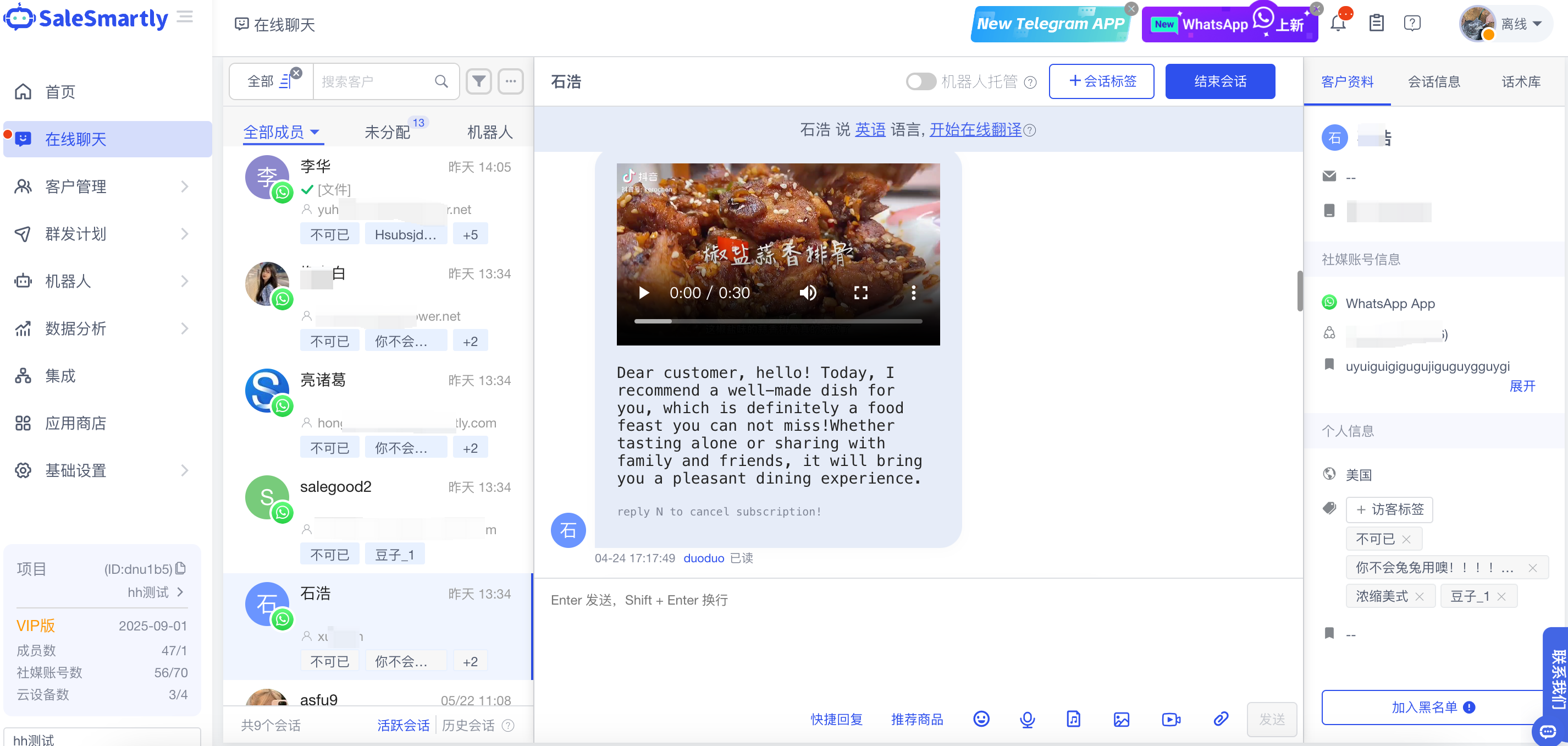
6. WhatsApp Channel Messages Optimization
Compatible with WhatsApp channel messages, including dynamic messages and attachments up to 32M.
Usage scenario: In daily communication, the online chat WhatsApp channel will receive dynamic messages from customers, and in daily replying to customers, product-related documents will be sent to customers.
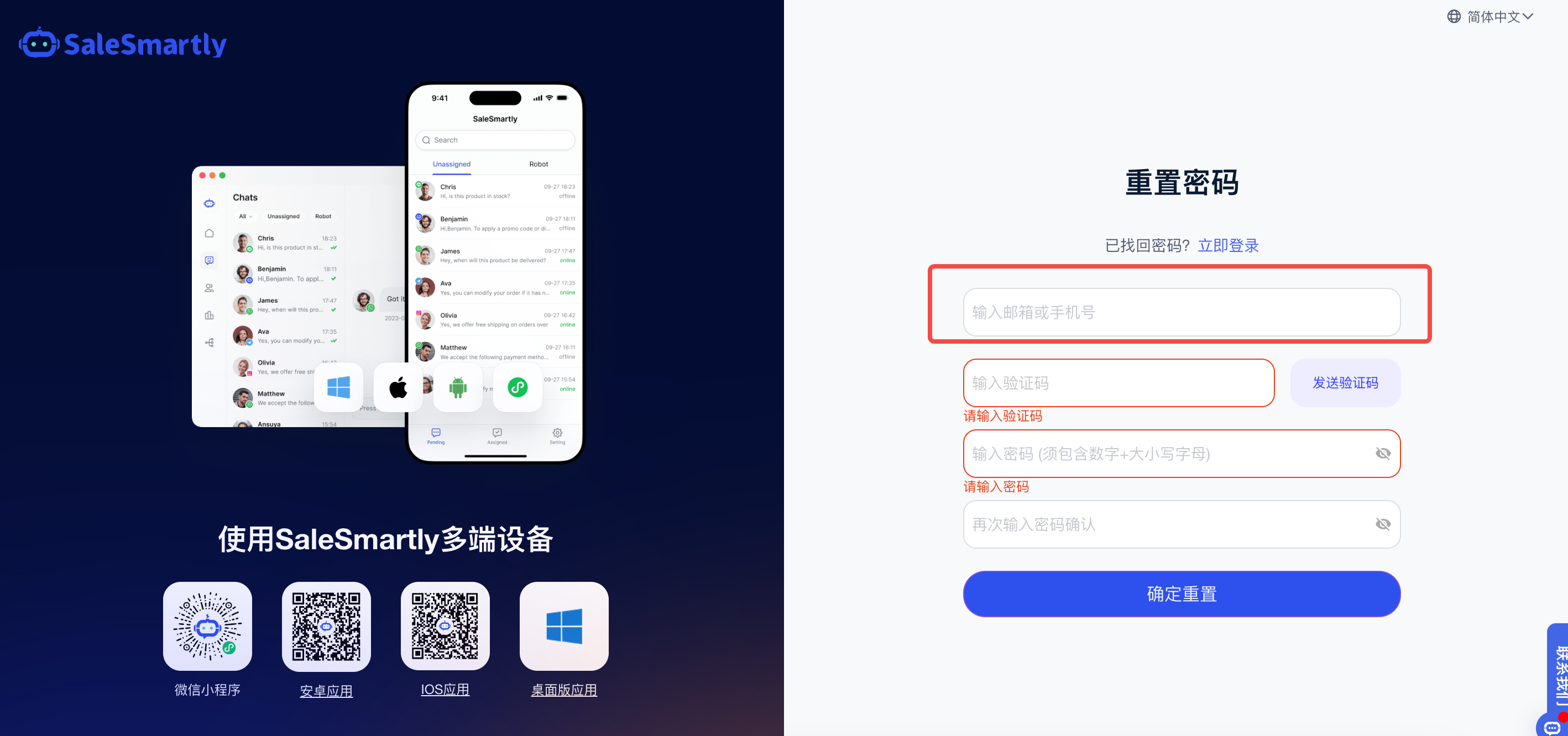
7. Login Page Supports Mobile Verification for Password Recovery
If you forget your password on the web page, you can now set a new password via mobile phone verification code.
Usage scenario: When you forget your login password or need to change it, you can reset your password by receiving a verification code via email or mobile phone number.
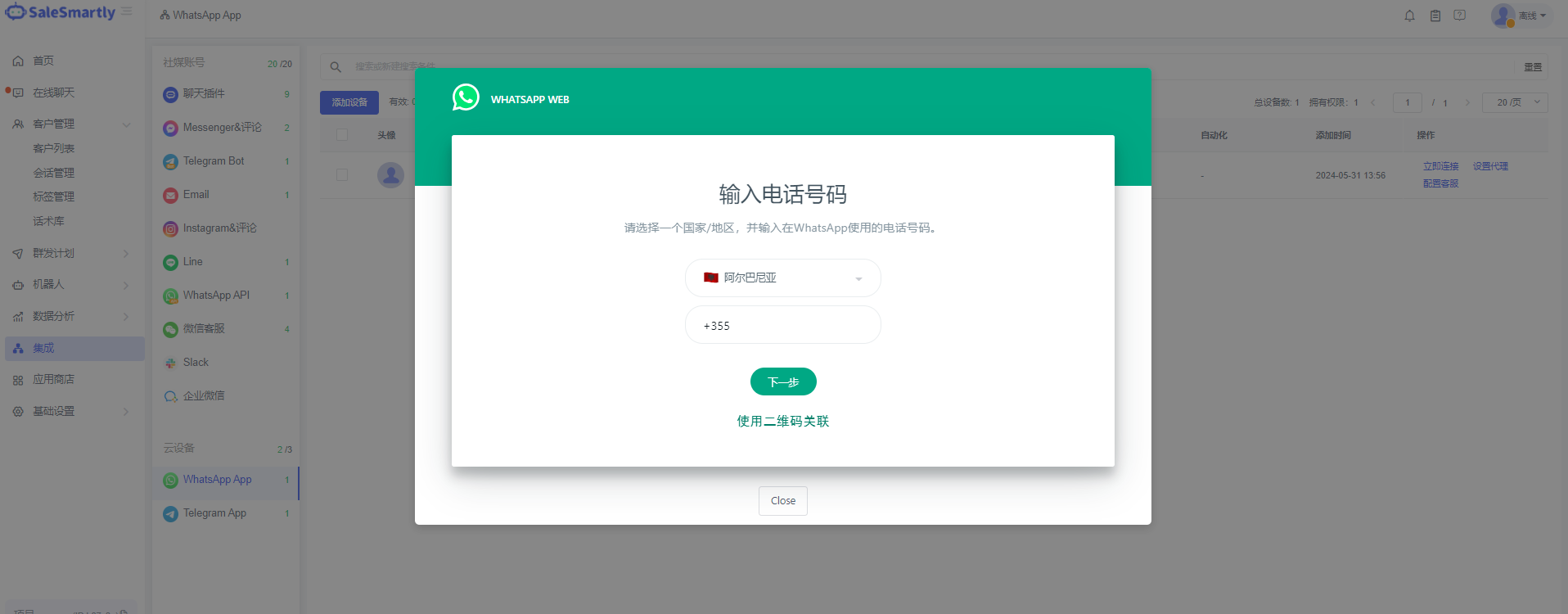
8. Cloud Device WhatsApp App Adds Phone Verification Login
When integrating the cloud device WhatsApp APP account, a new verification code login binding is added, and there is no need to use a mobile phone to scan and log in.
Usage scenario: When you bind the WhatsApp APP and cannot use the WhatsApp QR code to log in, you can receive the verification code through your phone number to log in.
9. New Team Member Groups and Permission Upgrades
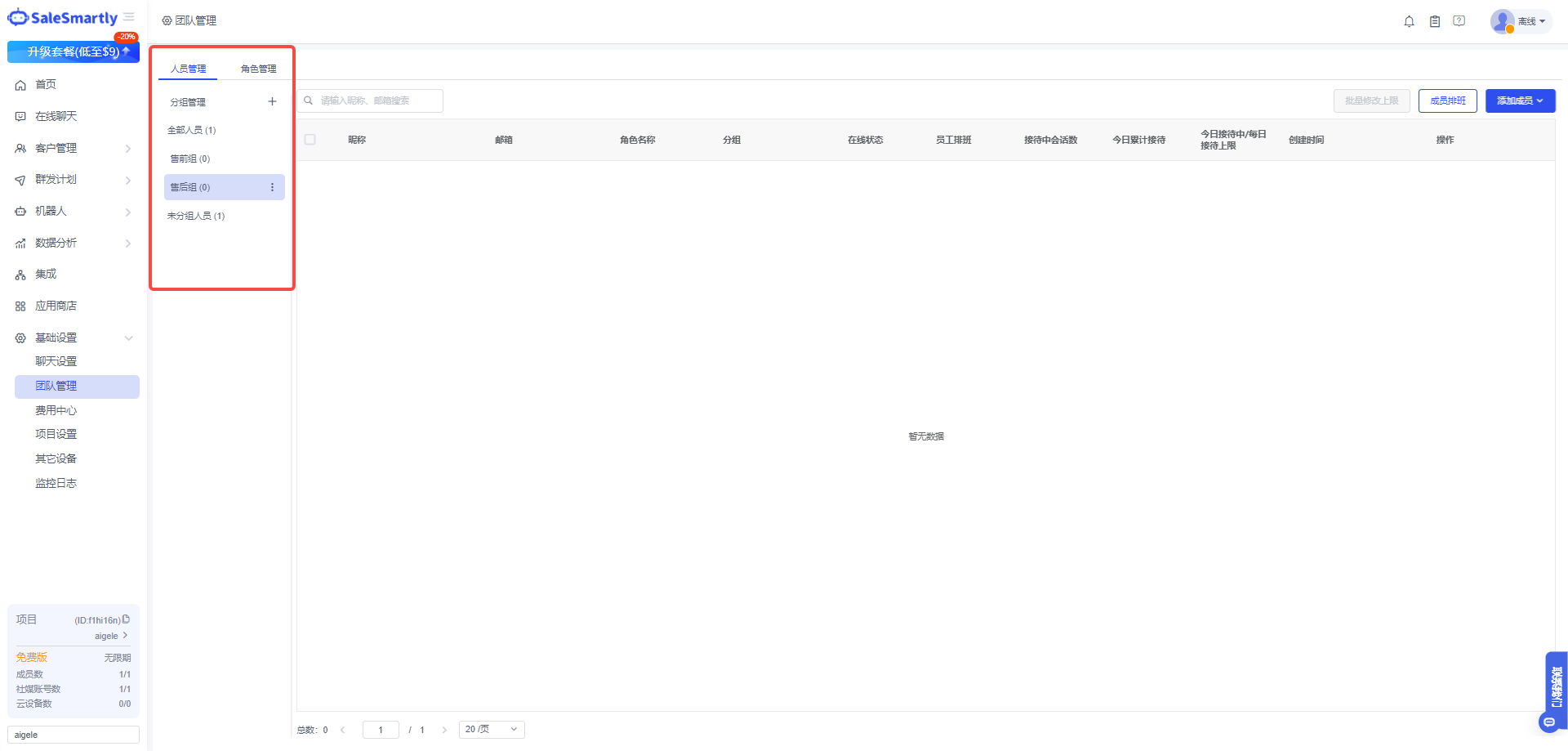
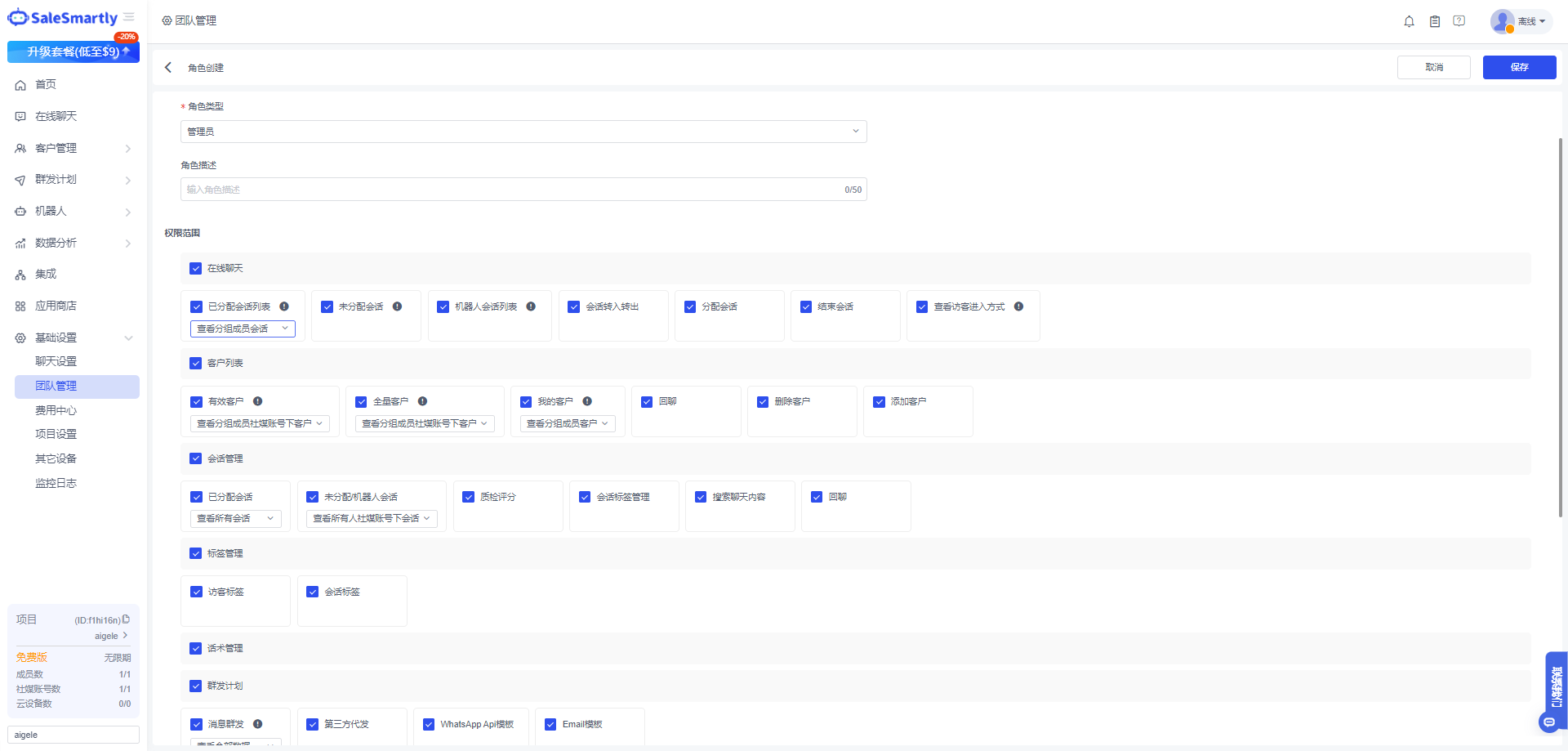
Added new member groups in Team Management-Personnel Management, which can be managed in groups according to member business divisions, and data isolation can be achieved by combining role configuration.
Usage scenario: When your company members need to receive customers in groups and the data between different groups need not affect each other, you can set the member role to view group permissions and set the members to the same group.
10. Mobile Terminal WhatsApp Conversation Initiation Feature
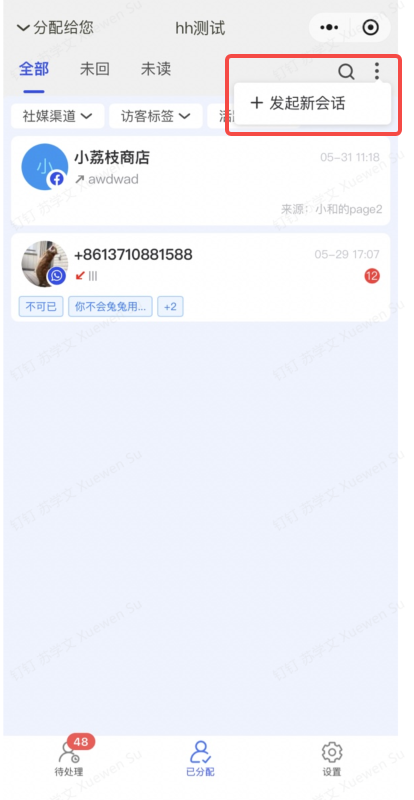
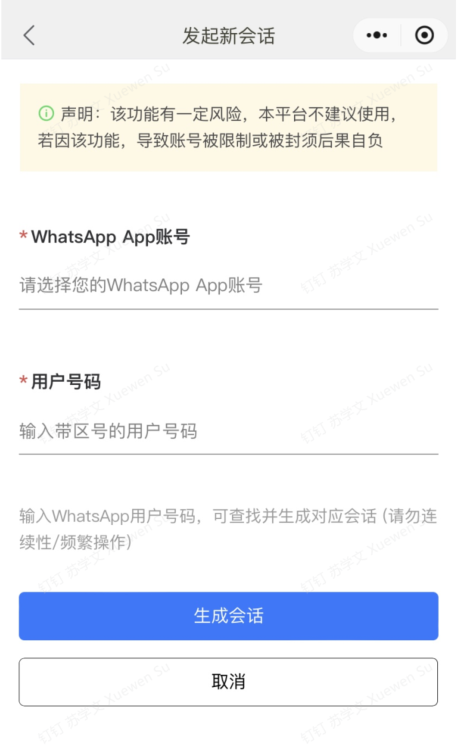
On the mobile terminal, you can initiate a new session with the WhatsApp app channel customer.
Usage scenario: When you use the mobile terminal and a new WhatsApp customer needs to initiate a conversation, you can fill in the customer's mobile phone number to generate a new conversation.