AI Channel Compatibility
1. AI Channel Compatibility and Automated Messaging Features
1.1 AI Functions Are Compatible With All Channels
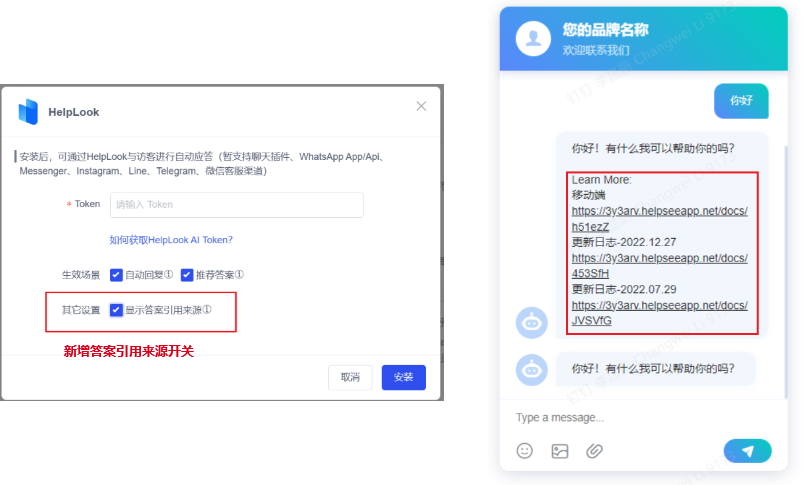
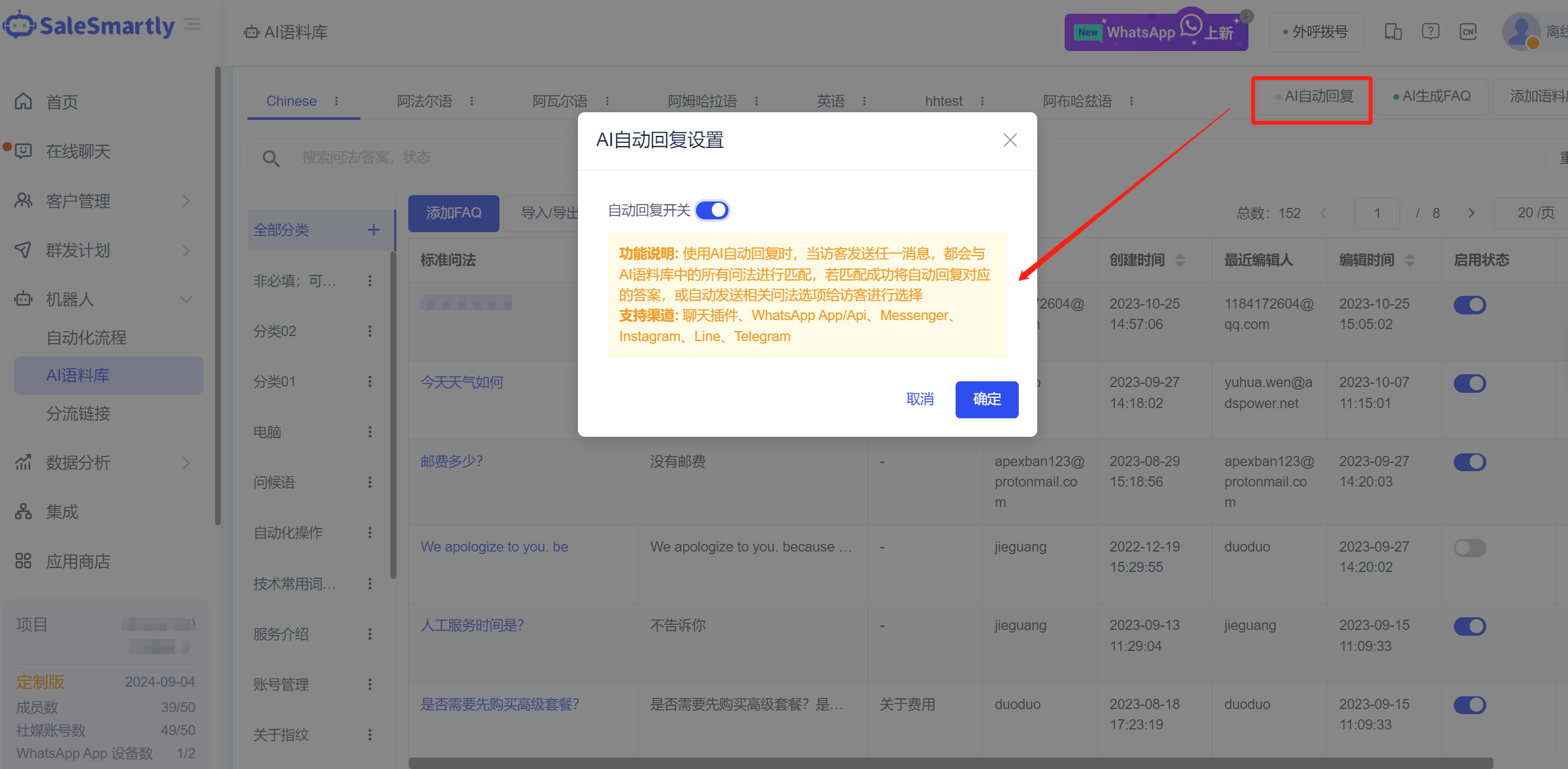
AI Corpus - FAQ automatic reply function, App Store - HelpLook, ChatGPT application is compatible with all chat plug-ins, WhatsApp App/Api, Messenger, Instagram, Line, Telegram and other channels. ChatGPT supports entering the model ID, which can call the corresponding model (you can call the model you fine-tuned) to respond to visitor questions in a targeted manner.
Usage scenarios: After being adapted to all channels, the AI capabilities of this platform can help merchants in the field of social media marketing to quickly experience and embrace the AI big model and accelerate your business.
1.2 Facebook Comments Support Automatic Private Messages
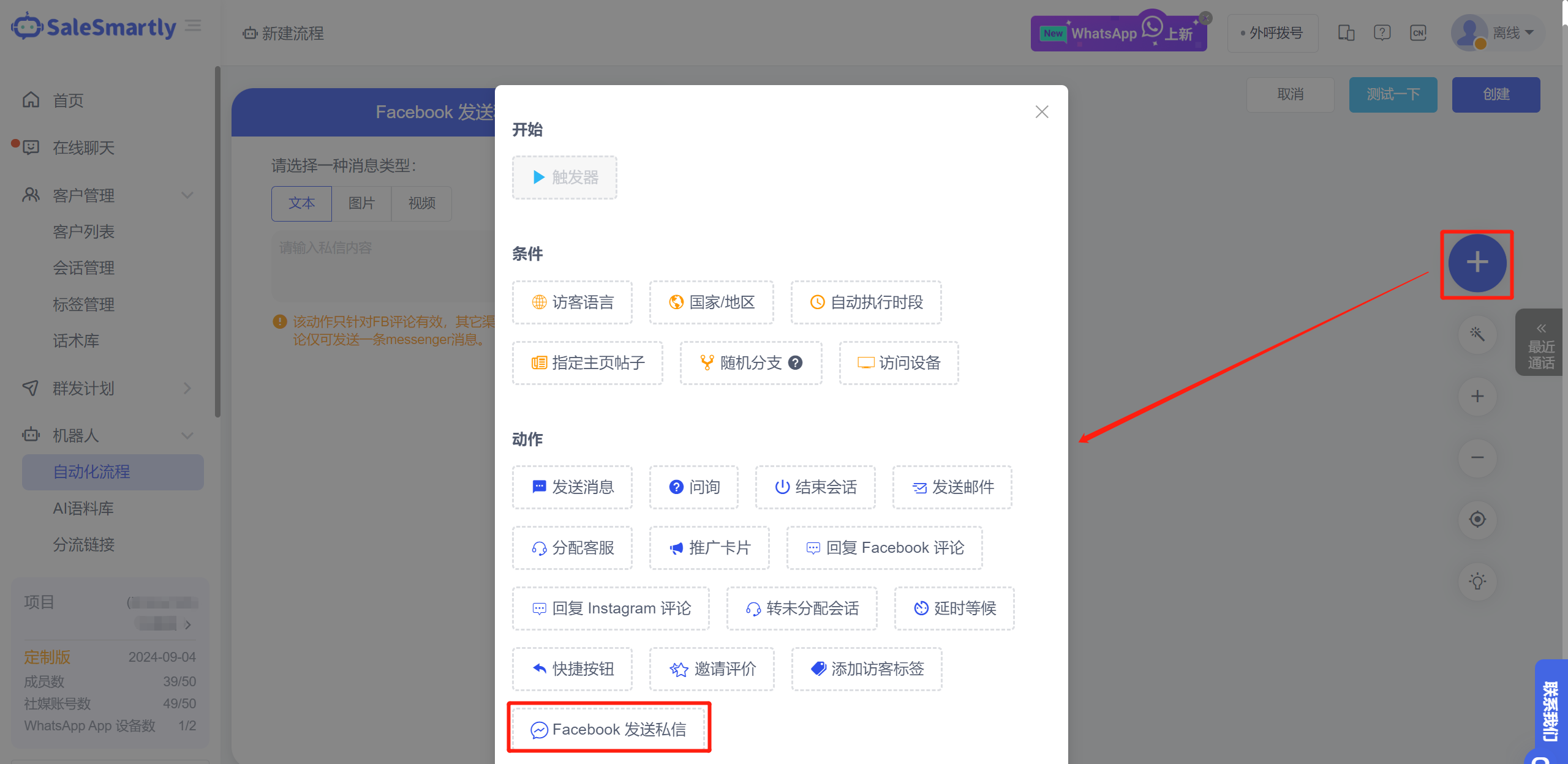
On the Automation creation/editing page, a new "Facebook Send Private Message" action has been added, which can automatically send a private message to users who leave comments on Facebook posts. It supports text, pictures or videos.
Usage scenario: For some customers who have positive comments or high intention in the comment section of Facebook posts, you can automatically send them Messenger private messages, thereby increasing chat interactions with customers and promoting more sales orders.
2. Email and Messaging Enhancements
2.1 Email Content Supports Quoted Replies
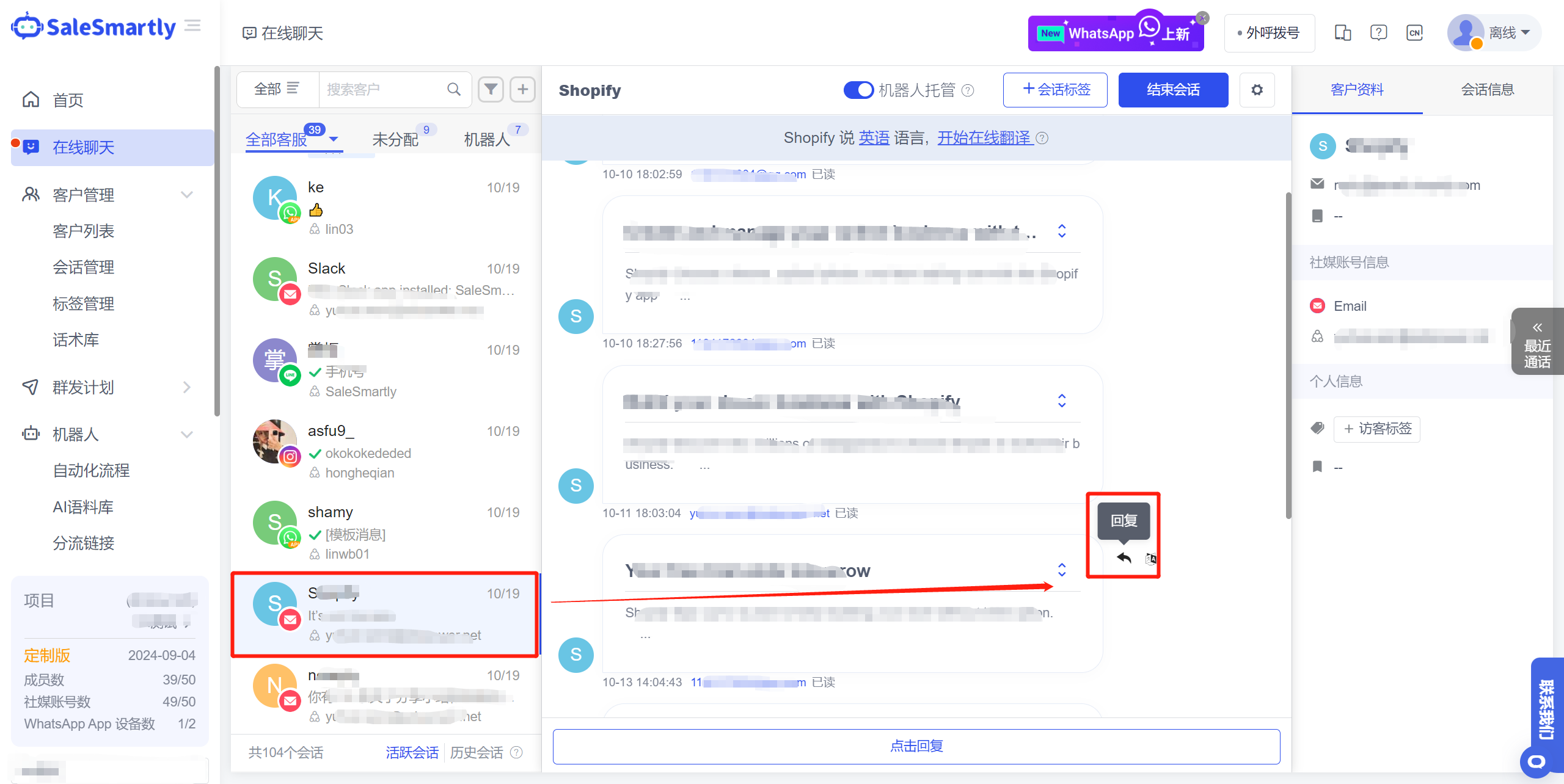
On the Online Chat page, you can directly quote the email content and reply to email messages from the Email channel.
Usage scenario: By quoting the context of the original email in the new reply email, your communication with customers will be more focused and reduce information gaps.
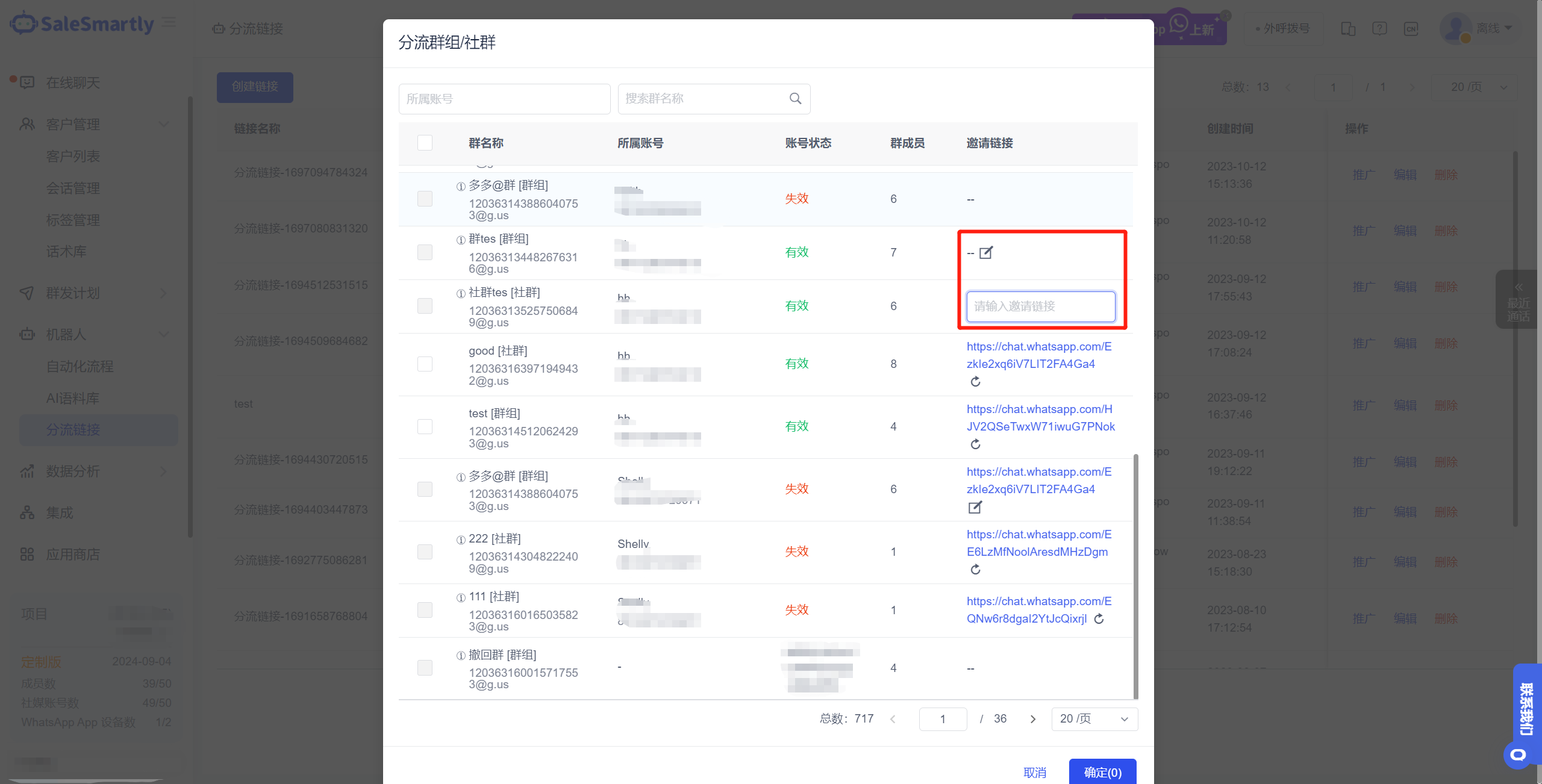
2.2 Manually Enter the Group Invitation Link
In Diversion Link Diversion WhatsApp App Channel - Group/Community, you can manually enter the invitation link for the group you want to divert in advance, and you can participate in the diversion immediately after entering.
Usage scenario: There is no need to switch the roles of the corresponding WhatsApp App account in multiple groups to administrator one by one. Multiple groups can be diverted by filling in the group invitation link.
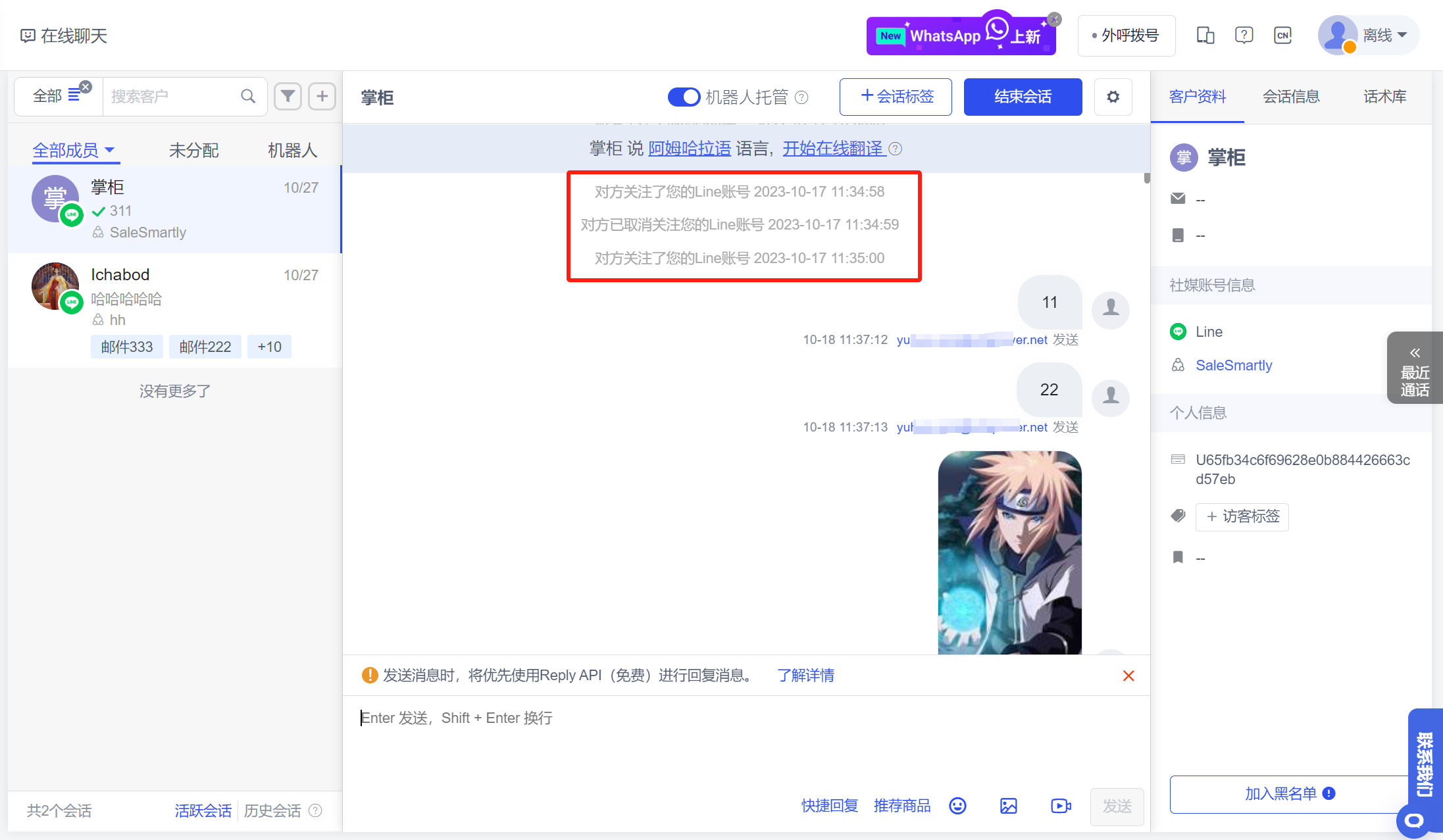
2.3 Follow Line to Create a New Conversation
As long as a Line user follows your official account, a new session will be generated in Online Chat to record the user's follow/unfollow events first.
Usage scenarios: For those who follow your official account, you can chat immediately after the system generates a new session, or set a welcome message for new users through an automated process to increase interactivity with users.
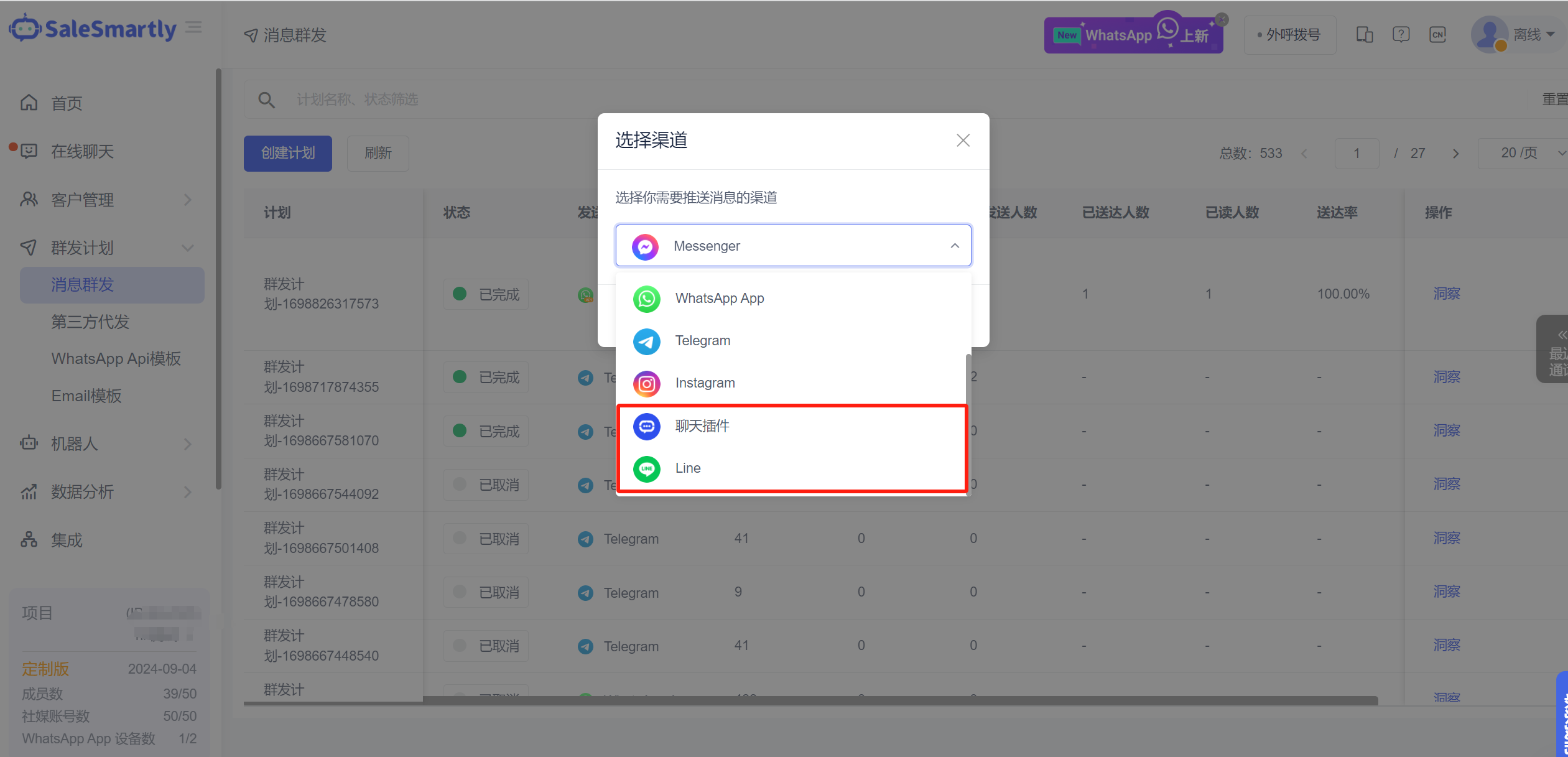
2.4 Group Messaging Supports Line/Chat Plug-in Channels
In Mass Message, it is now possible to create mass message plans for contacts under the Line channel and chat plug-in channel. At the same time, the old mass message entrance in Customer List has been removed.
Usage scenarios: For merchants doing Line marketing in Japan and South Korea and running independent websites, it supports sending preferential information to existing customers in batches during holidays/promotional activities to increase order conversion.
3. Reporting and Language Settings
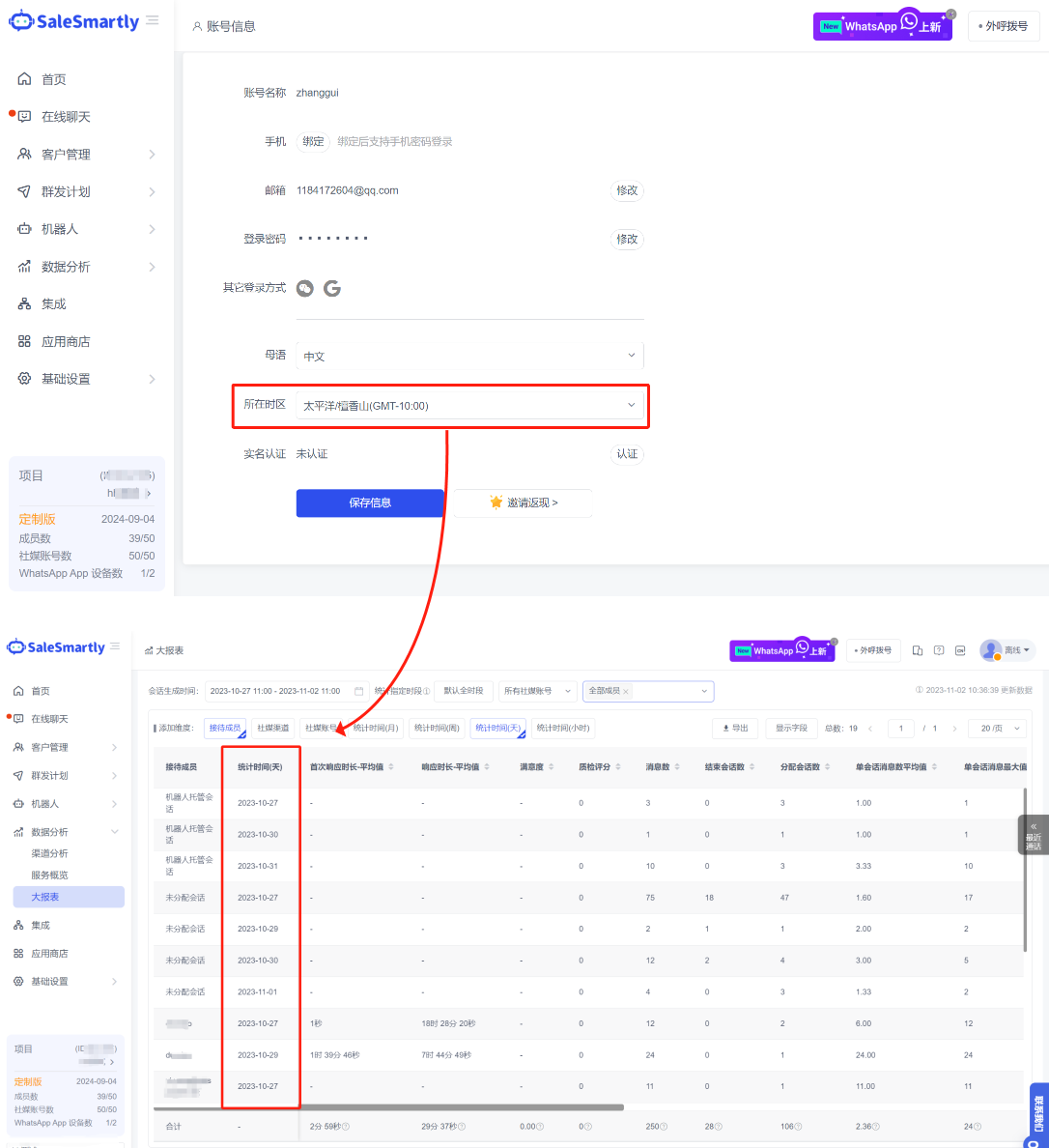
3.1 Large Reports Can Display Data in Different Time Zones
After setting the local time zone on the Account Information page, the data records in the Report will be converted according to the time dimension of the time zone you set.
Usage scenario: If you have an overseas customer service team, after switching to the time zone where the customer service is located, you can intuitively view and verify the actual daily work data of each customer service in the Big Report module.
3.2 Set the Default Visitor Language for the Project
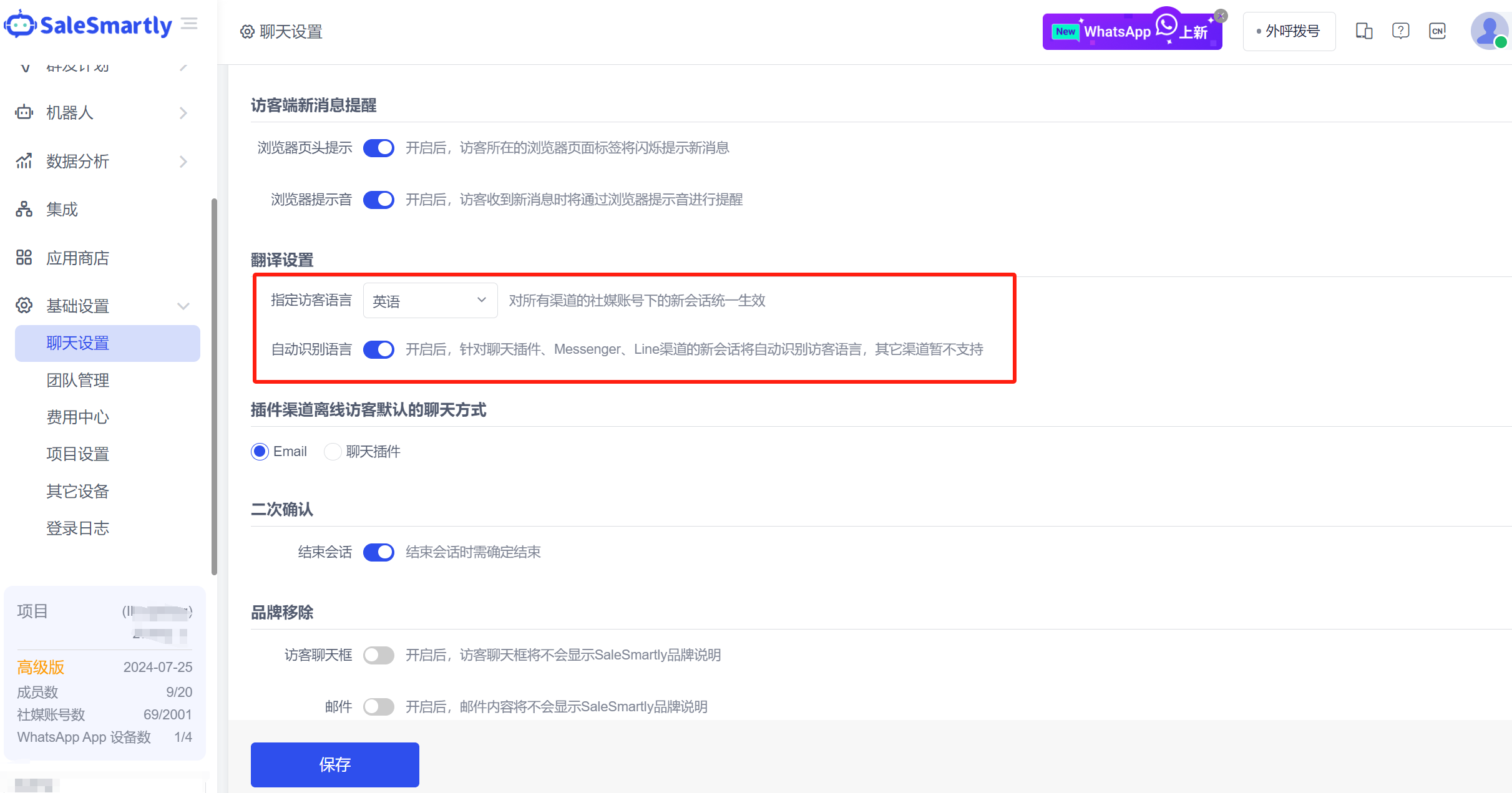
In Chat Settings - Translation Settings, you can specify the default language for visitors and enable the automatic language recognition function.
Usage scenarios: If your customers are from a specific country or region, you can specify the visitor language. The visitor language for subsequent new conversations will be automatically switched to that language without manual secondary modification. In addition, for chat plug-ins, Messenger, and Line channels, you can enable automatic language recognition, which will prioritize recognition and automatically switch visitor languages.
4. Integration and Automation Features
4.1 Amazon Email Type Access
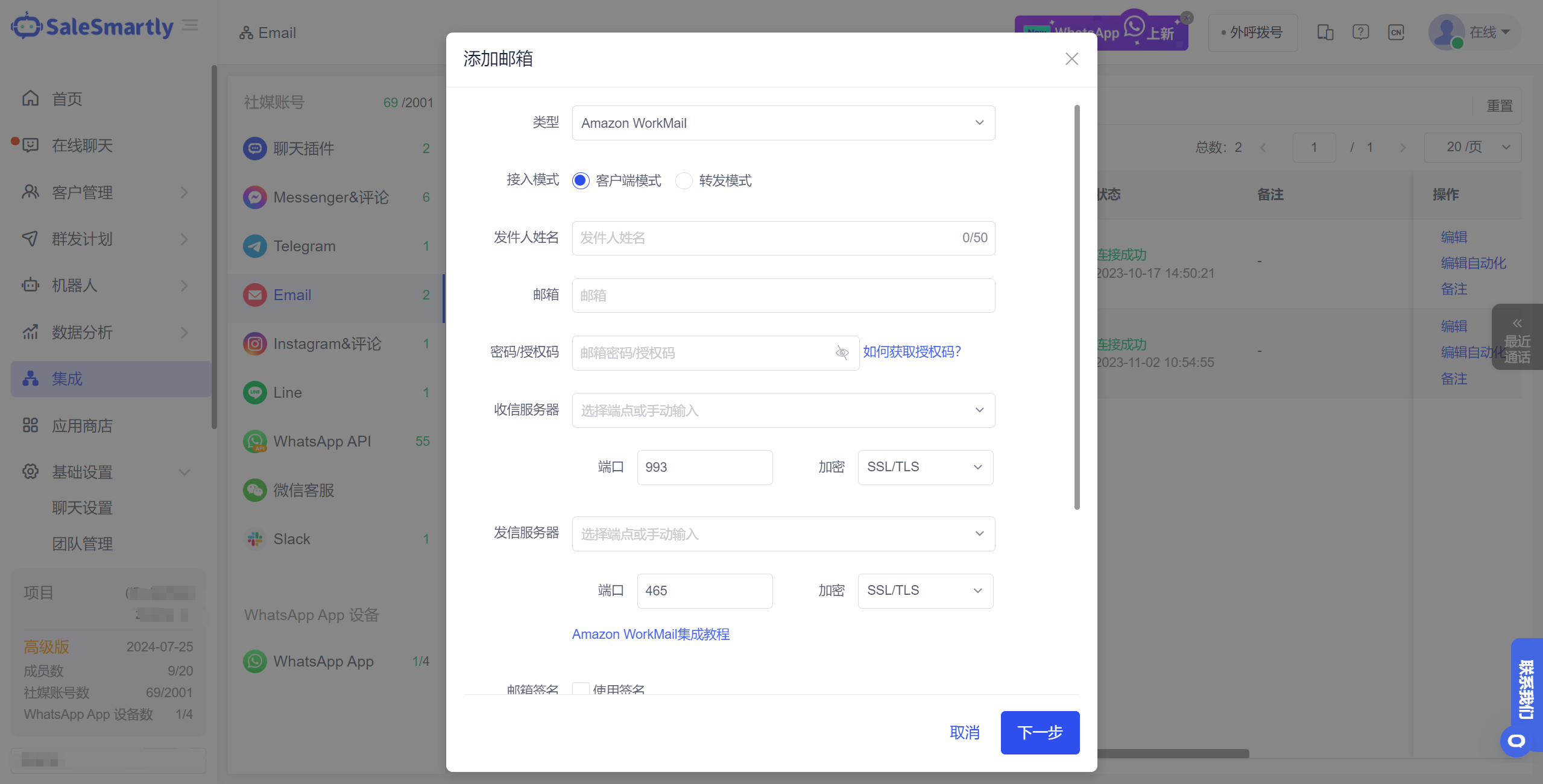
In Integration-Email channel, when adding an email account, you can select Amazon WorkMail type mailbox for quick integration.
Usage scenarios: Supports fast and unlimited integration of Amazon WorkMail email accounts, allowing you to integrate and process email messages from Amazon channels.
4.2 Automated Interactive Revision
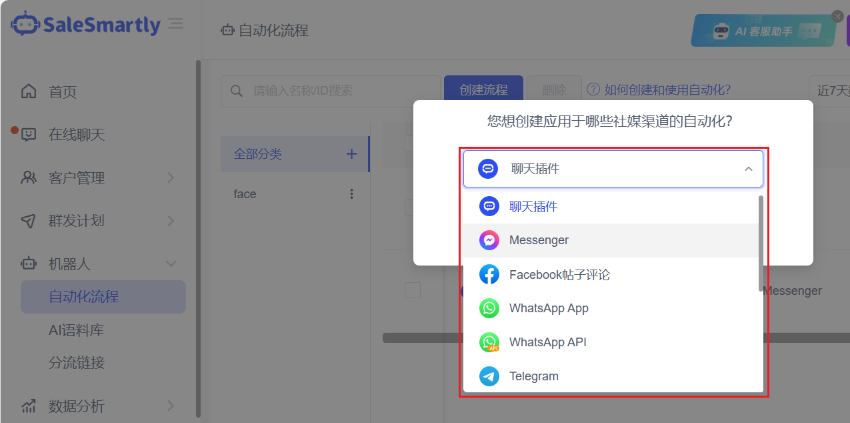
New channel selection has been added in the Robot-Automated Process, allowing customers to focus more on the automated creation of corresponding channels, effectively avoiding the incompatibility issues caused by different channel components.
Usage scenarios: For example, when you select a specific social media channel to create, the triggers, actions, and conditions that can be adapted to the corresponding channel will be displayed, allowing you to quickly create, test, and enable automated processes.
4.3 HelpLook Answers Show the Source of the Application Article
In the App Store-HelpLook installation settings pop-up window, a new Show answer reference source switch has been added.
Usage scenario: When you want to provide users with corresponding answer reference sources, you can choose to turn it on. Users can click the reference source link at the bottom of the answer to open the document details of HelpLook to help users further solve their doubts.