SaleSmartly Updates
1. SaleSmartly Updates: Malaysian Language Support Now Available
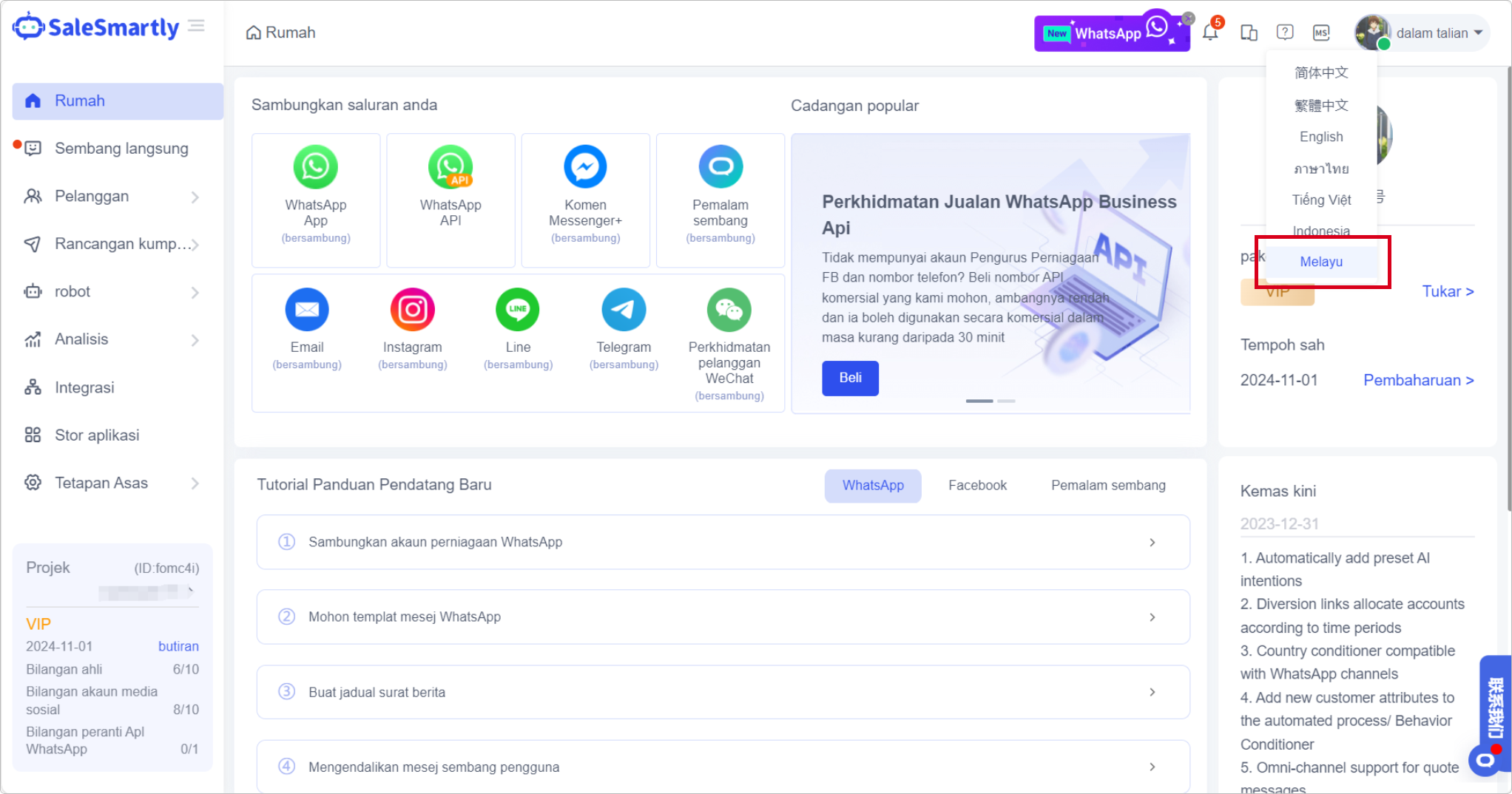
The Malaysian language has been added to the system language. Click the language icon in the upper right corner of the homepage to switch with one click.
Usage scenario: If your team has members from Malaysia, it will be easier and more efficient for them to use the system, effectively reducing the system learning cost.
2. WhatsApp API Now Supports Access to ITNIO TECH
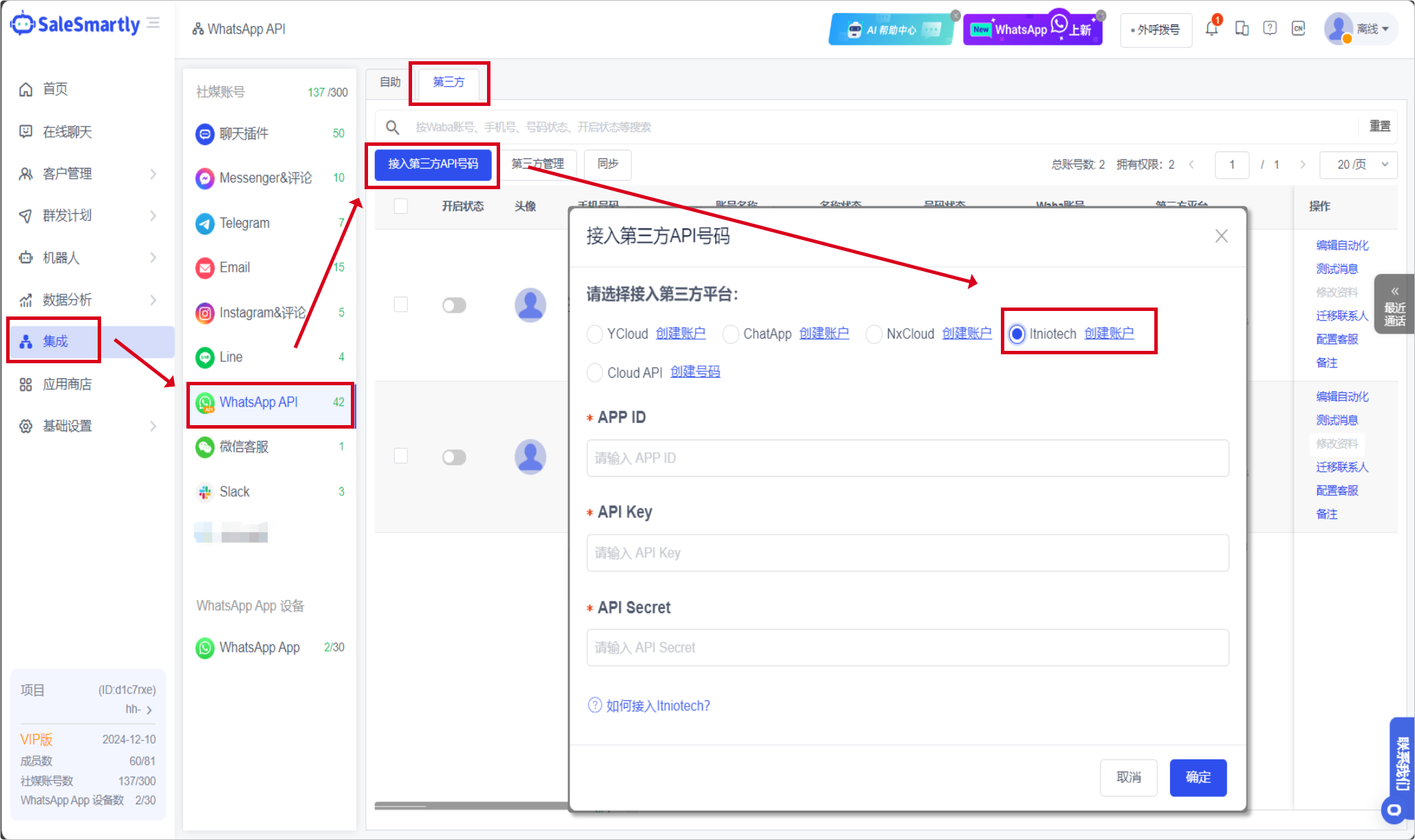
In Integration-WhatsApp API-Third Party, it is now possible to access ITNIO TECH API numbers.
Usage scenario: After accessing the ITNIO TECH number, you can use practical functions such as configuration automation, template message sending, test message, etc. to help you manage multiple numbers efficiently.
3. Added Automation Templates to the Automation Process
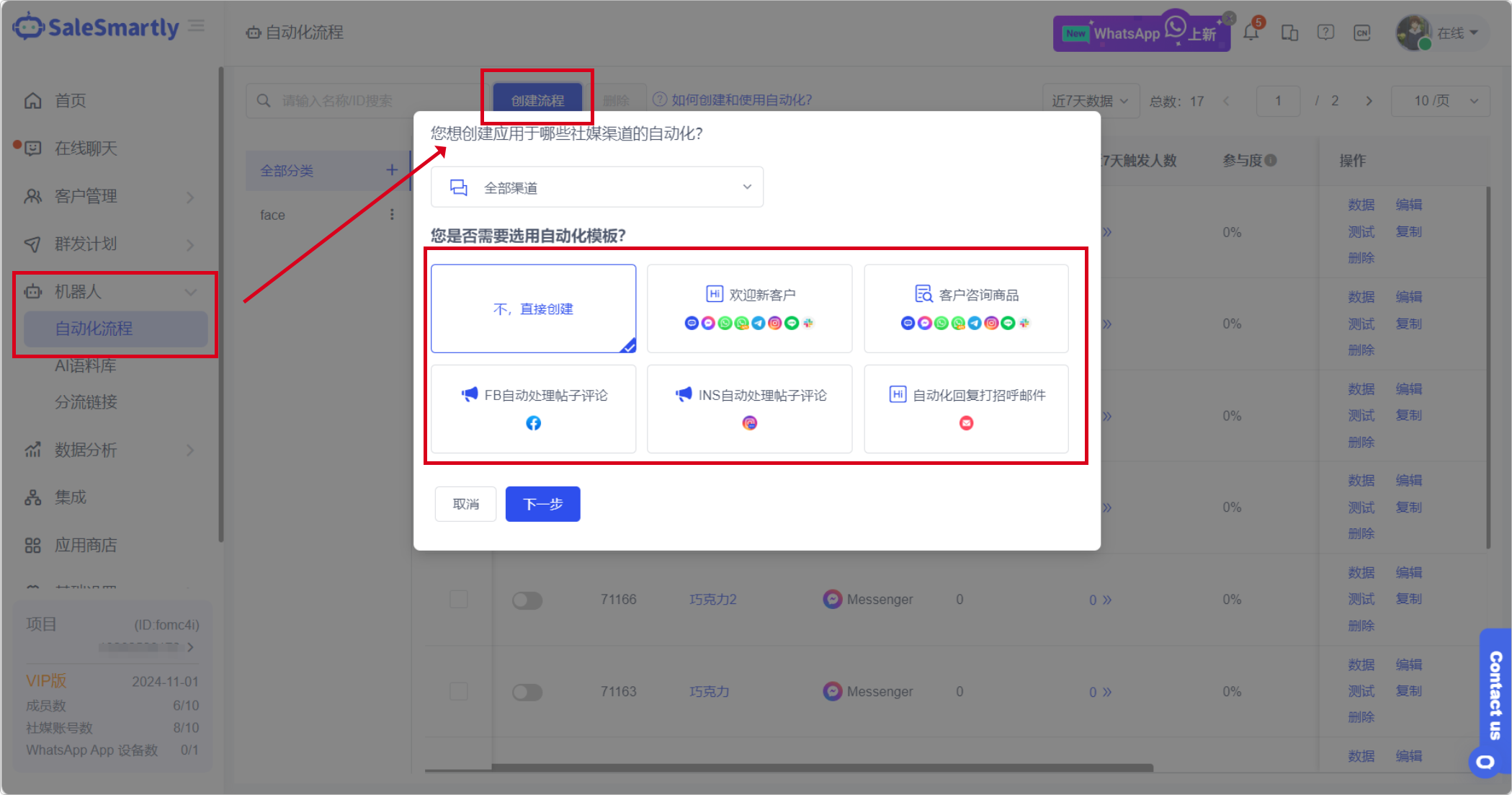
In Robot-Automated Process, a new automation template function has been added to help you easily configure automated processes based on business scenarios.
Usage scenario: After selecting a template to create, you only need to modify a small amount of preset images or text to create a complete automated process that complies with the business template, saving your time and energy.
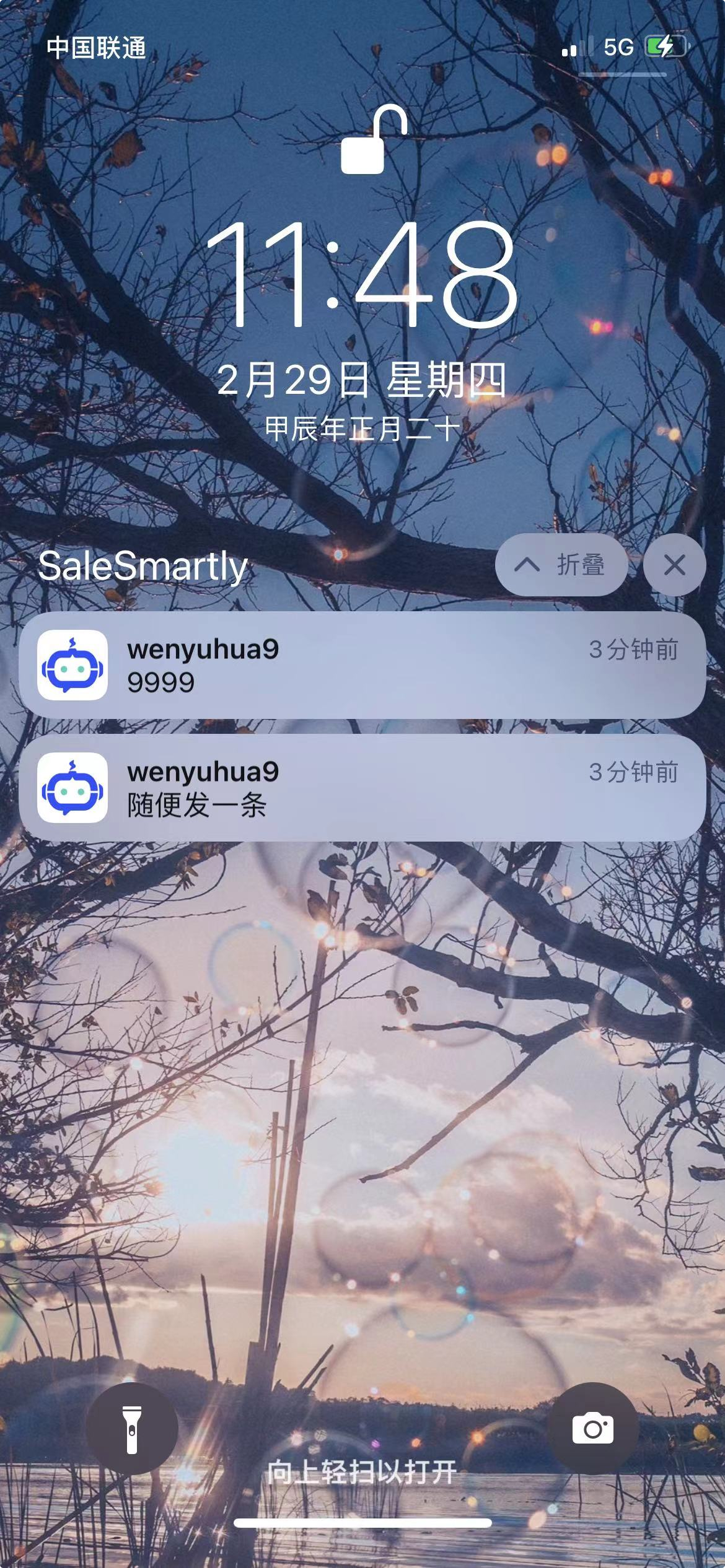
4. The Mobile Terminal Supports IOS Information Push Function
For IOS mobile users, the information push function is now supported to prevent you from missing important customer information.
Usage scenarios: When you are away from the host device, the mobile terminal that supports message push can still help you view the information of new visitors in real time and realize convenient communication in multiple scenarios.
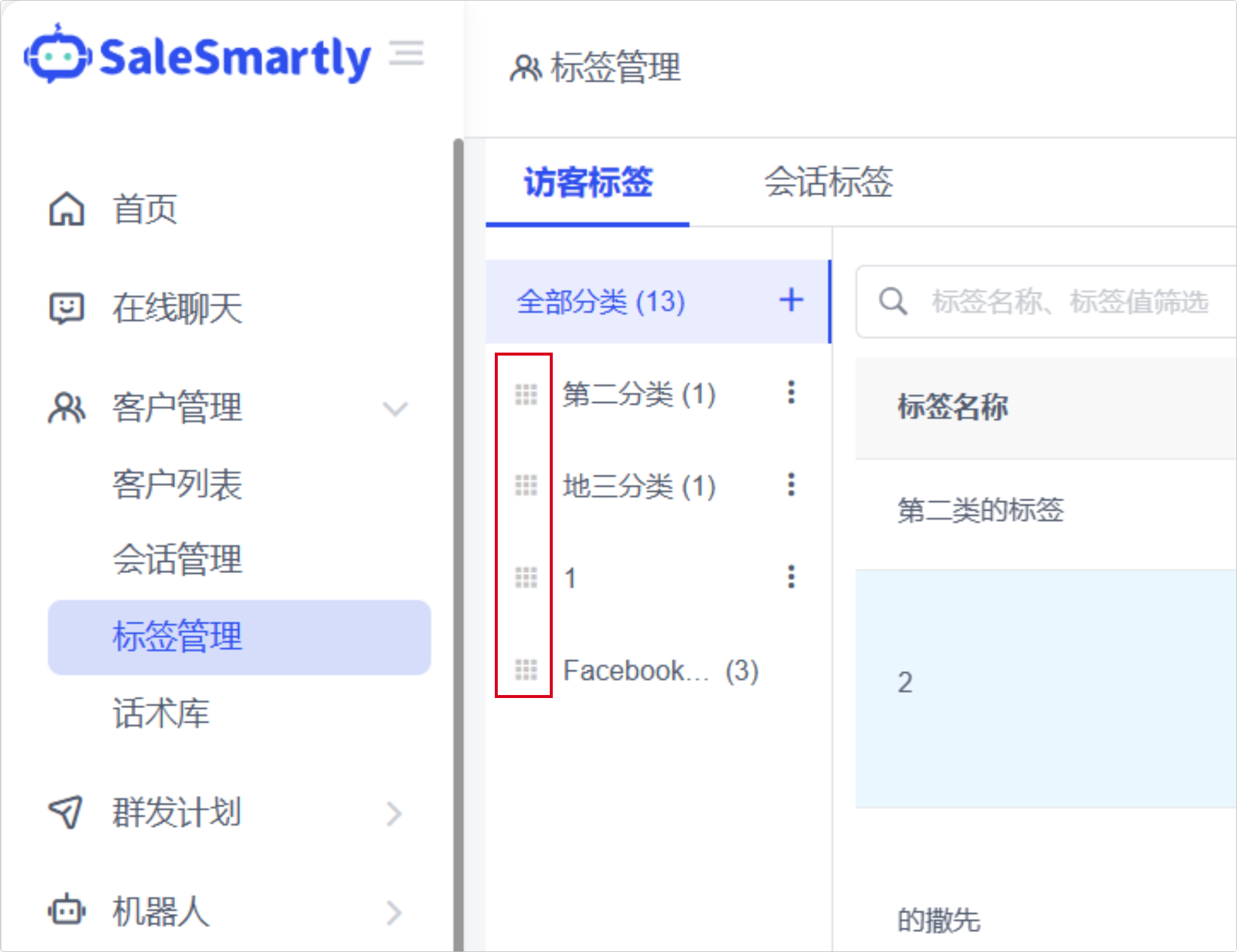
5. Visitor Tags Support Classification and Sorting Operations
In Customer Management - Visitor Tags, for tag categories, you can now click and drag the icons in front of the categories to customize the sorting of tag categories.
Usage scenario: When you have frequently used visitor tag categories, you can move them to the top to facilitate quick tagging in chat.
6. Partial Optimization
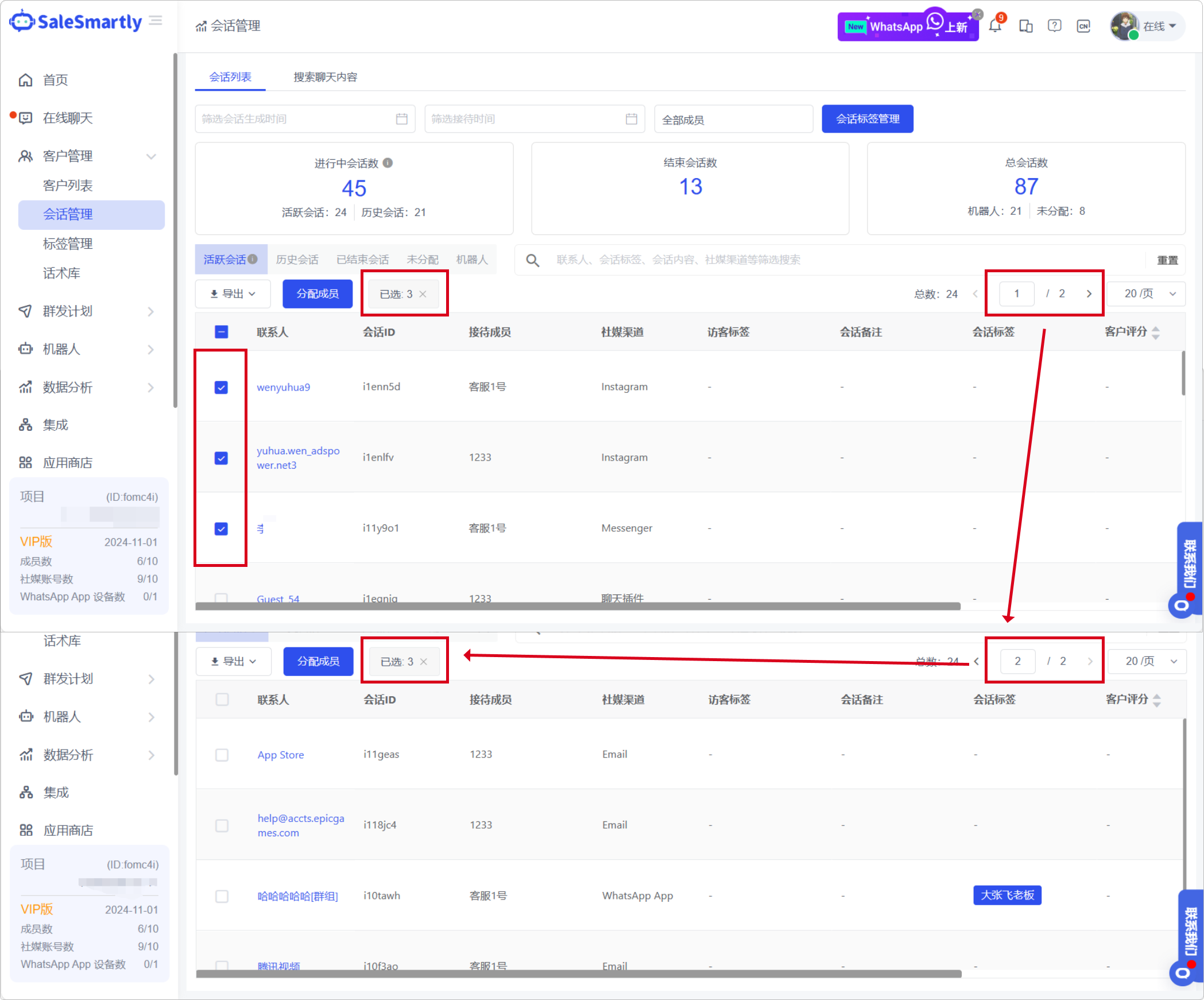
6.1 Keep the Previous Page Selection When Switching Pages in the Session Management List
In Customer Management - Session Management, when you switch pages for the session list, if you selected some sessions on the previous page, the selection status of the previous page will be retained.
Usage scenario: After retaining the selection status of the previous page, you can perform batch selection operations on multiple pages.
6.2 All Channels Support Blacklist Function
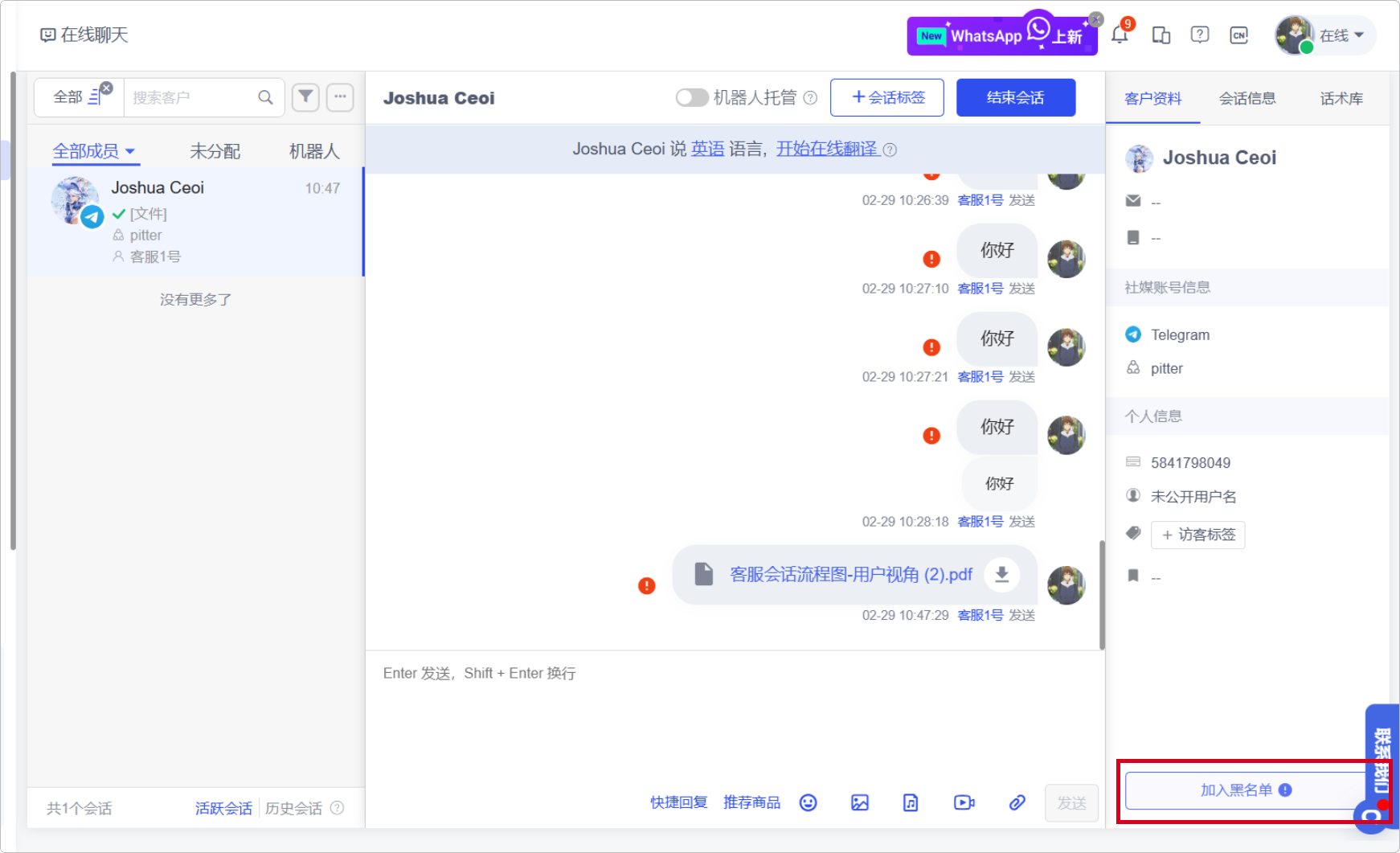
Live Chat: All channels now support the blacklist function, and you can blacklist visitors who are harassing or unwanted.
Usage scenario: Advertisements or invalid conversations are unavoidable in daily conversations. Setting them to blacklist can make your chat conversation list neater and improve office efficiency.