Customer Tools Upgrade
1. Redesign of Visitor Tag System
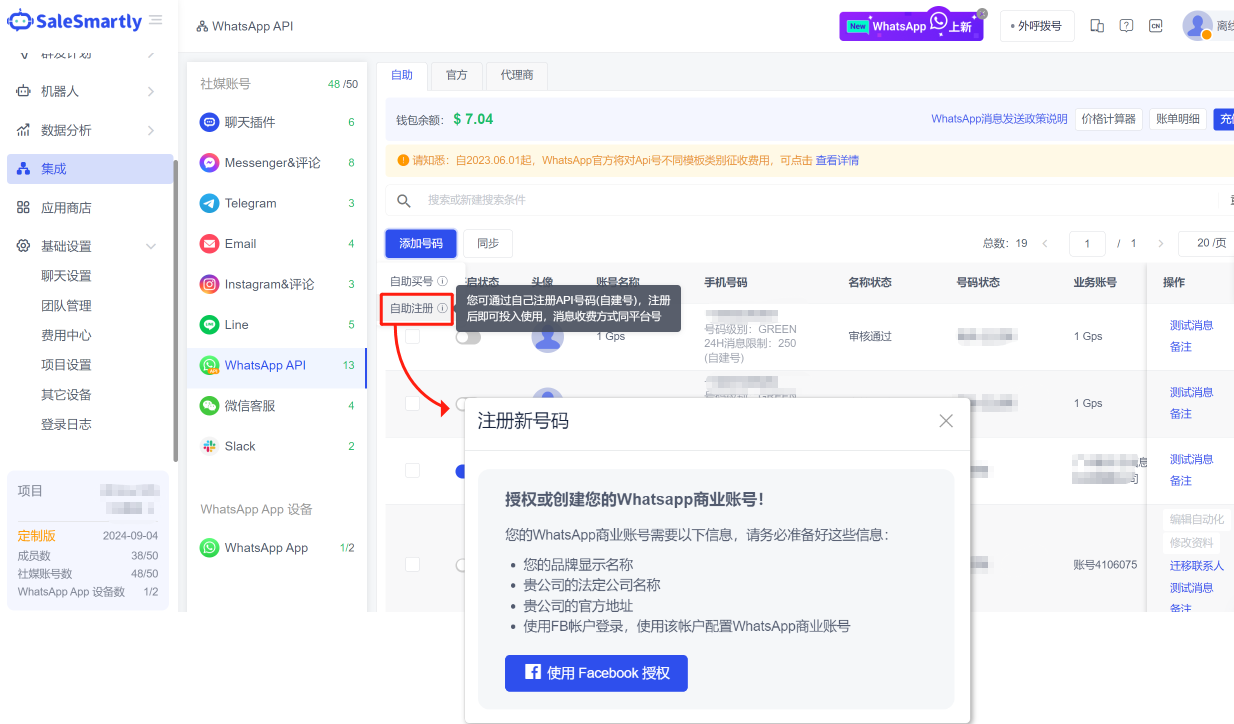
In Customer Management - Tag Management - "Visitor Tags", the tag name and tag value are now distinguished, and tag grouping is supported, which facilitates merchants to cluster tags. For example, the tag name can be set to "gender" and the tag value can be set to "male", "female", etc., so that customers can be tagged with "male" or "female".
Usage scenarios: It helps you to systematically build a visitor tag system, which is easier to maintain later. In addition, multi-level tagging can make your customer profile clearer.
2. Instagram Comment Automation
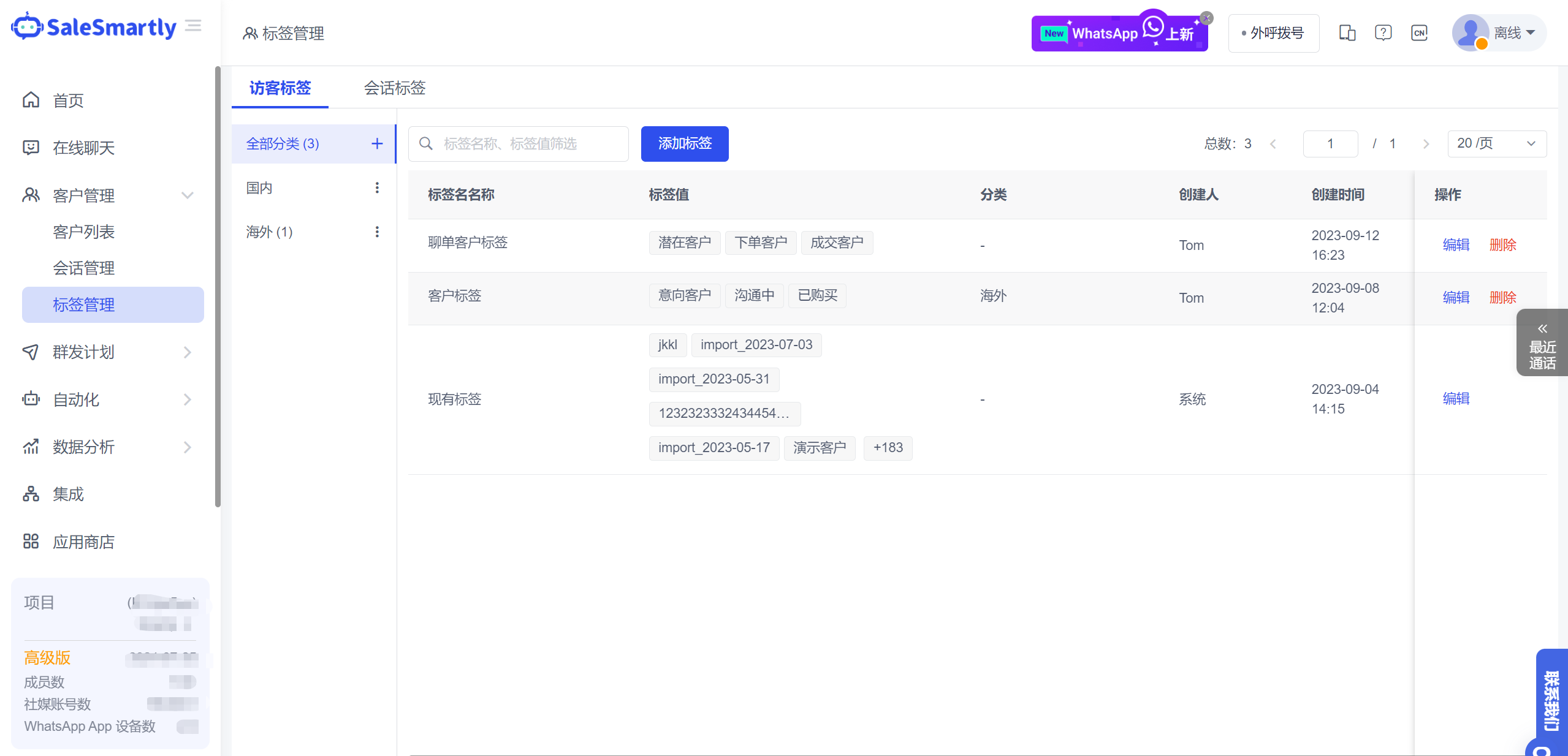
In Automation - Automation Process, you can add an action to reply to Instagram comments. You can set the action to automatically hide/delete comments and send texts.
Usage scenarios: For businesses that run Instagram advertising posts, this feature can help you automatically and efficiently process a large number of Instagram comments, achieve real-time interaction with users, and enhance user engagement; at the same time, negative/bad reviews can be automatically blocked to reduce customer service workload.
3. Mark Conversations as Read in Batches
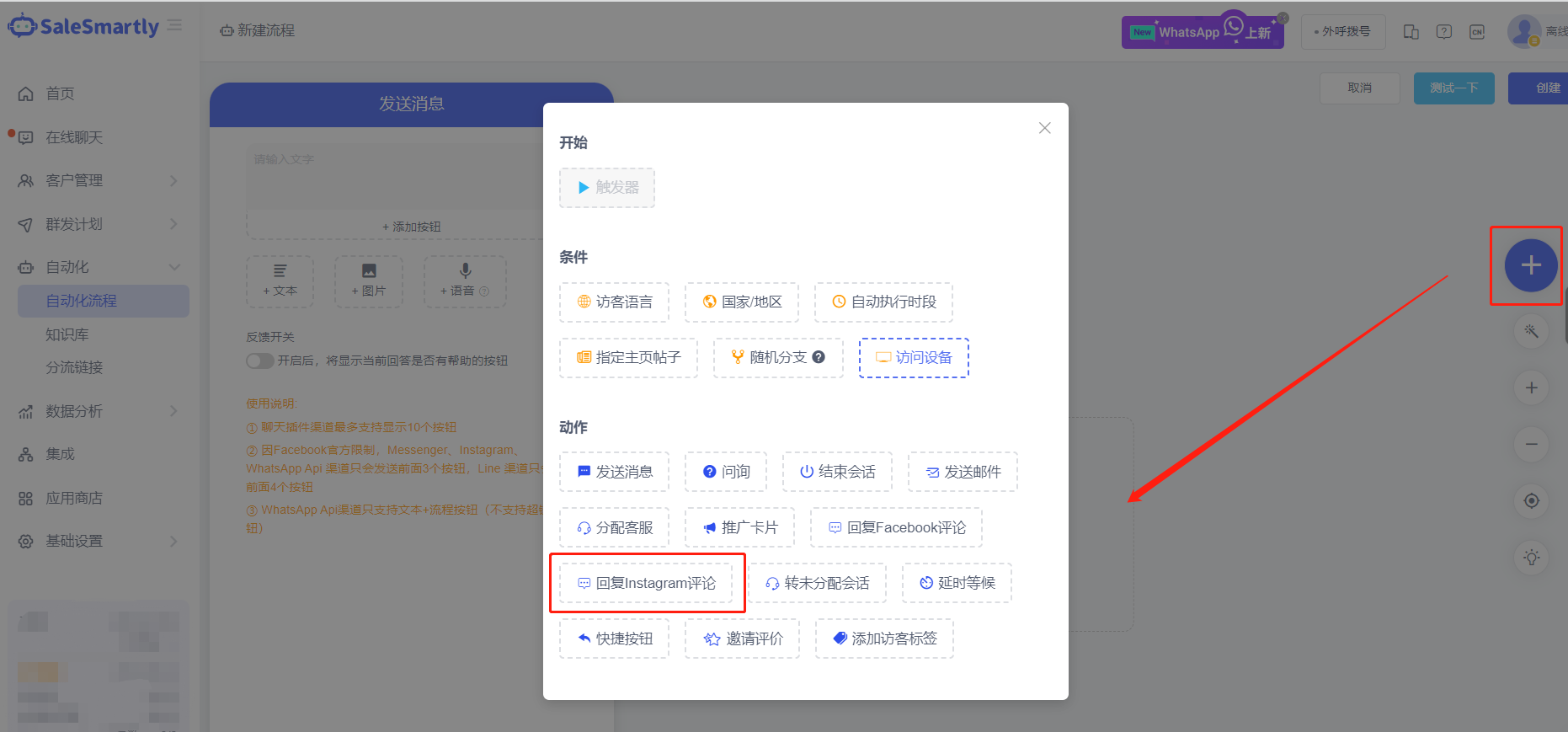
In Online Chat, you can mark single or multiple conversations as read.
Usage scenario: For historical conversation messages that are not processed, they can be marked as read in batches, so that customer service can focus on new unread conversation messages.
4. Support Searching Chat History
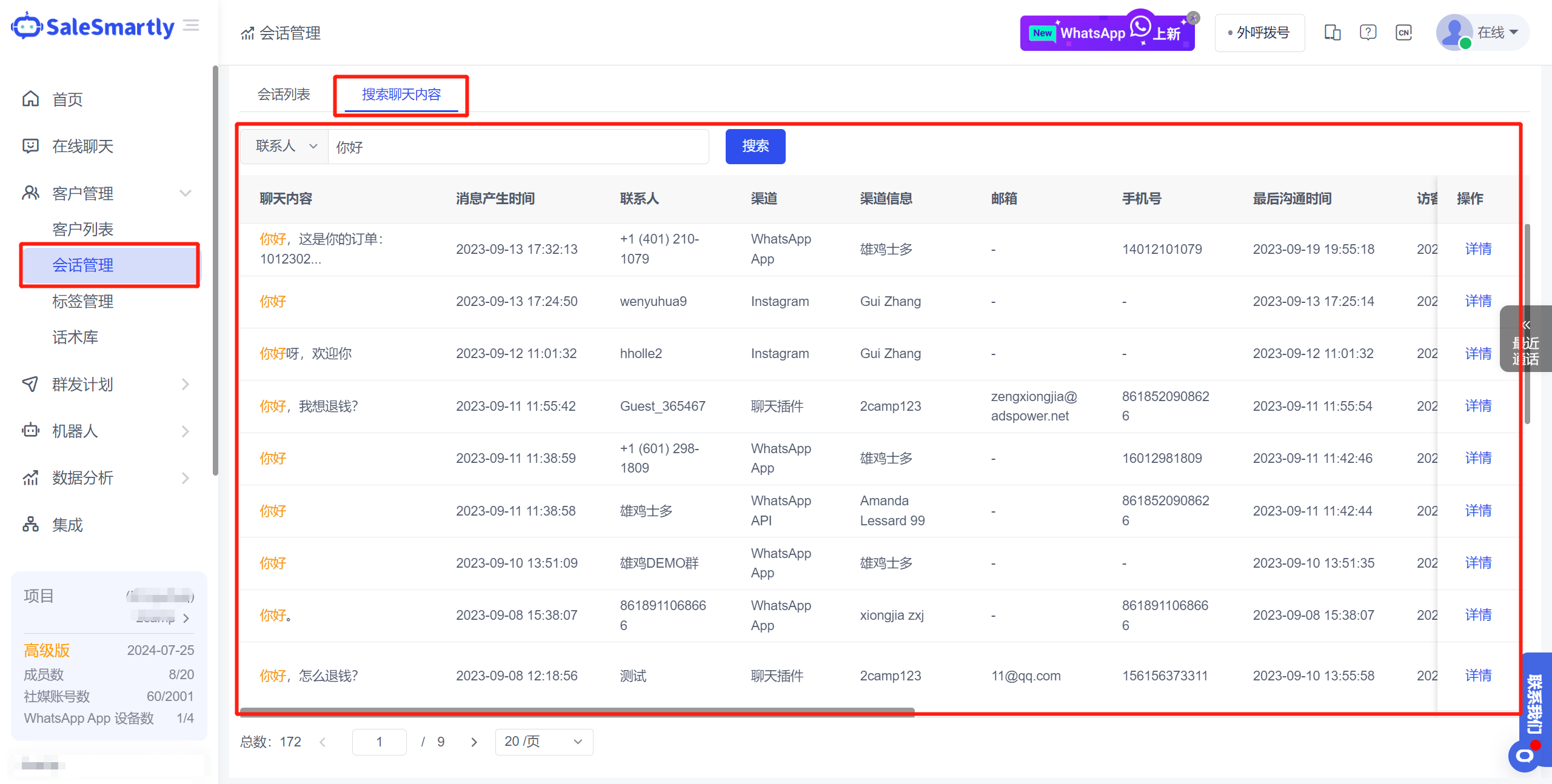
In the Conversation Management Search Chat Content tab, you can select the contact dimension or the conversation dimension to search the global chat history based on keywords (if you cannot see this function interface, please contact the project super administrator to open the corresponding function permissions).
Usage scenario: Merchants can use chat keywords to quickly find target customers; at the same time, they can also search whether customer service has sent banned words to achieve chat quality inspection.
5. Toggle Busy Status
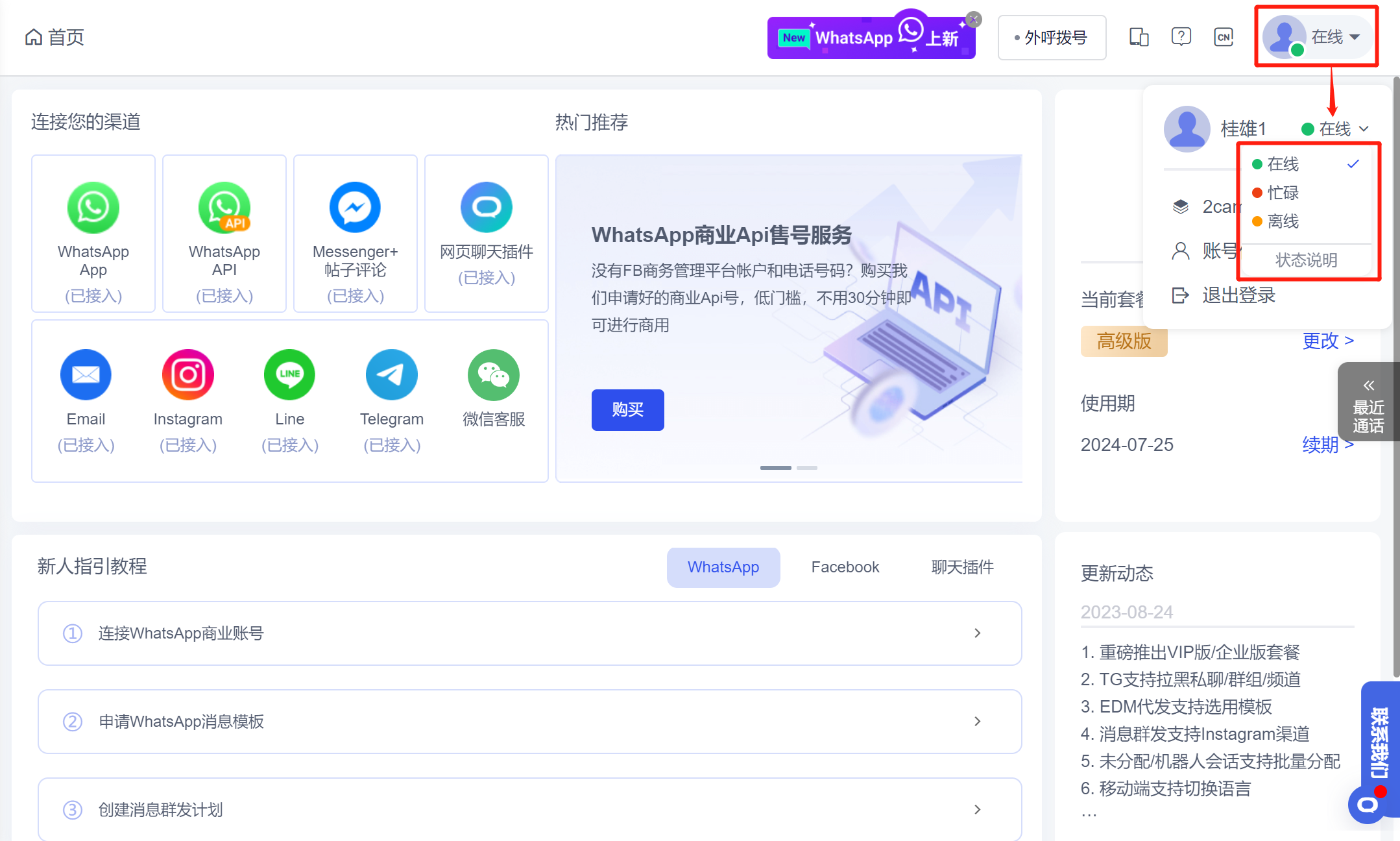
In addition to online and offline, member account status can now be switched to busy status.
Usage scenario: For member accounts that have enabled scheduling, if they have something urgent to do during the scheduling period and cannot continue to receive visitors, they can switch the account to busy status, and the system will stop automatically allocating new sessions to the member account.
6. Add New Statistical Indicators to Large Reports
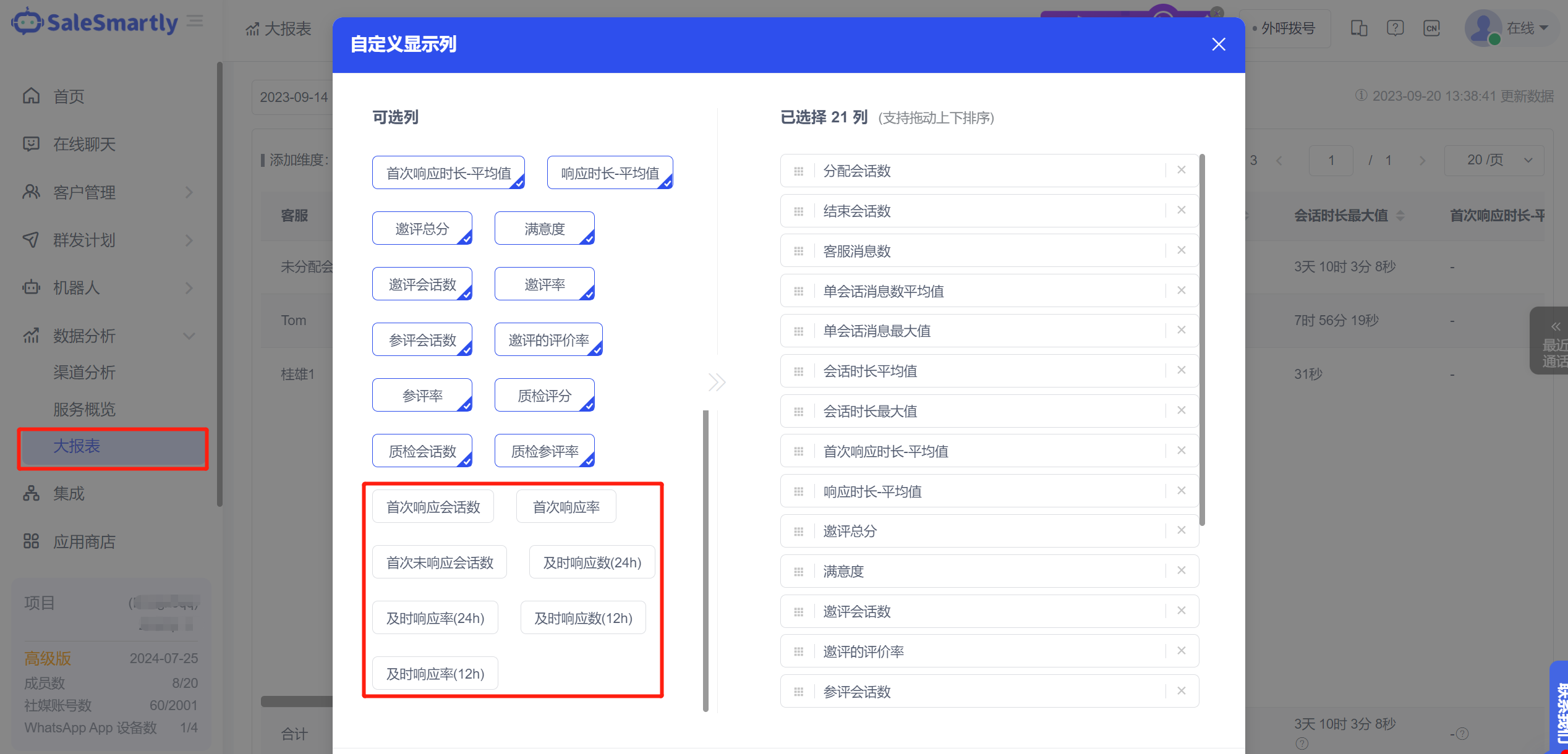
In the Big Report, new statistical indicators such as the number of first response sessions, first response rate, and timely response rate have been added.
Usage scenario: For example, based on the number of first unresponded sessions, you can analyze how many sessions the corresponding customer service members have connected but not responded to; the first response rate counts the proportion of sessions that the customer service staff has responded to to all connected sessions.
7. Add a Single Contact
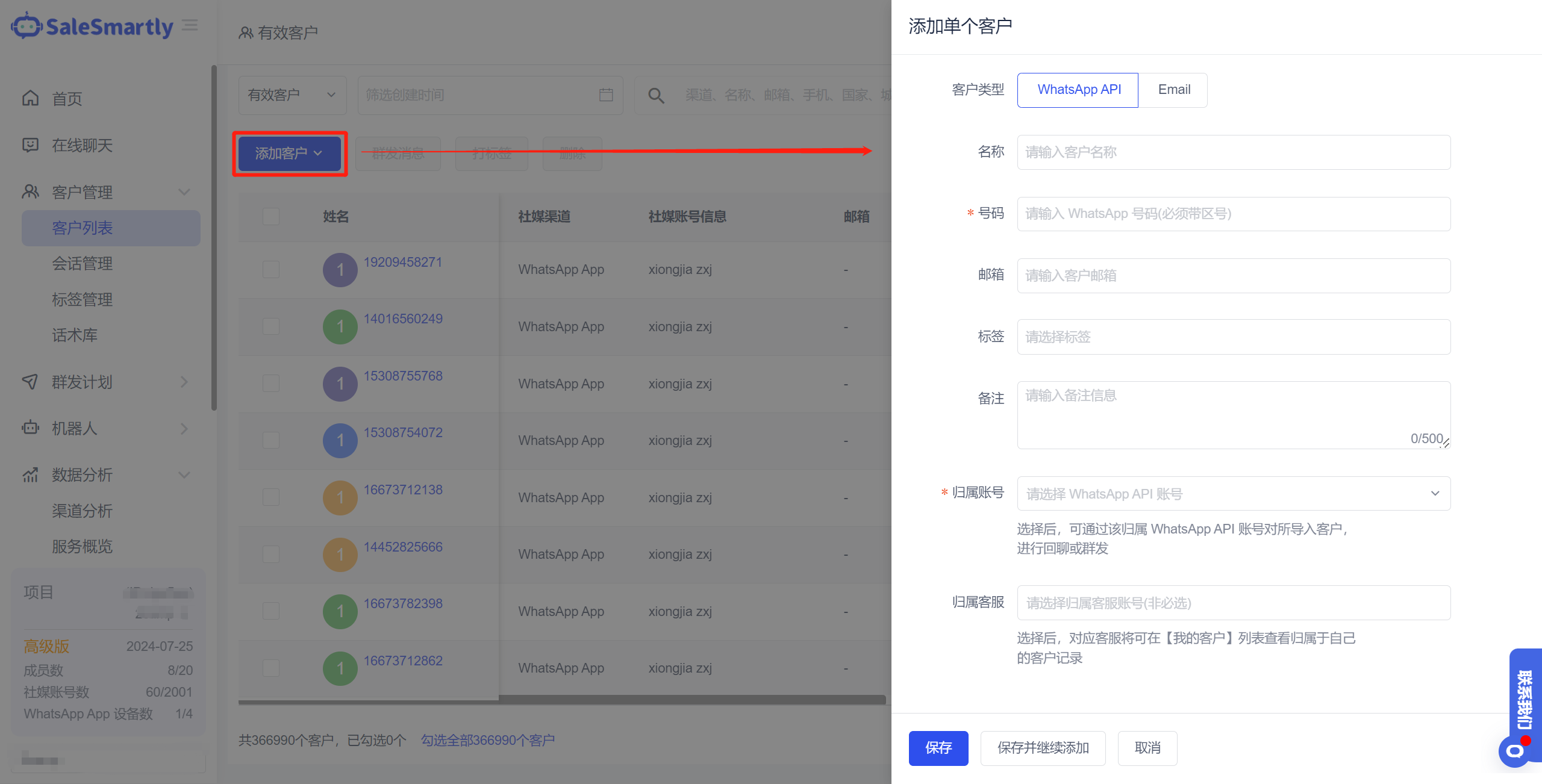
In the Customer List, you can add individual contacts by WhatsApp API channel and Email channel.
Usage scenario: When you add a single contact, you do not need to download the form every time to import contacts in batches. Now you can directly enter the information of a single contact to improve operational efficiency.
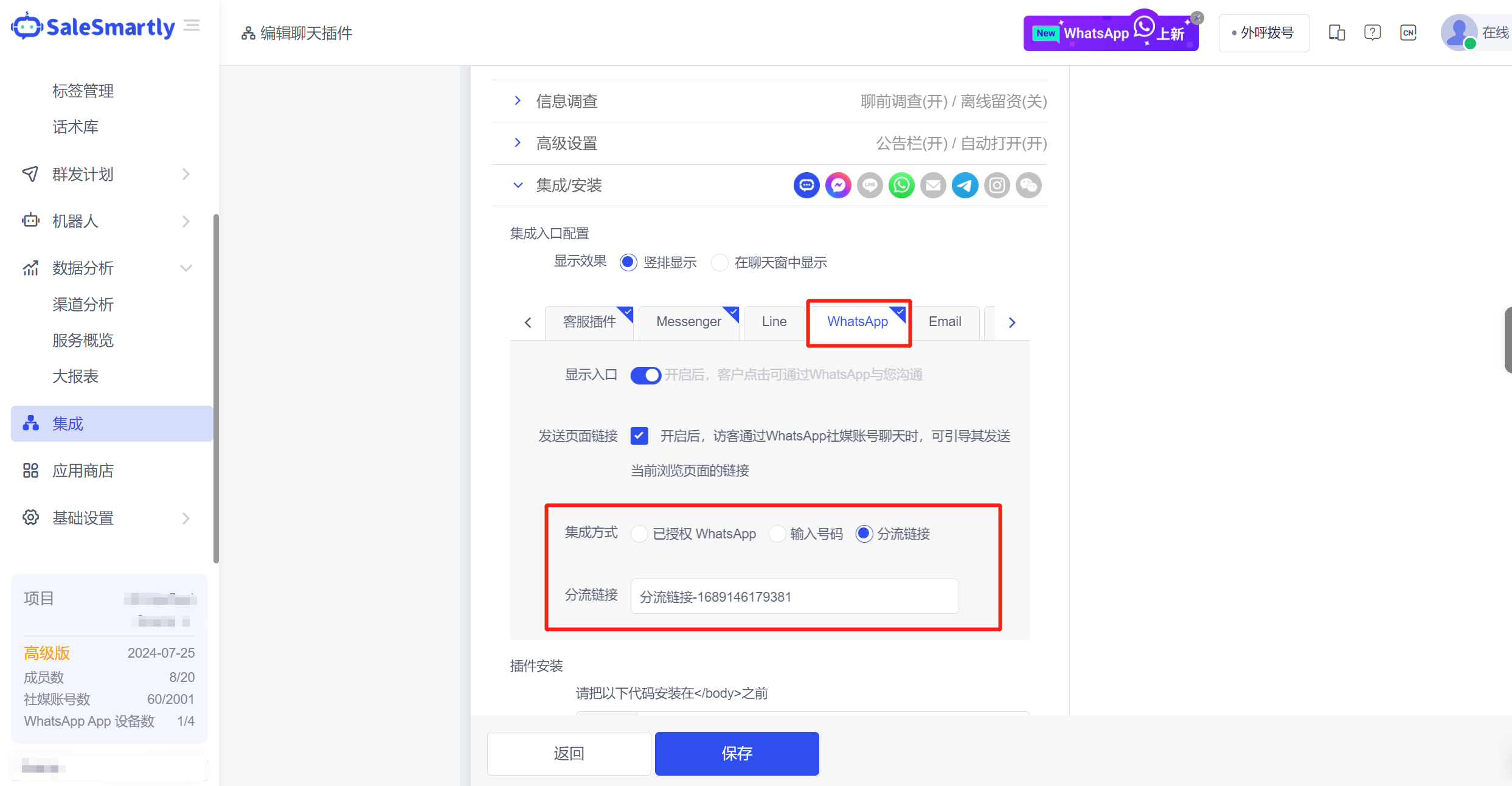
8. WS Widget Can Jump to Diversion Link
Chat plug-in - WhatsApp widget, supports associated diversion links. Visitors can directly jump to the specified diversion link by clicking the widget.
Usage scenario: During peak website traffic periods, the number of inquiries through the WhatsApp widget will also increase dramatically. At this time, the carrying capacity of a single WhatsApp account is limited. You can use a diversion link (multiple diversion accounts can be set in one diversion link) to evenly distribute the website consultation volume to multiple WhatsApp accounts to reduce the pressure on customer service reception.
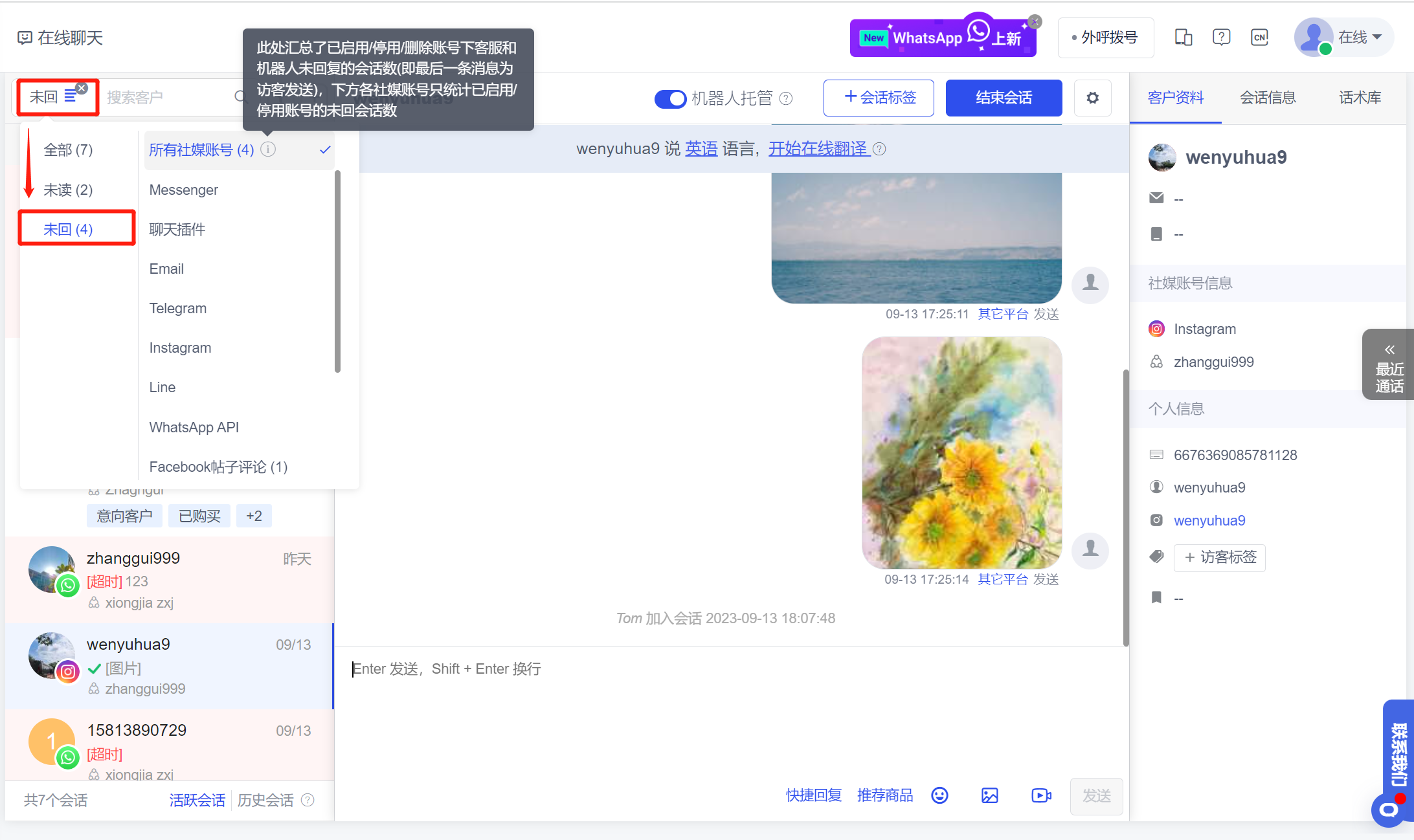
9. Online Chat Support Screening for Unanswered Calls
At the top of Online Chat, a new "Unreplied" filter condition has been added to filter out all conversations where the last message was sent by a visitor, that is, conversations that neither the customer service nor the robot has replied to.
Usage scenario: Customer service can directly filter out unreturned/unresponsive conversations and handle them quickly to avoid forgetting to reply to visitor messages, which may lead to loss of customers or business opportunities.
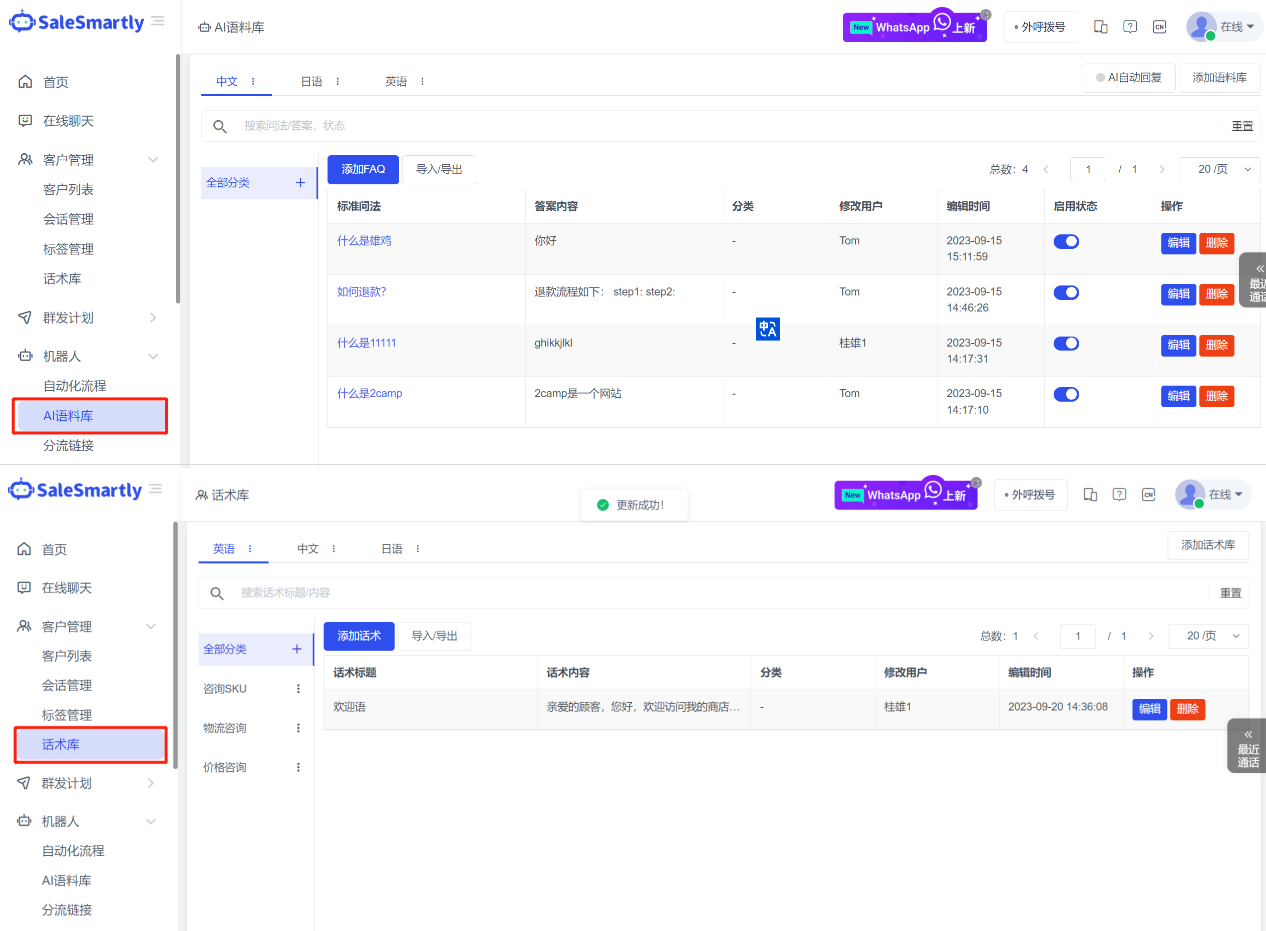
10. Knowledge Base Splitting
The original knowledge base function is split into two independent modules: the speech library and the AI corpus, which makes it easier for merchants to maintain them separately to avoid confusion.
Usage scenarios: The script library can add preset scripts and directly apply them when replying to visitor messages, thus improving customer service response efficiency. The AI corpus can realize the robot's automatic reply function. Merchants only need to add corresponding FAQs (questions/answers) according to the content of the messages that visitors may send. When a visitor sends any message, it will be matched with all the questions in the corpus for similarity. If the match is successful, the corresponding answer will be automatically replied.
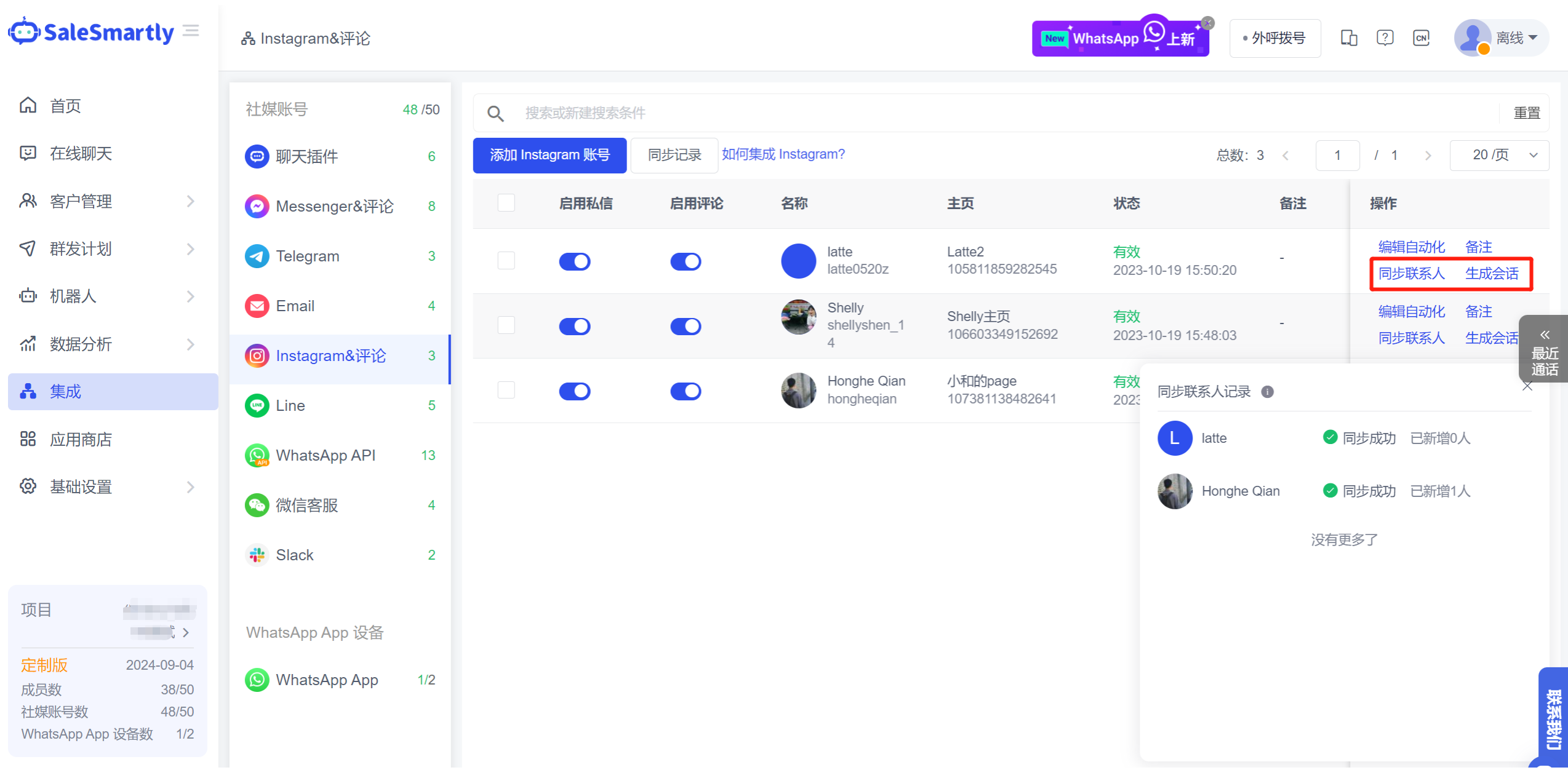
11. Instagram Sync Contacts
In Integration Instagram & Comment List, it supports synchronizing historical contacts and generating new conversations.
Usage scenario: If you are using the SaleSmartly platform for the first time, you can synchronize your historical Instagram users and their chat records to this platform by synchronizing contacts. Then click Generate Session to continue reaching out to existing users.
12. Public Schedule
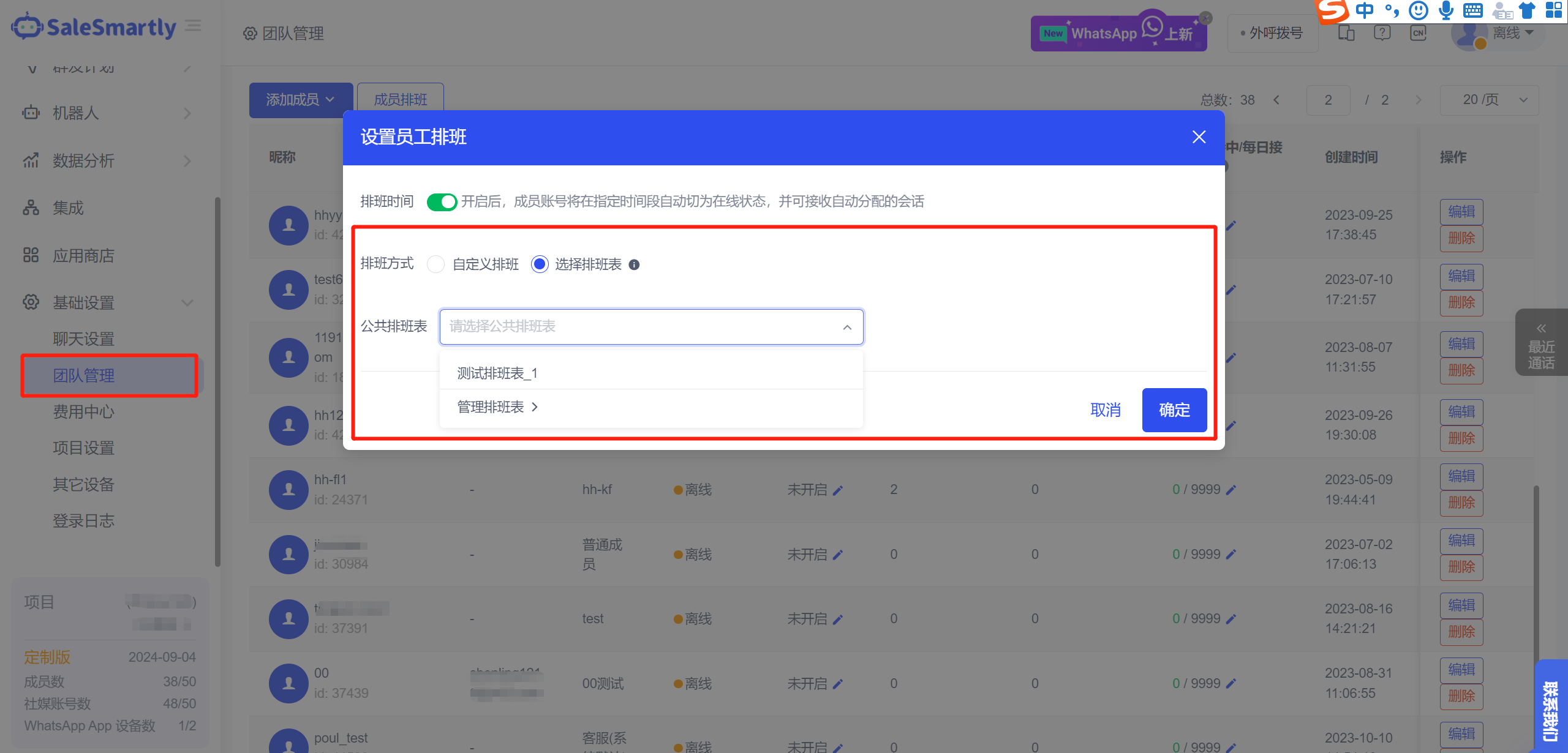
In Team Management, after enabling the shift scheduling function for members, you can choose to associate them with a specified public shift schedule.
Usage scenario: Supervisors can select and specify a public schedule for members to facilitate the subsequent unified management of the schedules of multiple members. That is, when the schedule is edited for the second time, the schedule times of the associated members will be updated synchronously.
13. FB/Ins Comments and Private Message Conversations Are Assigned to the Original Customer Service
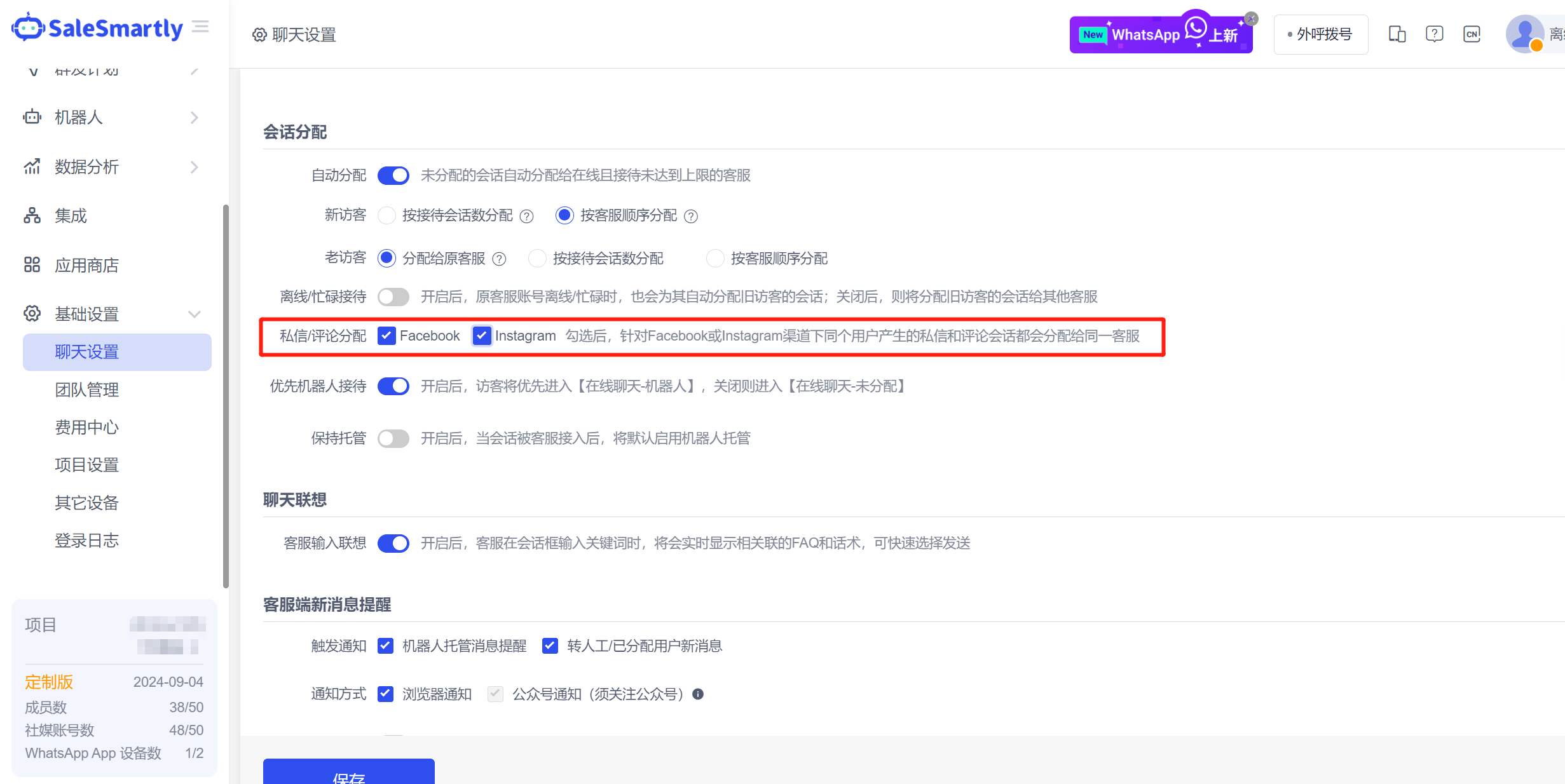
In Chat Settings, after turning on automatic allocation, you can check the Private Message/Comment Allocation - Facebook, Instagram channels to enable the same customer service to uniformly handle private messages and comment sessions generated by the same user.
Usage scenario: For example, after checking Facebook, when a user under the same homepage generates a FB comment session by leaving a comment and is received by customer service A, if the user subsequently sends a private message to generate a Messenger session, the system will automatically assign it to customer service A to continue receiving it; conversely, if the user generates a Messenger session first and then a comment session, it will also be automatically assigned to the original customer service.
14. Launch WhatsApp API to Create Your Own Account
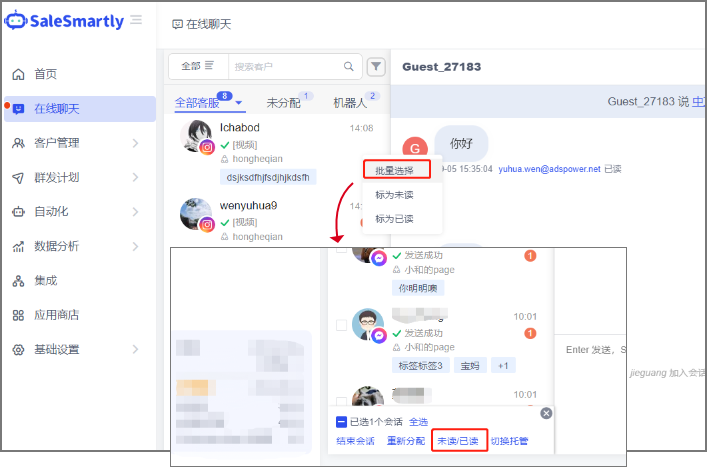
In the Integration WhatsApp Api-Self-service Tab, you can create your own Api number (self-built number) through embedded registration.
Usage scenario: If you do not want to purchase a platform number, you can register an API number yourself; this registration process is quick and simple, and does not limit the number of registrations you can make, which helps expand the scale of your API number usage.